1
Thank you for purchasing a SAMSUNG CCD CAMERA.
Before operating the camera, confirm the camera model and proper input power voltage. In
order that you can understand this manual thoroughly, we'll introduce our model description.
SID-53 SERIES, 56 SERIES
• NTSC models : SID-53N, SID-56N
The lightning flash with arrowhead symbol, within an equilateral triangle is
intended to alert the user to the presence of uninsulated "dangerous voltage"
within the product's enclosure that may be of sufficient magnitude to constitute a
risk of electric shock to persons.
The exclamation point within an equilateral triangle is intended to alert the user
to the presence of important operating and maintenance (servicing) instructions
in the literature accompanying the appliance.
Model Description
• SID-53X SID-56X
• PAL models : SID-53P, SID-56P
• SIGNAL SYSTEM
N
NTSC Model
P
PAL Model
Signal system
Features
Ultra High Resolution
INFORMATION-This equipment has been tested and found to comply with limits for a
Class A digital device, pursuant to part 15 of the FCC Rules. These limits are designed
to provide reasonable protection against harmful interference when the equipment is
operated in a commercial environment. This equipment generates, uses, and can
radiate radio frequency energy and, if not installed and used in accordance with the
instruction manual, may cause harmful interference to radio communications.
Operation of this equipment in a residential area is likely to cause harmful interference
in which case the user will required to correct the interference at his own expense.
WARNING - Changes or modifications not expressly approved by the manufacturer
could void the user’s authority to operate the equipment.
SALES NETWORK
• SAMSUNG TECHWIN CO., LTD.
145-3, Sangdaewon-dong, Jungwon-gu, Seongnam-si, Gyeonggi-do, 462-120, Korea
TEL : +82-31-740-8151~8 FAX : +82-31-740-8145
• SAMSUNG OPTO-ELECTRONICS UK, LTD.
Samsung House, 1000 Hillswood Drive, Hillswood Business Park Chertsey, Surrey KT16 OPS
TEL : +44-1932-45-5308 FAX : +44-1932-45-5325
www.samsungtechwin.com
www.samsungcctv.com
P/No. : Z6806089001A
VAN 08. 04
Samsung Techwin cares for the environment at all product manufacturing
stages to preserve the environment, and is taking a number of steps to
provide customers with more environment-friendly products.The Eco mark
represents Samsung Techwin s will to create environment-friendly products,
and indicates that the product satisfies the EU RoHS Directive.
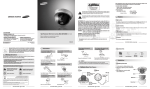
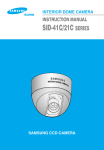
High Resolution Mini Dome Camera SID-53/56 User’s Manual
Thank you for purchasing a SAMSUNG CCD CAMERA.
Before attempting to connect or operate this product,
please read these instructions carefully and save this manual for future use.
MINI DOME CAMERA 1 USER’S MANUAL
Do not install under unstable
lighting conditions.
Do not install in high humidity
environment.
May lower image quality.
Avoid touching the camera lens.
Indicates “Never Allowed.”
Getting to Know Your Camera
Tilt Base
MINI DOME CAMERA 5 USER’S MANUAL
Quick Install Guide
M4 Taping
Screw 2EA
Installing Camera
Bottom
BNC Jack
Power Input
Terminal
The lens is the most important component of the
camera. Be careful not to smear it with fingerprints.
1. Fix the camera to a ceiling using two screws.
2. After fixing it, adjust its pan base and tilt base
properly.
Hole
3. After setting them, secure the shield
case and dome-cover.
Screw
Avoid touching the camera lens.
Shield Case
Dome Cover
Pan Base
May cause a product malfunction.
User’s Manual
Installation
You can adjust up and
down the camera
(20˚~90˚).
Do not install under unstable
lighting conditions.
Accessories
If it is exposed to radioactivity, For heated CCD,
it will be out of order.
Front
Indicates “No Disassembling.”
Notes
• If the camera is exposed to spotlight or object
reflecting the strong light, smear or blooming
may occur.
• Please check the power whether it satisfies
the normal specification before connecting
the camera.
Ignoring this information may result in
material loss and/or a slight injuries.
Severe lighting changes or flickering may hinder
normal camera operation.
Pan and tilt are available after installing camera.
MINI DOME CAMERA 4 USER’S MANUAL
Do not expose the camera to
radioactivity.
Warning/Attention/Special Mark Messages
Ignoring this information may result in
material loss and/or serious personal
injuries including death.
SSNR (Samsung Super Noise Reduction) Function
ENGLISH
Warnings & Cautions
Use only under temperature conditions between
-10˚C and +50˚C. Provide good ventilation when
using in high temperature conditions.
The built-in high sensitivity COLOR CCD enable a clear image even in 0.04 Lux or lower
illumination.
Pan and Tilt
This information is provided to ensure your safety and to prevent any losses, financial or
otherwise. Please read it carefully and use the product accordingly.
* For product inquiries, please contact the retail shop where you bought the camera. The use of equipment such as an
aerial ladder while providing after-sales service shall be at your expense.
* Separate the power plug when thunder crashes or lighting flashes.
* This product is support equipment for surveillance system. Therefore, we can't compensate for material loss and/or
personal injuries by robbery, fire, natural disaster or something like this type.
Excellent Sensitivity
The high performance WIN-IV DSP chip dramatically reduces the gain noise in digital image
processing, producing clear, sharp images in low lighting environments.
This installation should be made by a qualified service person and should conform to all
local codes.
Precautions
Do not install under extreme
temperature conditions.
CAUTION : To prevent electric shock and risk of fire hazards:
Do NOT use other than specified power source.
Do NOT expose this appliance to rain or moisture.
By adopting a diagonal 6mm(1/3") 410,000(NTSC) pixel, 470,000(PAL) pixel SONY CCD, the
camera produces clear picture quality with a horizontal resolution of 580 TV lines for color.
May damage the CCD.
MINI DOME CAMERA 6 USER’S MANUAL
You can rotate the lens
from 360˚
MINI DOME CAMERA 7 USER’S MANUAL
MINI DOME CAMERA 8 USER’S MANUAL
Template
Notes
For DC Power Type
• When installing the camera on a ceiling not to disturb adjustment of Tilt Base angle fix
the BNC-Power Cable on the Pan Base clip.
Pan Base Clip
BNC-Power Cable
#22(0.33mm2)
#20(0.52mm2)
#18(0.83mm2)
Resistance ( Ω / m)
0.078
0.050
0.030
0.018
Voltage Drop (V/m)
0.028
0.018
0.011
0.006
Copper wire size (AWG)
#24(0.22mm2)
• As the voltage drop according to the length of the cable in the above table,
a camera may malfunction if there is an excessively long cable run.
* Voltage for camera operation: 12V DC ±10%
* Voltage drops in the above table are variable according to types of cable manufacturer.
Connect the VIDEO-OUT jack to the VIDEO-IN jack of monitor.
• Connect the adapter to the power input connector as shown in the figure below.
Use a DC 12V. (The Adapter is not provided with the Dome Camera.)
DOME Camera
You can adjust the Panning and Tilting angle freely. (Panning angle: 360°, Tilting
angle: 20°~90°)
Tilt Base
You can adjust up and down
the camera (20°~90°).
Tilt Base Holding
Screws
Pan Base
•As a connecting method varies according to instruments, refer to the manual supplied
with the instrument.
•Connect the cable after power is turned off.
•Set the 75Ω / Hi-Z selection switch. If it is a intermediate device, switch it to Hi-z
and if it is final device, switch it to 75Ω. (Please refer to the Monitor Manual.)
Built-in functions of the SID-53, SID-56 Camera include the following
Auto Functions
Electronic Shutter
Speed
Setting
WHITE BALANCE
ATW
BACKLIGHT
BLC
GAIN CONTROL
HIGH
SSNR
(Noise Reduction)
ON
SENS UP
AUTO
DAY/NIGHT
AUTO
SHARPNESS
ON
LENS SHADE
ON
Pan Base
Holding Screw
You can rotate the lens
from 360˚
Connection to Monitor
Connection to Power
Camera Operation
Panning & Tilting Control
Resistance of copper wire [at 20C˚ (68˚F)]
1) Adjustment Panning angle: After attaching the dome camera to a ceiling, adjust the
panning angle for better monitoring area by rotating the Pan Base. The panning angle
can be adjusted 360˚ freely.
2) Adjustment Tilting angle: After attaching the dome camera to a ceiling, adjust
the tilting angle for better monitoring area by rotating the Tilt Base. The tilting
angle can be adjusted to 20˚ from 90˚ freely. (based the ceiling surface)
ESC
DOME Camera
Notes
Power Input Connector
BNC
Intermediate
Monitor
• After loosening Pan or Tilt Base holding screws, adjust its angle. And then tighten screws again.
• In case of adjusting the tilting, do not take the lens for preventing hysical shocks. Please take the Tilt Base.
• This dome camera is to be installed on the ceiling by factory default.
Adapter (not provided)
MINI DOME CAMERA 9 USER’S MANUAL
Troubleshooting
If you have trouble operating your camera, refer to the following.
If the guidelines do not enable you to solve the problem, contact an authorized
technician.
The image on the screen is dim.
• Check if the lens are stained. If dirty, clean the lens with soft, clean cloth.
• The image is dimmer at night than daytime. If the focus is not right, adjust it at
daytime.
The contrast on the screen is too weak.
• Adjust the contrast feature of the monitor.
• If the camera is exposed under too strong light, change the camera position.
• Adjust the lens BACK FOCUS again.
The camera is not work properly, and the surface of the camera case is hot.
• Check that you have connected the camera to a proper power (DC 12V)
MINI DOME CAMERA 10 USER’S MANUAL
MINI DOME CAMERA 11 USER’S MANUAL
Dimension
Declaration of Conformity
Application of Council Directive(s)
SID-53N
SID-53P
SID-56N
2-ø4.2
63.5
E
L
E
C
T
R
I
C
A
L
Resolution
S/N(Y signal)
Video Output
Min.Illumination
R4
1.
2
67
Auto Functions
MINI DOME CAMERA 14 USER’S MANUAL
Lens(Built-in)
Monitoring
Pan
Angle
Tilt
Operating temperature/Humidity
Storing Temperature / Humidity
Dimention
Weight
SID-56P
DC 12V±10%/Max. 1.8W
1/3 inch, Sony Super HAD CCD
795(H) x 596(V) 811(H) x 508(V) 795(H) x 596(V)
752(H) x 582(V) 768(H) x 494(V) 752(H) x 582(V)
2:1 Interlace
Internal Only
15.625 KHz
15.734 KHz
15.625 KHz
50.00 Hz
59.94 Hz
50.00 Hz
580 TV Lines(Min.)
52 dB (AGC Off, Weight ON)
1.0Vp-p/75Ω (Video 0.714Vp-p Sync 0.286Vp-p)
0.04 Lux/F1.2(Sens-up)
Electronic shutter speed
AUTO
WHITE BALANCE
AUTO
BACKLIGHT
AUTO
Gain Control
AUTO
SENS-UP
AUTO
SSNR(Noise Control)
AUTO
SHARPNESS
AUTO
Fixed Lend f=3.0mm, F2.0
Fixed Lend f=6.0mm, F2.5
Manual 360
Manual 20 ~ 90
-10˚C to +50˚C / 30% to 80% RH
-20˚C to +60˚C / 30% to 90% RH
Ø104 x 67mm(H)
180g
Power Source
Sensor
811(H) x 508(V)
CCD
Total Pixels
Effective Pixels 768(H) x 494(V)
Scanning System
Sync.
Synchronization
15.734 KHz
Frequency
59.94 Hz
104
MINI DOME CAMERA 13 USER’S MANUAL
MINI DOME CAMERA 12 USER’S MANUAL
Specification
ITEM
Descriptions
The shutter is controlled according to the
brightness of screen by automatically.
It can be used within the color temperature
range 1,800K~10,500K.
It helps view a desired area of picture at the
backlight condition.
The gain increases or decreases within the
range of 6dB~34dB
There is sufficient reduction in noise levels
without causing much ghost imaging.
It helps maintain a bright, clear screen image by
automatically detecting changes in the level in
low light levels without causing much ghost
imaging.
The mode is switched to Color in a normal
environment, but switches to B/W mode when
ambient illumination is low.
The outline of the video image becomes cleaner
and more distinctive.
It helps correct shading of Lens.
MINI DOME CAMERA 15 USER’S MANUAL
89 / 336 / EEC
Manufacturer's Name
SAMSUNG TECHWIN CO., LTD
Manufacturer's Address
SAMSUNG TECHWIN CO., LTD
42, SUNGJU-DONG CHANGWON-CITY,
KYUNGNAM, KOREA, 641-120
European Representative Name
European Representative Address
Equipment Type/Environment
MINI DOME CAMERA
Model Name
SID-53/56
Beginning Serial NO.
S6300001
Year of Manufacture
2008. 04. 01
Conformance to
EN 50081-1 : 1992
EMC-Directive 89/336 EEC and 92/31/EEC
EN 50130-4 : 1996
We, the undersigned, hereby declare that the equipment specified above conforms to the above
Directive(s).
Manufacturer
SAMSUNG TECHWIN CO., LTD
Signature
Legal Representative in Europe
Signature
Full Name
YOUNG TAEK SON
Full Name
Position
QUALITY CONTROL MANAGER
Position
Place
CHANGWON, KOREA
Place
Date
2008. 04. 01
Date
MINI DOME CAMERA 16 USER’S MANUAL