1
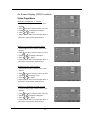
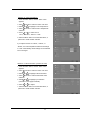
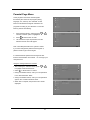
Parental Page Menu
Some programs and movies include signals
that classify the content of the program (dialog,
language, sex, violence). The “Parental” control
feature in this detects the signals and blocks the
programs according to your selections. To use this
feature, perform the following.
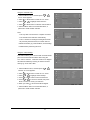
1.
Press the Menu button, and then press
or
until the “Parental” option is highlighted.
2.
Press
3.
Use 0-9 buttons input the password, and the
or Enter button to enter.
Parental Control menu will appear.
Note: The initial password for the system is “0000”.
If you have changed the password and forgotten it,
please contact Kogan Technologies.
It is advised that the password be changed the first
time the Parental Menu is accessed. Do not forget your
new password!
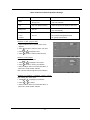
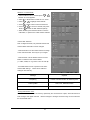
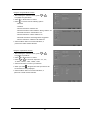
Using the “Change Password” function
1. After entering the “Parental” menu, press
to highlight “Channel Password”.
2. Press
or
or Enter button to confirm.
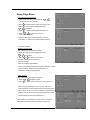
3. Using 0-9 Number buttons, enter your new password
in the “New Password” blank.
4. Using 0-9 Number buttons, enter your new password
again in the “Confirm Password” blank.
5. When this is complete, the previous menu will be
displayed.
19