1
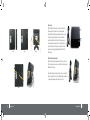
The third USB port is situated on the lower left hand side of BoB2 (labelled handset charger only). It’s a designated
port for charging the BoB2 handset and is not for any memory devices or third-party charging options.
TM
TM
QoS
QoS (Quality of Service) limits the traffic being sent from the modem (upstream) when using iiNet’s Netphone service
(VOIP) at the same time. If QoS is disabled, the quality of the phone call can suffer due to excessive traffic from
another source, such as a PC. When QoS is enabled, it limits the upstream traffic and sets it aside for phone calls, which
will maintain call quality.
Virtual Server
WEP, WPA and WPA2 Encryption protocols
BoB2 features WPA2, a higher level of wireless security. It combines advanced network authentication and stronger
Advanced Encryption Standard (AES) encryption methods. It also supports the legacy security standard called Wired
Equivalent Privacy (WEP) to allow you to activate security with any legacy devices you may have on your network.
TM
VLAN
VLAN (Virtual Local Area Network) adds the ability to manage multiple networks with the one modem. BoB2 is
designed to be placed on a desktop. All of the cables exit from the rear of the modem for better organisation and
utility. The LED indicators are easily visible on the front of the modem to provide you with information about network
activity and status.
TM
If you have a fixed IP address, you can set BoB2 to act as a virtual host for network address translation. Remote users
access various services at your site using a constant IP address. Then, depending on the requested service (or port
number), BoB2 can route the request to the appropriate server (at another internal IP address).This secures your
network from direct attack by hackers, and provides more f lexible management by allowing you to change internal IP
addresses without affecting outside access to your network.
TM
TM
Support for VPN Pass-Through
If you connect to your office network from home using a VPN connection, BoB2 will allow your VPN-equipped
computer to pass through to your office network. BoB2 supports one VPN session at any one time.
BoB2 supports three of the most commonly used VPN protocols – PPTP, L2TP, and IPSec.
TM
TM
TM
Computer Filter Rule
For added security, you can set up a list of MAC addresses (unique client identifiers) that are allowed access to your
network. Every computer has its own MAC address. Simply enter these MAC addresses into a list using the web-based
user interface and you can control access to your network.
6
BoB2 Overview
TM
BoB2 Overview
TM
7