1
Talking to BoB2 manually
TM
Before getting started on the following steps, it’s
a good idea to refer to BoB2 ’s Quick Install Guide
and Wireless Setup Guide to get him plugged in and
running.
TM
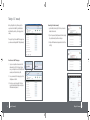
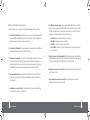
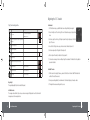
The image to the right shows BoB2 ’s homepage. Here
you can browse and manage BoB2 ’s settings manually.
Connecting to the Internet manually
1.
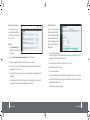
Log into BoB2 by entering http://10.1.1.1 into your browser’s
address bar. Press enter.
2.
Type in the password (default password is “admin” excluding
the quotation marks). Press Enter or click Login.
3.
Enter your ADSL username and password and click on “Save
Settings”.
TM
TM
How to browse to BoB2TM home page
1.
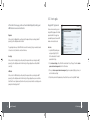
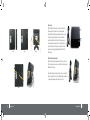
Open your computer’s web browser and in the
address bar type http://10.1.1.1 – (image 2). Make
sure, your computer is connected to BoB2 , either
wirelessly or with an ethernet cable, first.
TM
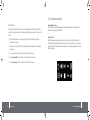
2. Once you’ve arrived at the homepage, type in the
default password - “admin”.
3. From here you can get a snap shot of the setup,
access his more advanced features or set up your
ADSL username and password.
10
Talking to BoB2 manually
TM
Talking to BoB2 manually
TM
11