1
CinePlus2K
User Manual
2 Basic Functions of the CinePlus2k
2.1
2.1.1
Turning your CinePlus2k on and off
Turning the Player On
The On/Off power button for the CinePlus2k is located on the front bottom left hand corner of
the player.
Simply press the button and wait approximately one minute for the player to initialise. Power
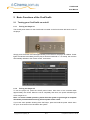
lights will indicate immediately that the player has been switched on. At startup, the machine
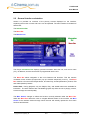
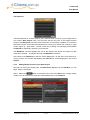
automatically defaults to the Events screen, seen below.
2.1.2
Turning the Player Off
To turn the player off, press the On/Off power button. Shut down of the machine takes
approximately one minute. When the unit is completely shut down, the power indication light
will no longer be on.
Note – to ensure reliable operation; please allow the system to go through its complete
shut down procedure before turning off main power at the switch
If you have some problem shutting down the Player, press and hold the power switch down
for up to 10 seconds to force shutdown the system.
Copyright © 2007 digitAll pty ltd
2-4
Last printed 7/12/2007 5:07:00 PM