1
Troubleshooting
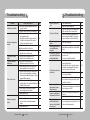
Camera suddenly turns on
or moves to a preset
position by itself.
Although The subject is
moving, but Auto Tracking
does not work.
Auto Tracking suddenly
functions incorrectly.
Troubleshooting
▶ Check the Auto Run settings.
Auto Run puts a camera through a predefined
action sequence
if the user does not use the Controller to operate
the camera for a certain period of time.
67
▶ Check the Auto Refresh settings.
Auto Refresh optimizes the camera's circuitry and
components according to a predefined schedule.
83
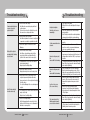
▶ Check if the subject is in an area set of Area
Masking.
70
▶ C
heck the Auto Release settings.
Auto Release stops tracking a subject after a
preset period of time, and returns the initial
position of the camera to track a new subject.
75
▶ Sensitivity may be set too low for the camera to
detect a moving subject.
Adjust a higher Sensitivity setting.
74
▶ Check if the subject is too small.
Adjust picture angle to increase the subject size.
42
▶ Check if there are trees, grass, flags, or other
subjects being moved by wind, and/or water,
glass, paved roads, or other subjects with a highly
reflective surface.
If so, set Area Masking of the area containing such
subjects.
70
▶ The sensitivity of the camera's threshold detection
may be set too high.
Adjust a lower Sensitivity setting.
74
▶ Check if it is raining/snowing.
Auto Tracking may function incorrectly or fail to
function at all if the dome cover is contaminated
with water or snow particles.
-
SPEED DOME CAMERA
88 User’s Manual
▶ C
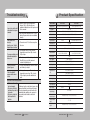
heck Object Size settings.
If Object Size is set too small, adjust it to a larger
72
value.
A subject being AutoTracked is out of screen
▶ Check if the monitored area contains multiple
immediately.
moving subjects.
Auto Tracking is intended for monitoring intruders,
and may not be suitable for crowd monitoring.
▶ Check the distance between the camera and the
monitor.
Coxial communication does
▶ If the distance between the camera and the
not work.
monitor exceeds the recommended maximum,
please use an auxiliary video amp.
▶ Please check the environment temperature; the
camera may not operate properly if it has been left
at temperatures lower than -50℃ for a prolonged
I turned on the power, but
duration.
the
camera didn't start running. ▶ The motor may malfunction at temperatures lower
than -20℃; please turn on the camera in Standby mode instead of [Initialize].
▶ Keep in Standby mode for at least 90 minutes.
I turned on the power, but
Once the internal temperature reaches -20℃ or
the
higher, the camera automatically resets itself and
camera didn't start running.
activates the [Initialize] mode for normal operation.
▶ When the camera’s internal temperature drops
down to -20℃ or lower, it becomes unable to
transmit video signals and may cause a black
screen.
I can’t see the screen.
(The screen is black.)
▶ A black screen does not indicate camera
breakage; it resets itself and starts displaying
video again once its internal temperature reaches
-20℃ or higher.
▶ The motor may malfunction at temperatures lower
than -20℃; please turn on the camera in Standby The camera stops in the
mode instead of [Initialize].
Initialize mode and won’t
▶ Once the camera's internal temperature reaches
proceed to the next mode.
-20℃ or higher, it resets itself and activates the
[Initialize] mode for normal operation.
SPEED DOME CAMERA
89 User’s Manual






















![(deutsch) [PDF ]](http://vs1.manualzilla.com/store/data/006787811_1-a64f3827adfa02011154ebc5e76421a0-150x150.png)