1
•
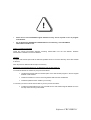
Please do not lose CIR-VISION original diskettes as they will be required in case of program
uninstallation.
•
Do not delete files CIRVIS.SYS & CIRVIS.000 from root directory, since CIR-VISION
authorization would be lost.
INSTALLATION PROCEDURE
Install the original CIR-VISION diskettes executing SETUP.EXE from the first diskette. Software
authorization is loaded in the second diskette.
UPDATE
To update CIR-VISION just install the delivered updated version in the same directory where CIR-VISION
is saved in.
Note: All previous data files will be kept in the directory
REMOVING CIR-VISION FROM A PC TO BE INSTALLED IN ANOTHER PC
To install CIR-VISION in another PC just proceed as follows:
Ø
Uninstall CIR-VISION with the uninstall option of the SETUP.EXE program in the first original
diskette of CIR-VISION.
Ø
Install CIR-VISION in a new PC executing SETUP.EXE from the first diskette.
Ø
Install last updated version whether you have any.
In case that you need to format the hard disk of your PC proceed as follows:
Ø
Transfer the authorization from your hard disk into the CIR-VISION original diskette as for the
first step when removing CIR-VISION.
Software CIR-VISION 1