1
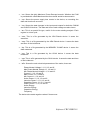
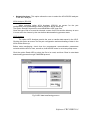
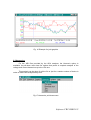
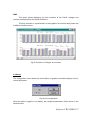
Three fields are shown at the bottom of the window which indicate:
1. Current date and value of the data at the point where the cursor is placed.
2. Minimum value for all the measuring and when it occurred.
3. Same as above but for the maximum value.
In case that there is more than one minimum and maximum value, the minimum
value indicated will correspond to the firstly one found, and the maximum to the last one
found.
In case that the data file is too long to display all data on only one screen, the
graphic could be moved to show all data by means of the horizontal moving bar placed
at the bottom of the window.
Note: Holding the mouse left button pressed, the cursor can be moved along the
window but the value would not be updated.
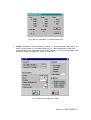
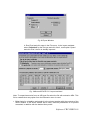
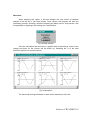
Exception: In graphics of MOS type files (Disturbances), the horizontal moving bar
permits to pass from one disturbance to another along all the file, so each screen
shows one disturbance (Fig.14).
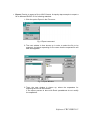
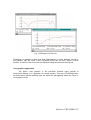
Following values are shown in the lower part of the window:
1. Record (disturbance in the file), date and present value of point where the
cursor is placed.
2. Maximum and minimum value for all the measurement.
3. Nominal value of voltage (Vn) for the measurement.
4. Trigger factor value (T) for the measurement (consult the user’s guide of the
AR.4 performing as a disturbance analyzer).
Software CIR-VISION 20