1
IPSec Router + Print Server User’s Guide
Contents
CONTENTS ................................................................................................................................................................. I
LIST OF FIGURES...................................................................................................................................................III
ABOUT THIS MANUAL .........................................................................................................................................V
NOTATIONAL CONVENTIONS..........................................................................................................................V
CHAPTER 1 INTRODUCTION............................................................................................................................. 1
Introduction ......................................................................................................................................................... 1
Features................................................................................................................................................................ 1
LANs and WANs................................................................................................................................................. 2
Static & Dynamic IP Addresses .......................................................................................................................... 3
Firewall – Its need................................................................................................................................................ 3
VPN – Its need..................................................................................................................................................... 4
CHAPTER 2 GETTING TO KNOW YOUR GATEWAY................................................................................... 5
The Gateway's Back Panel ................................................................................................................................... 5
The Gateway's Front Panel ................................................................................................................................. 5
CHAPTER 3 CONNECTING YOUR GATEWAY............................................................................................... 6
Overview.............................................................................................................................................................. 6
Connecting Hardware together and booting up................................................................................................... 6
CHAPTER 4 CONFIGURING YOUR PCS .......................................................................................................... 7
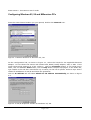
Configuring Windows 95, 98 and Millennium PCs............................................................................................ 8
Configuring Windows 2000 PCs....................................................................................................................... 10
Configuring Windows XP PCs.......................................................................................................................... 12
Configuring Windows 2003 PCs....................................................................................................................... 14
CHAPTER 5 CONFIGURING YOUR GATEWAY........................................................................................... 16
Accessing the Gateway configuration................................................................................................................ 16
Quick setup wizard ............................................................................................................................................ 18
Login settings ....................................................................................................................................................................... 19
Date and Time Settings .................................................................................................................................................... 20
MAC cloning settings ....................................................................................................................................................... 22
Internet access settings ..................................................................................................................................................... 23
DHCP client .......................................................................................................................................................................... 24
Static IP ................................................................................................................................................................................... 25
PPPoE ...................................................................................................................................................................................... 26
PPTP ........................................................................................................................................................................................ 27
General Configuration ....................................................................................................................................... 29
Changing Username/Password .................................................................................................................................... 29
Logging out .......................................................................................................................................................................... 30
Changing System Time .................................................................................................................................................... 30
Firmware Upgrade ............................................................................................................................................................ 31
Restoring Factory settings .............................................................................................................................................. 33
Saving Configuration for next reboot ........................................................................................................................ 34
Backup Configuration ...................................................................................................................................................... 35
-i-