1
Feature Guide V8.5.7
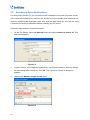
2.3
Maximum Recording Frame Rate upon I/O Trigger
In V8.5.7, a maximum recording frame rate can be set for recording during I/O trigger using
software compression video capture cards. Previously, you can only set a maximum recording
frame rate set for motion detected events and when there is no motion or I/O trigger. In
addition, you can now specify whether to apply the setting for motion or I/O trigger when both
I/O trigger and motion detection occur at the same time.
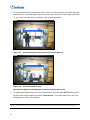
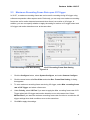
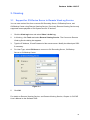
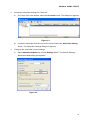
V8.5.6 Recording Frame Rate Setting
V8.5.7 Recording Frame Rate Setting
Figure 2-9
1.
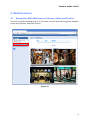
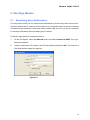
Click the Configure button, select System Configure, and select Camera Configure.
2.
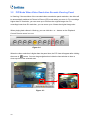
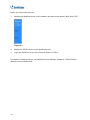
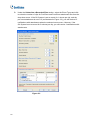
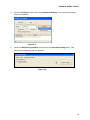
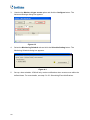
Click the arrow button after Rec Video and select Rec. Frame Rate Setting. A dialog
box appears.
3.
To set a maximum recording frame rate during I/O trigger, select Max. recording frame
rate of I/O Trigger and select a frame rate.
4.
Under Priority, select I/O First if you want to apply the Max. recording frame rate of I/O
Trigger when both I/O trigger and motion detection occur at the same time. Select
Motion First if you want the maximum recording frame rate of motion to override the I/O
trigger settings when both conditions occur at the same time.
5.
Click OK to apply the settings.
9