1
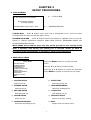
4. APPLICATION SETTING
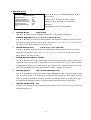
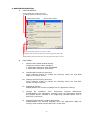
A. USER INTERFACE
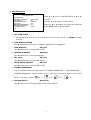
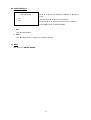
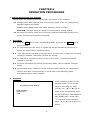
Change BMP File Saving Directory
Change MYS File Saving Directory
Default Video Mode
Default Video Mode
Enable/Disable Application Closing Confirm
Enable/Disable Notification Message when the application detects the
Enable/Disable Notification Message when the application detects invalid
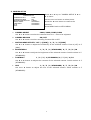
B.
FUNCTIONS:
I.
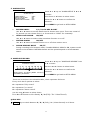
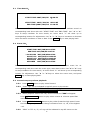
Default Video Mode Related Setting
Choose the default video standard.
1. NTSC/PAL Setting for HDD PCVIEWER
2. NTSC/PAL Setting for MYS Player
II.
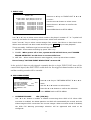
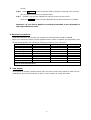
Change BMP File Saving Directory
Press “Change” Button to change the directory where the new BMP
capture file will be stored.
III. Change MYS File Saving Directory
Press “Change” button to change the directory where the new MYS
stream file will be stored.
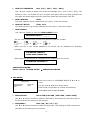
IV. Application Closing
Enable/Disable the confirm message box for application closing.
V.
Change No Hardware Color Conversion Support Notification
Enable/Disable the notification message when the application detects
the graphic device installed is not supporting hardware-aided YUV to
RGB color conversion.
VI. Change Invalid Stream Loading Notification
Enable/Disable the warning message when the application [HDD PC
Viewer] loads invalid stream data from a hard disk.
23