1
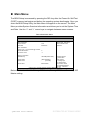
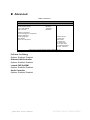
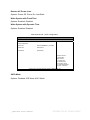
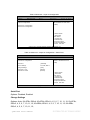
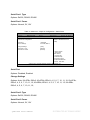
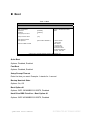
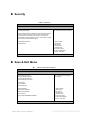
Chapter 3 Main Menu The BIOS Setup is accessed by pressing the DEL key after the Power-On Self-Test (POST) memory test begins and before the operating system boot begins. Once you enter the BIOS Setup Utility, the Main Menu will appear on the screen. The Main Menu provides System Overview information and allows you to set the System Time and Date. Use the “<” and “>” cursor keys to navigate between menu screens. Table 2 BIOS Main Menu BIOS SETUP UTILITY Main Advanced Boot Security BIOS Information Project version Build date 0.05 10/22/2010 CPU Information Intel ® Core ™ i7 CPU M 620 @ 2.67GHz Microcode Revision Processor Cores 9 2 Memory Information Total Memory 1024 MB (DDR3 1066) System Date System Time Access level Save & Exit Set the date. Use Tab to switch between data elements. Å Select Screen ↑↓ Select Item [Mon 08/2/2010] Enter: Select [16:00:08] +- Change Opt. F1 General Help Administrator F2 Previous values F3 Optimized Defaults F4 Save ESC Exit V02.00.1201. Copyright © 2009, American Megatrends, Inc. Below table is described for Primary IDE Master, Primary IDE Slave, Secondary IDE Master setting. QDSP-2050 User’s Manual DISTRIBUTED BY TEXIM EUROPE