1
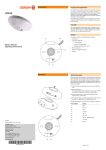
Operation (cont.) Activating/deactivating the pulse mode The pulse mode enables the control of external time switches (such as stairwell time switches): When the light value drops below the light switching threshold and motion is detected, the luminaires are switched on for 1 s and motion detection is deactivated for 9 s. Press button S2 for at least 2 s. Confirmation: The LED flashes 2x. Executing the test mode (checking motion detection) In the test mode, the parameters are optimised for a rapid check of the motion detection: When motion is detected, the luminaires are switched on for 1 s and then switched off for 2 s. The light switching threshold is deactivated. Note: During initial startup, the test mode is automatically started after initialisation. To start the test mode: Simultaneously press buttons S1 and S2 for 3 – 5 s (until the LED lights up continuously). Confirmation: The LED flashes 2x. Check the motion detection and adjust the detection area if necessary; see the fitting instructions. The test mode is ended automatically after 10 min. To end the test mode earlier: Press button S1 or S2 briefly. Switching luminaires manually Precondition: Normal mode; the pushbutton/switch is connected (see the connection diagram in the fitting instructions) To switch on: • For the duration of delay T: Press the pushbutton/switch briefly. Confirmation: The LED lights up continuously. • For 4 hours: Press the pushbutton/switch 2x briefly. To switch off: Press the pushbutton/switch briefly. Manual initialisation The initialisation is used for the functional check and sensor calibration. Precondition: Normal mode; the pushbutton/switch is connected (see the connection diagram in the fitting instructions) Press the pushbutton/switch for at least 2 s. Confirmation: The luminaires are switched on for 2 s and the LED flashes for max. 45 s. Note: The initialisation is performed automatically during initial startup or after every power failure of at least 3 s. Troubleshooting If you cannot remedy the fault, please contact the customer service department of the manufacturer. The device is not functional Is there power and is the device connected correctly? See „Connection diagram“ in the fitting instructions. The device is functional, but the switching functions are not being carried out. Is the initialisation process finished? See „Performing an initialisation“. Is the light switching threshold set correctly? See „Setting the light switching threshold“. Is the detection area set correctly? See „Setting the detection area“ in the fitting instructions. Is the correct operating mode (normal mode/pulse mode) set? See „Normal mode and reset“ and „Activating/deactivating the pulse mode“. Page 3 of 4