1
3 The ISDControl program
3.2.2
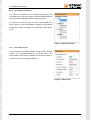
View “Sensor Selection”
If a sensor is connected to the programming adapter and
recognized, the correct sensor type is selected automatically. All
other list entries are disabled and not editable anymore.
If no sensor is connected, you can switch freely between the
sensor types. A switch automatically displays the appropriate
configuration dialog for setting the parameters (see Section
3.2.4).
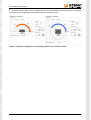
Figure 3: "Sensor Selection"
3.2.3
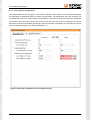
View “Sensor Info”
In this view, basic information (interface, serial number, firmware
version, etc.) is displayed about the connected sensor. The
sensor status is analyzed by a tooltip when the mouse pointer is
moved over the icon that appears behind it.
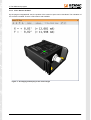
Figure 4: "Sensor Info"
Document: 23999-HB-1-0-E-Starter-Kit
5