1
3.6
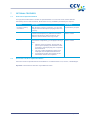
Activating and deactivating the payment terminal
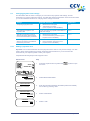
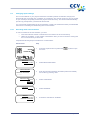
Your Vx570 payment terminal must be plugged into a wall socket at all times, to make sure it is always
supplied with power. This means that the payment terminal is always switched on and cannot be
switched off.
However, you must activate the payment terminal at the start of business. This procedure will open a
new financial reporting period. The terminal keeps track of all transactions that you carry out and records
them in financial reports. At the end of the day you must deactivate the payment terminal. The financial
reporting period will be closed and the terminal will print the reports. The procedures for activating and
deactivating the terminal are described in the subsections below.
3.6.1
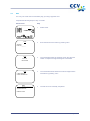
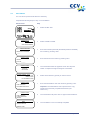
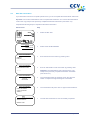
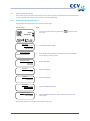
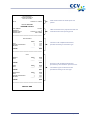
Activating the terminal
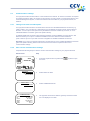
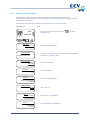
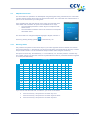
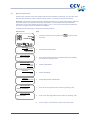
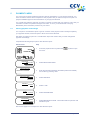
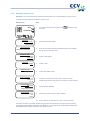
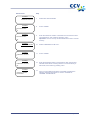
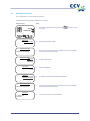
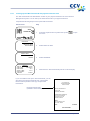
Complete the following steps to activate the payment terminal:
Vx570 screen
Step
TERMINAL
1
Press the purple function key below the
symbol.
2
Enter the merchant password (the default password is 99999) and
confirm by pressing <OK>.
DEACTIVATED
01.06.12
PROTECTED ITEM
MERCHANT PASSWORD:
_____
3.6.2
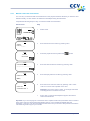
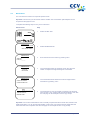
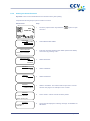
Deactivating the terminal
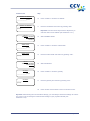
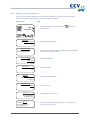
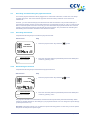
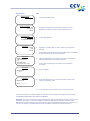
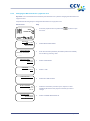
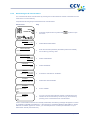
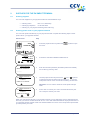
Complete the following steps to deactivate the payment terminal:
Vx570 screen
Step
SALE
1
Press the purple function key below the
symbol.
2
Enter the merchant password (the default password is 99999) and
confirm by pressing <OK>.
OTHER TRX
01.06.12
PROTECTED ITEM
MERCHANT PASSWORD:
_____
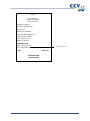
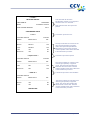
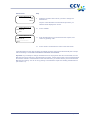
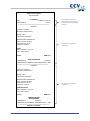
The payment terminal is now deactivated, and the financial reports will be printed automatically. Which
reports are printed depends on the settings of your payment terminal. You can change the report settings
yourself (see section 6.4).
Important: The printer roll may run out while the reports are being printed. In that case you must replace
the printer roll and print the reports again.
CID086A/03012013
Page 21 of 54