1
User interface
The user interface consists of three sections:
1. A toolbar
2. Two image panes
3. A status and progress bar (including a hidden log screen with
additional buttons)
Upper toolbar
• Load
•
•
•
•
•
•
•
•
•
•
2
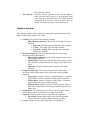
Load a selected cyclorama image 2 into the upper
image pane.
Batch
Process all the JPEG images inside a selected
directory at once.
Save
Allows to save the image in the lower plane to a file,
or to save the result of classification as a binary
image.
Options
Shows the options window (See Options section).
Performance Calculates the error rate for a classified image.
About
Shows the about window with program information.
Copy down
Copies the image in the upper image pane to the
lower image pane.
Copy up
Copies the image in the lower image pane to the
upper image pane.
Other image operations
o Scale down
Scales the upper pane image down with scale
½.
o Trim
Trims any gray strips from the top or bottom
of the upper image.
o Invert
Inverts the colors in the image.
o Grayscale
Converts the upper image to grayscale.
o Histogram eq. Performs histogram equalization on the upper
image.
o Morphology
Performs a morphology operation on the upper
image.
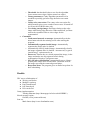
o Edge detection Displays the results of an edge detection
algorithm.
Start
Automatically performs the segmentation and
classification steps.
Cancel
Stops the current operation.
The image must be either in JPEG or PNG format.