1
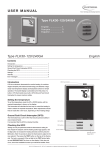
Type OCC4/OCD4 English Introduction Back The thermostat can switch on your heating system at predetermined times on different days of the week. For each day of the week, you can set individual temperatures for 4 or 6 separate periods, called events. Lowering the temperature when the home is unoccupied will reduce your energy costs without reducing comfort. The thermostat comes with a default schedule suitable for most homes. Unless you change the settings, the thermostat will operate in compliance with the default schedule. Furthermore, the thermostat also features an adaptive function that determines how long the floor takes to heat up and cool down as the seasons change, and takes this into account when turning the heating on or off. This ensures that the room is always up to temperature at the desired time. The adaptive function’s fuzzy logic takes three days to determine the heat characteristics of the room before it operates efficiently. In various parts of the menus and submenus you will find the Back menu item. Use Back to return to the last step. First time settings The first time you switch the interrupter ON “I”, language, time and date must be set. The menu will automatically guide you through the process. • Choose your language with the Up and Down buttons and confirm with OK. • Set the actual hour and press the OK button. Then set the minutes. Press OK. • Set the actual date: year, month and day. Confirm the settings with the OK button. The next menu allows you to select the application you want the thermostat to control. If the thermostat is in the room to be heated, select Room/limit. If the thermostat is outside of the room to be heated, select Floor. Once you have chosen the required setting, press OK. You now need to select the actual floor covering so that the thermostat can take this into account during operation. Select the actual floor covering and press OK. You now need to enter the system load, i.e. the kW output of the heating system powered by the thermostat. Select the appropriate load and press OK. The thermostat is now ready for use and your underfloor heating will operate in accordance with the pre-programmed Event schedule. See Factory Settings for full details of this. Exit Returns to initial dispay. Operation mode The thermostat features three different modes of temperature control: Auto mode Select Auto if you want the temperature to be controlled automatically via the 4 or 6-event schedule. Manual mode Select Manual to cancel the programmed Event schedule (e.g. during holidays) and to set the required temperature manually. You may, for example, want to adjust the temperature to 5°C for frost protection while you are away. • Press Manual, confirm with OK and choose the required temperature. Comfort mode Select Comfort to set a temporary comfort temperature (so-called party mode) for a single event. • Press Comfort, confirm with OK and choose the required temperature. Then enter the required duration of comfort mode. After the set time has elapsed, the thermostat will automatically revert to Auto mode. Please note: Comfort mode is a temporary manual setting that will be automatically cancelled by the next event in the programmed Event schedule. Thermostat setup menus The menu allows you to select the following options: Event settings Allows you to have the temperature controlled automatically in accordance with a program of your own choice. You can select temperature settings for 4 or 6 different events during the day: 4-Events* Power interrupter :HG & &RPIRUW0HQX0DQXDO (YHQWVHWWLQJV 2. 6-Events* Morning Morning Daytime Daytime Evening Daytime 2 Night Evening Evening 2 Navigation buttons Night General operation The interrupter button allows you to turn the thermostat on “I” and off “0” by sliding the button up and down. When the thermostat is switched off “0”, the relay disengages. All settings, including time and date, will be remembered. The thermostat is intuitively operated using the navigation buttons. The function of each button is indicated above the button in the display. 2 * Depending on the chosen schedule, see User Settings/Event schedule. The thermostat is pre-programmed with a Event schedule for easy and economic heating control, see Preset schedule under Factory settings. The schedule can be easily changed in the following way: © 2012 OJ Electronics A/S