1
User manual
CCV Mini (iOS)
1. PREPARING THE CCV MINI FOR USE
1.1. List of items supplied
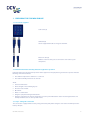
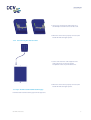
Card reader (A)
USB cable (B)
Use the supplied USB cable to charge the CCV Mini.
Extension cable (C)
With the extension cable you can connect the card reader to your
smartphone.
1.2. Environmental factors that may affect the equipment’s operation
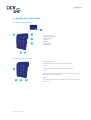
Environmental factors may affect the operation of the equipment. The equipment is guaranteed to operate under the
following environmental factors:
•
•
The ambient temperature is between 0 °C and 35 °C
The relative humidity is between 5% and 95%
Avoid:
•
•
•
•
•
•
•
Shocks and vibrations
Direct sunlight or heat-emitting objects
Excessive heat and dust
Oil and dirt
Water or condensation
Using the equipment during thunderstorms
Using the equipment near objects that produce excessive power fluctuations and/or electromagnetic fields. For
example: theft detectors or conveyor belt motors.
1.3. Step 1 - Charge the card reader
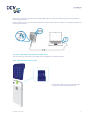
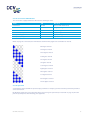
The card reader is equipped with a battery. Charge the battery fully before using the card reader. This will improve the
battery’s lifespan.
CID142F/26032015
4