Download Basic Express Com piler User's Guide

Transcript
Watch Window (BX-24 and BX-35 only)
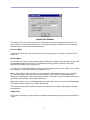
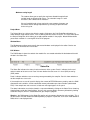
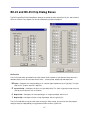
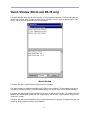
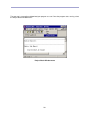
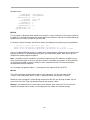
The Watch Window allows you to watch variables in a running BasicX program. The Watch Window can
handle static (module-level) variables in RAM memory. Variables can be numeric or Boolean types. If an
array is chosen, the first element of the array is displayed:
Watch Window
The Watch Window is chosen from the Project menu in the editor.
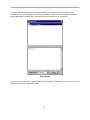
The upper window lists RAM-based module-level variables in the program. The checkboxes allow you to
select which variables to watch. The lower window displays the current values of the selected variables.
The Watch Window periodically polls the BasicX processor to update each variable. The combo box at the
bottom of the window allows you to tailor the sample rate by selecting from sample periods ranging from 1
second to 5 seconds.
The Watch Window reads the BXM file, which is generated whenever a program is compiled. See the next
section for details about the contents of the BXM file.
17