1
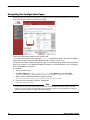
Navigating the Firebox X Edge e-Series Configuration Pages
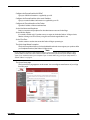
Network page
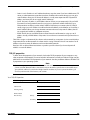
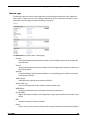
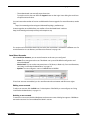
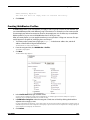
The Network page shows the current configuration of each interface and network route. Adjacent to
each section is a button you can use to change configurations and to see network statistics. For more
information, see “Changing Your Network Settings” on page 45
The Network menu contains links to these pages:
External
Configure the Edge external network interface, or how the Edge connects to the Internet and
other networks.
Trusted
Configure the Edge trusted network interface, or how the Edge gives IP addresses to devices on
the trusted network
Optional
Configure the Edge optional network interface, or how the Edge gives IP addresses to devices
on the optional network.
Traffic Control
Create filters that send important network traffic first.
Wireless (802.11g)
Set up and configure the wireless network (wireless models only).
WAN Failover
Configure a redundant network connection for the external interface.
Dynamic DNS
Register the external IP address of the Edge when using a dynamic DNS (Domain Name Server)
service.
BIDS
Connection settings for Telstra customers.
Routes
Create a static route to a device on the trusted or optional network from the external interface.
User Guide
25