1
4.4. THE VIEW SETTINGS WINDOW
CHAPTER 4. CONFIGURATION
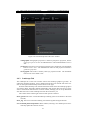
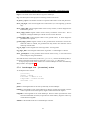
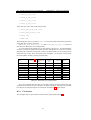
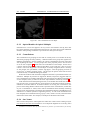
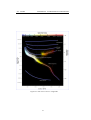
Figure 4.7: The Markings tab of the View window
4.4.2 Marking Tab
The Markings tab of the View window4.7 controls the following features:
Celestial sphere this group of options makes it possible to plot various grids and lines in
the main view.
Constellations these controls let you turn on and off constellation lines, names, art and
boundaries, and control the brightness of the constellation artwork.
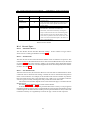
Projection Selecting items in this list changes the projection method which Stellarium
uses to draw the sky. Options are:
cylinder The full name of this projection mode is cylindrical equidistant projection.
The maximum field of view in this mode is 233◦
equal area The full name of this projection method is, Lambert azimuthal equalarea projection. The maximum field of view is 360◦.
fisheye Stellarium draws the sky using azimuthal equidistant projection. In fisheye projection, straight lines become curves when they appear a large angular
distance from the centre of the field of view (like the distortions seen with very
wide angle camera lenses). This is more pronounced as the user zooms out.
The maximum field of view in this mode is 180◦
Hammer-Aitoff The Hammer projection is an equal-area map projection, described
by Ernst Hammer in 1892 and directly inspired by the Aitoff projection. The
maximum field of view in this mode is 360◦ .
mercator Mercator projection preserves the angles between objects, and the scale
around an object the same in all directions. The maximum field of view in this
mode is 233◦.
20