1
2.2 USING THE IDE
The following steps show you how to create, run and debug a simple LogicLab PLC program. The program will be written in the ST language and will be executed directly on
your machine. A virtual target, VPLC1, has been installed by the setup procedure. VPLC1
emulates a simple programmable controller provided with digital and analog I/O.
1) Launch LogicLab from the Start menu.
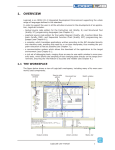
2) When LogicLab is started for the first time, not all windows and toolbars are shown.
You can customize LogicLab’s workspace through the View menu.
3) In order to create a new project, select the item New project from the menu File.
8
LogicLab user manual