1
Security Menu
215
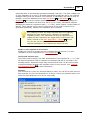
rather than waiting for the automatic analysis.
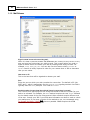
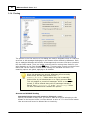
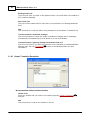
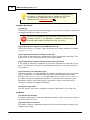
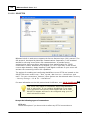
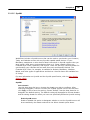
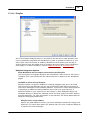
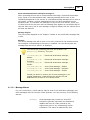
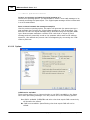
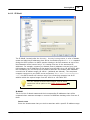
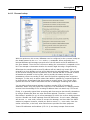
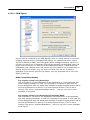
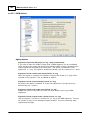
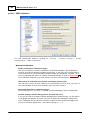
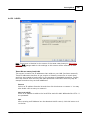
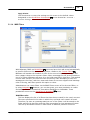
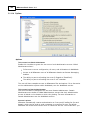
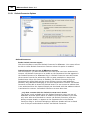
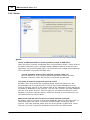
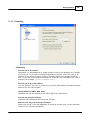
Enable spam and ham forwarding addresses
Click this check box if you wish to allow users to forward spam and non-spam (ham)
messages to designated addresses so that the Bayesian system can learn from
them. The default addresses that MDaemon will use are "SpamLearn@<domain.
com>" and "HamLearn@<domain.com>". Messages sent to these addresses must
be received via SMTP from a session that is authenticated using SMTP AUTH.
Further, MDaemon expects the messages to be forwarded to the above addresses
as attachments of type "message/rfc822". Any message of another type that is
sent to these email addresses will not be processed.
You can change the addresses MDaemon uses by adding the following key to the
CFilter.INI file:
[SpamFilter]
SpamLearnAddress=MySpamLearnAddress@
HamLearnAddress=MyNonSpamLearnAddress@
Note: the last character of these values must be "@".
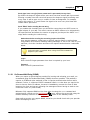
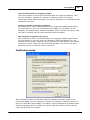
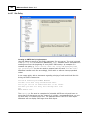
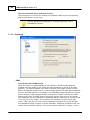
Create
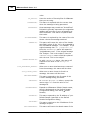
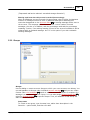
Click this button to create spam and non-spam Public IMAP Folders 67 automatically,
and to configure MDaemon to use them. The following folders will be created:
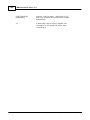
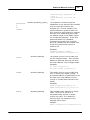
\Bayesian Learning.IMAP\
Root IMAP folder
\Bayesian Learning.IMAP\Spam.
IMAP\
This folder is for false negatives
(spam that doesn't score high
enough to get flagged as such).
\Bayesian Learning.IMAP\NonSpam.IMAP\
This folder is for false positives
(non-spam messages that
erroneously score high enough to
get flagged as spam).
By default, access permission to these folders is only granted to local users of local
domains and is limited to Lookup and Insert. The postmaster's default permissions
are Lookup, Read, Insert, and Delete.
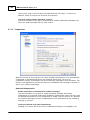
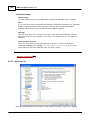
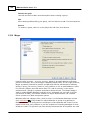
Path to known spam folder (false negatives):
This is the path to the folder that will be used for Bayesian analysis of known spam
messages. Only copy messages to this folder which you consider to be spam. You
should not automate the process of copying messages to this folder unless doing so
via the Bayesian Auto-learning 217 or Spam Honeypots 238 options. Automating this
process by some other means could potentially cause non-spam messages to be
analyzed as spam, which would decrease the reliability of the Bayesian statistics.
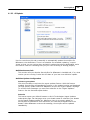
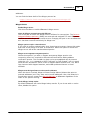
Path to known non-spam folder (false positives):
This is the path to the folder that will be used for Bayesian analysis of messages
that are definitely not spam. Only messages that you do not consider to be spam
Copyright © 1996-2010. All rights reserved. Alt-N Technologies, Ltd.