1
FX3U Series Programmable Controllers
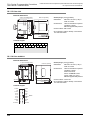
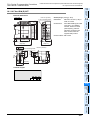
20 FX-16/32E*-*-TB (Terminal Block)
User’s Manual - Hardware Edition
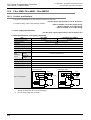
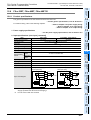
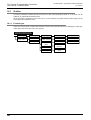
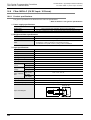
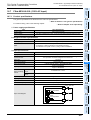
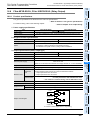
20.8 FX-16EYT-TB, FX-16EYT-H-TB
FX-16EYT-TB, FX-16EYT-H-TB
High-Speed
Counters
20.8
11
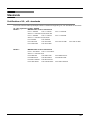
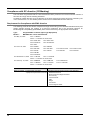
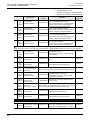
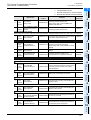
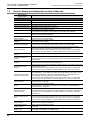
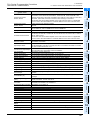
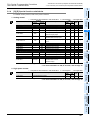
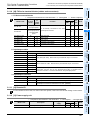
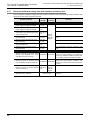
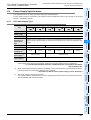
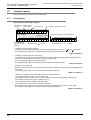
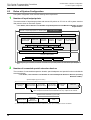
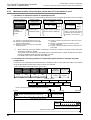
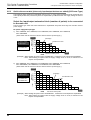
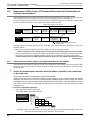
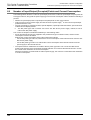
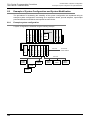
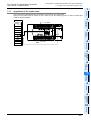
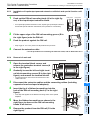
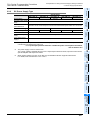
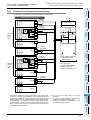
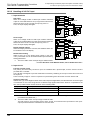
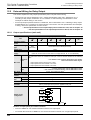
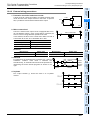
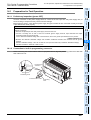
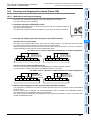
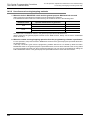
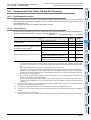
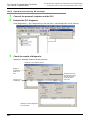
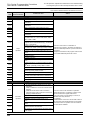
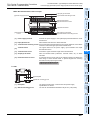
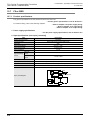
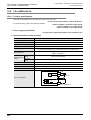
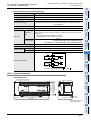
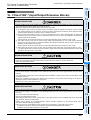
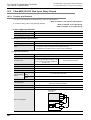
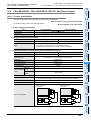
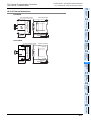
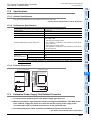
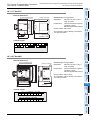
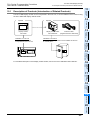
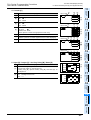
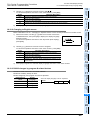
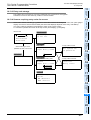
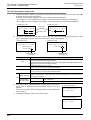
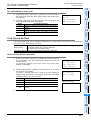
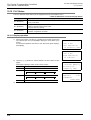
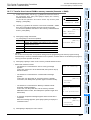
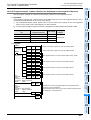
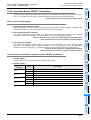
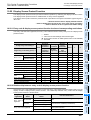
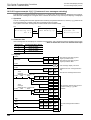
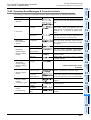
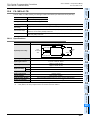
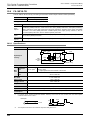
The FX-16EYT(-H)-TB is used by connecting it to the FX2N series output extension block (transistor).
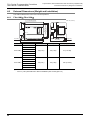
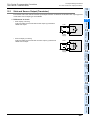
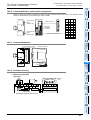
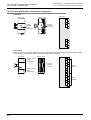
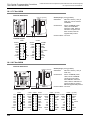
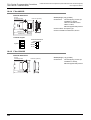
Output Connector
12
Connectable models FX2N-16EYT-C (sink output)
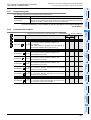
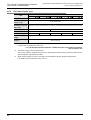
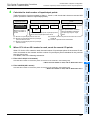
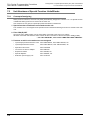
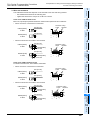
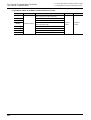
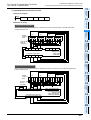
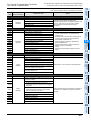
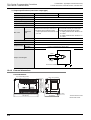
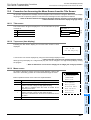
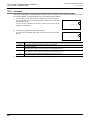
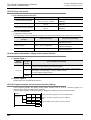
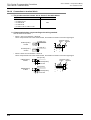
Unsupported Applications
Pulse
outputs
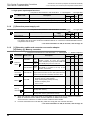
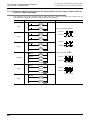
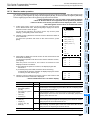
Time division Input matrix (MTR) instruction, hexadecimal input (HKY) instruction, digital switch (DSW) instruction,
input
arrow switch (ARWS) instruction
Time division
Seven segment with latch (SEGL) instruction, print (ASCII Code) (PR) instruction
output
14
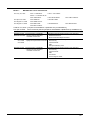
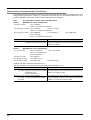
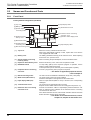
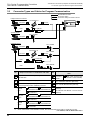
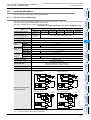
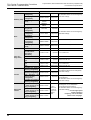
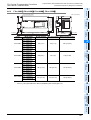
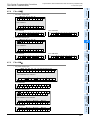
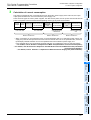
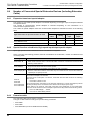
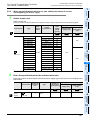
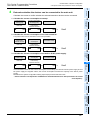
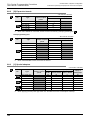
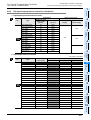
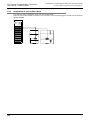
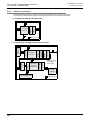
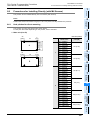
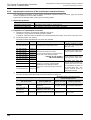
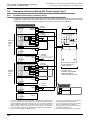
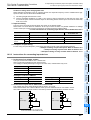
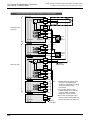
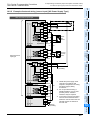
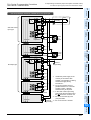
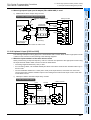
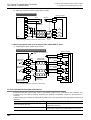
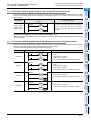
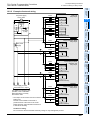
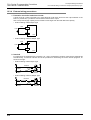
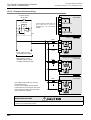
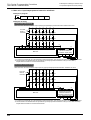
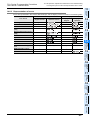
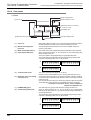
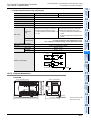
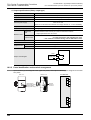
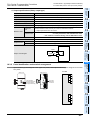
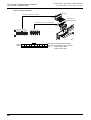
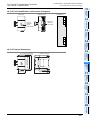
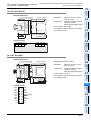
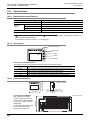
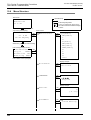
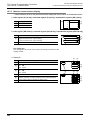
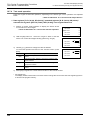
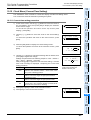
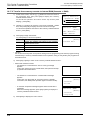
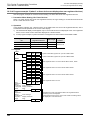
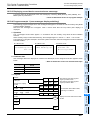
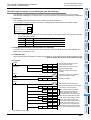
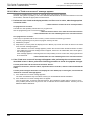
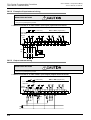
Transistor output
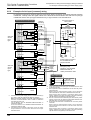
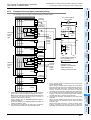
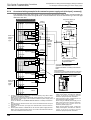
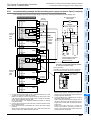
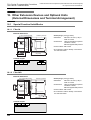
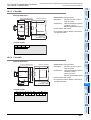
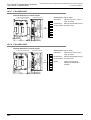
FX-16EYT-TB
Fuse
LED
24V DC
7mA
Photo3.3kΩ coupler
24+
0 to 7
COMn
5 to 30V
DC
External
wiring
CN1
Connector
side
5 to 30V DC
LED
24V DC
7mA
Fuse
15
5 to 30V
DC
0 to 7
COMn
External
wiring
5 to 30V DC
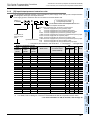
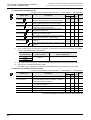
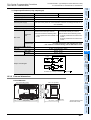
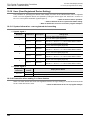
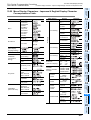
0.5 A / point
1 A / point
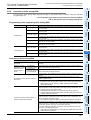
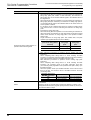
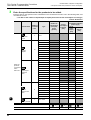
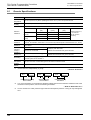
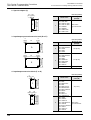
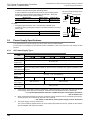
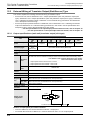
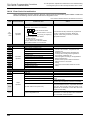
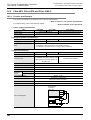
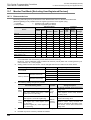
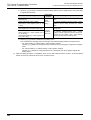
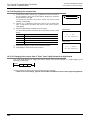
Resistance The total load current of resistance loads per The total load current of resistance loads per
common terminal should be the following value. common terminal should be the following value.
load
Max. load
• 4 output points/common terminal: 0.8A or less • 4 output points/common terminal: 3A or less
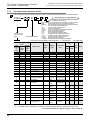
Open-circuit leakage
current
Output element’s ON
voltage
Circuit isolation
Operation indicators
Power consumption
0.1 mA / 30V DC
0.1 mA / 30V DC
0.2 ms or less / 24V DC
0.3 ms or less / 24V DC
1.5 ms or less / 24V DC
4 ms or less / 24V DC
1.5 V
1.5 V
Photo-coupler isolation
Photo-coupler isolation
18
LED lights when photo-coupler power is supplied LED lights when photo-coupler power is supplied
2.7 W (112 mA 24V DC)
2.7 W (112 mA 24V DC)
19
Display Module
*1.
24 W/24V DC
Other Extension
Units and
Options
*1
Response OFF→ON
time *1
ON→OFF*1
12 W/24V DC
17
Extension
Power Supply
Unit
Inductive
load
16
Input/Output
Extension
Blocks
Load voltage
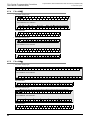
CN1
Connector
side
Photo3.3kΩ coupler
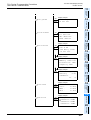
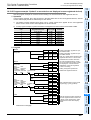
FX-16EYT-H-TB
IInput/Output
Powered
Extension Units
24+
Input/output circuitry
Test Run,
Maintenance,
Troubleshooting
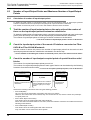
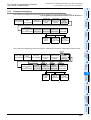
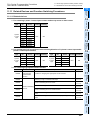
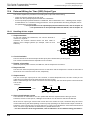
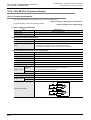
20.8.1 Specifications
Item
13
Wiring for
Various Uses
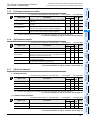
Pulse Y output (PLSY) instruction, acceleration/deceleration setup (PLSR) instruction, pulse width
modulation (PWM) instruction, DOG search zero return (DSZR) instruction, interruption positioning
(DVIT) instruction, batch data positioning mode (TBL) instruction, absolute current value read (ABS)
instruction, zero return (ZRN) instruction, variable speed pulse output (PLSV) instruction, drive to
increment (DRVI) instruction, drive to absolute (DRVA) instruction
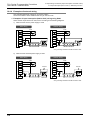
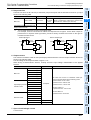
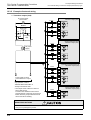
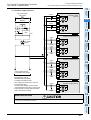
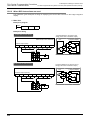
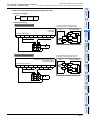
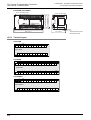
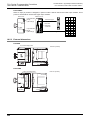
Output Wiring
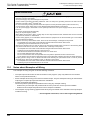
The applications shown below are not supported.
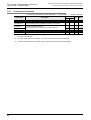
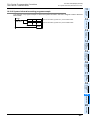
This response time does not include the response delay at the PLC.
20
Terminal Block
421