1
18.3.3 Specific example of troubleshooting
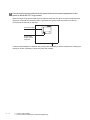
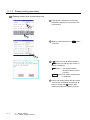
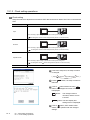
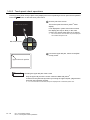
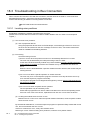
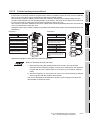
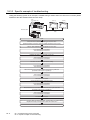
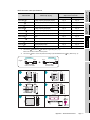
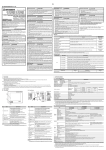
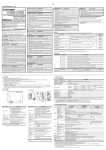
Taking the following system as an example, troubleshooting is shown when PLC CPU error occurred. (When
QnASCPU and the extension base unit are used)
PLC
(main base unit)
Extension cable
GOT 1)
PLC
(extension base unit)
Bus connection
cable
GOT 2)
Bus connection
cable
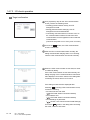
Start
Check the error code/step appearing on the PLC CPU.
(Obtain the status of the error and the location where the error occurs.)
The SP. UNIT DOWN message appears on PLC CPU.
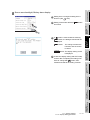
Turn off the power of the GOT.
Turn off the power of the PLC.
Replace the faulty PLC CPU with a new one.
Turn on the power of the PLC.
Turn on the power of the GOT.
The error occurs further (not on PLC CPU).
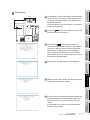
Turn off the power of the GOT.
Turn off the power of the PLC.
Disconnect the bus-connection cable from the GOT 2) at IN side
(to further locate the error positions).
Turn on the power of the PLC.
Turn on the power of the GOT.
The error occurs further
(not on the GOT 2) (bus connection unit).
Turn off the power of the GOT.
Turn off the power of the PLC.
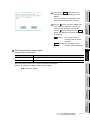
Disconnect the bus-connection cable from the GOT 1) at OUT side
(to further locate the error positions).
Turn on the power of the PLC.
Turn on the power of the GOT.
The error will not occur.
The bus-connection cable connecting the GOT 1) to the GOT 2) is judged faulty.
Replace the faulty bus-connection cable with a new one.
End
18 - 9
18.3 Troubleshooting in Bus Connection
18.3.3 Specific example of troubleshooting