1
Table of Contents
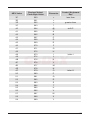
Introduction ............................................................................................. 1
Components ..................................................................................................... 1
Maintenance ..................................................................................................... 1
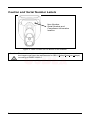
Caution and Serial Number Labels ................................................................... 2
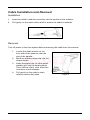
Cable Installation and Removal ........................................................................ 3
Scanner Operation
Audible Indicators ............................................................................................. 4
Visual Indicators ............................................................................................... 5
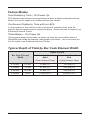
Failure Modes................................................................................................... 6
Typical Depth of Field ....................................................................................... 6
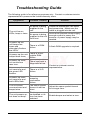
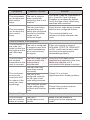
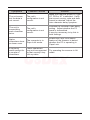
Troubleshooting Guide ........................................................................... 7
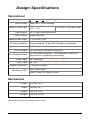
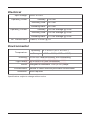
Design Specifications ........................................................................... 10
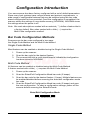
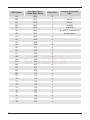
Configuration Introduction
Bar Code Configuration Methods ................................................................... 12
Single-Code Method.................................................................................... 12
Multi-Code Method ...................................................................................... 12
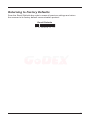
Returning to Factory Defaults ......................................................................... 13
Code Types and Decode Rules
2 of 5 Codes ................................................................................................... 14
Additional Decode Features ........................................................................... 14
Supplements .......................................................................................... 15
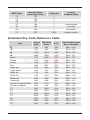
Scanner Operation
Redundant Scans ........................................................................................... 16
Data Transmission Delays.............................................................................. 16
Laser/Scan Modes ......................................................................................... 16
Prefixes/Suffixes
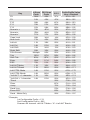
User Configurable Prefixes, All Data .............................................................. 17
Standard Prefix Characters ............................................................................ 17
iii