1
29
Rayica User Guide
10. Using Screen to Look at the Focal Plane
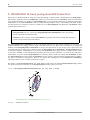
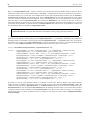
The Screen component function models a single surface that samples rays at a given plane in space. You can use Screen to
look at the focal plane of a system or to get the planar cross-section of ray information anywhere in the system. More
advanced screens can have curved surfaces and circular or polygonal boundaries. Here is the definition of Screen.
Screen[aperture, options] denotes a planar component that intersects rays without disturbing them.
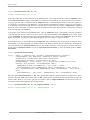
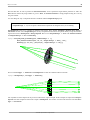
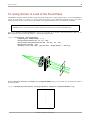
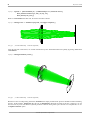
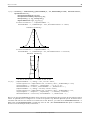
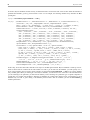
Next we use Screen with AnalyzeSystem to inspect the focal plane of the optical system from Section 9. Here we use
Move to place the screen at the focal position x = 218 as measured previously.
In[29]:= screensystem = AnalyzeSystem[{
ConeOfRays[20, NumberOfRays -> 7],
Move[PlanoConvexLens[100, 50, 10], 100],
Move[PlanoConvexCylindricalLens[100, {50,50}, 10], 130],
Move[Screen[{50,50}], 218],
Boundary[{-100,-100,-100}, {250,200,200}, GraphicDesign -> False]}];
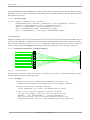
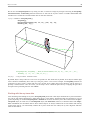
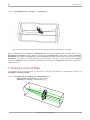
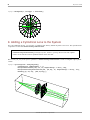
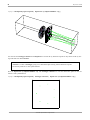
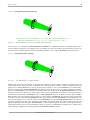
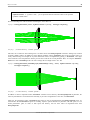
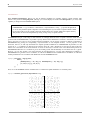
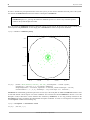
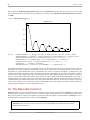
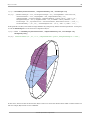
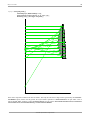
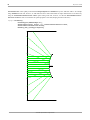
By using PlotType->Surface with RayChoice->{ComponentNumber->3} , you can clearly see ray intersection points at
the screen surface.
In[31]:= ShowSystem[screensystem, PlotType->Surface, RayChoice->{ComponentNumber->3}];
©1994-2005 Optica Software. All rights reserved.