1
4
Rayica User Guide
A basic Rayica example
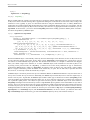
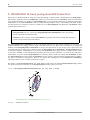
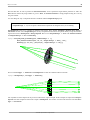
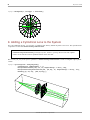
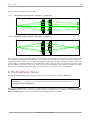
The simplest way to learn Rayica is to experiment with its text-based interface. To this end, we have included a series of
examples based on a simple optical system in this Introduction of the User Guide. The following series of examples will be
used to demonstrate the elements necessary to create and analyze a basic optical system in Rayica. Each line of the initial
example will be discussed in specific with references to later sections of this booklet for more extensive explanations of the
functions used.
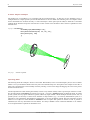
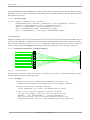
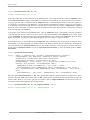
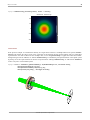
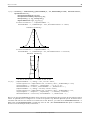
In[13]:= TurboPlot[{
LineOfRays[45,NumberOfRays->11],
Move[PlanoConvexLens[100, 50, 10], 50],
Move[Screen[50], 200]
}]
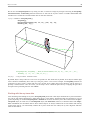
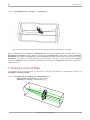
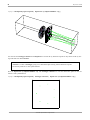
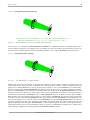
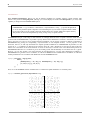
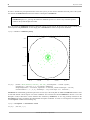
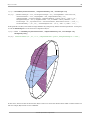
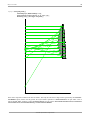
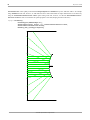
Out[13]=
-traced system-
Inputting data
The first thing about this example to observe is the format. Because Rayica uses a text-based input system, it does not matter
whether or not you include line breaks where they have been included. They have been put into this example for the sake of
clarity. The generated image can be instantly resized by selecting a corner of the image and dragging the corner of the picture
until in is the desired size.
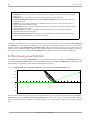
Another important note about entering data in Rayica is that every function in Rayica has a specific input format. For example, the input format for TurboPlot is TurboPlot[system, options]. TurboPlot takes two different inputs: an optical
system (system) and any option definitions (options). When any input variable contains multiple elements (in this case, an
optical system) it is necessary to enclose those elements in curly brackets (“ {}”). As with any mathematical system, it is
important to close all brackets and parentheses appropriately or else the calculation will fail. Note that sometimes an input
element is not required for final calculation. TurboPlot does not require that options be entered in order to perform a
calculation (nor does any other function for that matter). It is always valuable to check a functions definition to see whether
or not an input element is required for calculation or not.
©1994-2005 Optica Software. All rights reserved.