1
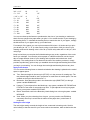
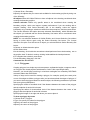
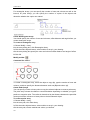
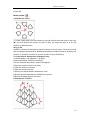
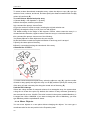
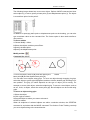
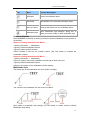
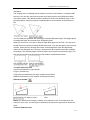
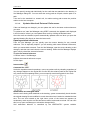
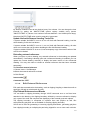
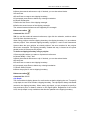
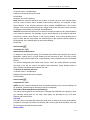
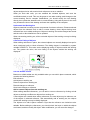
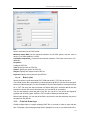
CHAPTER 5 3/4‖ = 1‘-0‖ 16 2‖ 1‖ = 1‘-0‖ 12 1.5‖ 1 1/2‖ = 1‘-0‖ 8 1‖ 3‖ = 1‘-0‖ 4 0.5‖ 1‖ = 10‘ 120 15‖ 1‖ = 20‘ 240 30‖ 1‖ = 30‘ 360 45‖ 1‖ = 40‘ 480 60‖ 1‖ = 50‘ 600 75‖ 1‖ = 60‘ 720 90‖ 1‖ = 100‘ 1200 150‖ You can use these scale factors to predetermine the size of your drawing to make sure that it fits on a specific size paper when you print it. You control the size of your drawing by the drawing limits. To calculate the drawing limits to match the size of your paper, multiply the dimensions of your paper size by your scale factor. For example, if the paper you use to print measures 36 inches x 24 inches and you print your drawing at 1/8‖ = 1‘-0‖ (in other words, using a scale factor of 96), the size of your drawing measured in drawing units is 36 x 96 (or 3,456 units) wide and 24 x 96 (or 2,304 units) high. Keep in mind that you can print the finished drawing at any scale, regardless of the scale factor you calculate. You can also print on paper of a different size and use the Layout tabs to create different views of your drawing and to position and scale those views differently. The scaling factor is not related to the size of the entities you draw; it simply provides a preliminary guide to help you establish the text height and drawing limits when you begin your drawing. You can change the text height and drawing limits at any time. Apply scale factors You can set the following factor to determined whether the drawing is plotted on the model space or paper space. Text. Sets text height in the text style (STYLE) or in the process of creating text. The text plotted height should be set in proportion to scale factor in model space. The text created on the layout should be set at 1:1. Dimension. Sets dimension scale in the dimension style (DIMSTYLE) or through system variable DIMSCALE. Linetype. To plot objects from the Model tap, use system variables CELTSCALE and LTSCALE to set scale for noncontinuous lines. To plot objects from a layout (paper space), use system variable PSLTCALE. Hatch. Sets hatch scale in the Boundary Hatch dialog box or through system variable HPSCALE. View. When you plot a drawing from a layout, you may need to use ZOOM xp command, where xp is a ratio that is relative to the paper size ( scale factor of reciprocal). Setting the text height The text height setting controls the height of text, measured in drawing units. Set this value initially so that text used for your most common annotations, when scaled to the size 52