1
Contents
Step3 : Enter the Text.....................................................................................................................47
Step4 : Save Printing Data............................................................................................................47
3-4 Starting and Stopping Printing...............................................................49
Starting Printing...............................................................................................................................49
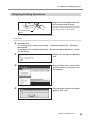
Stopping Printing Operations.....................................................................................................51
Chapter 4 More Advanced Operations..............................................................53
4-1 Tips and Tricks for Image Layout...........................................................54
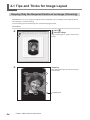
Keeping Only the Required Portion of an Image (Trimming) ........................................54
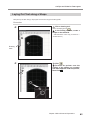
Adjusting the Location, Size, or Angle of an Image............................................................55
Enclosing an Image in a Frame...................................................................................................58
4-2 Tips and Tricks for Text Layout..............................................................60
Adjusting the Location, Size, or Angle of a Text...................................................................60
Arranging a Text to a Fan Layout ..............................................................................................62
Laying Out Text along a Shape...................................................................................................63
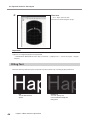
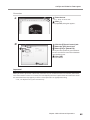
Filling Text..........................................................................................................................................64
4-3 Creating and Editing Line Text...............................................................66
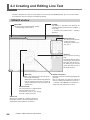
SFEdit2 window...............................................................................................................................66
Creating a Stroke Character Font...............................................................................................67
Changing Input Characters into Stroke Characters............................................................69
Editing Stroke character................................................................................................................70
4-4 Checking and Adjusting Finished Result of an Image..............................................................71
Checking the Finished Results in the Preview Window.....................................................71
Adjusting the Finished Result in the Preview Window......................................................72
4-5 Printing on a Curved Surface.................................................................73
Step1 : Decide on the Printing Area (Workpiece Size) ......................................................73
Step2 : Make horizontal writing on portrait material.........................................................76
4-6 Register New Material............................................................................78
How to Register Wide Variety of Material...............................................................................78
4-7 METAZA Driver Settings........................................................................79
Keeping the settings of METAZA Driver..................................................................................79
4-8 About Dr. Engrave..................................................................................80
What is Dr. Engrave?.......................................................................................................................80
Points to note when using Dr. Engrave...................................................................................80
4-9 More Advanced Other Operations.........................................................81
More Advanced Other Operations You Can Accomplish with METAZAStudio.........81
Chapter 5 Maintenance and Adjustment..........................................................83
5-1 Daily Care..............................................................................................84
Points to Note on Daily Care........................................................................................................84
Cleaning the Adhesive Sheet......................................................................................................84
Cleaning the Body and Cover ....................................................................................................85
Cleaning of the Head Cap............................................................................................................85
5-2 Adjusting Marking Pins...........................................................................86
Checking the State of the Marking Pins..................................................................................86
Adjusting the Striking Force of the Pins..................................................................................87
2