1
Contents
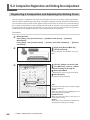
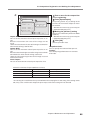
5-3 Composition Registration and Striking-force Adjustment.......................88
Registering a Composition and Adjusting the Striking Force.........................................88
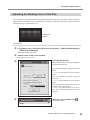
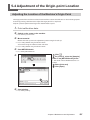
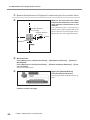
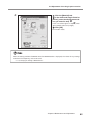
5-4 Adjustment of the Origin-point Location.................................................91
Adjusting the Location of the Machine's Origin Point.......................................................91
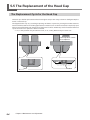
5-5 The Replacement of the Head Cap.......................................................94
The Replacement Cycle for the Head Cap..............................................................................94
5-6 Head Replacement................................................................................95
The Replacement Cycle for the Head.......................................................................................95
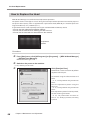
How to Replace the Head.............................................................................................................96
Chapter 6 Appendix............................................................................................99
6-1 What to Do If........................................................................................100
The power supply light is blinking......................................................................................... 100
The machine doesn't run even when printing data is sent........................................... 100
The printed location isn't where desired............................................................................. 101
Striking is performed, but nothing is printed.................................................................... 101
The printed image is unattractive.......................................................................................... 101
The image is uneven................................................................................................................... 102
The image is always faint at the same location................................................................. 102
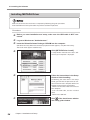
Installation for METAZA driver is Impossible...................................................................... 103
Uninstalling METAZA driver...................................................................................................... 104
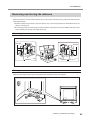
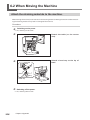
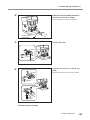
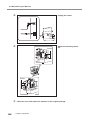
6-2 When Moving the Machine..................................................................106
Attach the retaining materials to the machine.................................................................. 106
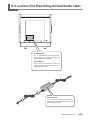
6-3 Locations of the Power Rating and Serial Number Labels..................109
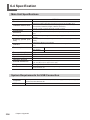
6-4 Specification......................................................................................... 110
Main Unit Specifications............................................................................................................ 110
System Requirements for USB Connection......................................................................... 110
Windows® is a registered trademark or trademark of Microsoft® Corporation in the United States and/or other
countries.
Company names and product names are trademarks or registered trademarks of their respective holders.
Copyright © 2009 Roland DG Corporation
http://www.rolanddg.com
3