1
Troubleshooting
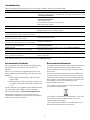
Review the following possible solutions if you encounter a problem while using your label maker.
Problem/Error Message
Solution
No display
• Ensure the label maker is turned on.
• Attach the charging adapter to the label maker to recharge the battery pack. See
“Recharging the Battery”.
• Attach the charging adapter to the label maker to recharge the battery pack. See
“Recharging the Battery”.
• Clean the print head.
• Ensure the label cassette is installed properly.
• Replace the label cassette.
Clean the cutter blade. See “Caring for Your Label Maker”.
No action required.
Message disappears when printing is finished.
Delete some or all of the buffer text.
Poor Print Quality
Poor Cutter Performance
Printing...
Too many characters
Exceeded maximum number of characters in buffer.
Too many lines
Exceeded maximum number of lines.
Barcode not allowed
Barcodes can only be printed on 19 mm wide labels.
Charge Battery!
Battery pack almost discharged.
Battery too low!
Battery pack not inserted properly or damaged.
Wait - Battery Charging
Tape Jam
Motor is stalled due to label jam.
• Delete lines to fit on the label width.
• Insert a wider label cassette.
• Replace the label cartridge.
• Change the label width.
Attach the charging adapter to the label maker to recharge the battery pack. See
“Recharging the Battery”.
• Ensure the battery pack is inserted correctly. See “Inserting the Battery”.
• Replace the battery pack.
Allow the battery pack to recharge before unplugging the label maker.
• Remove jammed label; replace label cassette.
• Clean cutter blade.
If you still need assistance, visit the DYMO Web site at www.dymo.com.
Documentation Feedback
Environmental Information
We are constantly working to produce the highest quality
documentation for our products. We welcome your
feedback.
The equipment that you have bought requires the extraction
and use of natural resources for its production. It may
contain substances that are hazardous to health and the
environment.
Send us your comments or suggestions about our user
guides. Please include the following information with your
feedback:
In order to avoid the dissemination of those substances in
our environment, and to diminish the pressure on natural
resources, we encourage you to use the appropriate takeback systems. These systems will reuse or recycle most of
the materials of your end-of-life equipment in an
environmentally sound way.
• Product name, model number, and User Guide
page number
• Brief description of instructions that are inaccurate
or unclear, areas where more detail is needed, and
so on
The crossed-bin symbol marked on your device indicates
you should use these systems.
We also welcome your suggestions about additional topics
you would like to see covered in the documentation.
Send email messages to: [email protected]
Please keep in mind that this email address is only for
documentation feedback. If you have a technical question,
please contact Customer Support.
If you need more information on the collection, reuse, and
recycling of this product, please contact your local or
regional waste administration.
You can also contact DYMO for more information on the
environmental performance of our products.
12