1
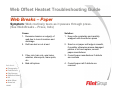
Web Offset Heatset Troubleshooting Guide
Blistering
Symptom: Moisture explosions in the paper cause bubbles to form.
Cause:
1. Oven heat too high
2. Excess dwell time in oven
3. Paper has excessive moisture,
improper density or base
4. Ink pigmentation too low
Ask about:
► Flexography
► Pub Gravure
► Pkg Gravure
► Sheetfed Offset
► UV
► Web Offset
► News Ink
HOME
Solution:
1. Reduce oven temperature; consult ink
manufacturer for inks compatible with
lower temperatures
2. Adjust press speed, web dwell time in
dryer and chill roll temperature to
optimum levels
3. Run roll from different paper machine
position. Consult paper manufacturer;
change stock if necessary
4. Consult ink manufacturer to adjust
pigment strength