1
Web Offset Heatset Troubleshooting Guide
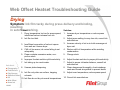
Drying
Symptom: Ink film tacky during press delivery and binding,
resulting
Solution:
in setoffCause:
or marking.
1. Dryer temperature too low for press speed;
insufficient solvent release from ink
2. Ink film too thick
3. Insufficient evacuation of solvent vapors
from web as it leaves dryer
4. Chill roll too warm; ink resins failing to set
adequately
5. Paper contains excessive water; nonporous stock
6. Improper fountain solution pH/conductivity
7. Ink taking up too much water
Ask about:
8.
► Flexography
► Pub Gravure
9.
► Pkg Gravure
► Sheetfed Offset
► UV
10.
► Web Offset
► News Ink
HOME
Uneven plate dampening
Ink film only dries on surface, trapping
solvents
Ink films do not dry at normal temperatures
1. Increase dryer temperature or reduce press
speed
2. Adjust press setting to carry less ink; consult ink
manufacturer
3. Increase velocity of air in air knife scavenger at
dryer exit
4. Reduce chill roll temperature while avoiding
condensation
5. Change stock
6. Adjust fountain solution to proper pH/conductivity
7. Adjust to proper ink/water balance; consult ink
manufacturer
8. Clean dampeners thoroughly; check windows,
vents and forced air systems to prevent drafts
9. Adjust oven temperature; reduce press speed
10. Consult ink manufacturer