1
Description of the router functions
Notes:
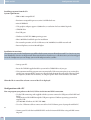
Note that when you click the button Send, the entire configuration for the PABX system will be overwritten. It is
strongly recommended to read out the configuration for the PABX system and storing it in a file prior to changing the
filter configuration.
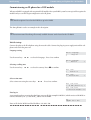
We recommend following the instructions given by the Filter Wizard, unless you establish that one of the applications you are using can not set up a connection to the Internet. In this case, please check whether the Filter Wizard has
a corresponding filter available. Elmeg regularly generates an updated database for the Filter Wizard, which is available at the www. elmeg. de Web site.
Please note that all filters that are generated with the Filter Wizard are based on packets being discarded, with the exception of those for which an appropriate rule exists. The more filters you configure for the PABX system, the more
computing time is required for processing of these filters. This could slightly reduce the maximum achievable data
throughput rate for the PABX system in some cases.
Information on manual configuration of firewall filter rules is given in the online Help function and in the documentation located on the CD.
Costs for Internet connections
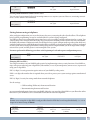
The PABX can store up to 500 call data records. This data is not lost in the event of a loss of power.
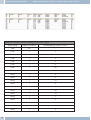
The PABX system also generates a call date record for connections made by the router. The call data records contain
detailed information about the call. For ex.: Date and time, duration of the call, number of the called party, number of
the calling party, type of connection, communication costs and possible project numbers.
Note
Please note that only the network service provider is authorized for binding connection/call cost logging.
You should use a virus scanner on all LAN clients to protect your personal data. Use of this type of software is indispensable for safeguarding personal data.
Dial-in into the LAN (RAS)
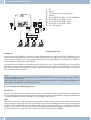
Using the Remote Access Server (RAS) a field representative, for example, can call into the local network from an external location and then via the local network access the Internet. Access from an external location is also possible via
an ISDN connection.
External access is provided with user-name and password protection. If the call is made from an external location
only, the phone number can also be monitored as an added protection feature. Access can be enabled for up to 8
users. A Windows enable (access to computer, files or printers) and Internet enable can also be configured for each
user.
Note
Note that this access portal is not protected by a firewall!
A PC that dials into the local network via RAS is automatically assigned an IP address by the integrated DHCP server.
63