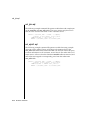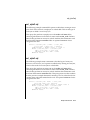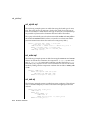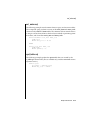
1
DB-Access Database Utility User Manual Version 7.2 April 1996 Part No. 000-7894A Published by INFORMIX® Press Informix Software, Inc. 4100 Bohannon Drive Menlo Park, CA 94025 The following are worldwide trademarks of Informix Software, Inc., or its subsidiaries, registered in the United States of America as indicated by “®,” and in numerous other countries worldwide: INFORMIX; C-ISAM; INFORMIX-OnLine Dynamic Server The following are worldwide trademarks of the indicated owners or their subsidiaries, registered in the United States of America as indicated by “®,” and in numerous other countries worldwide: Adobe Systems Incorporated: PostScript International Business Machines Corporation: IBM X/OpenCompany Ltd.: UNIX; X/Open Some of the products or services mentioned in this document are provided by companies other than Informix. These products or services are identified by the trademark or servicemark of the appropriate company. If you have a question about one of those products or services, please call the company in question directly. Documentation Team: Signe Haugen, Susan Koehler, Eileen Wollam Copyright © 1981-1996 by Informix Software, Inc. All rights reserved. No part of this work covered by the copyright hereon may be reproduced or used in any form or by any means—graphic, electronic, or mechanical, including photocopying, recording, taping, or information storage and retrieval systems—without permission of the publisher. To the extent that this software allows the user to store, display, and otherwise manipulate various forms of data, including, without limitation, multimedia content such as photographs, movies, music and other binary large objects (blobs), use of any single blob may potentially infringe upon numerous different third-party intellectual and/or proprietary rights. It is the user's responsibility to avoid infringements of any such thirdparty rights. RESTRICTED RIGHTS LEGEND Software and accompanying materials acquired with United States Federal Government funds or intended for use within or for any United States federal agency are provided with “Restricted Rights” as defined in DFARS 252.227-7013(c)(1)(ii) or FAR 52.227-19. ii DB-Access User Manual Table of Contents Table of Contents Introduction About This Manual . . . . . . . Organization of This Manual . . Types of Users . . . . . . . Software Dependencies . . . . Demonstration Database . . . New Features of This Product . . . Conventions . . . . . . . . . Typographical Conventions . . Icon Conventions . . . . . . Command-Line Conventions . . Sample-Code Conventions . . . Additional Documentation . . . . Printed Documentation . . . . On-Line Documentation . . . Related Reading . . . . . . Compliance with Industry Standards Informix Welcomes Your Comments . Chapter 1 . . . . . . . . . . . . . . . . . . . . . . . . . . . . . . . . . . . . . . . . . . . . . . . . . . . . . . . . . . . . . . . . . . . . . . . . . . . . . . . . . . . . . . . . . . . . . . . . . . . . . . . . . . . . . . . . . . . . . . . . . . . . . . . . . . . . . . . . . . . . . . . . . . . . . . . . . . . . . . . . . . . . . . . . . . . . . . . . . . . . . . . . . . . 3 4 5 5 6 9 9 10 10 11 14 15 15 16 18 19 20 What Is DB-Access? . . . . . . . . . . . . . Differences Between OnLine and SE . . . . . . Preparing to Use DB-Access . . . . . . . . . . Setting Standard Environment Variables . . . . . Setting Environment Variables for NLS or GLS Mode Creating the Demonstration Database . . . . . . Installing a Language Supplement . . . . . . . Finding Your Way in DB-Access . . . . . . . . . How to Use Your Terminal . . . . . . . . . . . . . . . . . . . . . . . . . . . . . . . . . . . . . . . . . . . . . . 1-4 1-4 1-6 1-6 1-8 1-9 1-10 1-10 1-11 Working with DB-Access Invoking DB-Access . . . . . . . . . . . . . . . Calling up the DB-Access Main Menu . . . . . . . Invoking DB-Access and Selecting a Database . . . . . Selecting a Menu Option . . . . . . . . . . . . Going to a Submenu and Submenu Option . . . . . . Executing a Command File . . . . . . . . . . . Echoing File Input to the Screen. . . . . . . . . . Checking for ANSI Compliance. . . . . . . . . . Displaying Session Information . . . . . . . . . . Displaying the Software Version Number . . . . . . Activating the XLUF Feature for Nonprintable Characters Other Command-Line Features . . . . . . . . . . The DB-Access Main Menu . . . . . . . . . . . . . The DB-Access Menu Structure . . . . . . . . . . Using DB-Access Menus and Screens . . . . . . . . . Using Menu Screens. . . . . . . . . . . . . . Using Text-entry Screens . . . . . . . . . . . . Using the HELP Screen. . . . . . . . . . . . . Using a Text Editor . . . . . . . . . . . . . . . Using the SQL Editor . . . . . . . . . . . . . Using a System Editor . . . . . . . . . . . . . Chapter 2 DB-Access User Manual . . . . . . . . . . . . . . . . . . . . . 1-12 1-13 1-14 1-15 1-16 1-20 1-20 1-22 1-23 1-24 1-24 1-25 1-29 1-30 1-32 1-32 1-34 1-35 1-36 1-36 1-39 . . . . . . . . . . . . . . . . . . . . . . . . . . . . . . . . . . . . . . 2-6 2-7 2-7 2-7 2-7 2-8 2-8 2-8 2-9 2-9 2-9 2-10 2-10 2-11 2-15 2-15 2-17 2-18 2-19 Creating Databases and Tables Working with a Database . . . . . Selecting a Database. . . . . . Creating a Database . . . . . . Dropping a Database . . . . . Closing a Database . . . . . . Getting Database Information . . Working with a Table . . . . . . . Creating a Table . . . . . . . Modifying a Table . . . . . . Dropping a Table . . . . . . . Getting Table Information. . . . The DB-Access Facilities . . . . . . Using the Interactive Schema Editor Using SQL Statements . . . . . Method 1: Using the Menu Options . . How To Create a Database (Menu) . . How to Select a Database (Menu) . . Leaving the Menu . . . . . . Where System Information Is Stored iv . . . . . . . . . . . . . . . . . . . . . . . . . . . . . . . . . . . . . . . . . . . . . . . . . . . . . . . . . . . . . . . . . . . . . . . . . . . . . . . . . . . . . . . . . . . . . . . . . . . . . . . . . . . . . . . . . . . . . . . . . . . . . . . . . . . . . . . . . . . . . . . . . . . . . . . . . . . . . . . . . . . . . . . . . . . . . How To Create a Table in the Database (Menu) Calling Up the Table Schema . . . . . Exiting the Schema Editor . . . . . . Specifying Column Constraints . . . . Creating a Fragmented Table . . . . . Where Table Information Is Stored . . . How To Modify a Table in the Database (Menu) Using the Alter Option . . . . . . . How To Get Table Information (Menu) . . . How to Drop a Table (Menu) . . . . . . How to Drop a Database (Menu) . . . . . How to Close a Database (Menu) . . . . . How to Get Database Information (Menu) . . Method 2: Using SQL . . . . . . . . . How To Create a Database (SQL) . . . . . How to Select a Database (SQL) . . . . . How to Create a Table (SQL) . . . . . . . Assigning Column Constraints . . . . Creating an Index on a Table . . . . . How to Modify a Table (SQL) . . . . . . Adding a Column to a Table . . . . . Modifying a Column in a Table . . . . Dropping a Column from a Table . . . Renaming a Column in a Table . . . . Adding and Dropping Constraints . . . Modifying Fragmentation Strategy . . . How To Get Table Information (SQL) . . . . How to Drop a Table (SQL) . . . . . . . How to Drop a Database (SQL) . . . . . . How to Close a Database (SQL) . . . . . Chapter 3 . . . . . . . . . . . . . . . . . . . . . . . . . . . . . . . . . . . . . . . . . . . . . . . . . . . . . . . . . . . . . . . . . . . . . . . . . . . . . . . . . . . . . . . . . . . . . . . . . . . . . . . . . . . . . . . . . . . . . . . . . . . . . . . . . . . . . . . . . . . . . . . . . . . . . . . . . . . . . . . . . . . . . . . . . . . . . . . . . . . . . . . . . . . . . . . . . . . . . . . . . . . . . . . . . . . . . . . . . . . . . . . . . . . . . . . . . . . . . . . . 2-19 2-20 2-26 2-27 2-28 2-29 2-29 2-30 2-35 2-35 2-37 2-38 2-39 2-40 2-41 2-42 2-42 2-43 2-44 2-44 2-45 2-45 2-46 2-47 2-47 2-48 2-48 2-50 2-50 2-51 . . . . . . . . . . . . . . . . . . . . . . . . . . . . . . . . . . . . . . . . . . . . . . . . . . . . . . . . . 3-3 . 3-5 . 3-6 . 3-7 . 3-7 . 3-8 . 3-9 . 3-10 The Query-language Menu Option Choosing the Query-language Option . . Entering a New SQL Statement . . . . . Running an SQL Statement . . . . . . Running Error-Free Statements . . . What Happens When There Are Errors Viewing the Next Page of Data . . . Modifying an SQL Statement . . . . . Editing an SQL Statement . . . . . . . . . . . . . . Table of Contents v Redirecting Query Results . . . . . . . . . . . . . . . Sending Output to a Printer . . . . . . . . . . . . . Sending Output to a File . . . . . . . . . . . . . . Sending Output to a Pipe . . . . . . . . . . . . . . Choosing an Existing SQL Statement . . . . . . . . . . . Sample SQL Command Files . . . . . . . . . . . . . Saving the Current SQL Statement . . . . . . . . . . . . Displaying Table Information . . . . . . . . . . . . . . The Columns Option . . . . . . . . . . . . . . . The Indexes Option . . . . . . . . . . . . . . . . The Privileges Option . . . . . . . . . . . . . . . The References Option . . . . . . . . . . . . . . . The Status Option . . . . . . . . . . . . . . . . The cOnstraints Option . . . . . . . . . . . . . . The triGgers Option . . . . . . . . . . . . . . . . The Table Option . . . . . . . . . . . . . . . . . The Fragments Option . . . . . . . . . . . . . . . Dropping an SQL Statement . . . . . . . . . . . . . . Chapter 4 The Database Menu Option Choosing the Database Option . . . . . . . . . Selecting a Database . . . . . . . . . . . . . The SELECT DATABASE Screen . . . . . . . Differences Between OnLine and SE . . . . . . Exiting the Screen . . . . . . . . . . . . Creating a Database . . . . . . . . . . . . . Differences Between OnLine and SE . . . . . . The OnLine CREATE DATABASE Menu . . . . The INFORMIX-SE CREATE DATABASE Menu . . Displaying Database Information . . . . . . . . Retrieving Information on Dbspaces . . . . . . Retrieving Information on Native Language Support Retrieving Information on Stored Procedures . . . Selecting a Different Database . . . . . . . . Exiting the Screen . . . . . . . . . . . . Dropping a Database . . . . . . . . . . . . . The DROP DATABASE Screen . . . . . . . . Confirming Your Decision to Drop a Database. . . Exiting the Screen . . . . . . . . . . . . Closing a Database . . . . . . . . . . . . . vi DB-Access User Manual 3-12 3-12 3-13 3-14 3-15 3-16 3-18 3-19 3-22 3-23 3-23 3-23 3-24 3-24 3-28 3-29 3-30 3-30 . . . . . . . . . . . . . . . . . . . . . . . . . . . . . . . . . . . . . . . . . . . . . . . . . . . . . . . . . . . . . . . . . . . . . . . . . . . . . . . . 4-5 4-6 4-6 4-8 4-8 4-9 4-10 4-12 4-13 4-15 4-17 4-17 4-18 4-19 4-19 4-20 4-20 4-21 4-21 4-21 Chapter 5 The Table Menu Option Selecting the TABLE Menu . . . . . . . . . . . . . . . Creating a Table . . . . . . . . . . . . . . . . . . . The CREATE TABLE Screen . . . . . . . . . . . . . Naming the Table . . . . . . . . . . . . . . . . . Building the Table Schema . . . . . . . . . . . . . . Differences Between OnLine and SE . . . . . . . . . . Exiting the CREATE TABLE Menu . . . . . . . . . . . Adding a Column to a Table . . . . . . . . . . . . . Adding to the Table Schema . . . . . . . . . . . . . Building the Table Schema . . . . . . . . . . . . . . Modifying a Column in a Table . . . . . . . . . . . . Dropping a Column . . . . . . . . . . . . . . . . Rebuilding the Table Schema . . . . . . . . . . . . . Displaying Subsequent Table Screens . . . . . . . . . . Setting Table Options on the INFORMIX-OnLine Dynamic Server Specifying Table Storage on INFORMIX-SE . . . . . . . . Defining Constraints . . . . . . . . . . . . . . . . Defining a Fragmentation Strategy . . . . . . . . . . . Altering a Table . . . . . . . . . . . . . . . . . . . The ALTER TABLE Screen . . . . . . . . . . . . . . Differences Between OnLine and SE . . . . . . . . . . Exiting the ALTER TABLE Screen . . . . . . . . . . . Adding a Column with the ALTER TABLE Menu . . . . . . Modifying a Column with the ALTER TABLE Menu . . . . . Dropping a Column with the ALTER TABLE Menu . . . . . Using the Screen Option on the ALTER TABLE Menu . . . . Changing Table Options with the ALTER TABLE Menu . . . . Altering the Fragmentation Strategy of a Table . . . . . . . Altering or Defining a Fragmentation Strategy . . . . . . . . The ALTER FRAGMENT Menu: Round-robin Strategy . . . . The ALTER FRAGMENT Menu: Expression Strategy . . . . . The ALTER FRAGMENT Menu: No Fragmentation . . . . . Displaying Table Information . . . . . . . . . . . . . . The Columns Option . . . . . . . . . . . . . . . . The Indexes Option . . . . . . . . . . . . . . . . The Privileges Option . . . . . . . . . . . . . . . The References Option . . . . . . . . . . . . . . . The Status Option . . . . . . . . . . . . . . . . . The cOnstraints Option . . . . . . . . . . . . . . . The triGgers Option . . . . . . . . . . . . . . . . The Table Option . . . . . . . . . . . . . . . . . The Fragments Option . . . . . . . . . . . . . . . Table of Contents 5-5 5-6 5-7 5-8 5-8 5-9 5-10 5-10 5-19 5-19 5-21 5-27 5-28 5-28 5-29 5-33 5-34 5-49 5-54 5-55 5-57 5-57 5-58 5-59 5-61 5-62 5-62 5-63 5-66 5-67 5-72 5-80 5-83 5-86 5-86 5-86 5-87 5-87 5-88 5-92 5-93 5-93 vii Dropping a Table . . . . . . . . . . . . . . . . . . Confirming Your Decision . . . . . . . . . . . . . Exiting the DROP TABLE Screen . . . . . . . . . . . Chapter 6 The Connection and Session Menu Options Choosing the Connection Option . . . . . Connecting to a Database Environment . . Disconnecting from a Database Environment Choosing the Session Option . . . . . . . Appendix A Sample Command Files Appendix B How to Read On-Line Help Index viii DB-Access User Manual 5-94 5-95 5-95 . . . . . . . . . . . . . . . . . . . . . . . . . . . . 6-4 6-4 6-8 6-10 Introduction Introduction About This Manual . . . . . Organization of This Manual Types of Users . . . . . Software Dependencies . . Demonstration Database . . . . . . . . . . . . . . . . . . . . . . . . . . . . . . . . . . . . . . . . . . . . . . . . . . . . . . . . . . . . . . . . . . . . . . . 3 4 5 5 6 New Features of This Product . . . . . . . . . . . . . . . 9 Conventions . . . . . . . Typographical Conventions Icon Conventions . . . . Comment Icons . . . Command-Line Conventions Sample-Code Conventions . . . . . . . . . . . . . . . . . . . . . . . . . . . . . . . . . . . . . . . . . . . . . . . . . . . . . . . . . . . . . . . . . . . . . . . . . . . . . . . . . . . . . 9 10 10 11 11 14 Additional Documentation . . . . . . . . . . . . Printed Documentation . . . . . . . . . . . . On-Line Documentation. . . . . . . . . . . . On-Line Help . . . . . . . . . . . . . . Error Message Files . . . . . . . . . . . . Release Notes, Documentation Notes, Machine Notes Related Reading . . . . . . . . . . . . . . . . . . . . . . . . . . . . . . . . . . . . . . . . . . 15 15 16 17 17 18 18 Compliance with Industry Standards . . . . . . . . . . . . 19 Informix Welcomes Your Comments . . . . . . . . . . . . . 20 2 DB-Access User Manual T his chapter introduces the DB-Access User Manual. Read this chapter for an overview of the information provided in this manual and for an understanding of the conventions used throughout this manual. About This Manual The DB-Access User Manual is a complete guide to the features that comprise the Informix DB-Access relational database access utility. You can use DB-Access with INFORMIX-OnLine Dynamic Server or the INFORMIX-SE database server. The DB-Access User Manual describes how to invoke the DB-Access utility to access, modify, and retrieve information from Informix database servers. The DB-Access User Manual is a combination user guide and reference manual. ■ Chapter 1 covers important basic information about the utility. ■ Chapter 2 is a tutorial-style chapter that walks you through some of the main features. ■ If you are already familiar with DB-Access, you can skip Chapter 2 and go directly to the appropriate sections of Chapter 3 through 6. Each of these reference-style chapters discusses a specific option on the DB-Access main menu and contains instructions and illustrations that show you how to take full advantage of the features and functionality of DB-Access. Introduction 3 Organization of This Manual Organization of This Manual This manual includes the following chapters: 4 DB-Access User Manual ■ This Introduction provides an overview of the manual and describes the documentation conventions used. ■ Chapter 1, “Working with DB-Access,” provides an overview of how to use DB-Access with the INFORMIX-OnLine Dynamic Server and the INFORMIX-SE database server. It explains how to use your terminal and the system editor, how to invoke the utility, and how to use the various screens and menus. It also illustrates and describes the DB-Access main menu structure and tells how to get on-line Help. ■ Chapter 2, “Creating Databases and Tables,” is a tutorial-style chapter that illustrates how to create, modify, drop, and select databases and tables using either a main menu option or an SQL statement. It also introduces the Interactive Schema Editor (ISED) and the Informix implementation of SQL. ■ Chapter 3, “The Query-language Menu Option,” illustrates and describes how to use the various menus and screens when you select the Query-language option from the DB-Access main menu. ■ Chapter 4, “The Database Menu Option,” illustrates and describes how to use the various menus and screens when you select the Database option from the DB-Access main menu. ■ Chapter 5, “The Table Menu Option,” illustrates and describes how to use the various menus and screens when you select the Table option from the DB-Access main menu. ■ Chapter 6, “The Connection and Session Menu Options,” illustrates and describes how to use the various menus and screens when you select the Connection option or the Session option from the DB-Access main menu. ■ Appendix A illustrates and briefly describes all the command files that you can use for practice. These example files are provided with DB-Access when you run the script to install the demonstration database. ■ Appendix B illustrates how to read the syntax for SQL statements described on the DB-Access on-line Help screens. Types of Users Types of Users This manual is written for all users of Informix products who use the DB-Access utility to access, modify, and retrieve the information in a relational database. With DB-Access, users can perform the following database-management tasks: ■ Creating, modifying, and dropping databases ■ Creating, modifying, and dropping fragmented or unfragmented tables ■ Loading data from operating-system files ■ Running queries using an interactive query language ■ Inserting, deleting, updating, and querying on data in the database ■ Creating and dropping privileges and indexes ■ Obtaining information about the architecture of tables and databases Users do not need database management experience or familiarity with relational database concepts to use this manual. However, a knowledge of Structured Query Language (SQL) would be useful. Informix SQL is described in detail in a separate set of manuals called the Informix Guide to SQL: Tutorial, the Informix Guide to SQL: Reference, and the Informix Guide to SQL: Syntax. Software Dependencies This manual assumes that you are using either INFORMIX-OnLine Dynamic Server, Version 7.2, or INFORMIX-SE, Version 7.2, as your database server. DB-Access is one of many application programming interfaces (APIs), application development tools, and utilities produced by Informix Software, Inc. Application development tools currently available include products such as INFORMIX-SQL, INFORMIX-4GL, and INFORMIX-NewEra. SQL APIs currently available include INFORMIX-ESQL/C and INFORMIX-ESQL/COBOL. If you are running client applications developed with Version 4.1 and 5.0 application development tools, you must use INFORMIX-NET to connect the client to the network. Introduction 5 Demonstration Database DB-Access provides much of the same functionality as the INFORMIX-SQL database management product. However, DB-Access does not allow users to create and compile custom reports or forms or to create and run custom menus. These features are available only in INFORMIX-SQL. Demonstration Database The DB-Access utility, which is provided with your Informix database server products, includes a demonstration database called stores7 that contains information about a fictitious wholesale sporting-goods distributor. The sample command files that make up a demonstration application are also included. Most examples in this manual are based on the stores7 demonstration database. The stores7 database is described in detail and its contents are listed in the Informix Guide to SQL: Reference. The script that you use to install the demonstration database is called dbaccessdemo7 and is located in the $INFORMIXDIR/bin directory. The database name that you supply is the name given to the demonstration database. If you do not supply a database name, the name defaults to stores7. Use the following rules for naming your database: ■ Names can have a maximum of 18 characters for INFORMIX-OnLine Dynamic Server databases and a maximum of 10 characters for INFORMIX-SE databases. ■ The first character of a name must be a letter or an underscore (_). ■ You can use letters, characters, and underscores (_) for the rest of the name. ■ DB-Access makes no distinction between uppercase and lowercase letters. ■ The database name must be unique. When you run dbaccessdemo7, you are, as the creator of the database, the owner and Database Administrator (DBA) of that database. If you install your Informix database server according to the installation instructions, the files that constitute the demonstration database are protected so that you cannot make any changes to the original database. 6 DB-Access User Manual Demonstration Database You can run the dbaccessdemo7 script again whenever you want to work with a fresh demonstration database. The script prompts you when the creation of the database is complete and asks if you would like to copy the sample command files to the current directory. Enter N if you have made changes to the sample files and do not want them replaced with the original versions. Enter Y if you want to copy over the sample command files. To create and populate the stores7 demonstration database 1. Set the INFORMIXDIR environment variable so that it contains the name of the directory in which your Informix products are installed. 2. Set INFORMIXSERVER to the name of the default database server. The name of the default database server must exist in the $INFORMIXDIR/etc/sqlhosts file. (For a full description of environment variables, see the Informix Guide to SQL: Reference.) For information about sqlhosts, see the INFORMIX-OnLine Dynamic Server Administrator’s Guide or the INFORMIX-SE Administrator’s Guide. 3. Create a new directory for the SQL command files. Create the directory by entering the following command: mkdir dirname 4. Make the new directory the current directory by entering the following command: cd dirname 5. Create the demonstration database and copy over the sample command files by entering the dbaccessdemo7 command. To create the database without logging, enter the following command: dbaccessdemo7 dbname To create the demonstration database with logging, enter the following command: dbaccessdemo7 -log dbname If you are using INFORMIX-OnLine Dynamic Server, by default the data for the database is put into the root dbspace. If you wish, you can specify a dbspace for the demonstration database. Introduction 7 Demonstration Database To create a demonstration database in a particular dbspace, enter the following command: dbaccessdemo7 dbname -dbspace dbspacename You can specify all of the options in one command, as shown in the following command: dbaccessdemo7 -log dbname -dbspace dbspacename If you are using INFORMIX-SE, a subdirectory called dbname.dbs is created in your current directory and the database files associated with stores7 are placed there. You will see both data (.dat) and index (.idx) files in the dbname.dbs directory. (If you specify a dbspace name, it is ignored.) To use the database and the command files that have been copied to your directory, you must have UNIX read and execute permissions for each directory in the pathname of the directory from which you ran the dbaccessdemo7 script. Check with your system administrator for more information about operating-system file and directory permissions. UNIX permissions are discussed in the INFORMIX-OnLine Dynamic Server Administrator’s Guide and the INFORMIX-SE Administrator’s Guide 6. To give someone else the permissions to access the command files in your directory, use the UNIX chmod command. 7. To give someone else access to the database that you have created, grant them the appropriate privileges using the GRANT statement. To revoke privileges, use the REVOKE statement. The GRANT and REVOKE statements are described in the Informix Guide to SQL: Syntax. 8 DB-Access User Manual New Features of This Product New Features of This Product The Introduction to each Version 7.2 product manual contains a list of new features for that product. The Introduction to each manual in the Version 7.2 Informix Guide to SQL series contains a list of new SQL features. A comprehensive list of all of the new features for Version 7.2 Informix products is in the Release Notes file called SERVERS_7.2. Version 7.2 of DB-Access supports the USER clause of the CONNECT statement through the CONNECTION and SQL menus and in interactive nonmenu mode. This new feature lets you specify a user ID or a user ID and password before connecting to a database environment. New screens are shown in this manual; the CONNECT statement is described in the Informix Guide to SQL: Syntax. Conventions This section describes the conventions that are used in this manual. By becoming familiar with these conventions, you will find it easier to gather information from this and other volumes in the documentation set. The following conventions are covered: ■ Typographical conventions ■ Icon conventions ■ Command-line conventions ■ Sample-code conventions Introduction 9 Typographical Conventions Typographical Conventions This manual uses a standard set of conventions to introduce new terms, illustrate screen displays, describe command syntax, and so forth. The following typographical conventions are used throughout this manual. Convention Meaning italics Within text, new terms and emphasized words are printed in italics. Within syntax diagrams, values that you are to specify are printed in italics. boldface Identifiers (names of classes, objects, constants, events, functions, program variables, forms, labels, and reports), environment variables, database names, table names, column names, menu items, command names, and other similar terms are printed in boldface. monospace Information that the product displays and information that you enter are printed in a monospace typeface. KEYWORD All keywords appear in uppercase letters. ♦ This symbol indicates the end of product- or platform-specific information. Tip: When you are instructed to “enter” characters or to “execute” a command, immediately press RETURN after the entry. When you are instructed to “type” the text or to “press” other keys, no RETURN is required. Icon Conventions Throughout the documentation, you will find text that is identified by several different types of icons. This section describes these icons. 10 DB-Access User Manual Command-Line Conventions Comment Icons Comment icons identify three types of information, as described in the following table. This information is always displayed in italics. Icon Description Identifies paragraphs that contain vital instructions, cautions, or critical information. Identifies paragraphs that contain significant information about the feature or operation that is being described. Identifies paragraphs that offer additional details or shortcuts for the functionality that is being described. Command-Line Conventions DB-Access supports a variety of command-line options. You enter these commands at the operating-system prompt to perform certain functions or go to specified menus in DB-Access. Each valid command-line option is illustrated in a diagram in Chapter 1 of the DB-Access User Manual. This section defines and illustrates the format of the commands that are available in DB-Access and other Informix products. These commands have their own conventions, which might include alternative forms of a command, required and optional parts of the command, and so forth. Each diagram displays the sequences of required and optional elements that are valid in a command. A diagram begins at the upper left with a command. It ends at the upper right with a vertical line. Between these points, you can trace any path that does not stop or back up. Each path describes a valid form of the command. You must supply a value for words that are in italics. Introduction 11 Command-Line Conventions You might encounter one or more of the following elements on a commandline path. Element Description command This required element is usually the product name or other short word that invokes the product or calls the compiler or preprocessor script for a compiled Informix product. It might appear alone or precede one or more options. You must spell a command exactly as shown and must use lowercase letters. variable A word in italics represents a value that you must supply, such as a database, file, or program name. A table following the diagram explains the value. -flag A flag is usually an abbreviation for a function, menu, or option name or for a compiler or preprocessor argument. You must enter a flag exactly as shown, including the preceding hyphen. .ext A filename extension, such as .sql or .cob, might follow a variable that represents a filename. Type this extension exactly as shown, immediately after the name of the file and a period. The extension might be optional in certain products. (.,;+*-/) Punctuation and mathematical notations are literal symbols that you must enter exactly as shown. ' ' Single quotes are literal symbols that you must enter as shown. Privileges p. 5-17 Privileges ALL A reference in a box represents a subdiagram on the same page (if no page is supplied) or another page. Imagine that the subdiagram is spliced into the main diagram at this point. A shaded option is the default. If you do not explicitly type the option, it will be in effect unless you choose another option. Syntax enclosed in a pair of arrows indicates that this is a subdiagram. (1 of 2) 12 DB-Access User Manual Command-Line Conventions Element Description The vertical line is a terminator and indicates that the statement is complete. IN NOT , variable , 3 size A branch below the main line indicates an optional path. (Any term on the main path is required unless a branch can circumvent it.) A loop indicates a path that you can repeat. Punctuation along the top of the loop indicates the separator symbol for list items, as in this example. A gate ( 3 ) on a path indicates that you can only use that path the indicated number of times, even if it is part of a larger loop. Here you can specify size no more than three times within this statement segment. (2 of 2) Figure 1 shows how you read the command-line diagram for setting the INFORMIXC environment variable. Figure 1 An example command-line diagram setenv INFORMIXC compiler pathname To construct a correct command, start at the top left with the command setenv. Then follow the diagram to the right, including the elements that you want. The elements in the diagram are case sensitive. To read the example command-line diagram 1. Type the word setenv. 2. Type the word INFORMIXC. 3. Supply either a compiler name or pathname. After you choose compiler or pathname, you come to the terminator. Your command is complete. 4. Press ENTER to execute the command. Introduction 13 Sample-Code Conventions Sample-Code Conventions Examples of SQL code occur throughout this manual. Except where noted, the code is not specific to any single Informix application development tool. If only SQL statements are listed in the example, they are not delimited by semicolons. To use this SQL code for a specific product, you must apply the syntax rules for that product. For example, if you are using the Query-language option of DB-Access, you must delimit multiple statements with semicolons. If you are using an SQL API, you must use EXEC SQL and a semicolon (or other appropriate delimiters) at the start and end of each statement, respectively. For instance, you might see the code in the following example: CONNECT TO stores7 . . . DELETE FROM customer WHERE customer_num = 121 . . . COMMIT WORK DISCONNECT CURRENT Dots in the example indicate that more code would be added in a full application, but it is not necessary to show it to describe the concept being discussed. For detailed directions on using SQL statements for a particular application development tool or SQL API, see the manual for your product. 14 DB-Access User Manual Additional Documentation Additional Documentation The documentation set includes printed manuals, on-line manuals, and online help. This section describes the following pieces of the documentation set: ■ Printed documentation ■ On-line documentation ■ Related reading Printed Documentation The following printed manuals are included in the INFORMIX-OnLine Dynamic Server documentation set: ■ Depending on the database server you are using, you or your system administrator will need either the INFORMIX-OnLine Dynamic Server Administrator’s Guide or the INFORMIX-SE Administrator’s Guide. ■ The INFORMIX-OnLine Dynamic Server Archive and Backup Guide describes the archiving process and the tools and commands available for archiving your INFORMIX-OnLine Dynamic Server databases and backing up logical logs. ■ When you upgrade your current version of INFORMIX-OnLine Dynamic Server, refer to the Informix Migration Guide for information about the steps you need to take to move your databases to the new version. ■ The INFORMIX-OnLine Dynamic Server Performance Guide might also be useful for improving performance. ■ You might find it convenient to use the INFORMIX-OnLine Dynamic Server Quick Reference Guide for a summary of the ON-Monitor menu options and their command-line equivalents. ■ You, or whoever installs your Informix products, should refer to the UNIX Products Installation Guide for your particular release to ensure that your Informix product is properly set up before you begin to Introduction 15 On-Line Documentation work with it. A matrix depicting possible client/server configurations is included in the UNIX Products Installation Guide. The following related Informix documents complement the information in this manual set: GLS ■ If you have never used Structured Query Language (SQL), read the Informix Guide to SQL: Tutorial. It provides a tutorial on SQL as it is implemented by Informix products. It also describes the fundamental ideas and terminology for planning, implementing, and using a relational database. ■ A companion volume to the Tutorial, the Informix Guide to SQL: Reference, includes details of the Informix system catalog tables, describes Informix and common environment variables that you should set, and describes the column data types that Informix database servers support. ■ An additional companion volume to the Reference, the Informix Guide to SQL: Syntax, provides a detailed description of all the SQL statements supported by Informix products. This guide also provides a detailed description of Stored Procedure Language (SPL) statements. ■ The SQL Quick Syntax Guide contains syntax diagrams for all statements and segments described in this manual. ■ When errors occur, you can look them up by number and learn their cause and solution in the Informix Error Messages manual. If you prefer, you can look up the error messages in the on-line message file described in “Error Message Files” in this Introduction and in the Introduction to the Informix Error Messages manual. ■ The Guide to GLS Functionality provides information concerning Global Language Support features. ♦ On-Line Documentation Several different types of on-line documentation are available: 16 DB-Access User Manual ■ On-line help ■ On-line error messages ■ Release notes, documentation notes, and machine notes On-Line Documentation On-Line Help DB-Access provides on-line Help files that walk you through each menu option. To invoke the Help feature, simply press CTRL-W wherever you are in DB-Access. (The notational conventions and rules governing SQL statement syntax shown in on-line Help are illustrated in Appendix B.) Error Message Files Informix software products provide ASCII files that contain all of the Informix error messages and their corrective actions. To read the error messages in the ASCII file, Informix provides scripts that let you display error messages on the screen (finderr) or print formatted error messages (rofferr). See the Introduction to the Informix Error Messages manual for a detailed description of these scripts. The optional Informix Messages and Corrections product provides PostScript files that contain the error messages and their corrective actions. If you have installed this product, you can print the PostScript files on a PostScript printer. The PostScript error messages are distributed in a number of files of the format errmsg1.ps, errmsg2.ps, and so on. These files are located in the $INFORMIXDIR/msg directory. Introduction 17 Related Reading Release Notes, Documentation Notes, Machine Notes In addition to the Informix set of manuals, the following on-line files, located in the $INFORMIXDIR/release/en_us/0333 directory, might supplement the information in this manual. On-Line File Purpose Documentation notes Describes features that are not covered in the manuals or that have been modified since publication. The file containing the Documentation Notes for the DB-Access utility is called DBACCDOC_7.2. Release notes Describes feature differences from earlier versions of Informix products and how these differences might affect current products. This file also contains information about any known problems and their workarounds. The file containing the Release Notes for Version 7.2 of Informix database server products is called SERVERS_7.2. Machine notes Describes any special actions that are required to configure and use Informix products on your computer. Machine notes are named for the product that is described. For example, the machine notes file for Version 7.2 of INFORMIX-OnLine Dynamic Server and INFORMIX-SE database server are called ONLINE_7.2 and SE_7.2, respectively. Please examine these files because they contain vital information about application and performance issues. Related Reading For additional technical information on database management, consult the following books. The first book is an introductory text for readers who are new to database management, while the second book is a more complex technical work for SQL programmers and database administrators: 18 DB-Access User Manual ■ Database: A Primer by C. J. Date (Addison-Wesley Publishing, 1983) ■ An Introduction to Database Systems by C. J. Date (Addison-Wesley Publishing, 1994). Compliance with Industry Standards To learn more about the SQL language, consider the following books: ■ A Guide to the SQL Standard by C.J. Date with H. Darwen (AddisonWesley Publishing, 1993) ■ Understanding the New SQL: A Complete Guide by J. Melton and A. Simon (Morgan Kaufmann Publishers, 1993) ■ Using SQL by J. Groff and P. Weinberg (Osborne McGraw-Hill, 1990) The DB-Access User Manual assumes that you are familiar with your computer operating system. If you have limited UNIX system experience, consult your operating system manual or a good introductory text before you read this manual. The following texts provide a good introduction to UNIX systems: ■ Introducing the UNIX System by H. McGilton and R. Morgan (McGraw-Hill Book Company, 1983) ■ Learning the UNIX Operating System, by G. Todino, J. Strang, and J. Peek (O’Reilly & Associates, 1993) ■ A Practical Guide to the UNIX System, by M. Sobell (Benjamin/Cummings Publishing, 1989) ■ UNIX System V: A Practical Guide by M. Sobell (Benjamin/Cummings Publishing, 1995) Compliance with Industry Standards The American National Standards Institute (ANSI) has established a set of industry standards for SQL. Informix SQL-based products are fully compliant with SQL-92 Entry Level (published as ANSI X3.135-1992), which is identical to ISO 9075:1992 on INFORMIX-OnLine Dynamic Server. In addition, many features of OnLine comply with the SQL-92 Intermediate and Full Level and X/Open CAE (common applications environment) standards. Informix SQL-based products are compliant with ANSI SQL-92 Entry Level (published as ANSI X3.135-1992) on INFORMIX-SE with the following exceptions: ■ Effective checking of constraints ■ Serializable transactions Introduction 19 Informix Welcomes Your Comments Informix Welcomes Your Comments Please let us know what you like or dislike about our manuals. To help us with future versions of our manuals, please tell us about any corrections or clarifications that you would find useful. Write to us at the following address: Informix Software, Inc. SCT Technical Publications Department 4100 Bohannon Drive Menlo Park, CA 94025 If you prefer to send electronic mail, our address is: [email protected] Or, send a facsimile to the Informix Technical Publications Department at: 415-926-6571 Please include the following information: ■ The name, version, and page number of the manual that you are using ■ Any comments that you have about the manual ■ Your name, address, and phone number We appreciate your feedback. 20 DB-Access User Manual Chapter Working with DB-Access What Is DB-Access? . . . . . . . . . . . . Differences Between OnLine and SE . . . . . Using the INFORMIX-OnLine Dynamic Server Using the INFORMIX-SE Database Server . . 1 . . . . . . . . . . . . . . . . . . . . . . . . 1-4 1-4 1-4 1-5 Preparing to Use DB-Access . . . . . . . . . . Setting Standard Environment Variables . . . . . Setting Environment Variables for NLS or GLS Mode Creating the Demonstration Database . . . . . . Installing a Language Supplement . . . . . . . . . . . . . . . . . . . . . . . . . . . . . . . . 1-6 1-6 1-8 1-9 1-10 Finding Your Way in DB-Access . How to Use Your Terminal . . . . . . . . . . . . 1-10 1-11 Invoking DB-Access . . . . . . . . . . . . . . . . . Calling up the DB-Access Main Menu . . . . . . . . . . Invoking DB-Access and Selecting a Database . . . . . . . Selecting a Menu Option . . . . . . . . . . . . . . Going to a Submenu and Submenu Option . . . . . . . . Sample DB-Access Command-Line Commands . . . . . Executing a Command File. . . . . . . . . . . . . . Echoing File Input to the Screen . . . . . . . . . . . . Checking for ANSI Compliance . . . . . . . . . . . . Displaying Session Information . . . . . . . . . . . . Displaying the Software Version Number. . . . . . . . . Activating the XLUF Feature for Nonprintable Characters . . . Other Command-Line Features . . . . . . . . . . . . Reading from Standard Input . . . . . . . . . . . Interactive Input through Standard Input . . . . . . . Executing Shell Commands from Standard Input. . . . . Connecting to a Database Environment in Non-Menu Mode . Viewing the XPG4 Information Schema . . . . . . . . . . . . . . . . . . . . . . . . . . 1-12 1-13 1-14 1-15 1-16 1-19 1-20 1-20 1-22 1-23 1-24 1-24 1-25 1-25 1-26 1-27 1-27 1-28 . . . . . . . . . . . . . . . . 1-2 The DB-Access Main Menu . . . . The DB-Access Menu Structure . . . . . . . . . . . . . . . . . . . . . . . . . 1-29 1-30 Using DB-Access Menus and Screens Using Menu Screens . . . . . Selecting an Option . . . . Leaving a Menu Screen . . . Getting Help . . . . . . Using Text-entry Screens . . . Entering Text on the Screen . Leaving a Text-entry Screen . Getting Help . . . . . . Using the HELP Screen . . . . . . . . . . . . . . . . . . . . . . . . . . . . . . . . . . . . . . . . . . . . . . . . . . . . . . . . . . . . . . . . . . . . . . . . . . . . . . . . . . . . . . . . . . . . . . . . . . . . . . . . . . . . . . . . . . . . . . . . . . . . 1-32 1-32 1-33 1-33 1-33 1-34 1-34 1-35 1-35 1-35 Using a Text Editor . . . . . Using the SQL Editor . . . Using the Editing Keys . Editing Restrictions . . Using a System Editor . . . . . . . . . . . . . . . . . . . . . . . . . . . . . . . . . . . . . . . . . . . . . . . . . . . . . . . . . . . . . . 1-36 1-36 1-37 1-38 1-39 DB-Access User Manual . . . . . . . . . . T his chapter introduces DB-Access. It tells you how to get started with DB-Access and acquaints you with the various types of menus, screens, functions, and editors that you use when working with the utility. The following topics are discussed in this chapter: ■ Preparing to use DB-Access (page 1-6) ■ Setting environment variables for DB-Access (page 1-6) ■ Using special keys on your terminal (page 1-11) ■ Invoking DB-Access from the command line (page 1-12) ■ Using additional command-line features (page 1-25) ■ Using the DB-Access menu structure (page 1-30) ■ Using menus and text-entry screens (page 1-32) ■ Getting on-line help (page 1-35) ■ Using the SQL and system text editors (page 1-36) To make the best use of DB-Access, you should understand the basic concepts presented in this chapter. This manual also refers to other relevant Informix publications, which can be particularly helpful if you have limited experience with computers or database-management systems. Tip: If you are already familiar with DB-Access, you might prefer to skip this chapter and Chapter 2, “Creating Databases and Tables,” and go directly to the relevant sections of the subsequent reference chapters or appendixes. }Working with DB-Access 1-3 What Is DB-Access? What Is DB-Access? DB-Access is a utility that lets you access and manipulate the data in a relational database and perform a variety of data-management tasks such as organizing, storing, retrieving, and viewing data. A database is a collection of information or data that is arranged in tables. In turn, the tables are made up of rows and columns. The stores7 database provided with your database server is described in detail in Appendix A of the Informix Guide to SQL: Reference. Database fundamentals are introduced in Chapter 1 in the Informix Guide to SQL: Tutorial. You can use DB-Access menus and screens to create, drop, and close databases; create, modify, and drop tables; enter, modify, and retrieve information in a database; connect to a database server; and obtain information about the current session. Differences Between OnLine and SE The DB-Access utility is packaged with both the INFORMIX-OnLine Dynamic Server and the INFORMIX-SE database server. DB-Access functionality differs in several ways, depending on the database server you are using. Using the INFORMIX-OnLine Dynamic Server 1-4 ■ The Table_options option on the CREATE TABLE menu in the Interactive Schema Editor (ISED) has different options than does the sTorage option, which is on the CREATE TABLE menu in INFORMIX-SE. These options let you specify the dbspaces, extent sizes, and the locking mode for OnLine tables. ■ The Variable-length option on the ISED ADD TYPE menu lets you specify the VARCHAR, TEXT, and BYTE data types for columns as well as the NVARCHAR data type for Native Language Support (NLS). ■ When you display table information using the Status option on the INFO menu of the SQL or TABLE menu or use the keywords INFO STATUS in an SQL statement, you do not see audit trail file information because the OnLine logging facility replaces audit trails. DB-Access User Manual Differences Between OnLine and SE ■ A dBspace option on the DATABASE INFO menu and a Dbspace option on the TABLE_OPTIONS menu let you retrieve information on available dbspaces and select one for storing data. ■ The Log option on the CREATE DATABASE menu provides different options for OnLine and INFORMIX-SE. These options are described in Chapter 4, “The Database Menu Option.” ■ Certain SQL statements or keywords might be specific to OnLine. The syntax and use for all SQL statements that you can use with DB-Access are listed in Chapter 2, “Creating Databases and Tables,” and are described in Chapter 1 of the Informix Guide to SQL: Syntax. ■ OnLine has special screens and menus that support fragmentation and Parallel Database Queries (PDQ). They are accessed through the Table_options option on the CREATE TABLE and ALTER TABLE menus. Using the INFORMIX-SE Database Server ■ The sTorage option on the CREATE TABLE menu is the INFORMIX-SE counterpart to the Table_options option in the INFORMIX-OnLine Dynamic Server. It lets you specify the full path and filename in which to store a database table. ■ You can issue the CHECK TABLE and REPAIR TABLE statements to check and repair the indexes of a table following an abnormal stoppage. These SQL statements call the secheck utility. (With OnLine, the oncheck utility checks and repairs index inconsistencies.) ■ Certain other SQL statements or keywords might be specific to INFORMIX-SE. The syntax and use for all SQL statements that you can use with DB-Access are listed in Chapter 2, “Creating Databases and Tables,” of this manual and are described in Chapter 1 of the Informix Guide to SQL: Syntax. ■ The Log option on the CREATE DATABASE menu provides different options for INFORMIX-SE and OnLine. These options are described in Chapter 4, “The Database Menu Option.” }Working with DB-Access 1-5 Preparing to Use DB-Access Preparing to Use DB-Access This section describes the steps you must follow before you can work with DB-Access. It tells how to specify an NLS and a non-NLS environment. It explains how to set environment variables and use the demonstration database that is provided with DB-Access and also acquaints you with conventions for using your terminal. It assumes that either the INFORMIX-OnLine Dynamic Server or INFORMIX-SE database server is installed on your computer according to the installation instructions that come with the database server software. Setting Standard Environment Variables You must set the following Informix and UNIX environment variables before you can properly use DB-Access in either an NLS or a non-NLS environment: ■ The INFORMIXDIR environment variable specifies the directory where your database server files are installed. ■ The INFORMIXSERVER environment variable specifies the default INFORMIX-OnLine Dynamic Server or INFORMIX-SE database server to which an explicit or implicit connection is made. ■ The INFORMIXTERM environment variable specifies whether DB-Access should use the termcap file or terminfo directory to locate terminal-capability information. ■ The UNIX environment variable TERMCAP or TERMINFO must be set so that DB-Access can communicate with your terminal. ■ TERM is a UNIX environment variable that lets DB-Access recognize and communicate with the kind of terminal you are using. ■ PATH is a UNIX environment variable that determines the search path so that the shell searches the correct directory for executable DB-Access files. ■ 1-6 DB-Access User Manual If you are using a network connection and INFORMIX-SE, you might need to set the DBPATH environment variable and unset the SQLRM and SQLRMDIR environment variables. Setting Standard Environment Variables You can set additional Informix environment variables for enhanced performance; DB-Access observes their settings: ■ Set the DELIMIDENT environment variable if you want DB-Access to automatically accept delimited identifiers in SQL statements. This means that database object names consisting of alphabetic or nonalphabetic characters can be placed within quotes, and that strings in double quotes (") are treated as identifiers rather than strings. ■ Set the FET_BUF_SIZE environment variable to determine the size of the fetch buffer for data sent by the database server. ■ Set the OPTCOMPIND environment variable to indicate a preferred join method and help the optimizer select the appropriate join method for parallel database queries. ■ Set the PDQPRIORITY environment variable to dynamically control the priority level of parallel database queries. You can set these environment variables at the system prompt, in your .profile (Bourne shell or Korn shell) file, in your .login or .cshrc (C shell) file, or in an environment-configuration file. ■ If you set these environment variables at the system prompt, you must reassign them every time you log on to the system. ■ If you set these environment variables in your .profile, .login, or .cshrc file, they are assigned automatically every time you log on to the system. Important: If you set or modify the environment variables in a file rather than on the command line, log out and then log back on or “source” the file before you begin to work with DB-Access so the shell can read your entries. Complete details of how to set and use these and other Informix and UNIX environment variables are provided in Chapter 4 of the Informix Guide to SQL: Reference. }Working with DB-Access 1-7 Setting Environment Variables for NLS or GLS Mode Setting Environment Variables for NLS or GLS Mode GLS DB-Access is NLS-ready and GLS-ready. For details, see the Guide to GLS Functionality. You can choose whether to activate NLS capability and specify certain behaviors by setting the following environment variables: ■ The DBNLS environment variable enables the NLS features. Set this environment variable before starting the application. If DBNLS is not set, DB-Access cannot provide NLS functionality. A database created in a DBNLS environment is an NLS database. Only NLS applications can access this database through NLS database servers. The database server rejects any request to access an NLS database by a non-NLS application. ■ Once DBNLS is set, set the LANG environment variable to specify the locale of the database operations that follow. Each LANG setting determines the messages, collating sequences, character classifications, and local customs information. It is used throughout the lifetime of the database. For example, you could set LANG to a value for German. For information about GLS locales, see the Guide to GLS Functionality. ■ Additional environment variables or X/Open categories, such as the ones in the following list, provide more specific information that affects the behavior of data manipulation: ❑ LC_COLLATE specifies a particular NLS collating sequence. It is used throughout the lifetime of the database and overrides the LANG setting. ❑ For example, with LANG set to German, you might want to set LC_COLLATE to a value for German/Swiss collating conventions. ❑ LC_CTYPE determines the behavior of regular expressions and character evaluation functions (space, punctuation, capitalization). ❑ LC_MONETARY specified the money format (including national currency symbol). 1-8 DB-Access User Manual Creating the Demonstration Database ❑ LC_NUMERIC determines the format for numeric values (including the decimal separator). ❑ LC_TIME defines the national date and time format (including country-specific names and abbreviations for days of the week and months). For example, with LANG set to German, you might want to set one or more of the above environment variables to a value for German/ Swiss cultural conventions. You can set these environment variables at the system prompt, in your .profile (Bourne shell or Korn shell) file, in your .login or .cshrc (C shell) file, or in an environment-configuration file. ■ If you set these environment variables at the system prompt, you must reassign them every time you log on to the system. ■ If you set these environment variables in your .profile, .login, or .cshrc file, they are assigned automatically every time you log on to the system. Important: If you set or modify the environment variables in a file rather than on the command line, log out and then log back in or “source” the file before you begin to work with DB-Access so the shell can read your entries. Details of how to set and use environment variables are provided in Chapter 4 of the Informix Guide to SQL: Reference. See also Chapter 2 of the Guide to GLS Functionality for information on Global Language Support (GLS) and NLS features and environment variables. ♦ Creating the Demonstration Database The examples in this manual are based on the stores7 demonstration database. The structure, contents, and relationship of all the tables that comprise the stores7 database are described in Appendix A of the Informix Guide to SQL: Reference. The system catalog tables for the stores7 database are described in Chapter 2 of that book. If you have not already done so, create the demonstration database as described in “Demonstration Database” in the Introduction to this manual. }Working with DB-Access 1-9 Installing a Language Supplement Installing a Language Supplement If you want NLS functionality in DB-Access, you must set the appropriate environment variables, as described in “Setting Environment Variables for NLS or GLS Mode” on page 1-8. If you want messages and menu options in a language other than English, you must also install one or more language supplements for the language(s) you want to use. Installation instructions for the supplements are provided with their on-line or printed Language Supplement Release Notes. If you install a Language Supplement, you have access to additional command files for practice with NLS. With NLS functionality enabled, you can collate data according to a specified locale, specify different monetary formats, and use the NCHAR and NVARCHAR data types in the Interactive Schema Editor. In addition, if you have installed a Language Supplement, DB-Access menus and screens, error and warning messages, and on-line Help appear in that language. GLS For more information on NLS and GLS, see the Guide to GLS Functionality.♦ Finding Your Way in DB-Access This section explains how to use your terminal and how to invoke and begin working with DB-Access. Before you can start working with DB-Access, be sure that the following criteria are true: 1-10 1. Your computer is running. 2. Your database server has been correctly installed on your system. 3. The INFORMIX-OnLine Dynamic Server is on-line, if you are using that database server. 4. The operating system prompt appears on the screen. 5. Your environment variables are properly set for DB-Access. 6. For NLS functionality, you have already set the DBNLS and LANG environment variables and any additional NLS environment variables that are needed. 7. For messages and menus in a non-English language, you have properly installed one or more Language Supplements. DB-Access User Manual How to Use Your Terminal How to Use Your Terminal Your terminal keyboard has some special keys that you use to give instructions to DB-Access. Before you begin using DB-Access, locate the following keys: Arrows The Arrow keys are usually found at the lower right of your keyboard. The up Arrow [ ↑ ] key moves the cursor up one line. If your terminal does not have a [ ↑ ] key, type CTRL-K. The down Arrow [ ↓ ] key moves the cursor down one line. If your terminal does not have a [ ↓ ] key, type CTRL-J. The left Arrow [ ← ] key moves the cursor back one position on the screen. If your terminal does not have a [ ← ] key, type CTRL-H. The right Arrow [ → ] key moves the cursor forward one position on the screen. If your terminal does not have a [ → ] key, use the CTRL-L key. BACKSPACE The BACKSPACE key might be marked with a left Arrow. It is usually located at the top right of the keyboard. CONTROL The CONTROL key is often labeled CTRL or CNTRL and is usually located at the left of the keyboard. This manual refers to the CONTROL key as CTRL. On some systems, type CTRL-C to cancel or abort a program or to leave a current menu and return to the menu one level above. This manual refers to CTRL-C as the Interrupt key. DELETE The DELETE key is sometimes labeled RUBOUT, CANCEL, or DEL. On most systems, you use the DELETE key to cancel or abort a program or to leave a current menu and return to the menu one level above. This manual refers to the DELETE key as the DEL key or the Interrupt key. ESCAPE The ESCAPE key might be labeled ESC. It is frequently found in the upper left corner of your keyboard. }Working with DB-Access 1-11 Invoking DB-Access RETURN SPACEBAR Interrupt The RETURN key might be labeled RETURN or NEWLINE, or it might be indicated with a bent left Arrow. It is located on the right side of the keyboard. The SPACEBAR is generally unlabeled. Issue the command stty -a on the command line, and check the “intr” setting to see whether your terminal recognizes CTRL-C or DELETE (described earlier) or another key as the Interrupt key. Invoking DB-Access You invoke DB-Access by entering various command-line options at the operating system prompt. These options, described in this section, let you perform the following actions: ■ Invoke DB-Access and display the main menu ■ Invoke DB-Access and select a database ■ Go directly to a submenu ■ Go directly to a submenu and submenu option ■ Connect to a database environment ■ Go directly to and execute a command file ■ Echo to the screen all input that is read from a file ■ Automatically check your SQL statements for ANSI compatibility ■ Display session information on the main menu ■ Display just the software version number ■ Activate the hexadecimal load/unload format (XLUF) feature to process character fields with nonprintable characters in the LOAD and UNLOAD statements The various command-line options are shortcuts to a particular DB-Access menu or screen or to performing certain functions. Unlike using the menu system, when you exit from a submenu or submenu and option that you specified from the command line, you do not go back to the next higher menu level. Instead, you exit directly to the operating system command line. 1-12 DB-Access User Manual Calling up the DB-Access Main Menu The following diagrams show the syntax for the various DB-Access command-line options. You can enter an option preceded by a hyphen in uppercase or lowercase letters. For information on how to read the diagrams, see “Command-Line Conventions” in the Introduction. Calling up the DB-Access Main Menu To begin working with DB-Access, simply enter dbaccess at the operating system prompt. dbaccess This invokes DB-Access and displays the main menu, as shown in Figure 1-1. DB-Access: Query-language Connection Database Use Informix Structured Query Language. Table Session Figure 1-1 The DB-Access main menu Exit -----------------------------------------------------Press CTRL-W for Help --- You can select various options from the main menu and work with DB-Access as described in “The DB-Access Main Menu” on page 1-29. If you enter dbaccess and DB-Access does not display the main menu, you might see the following message: Unknown terminal type. This message means that the DB-Access program does not recognize the type of terminal you are using. DB-Access might not be installed correctly or your TERM, TERMCAP, or TERMINFO environment variable could be set improperly. Ask your system administrator for assistance, or review “Preparing to Use DB-Access” on page 1-6. If you do not include an option in the dbaccess command line, you must use the menu options to select a database and move around the DB-Access menu system. The rest of this section describes command-line options that you can use to perform certain operations without going through the main menu. }Working with DB-Access 1-13 Invoking DB-Access and Selecting a Database Invoking DB-Access and Selecting a Database You can invoke DB-Access, display the main menu, and select a database as the current database. database dbaccess database specifies the name of the current database you want to use. You can use the database option with other dbaccess command-line options. When you invoke DB-Access from the command line, you can include the name of an existing database and make it the current database. For example, if you want to make the skink database the current database, enter the following command: dbaccess skink This option invokes DB-Access and displays the main menu, where the database and database server name appear on the fourth line, as shown in Figure 1-2. DB-Access: Query-language Connection Database Use Informix Structured Query Language. Table Session Exit ---------------- skink@tuatara ----------------------Press CTRL-W for Help --- Figure 1-2 The DB-Access main menu with database and database server name You can now begin working with the DB-Access menus and screens. You can specify a database on another INFORMIX-OnLine Dynamic Server by including the database server name with the database name on the command line. Either of the following commands selects the kiwi database on the pavlova database server as the current database: dbaccess kiwi@pavlova dbaccess //pavlova/kiwi 1-14 DB-Access User Manual Selecting a Menu Option You can specify a database on another INFORMIX-SE database server by including the database server name and directory path with the database name on the command line. Enter the following command to select the fiji database in the islands directory on the southsea database server: dbaccess //southsea/islands/fiji For more information on how to select or name a database, refer to the “Database Name” and “Identifier” sections in Chapter 1 of the Informix Guide to SQL: Syntax. Selecting a Menu Option You can include a command-line option to invoke DB-Access and select an option from the main menu. dbaccess database -q -t -c -d -s -c goes directly to the CONNECTION menu. -d goes directly to the DATABASE menu. -q goes directly to the SQL (query-language) menu. -s displays information about the current session on the main menu. -t goes directly to the TABLE menu. database specifies the name of the current database. If you do not include a database name before a -q or -t menu option, you must choose a current database from the SELECT DATABASE screen. Then the requested menu appears. }Working with DB-Access 1-15 Going to a Submenu and Submenu Option Going to a Submenu and Submenu Option For the -c, -d, -q, and -t options, you can follow the menu option with another letter. For certain menu options, you can include an additional letter to go to the next level of menu option. This lets you not only invoke DB-Access and select an option from the main menu but also go to a screen or menu from the specified submenu. dbaccess database -q opt -t opt filename table table -d opt database -c opt -c -d -q -t filename database opt table goes to the CONNECTION menu. goes to the DATABASE menu. goes to the SQL (query-language) menu. goes to the TABLE menu. specifies the name of a command file. specifies the name of a database. selects an option, or an option and suboption, on the specified menu. specifies a table in the database. DB-Access accepts the following command-line options (listed alphabetically): CONNECTION Menu Options -cc -cd 1-16 DB-Access User Manual chooses the Connect option on the CONNECTION menu. chooses the Disconnect option on the CONNECTION menu. Going to a Submenu and Submenu Option DATABASE Menu Options -dc -dd -di -dl -ds chooses the Create option on the DATABASE menu. chooses the Drop option on the DATABASE menu. chooses the Info option on the DATABASE menu. With this option, you can add another letter as follows to go to the next menu level and view: -dib dbspaces information for the current database (OnLine only) -din NLS information for the current database -dip stored procedures in the current database chooses the cLose option on the DATABASE menu. chooses the Select option on the DATABASE menu. SQL Menu Options -qc -qd -qi -qm -qn -qs -qu chooses the Choose option on the SQL menu. chooses the Drop option on the SQL menu. chooses the Info option on the SQL menu. With this option, you can add another letter as shown in the following list (and specify a table) to go to the next menu level and view: -qic columns in the table -qif information on fragmentation strategy for the table -qig information on triggers in the table -qii indexes on the table -qio table constraints -qip access privileges on the table -qir table-level references privilege on the table -qis table status information chooses the Modify option on the SQL menu. chooses the New option on the SQL menu. chooses the Save option on the SQL menu. chooses the Use-editor option on the SQL menu. }Working with DB-Access 1-17 Going to a Submenu and Submenu Option TABLE Menu Options -ta -tc -td -ti chooses the Alter option on the TABLE menu. chooses the Create option on the TABLE menu. chooses the Drop option on the TABLE menu. chooses the Info option on the TABLE menu. With this option, you can add another letter as shown in the following list (and specify a table) to go to the next menu level and view: -tic columns in the table -tif information on fragmentation strategy for the table -tig information on triggers in the table -tii indexes on the table -tio table constraints -tip access privileges on the table -tir table-level references privilege on the table -tis table status information Tip: You cannot go directly to the Run or Output option on the SQL menu. Trying to do so results in an error message. When you select the Modify option on the SQL menu, you must first select a command file to modify from the CHOOSE menu. The MODIFY screen then appears and displays the text. If you do not include a database name before a -q or -t option, or before any -di option, you must choose a current database from the SELECT DATABASE screen. Then the requested menu or screen appears. If you do not include a table name before any -qi or -ti option, you must choose a table from the INFO FOR TABLE screen. Then the requested screen appears. Certain other options that are not listed also allow you to go to another level of menu options. For example, -dcl database takes you to the LOG option on the CREATE DATABASE menu. 1-18 DB-Access User Manual Going to a Submenu and Submenu Option Sample DB-Access Command-Line Commands The following command takes you to the Connect option on the CONNECTION menu, from which you can select a current database server and database: dbaccess -cc The following sample command takes you to the Drop option on the DATABASE menu, which lets you drop a database: dbaccess -dd The following sample command takes you to the Nls option on the DATABASE INFO menu, which displays information about NLS for the skink database: dbaccess skink -din The following sample command takes you to the Choose option on the SQL menu and selects the scales.sql command file in the skink database: dbaccess skink -qc scales The following sample command takes you to the Info option on the SQL menu and displays fragmentation strategy information for the komodo table in the skink database: dbaccess skink -qif komodo The following sample command takes you to the Create option on the TABLE menu, where you can use the schema editor to create a table in the skink database: dbaccess skink -tc The following sample command takes you to the INFO menu on the TABLE menu and displays the columns in the komodo table in the skink database: dbaccess skink -tic komodo }Working with DB-Access 1-19 Executing a Command File Executing a Command File When you invoke DB-Access from the command line, you can specify the current database and execute a file containing one or more SQL statements. database dbaccess filename - - database filename indicates that you are not specifying a database in the command line because one is specified in a DATABASE statement in the command file. specifies the name of the current database. specifies the name of the command file or SQL script file that you want to execute. (You can include the extension .sql, which is implied if omitted.) Enter the following command to execute the SQL statements in the scales.sql file on the skink database: dbaccess skink scales Enter the following command to execute the SQL statements in the scales.sql file on the database specified in that file: dbaccess - scales.sql Echoing File Input to the Screen You can use the echo option to display on the screen all the commands that are executed in a command file as well as the output from the SQL statement(s) in the command file. dbaccess -e database - 1-20 DB-Access User Manual filename Echoing File Input to the Screen - -e database filename indicates that you are not specifying a database in the command line because one is specified in an SQL statement in the command file. echoes to the screen all input that is read from a specified file. specifies the name of the database you want to select as the current database. specifies the name of the command file whose lines are echoed to the screen. You can include the extension .sql. The -e option must precede all other options in the command line. You must specify a file name in the command. Each line that is read from the specified file (with or without a specified database) appears on the screen. For example, say the file froggie.sql contains the following SQL statement: CREATE DATABASE newt The following command dbaccess - froggie.sql shows the following message on the screen: Database created. However, the following command, with the -e option dbaccess -e - froggie.sql shows the following lines on the screen: CREATE DATABASE newt Database created. Note that if DB-Access is invoked in interactive mode, echoing does not occur. }Working with DB-Access 1-21 Checking for ANSI Compliance Checking for ANSI Compliance You can check your SQL statements for compliance with ANSI standards by including the -ansi parameter or by setting the DBANSIWARN environment variable. dbaccess -ansi -ansi causes DB-Access to generate a warning whenever it encounters an Informix extension to ANSI syntax. Use the -ansi option with other dbaccess options such as -dc (to create a database), -tc or -ta (to create or alter a table), or -qc filename (to choose a command file). If DBANSIWARN is set, you do not need to specify -ansi on the DB-Access command line. Enter the following command to choose the scales.sql command file in the skink database and check for ANSI compliance when you run the chosen command file. dbaccess -ansi skink -qc scales Enter the following command to check for ANSI compliance when you alter the komodo table in the skink database: dbaccess -ansi skink -ta komodo Enter the following command to check for ANSI compliance when you create a database: dbaccess -ansi -dc terrapin If you include the -ansi option or set the DBANSIWARN environment variable and access or create an ANSI database, and if the SQL statement being executed generates a warning rather than an error, DB-Access displays the SQLSTATE value along with the warning. This occurs only when DB-Access is in line mode or reads from an .sql input file; it does not apply when DB-Access is in interactive mode. For more information on SQLSTATE and a list of values, see the discussion of the GET DIAGNOSTICS statement in Chapter 1 of the Informix Guide to SQL: Syntax. 1-22 DB-Access User Manual Displaying Session Information For more information on ANSI-compliant databases, refer to Chapter 1 in the Informix Guide to SQL: Reference and Chapter 1 in the Informix Guide to SQL: Tutorial. See Chapter 1 in the Informix Guide to SQL: Syntax for information on ANSI compliance in Informix SQL syntax. Displaying Session Information You can invoke DB-Access and display session information on the main menu. -s dbaccess -s goes to the main menu and displays information about the current session. This includes database server type, the host computer, whether the server supports NLS, and NLS settings for the character type and collating sequence. You cannot use any other dbaccess options with -s. Figure 1-3 is an example of what you see on the screen when you use the -s command-line option. DBACCESS: Query-language Connection Database Table Session Exit Retrieve information about the current DB-Access session. -------------------------------------------- Press CTRL-W for Help -------- Figure 1-3 Sample DB-Access menu with session information Server OnLine Connected to coral Multi-threaded DRDA gateway Capabilities NLS Distributed XA NLS Capabilities and Attributes fr_FR.88591 Collating Sequence C CType }Working with DB-Access 1-23 Displaying the Software Version Number Displaying the Software Version Number You can display the version number for DB-Access without invoking the utility. dbaccess -v -V -v or -V displays the name, version number, and serial number of the DB-Access software that is installed. DB-Access takes no further action after displaying the version number on the screen. Enter other commands described in this section to invoke and work with the utility. You cannot use any other dbaccess options with -v or -V. Figure 1-4 shows an example of what appears when you use the -v or -V command-line option: DB-Access Version 7.2.UC1 Software Serial Number AAA#R123456 Figure 1-4 The DB-Access version number Activating the XLUF Feature for Nonprintable Characters You can activate the hexadecimal load/unload format (XLUF) feature in DB-Access at the command line as shown in the following example: dbaccess -X -X 1-24 DB-Access User Manual activates the hexadecimal format for LOAD and UNLOAD statements. Other Command-Line Features When you invoke DB-Access with the -X flag, the LOAD and UNLOAD SQL statements can format nonprintable ASCII signs in hexadecimal format. ■ The LOAD statement can read data properly if the hexadecimal format is present. ■ The .unl file produced by the UNLOAD statement contains the hexadecimal format changes, and the data is appended correctly. For more information, see the descriptions of the LOAD and UNLOAD statements in Chapter 1 of the Informix Guide to SQL: Syntax. Also see the discussion of the various SQL utilities in the Informix Migration Guide and the data types information in the Informix Guide to SQL: Reference. Important: The .unl files containing data in a hexadecimal format are not backwardcompatible with versions prior to Version 6.0. However, .unl files generated without the XLUF functionality are fully backward-compatible. Other Command-Line Features DB-Access has other useful command-line capabilities. It lets you perform the following actions: ■ Read from standard input ■ Do interactive input through standard input ■ Execute shell commands from standard input ■ View the XPG4 Information Schema Reading from Standard Input When no menu argument is given (such as -q) and when the final argument is a hyphen, DB-Access reads from the standard input stream. It collects text from the stream and when it has a complete SQL statement (indicated by a semicolon or by end of file), it executes the statement. The output of the statement is written to standard output where it can be redirected to disk or piped to another program. }Working with DB-Access 1-25 Other Command-Line Features Reading from an In-line File You can supply one or more SQL statements through an in-line shell script using the C, Bourne, or Korn shell facility for in-line standard input files, as shown in the following example: dbaccess stores7 - <<EOT! select avg(customer_num) from customer where fname matches '[A-G]*'; EOT! Reading from a Pipe You can supply SQL statements through a pipe, as shown in the following example: echo 'select count(*) from systables' | dbaccess stores7 - Interactive Input through Standard Input When you do not supply a pipe or an in-line file, that is, when the standard input stream (stdin) is the terminal, DB-Access reads SQL statements interactively. It prompts with a “greater than” symbol (>) and reads a complete line until you enter a complete SQL statement (indicated by a semicolon(;) or when you press CTRL-D for end-of-file), as shown in the following example: dbaccess - >database stores7; Database selected. >select count(*)from systables; (count(*)) 21 1 row(s) retrieved. >^D 1-26 DB-Access User Manual Other Command-Line Features Executing Shell Commands from Standard Input When DB-Access takes input from standard input (any source), it takes any line that begins with an exclamation mark (!) and runs it as a shell command in a separate process. You can mix shell escape lines with SQL statements and can put them in the middle of SQL statements, as shown in the following example: dbaccess stores7 >select !echo hello >hello count(*) from systables; > (count(*)) 21 1 row(s) retrieved. > Connecting to a Database Environment in Non-Menu Mode You can use the CONNECT ... USER syntax in SQL statements issued in interactive mode. However, DB-Access does not support the USING password syntax of the CONNECT statement in certain situations. Connecting in Interactive Non-Menu Mode When you include the USER clause in a CONNECT statement in interactive mode, DB-Access prompts you to enter a password. You can either enter a user identifier or press the RETURN key. If you type in a password, you cannot see it on the screen. The following command examples show how to connect to a database server in interactive mode. The first example uses the CONNECT statement without a USING clause: dbaccess - > connect to '@starfish'; Disconnected. Connected. }Working with DB-Access 1-27 Other Command-Line Features If you include the USER clause in a CONNECT statement, as shown in the second example, DB-Access prompts you for a password, using echo suppression: > connect to '@starfish' user 'marae'; ENTER PASSWORD: Connected. For security reasons, you should not type the password on the screen where it can be seen. Thus, you should not include the USING clause in a CONNECT statement in interactive mode. If you do, DB-Access cannot prompt you in background mode and returns an error. Connecting with a File or Shell File in Background Mode You can execute the USER clause of a CONNECT statement in a DB-Access file or shell script and can include the USING clause. The following example uses a command file that contains a CONNECT statement with a USER clause to connect to a database server: dbaccess - connfile.sql Important: You can explicitly include the USING password clause of a CONNECT statement in a DB-Access command file, but, for security reasons, you should make the command file read-only by the user. The following example uses a shell file to connect to a database server; DB-Access prompts you for a password: dbaccess - - <<\! connect to '@starfish' user 'marae'; ! ENTER PASSWORD: Viewing the XPG4 Information Schema The Information Schema consists of a set of four views from which you can retrieve information about any table, view, and column to which you have access. The views conform to X/Open XPG4, with Informix extensions. The Information Schema is available with both the INFORMIX-OnLine Dynamic Server and INFORMIX-SE database server. 1-28 DB-Access User Manual The DB-Access Main Menu The command in the following example executes the script that creates the Information Schema and installs the views for the stores7 database: dbaccess stores7 $INFORMIXDIR/etc/xpg4_is.sql For more information on the Information Schema views, see Chapter 2 of the Informix Guide to SQL: Reference. Tip: Informix does not recommend that you install these XPG4-compliant views on an ANSI database because their format differs considerably from that of the ANSI-compliant Information Schema views as defined by the SQL standards committee. The DB-Access Main Menu When you start DB-Access, the DB-Access main menu appears, as shown in Figure 1-5. DB-Access: Query-language Connection Database Use Informix Structured Query Language. Table Session Figure 1-5 The DB-Access main menu Exit ------------------------------------------------ Press CTRL-W for Help ------- The DB-Access main menu displays the following options: Querylanguage Connection Database displays the SQL menu that lets you work with the structured query language. Select this option to enter and run SQL statements. (See Chapter 3, “The Query-language Menu Option.”) displays the CONNECTION menu. Select this option to connect to a database server and select a database or to disconnect from the current database environment. (See Chapter 6, “The Connection and Session Menu Options.”) displays the DATABASE menu. Choose this option to select, create, drop, or close a database or to retrieve information about the database. (See Chapter 4, “The Database Menu Option.”) }Working with DB-Access 1-29 The DB-Access Menu Structure Table Session Exit displays the TABLE menu. Select this option to create, modify, or drop a table in the current database. (See Chapter 5, “The Table Menu Option.”) displays information about the database server, the host computer, and NLS support. (See Chapter 6, “The Connection and Session Menu Options.”) exits DB-Access and returns you to the operating system. For detailed descriptions of these options, consult the indicated chapters of this manual. The DB-Access Menu Structure The Query-language, Connection, Database, and Table options on the DB-Access main menu each call a submenu that displays additional options; the Session option does not. Figure 1-6 illustrates the top levels of the DB-Access menu structure or hierarchy. 1-30 DB-Access User Manual The DB-Access Menu Structure Figure 1-6 The DB-Access menu hierarchy Query-Language New Run Modify Use-editor Output Choose Save Info Drop Exit Connection Database Table Session enters new SQL statements using the SQL editor. runs the current SQL statements. modifies the current SQL statements using the SQL editor. uses a system editor to modify the current SQL statements. sends the results of the current SQL statements to a printer, file, or pipe. chooses a file that contains SQL statements and makes them current. saves the current SQL statements in a file so you can use them again later. displays information about tables in the current database. removes a file that contains SQL statements. returns to the DB-Access main menu. Select Create Info Drop cLose Exit selects an existing database. creates a new database. retrieves information about a database. drops an existing database. closes the current database. returns to the DB-Access main menu. Connect connects to a database environment. Disconnect disconnects from a database environment. Exit returns to the DB-Access main menu. Create Alter Info Drop Exit creates a new table. alters the structure of an existing table. displays information about current database tables. drops a table from the database. returns to the DB-Access main menu. }Working with DB-Access 1-31 Using DB-Access Menus and Screens Using DB-Access Menus and Screens The DB-Access menu system uses the following screens: ■ A menu screen (such as the DB-Access main menu) ■ A text-entry screen ■ A series of HELP screens The following sections summarize the functionality of these screens. Detailed information about the uses of the various DB-Access menus and screens is provided in Chapters 2 through 6. Using Menu Screens The DB-Access menu screen is a ring menu that provides you with a set of choices. The menu screen header usually shows the following information: ■ The top line of a menu screen lists your options. One option is always highlighted and is the current option. Screen examples in this manual illustrate a highlighted option by enclosing it in a box. The current option appears on the screen in reverse video (dark letters on a light background) if your terminal can display reverse video; otherwise it is surrounded by angle brackets (< >). When a menu screen is displayed, the cursor is somewhere on this first line. ■ The second line, known as the message line, briefly tells you what you can do if you select the highlighted option. Each time you press the SPACEBAR or the left and right Arrow keys, the highlight moves to the next option and the description changes. If you cannot remember what an option does, simply highlight it and read the description. 1-32 ■ The third line is usually blank unless the message line continues. ■ The fourth line displays the name of the current database, if one is selected, and also reminds you that you can always Press CTRL-W for Help. DB-Access User Manual Using Menu Screens The DATABASE menu, shown in Figure 1-7, is an example of a menu screen. DATABASE: Select Create Info Select database to work with. Drop cLose Figure 1-7 A sample menu screen Exit --------------------------------------------------- Press CTRL-W for Help ----- Selecting an Option In Figure 1-7, the Select option is highlighted, indicating that it is the current option. Press RETURN to choose that option. You can select other menu options in one of the following ways: ■ Use the SPACEBAR or the left and right Arrow keys to highlight the option you want and then press RETURN. ■ Type the first capitalized letter of the option you want to select; case is not important. On some menus such as this one, more than one option can start with the same letter. To distinguish among the options, you select one by typing the first capitalized letter in the option name. For instance, on the DATABASE menu, press the C key to select the Create option; press the L key to select the cLose option. DB-Access displays the screen for the menu option you select. Leaving a Menu Screen Most menus have an Exit option. When you want to leave a menu screen, press the E key for Exit. DB-Access then displays the previous menu or screen. (If you exit from the main menu, you return to the operating system.) If there is no Exit option, use the Interrupt key to exit the menu. Getting Help Press CTRL-W to display a HELP screen that provides information about the highlighted menu option. When you indicate that you have finished viewing the HELP screen text, DB-Access redisplays the menu you were working with before you asked for help. For details, see “Using the HELP Screen” on page 1-35. }Working with DB-Access 1-33 Using Text-entry Screens Using Text-entry Screens On a DB-Access text-entry screen, you enter or select text instead of choosing a menu option. The screen header usually shows the following information: ■ The top line of a text-entry screen displays the screen name followed by double angle brackets (>>) and the cursor. ■ The second line briefly tells you what to do on the text-entry screen. ■ The third line is blank. ■ The fourth line displays the name of the current database (if one has been selected) and database server as well as the following message: Press CTRL-W for Help The SELECT DATABASE screen, shown in Figure 1-8, is an example of a textentry screen. It appears when you choose the Select option on the DATABASE menu. SELECT DATABASE >> Select a database with the Arrow keys, or enter a name, then press Return. Figure 1-8 A sample text-entry screen ------------------------------------------------- Press CTRL-W for Help ----mydata@dbserver1 stores7@dbserver1 Entering Text on the Screen You might be required to enter text in the first line of the screen header or below the broken line, depending on the operation. Whatever you type in the header of a text-entry screen appears after the double angle brackets (>>) at the top of the screen. Press RETURN when you finish typing, and DB-Access displays the next screen or takes other appropriate action. The SELECT DATABASE screen and some other screens give you the option of selecting an item from a list on the lower part of the screen instead of typing your selection. Use the Arrow keys to highlight the item you want and then press RETURN. DB-Access displays the next screen or takes other appropriate action. 1-34 DB-Access User Manual Using the HELP Screen Other text-entry screens, such as some that are selected from the SQL menu, might require you to enter text below the screen header. These types of screens involve using a text editor. See “Using a Text Editor” on page 1-36. Leaving a Text-entry Screen Text-entry screens do not have an Exit option. When you want to leave a textentry screen, press the Interrupt key (usually DEL or CTRL-C), and DB-Access displays the previous menu or screen. Getting Help Press CTRL-W to display a HELP screen that provides information about the operation of the current screen. When you indicate that you have finished reading the HELP screen text, DB-Access redisplays the screen you were using before you asked for help. See the next section, “Using the HELP Screen,” for details. Using the HELP Screen Every DB-Access menu and screen has a HELP screen associated with it. The HELP screen contains information about your current options and suggests appropriate actions. Whenever you want information about what to do next, press CTRL-W, and DB-Access displays a HELP screen. Figure 1-9 shows some of the text that appears when you press CTRL-W for information about the Run option on the SQL menu. Figure 1-9 A partial HELP screen with text HELP: Screen Resume Displays the next page of Help text. -----------------------------------------------------------------------------The Run option runs the current SQL statements and displays the output on your terminal. If there are errors: If there are errors, an error message will appear on the bottom of the screen and the Modify option will be highlighted. }Working with DB-Access 1-35 Using a Text Editor The header of a HELP screen provides the following information: ■ The first line lists your options. ■ The second line briefly tells you about the highlighted option. The following options let you page through the Help text or resume your previous actions: ■ Select the Screen option to display the next screen of the Help text. ■ Select the Resume option to return to the menu or screen you were using. If there is more than one page of Help text, the Screen option is highlighted. Press RETURN to view the next screen. To select the Resume option, highlight it with the SPACEBAR or the right Arrow key and then press RETURN or press the R key. If there is only one page of Help text, the Resume option is highlighted, and you need only press RETURN to resume your work. See Appendix B for an illustration of how to read the syntax diagrams that appear when you request on-line Help for creating, modifying, or editing an SQL statement. Using a Text Editor You need to use a text editor to prepare and modify SQL command files when you select the Query-language option on the main menu. DB-Access provides two ways to edit the text of SQL statements before you run them: the SQL editor and a system editor. Using the SQL Editor The DB-Access utility includes an internal text editor called the SQL editor. When you select the New or Modify option on the SQL menu and enter text on the screen, you are using the SQL editor. 1-36 DB-Access User Manual Using the SQL Editor The screen that appears when you select the New option (shown in Figure 1-10) or the Modify option indicates the editing keys you can use. NEW: ESC = Done editing CTRL-X = Delete character CTRL-A = Typeover/Insert CTRL-R = Redraw CTRL-D = Delete rest of line --------------- stores7@dbserver1 -------------- Press CTRL-W for Help -------- Figure 1-10 SQL statement textentry screen and SQL editor keys Note that the position of the cursor is below the header, indicating where you enter text on the screen. If you make a mistake while using the SQL editor, move the cursor with the RETURN and Arrow keys and retype the text as needed. Using the Editing Keys Use the editing keys listed at the top of a NEW or MODIFY text-entry screen to perform special functions when you enter SQL statements. CTRL-A CTRL-D CTRL-R CTRL-X ESC Switches between insert mode and typeover mode. You are automatically in typeover mode when you begin using the SQL editor. In insert mode, the text beneath the cursor shifts to the right as you enter new characters. In typeover mode, characters you enter replace the text beneath the cursor. Deletes characters from the current cursor position through the end of the line. Redraws the current screen. Use it when you receive an electronic message or some other interference that makes it difficult to read the SQL statement text that you enter. Deletes a character beneath the cursor. Returns you to the SQL menu when you finish entering or editing the SQL statement. You can then run or modify the statement or select the system editor for more-extensive editing. You might also want to refer to the use of Arrow and cursor-positioning keys in “How to Use Your Terminal” on page 1-11. }Working with DB-Access 1-37 Using the SQL Editor Editing Restrictions The SQL editor does not display more than 80 characters on a line and does not wrap lines. ■ If you choose an existing command file in which the characters in a line extend beyond the 80th column, DB-Access displays a percent sign (%) in the 80th column to indicate an overflow. You cannot see all the characters beyond the percent sign, but the statement should run correctly. ■ If you type characters in a new command file so that a line extends beyond the 80th column, DB-Access overwrites all the characters in the 80th column. You cannot see the overflow, and the statement does not run correctly. Although DB-Access might read and compile characters beyond the percent sign, it is difficult to work with text that is not visible. You should press RETURN at a logical place in the first 80 characters of each line so the full text appears on the screen. If you need to type a quoted character string that exceeds 80 characters, such as an INSERT into a long CHAR column, use a system editor instead of the SQL editor. If you want to include comments in the text, there are two forms. The standard format for ANSI databases is to preface a comment with a double dash (--). You can enclose comments in curly brackets ({ }) or preface them with a double dash (--) for non-ANSI databases. Also, use the double dash to comment a single line; enclose more than one comment line in curly brackets ({ }). When you use the SQL editor, you can enter as many lines of text as you need. You are not limited by the size of the screen, although you might be limited by the memory constraints of your system or the maximum SQL statement size of 64 kilobytes. If you insert more lines than one screen can hold, the SQL editor scrolls down the page with the additional text. The beginning and ending line numbers of the current page are displayed on the fourth line of the text-entry screen, as shown in Figure 1-11. NEW: ESC = Done editing CTRL-X = Delete character CTRL-A = Typeover/Insert CTRL-R = Redraw CTRL-D = Delete rest of line -- 3 to 20 of 20 ----- stores7@dbserver1 ---------- Press CTRL-W for Help ----- 1-38 DB-Access User Manual Figure 1-11 SQL statement textentry screen with scrolling Using a System Editor When you finish entering text with the SQL editor and return to the SQL menu, you can select the Save option to save your command file. To retrieve a saved command file that you want to modify, select the Choose option. These SQL menu options are illustrated and described in Chapter 3, “The Query-language Menu Option.” If you decide you would rather work with the system editor, press ESC to return to the SQL menu and then select the Use-editor option. Using a System Editor When you know that you are entering or modifying a long SQL statement or series of statements, you might prefer the flexibility and familiarity of a system editor to the SQL editor. Select the Use-editor option from the SQL menu to use the system editor. The first time in a session that you select the Use-editor option, DB-Access might display a USE-EDITOR screen such as the one shown in Figure 1-12. USE-EDITOR >>vi Enter editor name. (RETURN only for default editor) ----------------- stores7@dbserver1 -------------- Press CTRL-W for Help ------- Figure 1-12 Sample system editor screen for entering and modifying SQL statements If you have already specified an editor in this session, or if the DBEDIT environment variable has been set, DB-Access calls up that editor immediately and does not display the USE-EDITOR screen. DB-Access assumes a default operating system editor. Common UNIX system editors are vi, as shown in Figure 1-12, and ex. You can specify a different default text editor by setting the DBEDIT environment variable. See the description of DBEDIT in Chapter 4 of the Informix Guide to SQL: Reference for information about specifying a system editor. Press RETURN to select the default editor displayed in the first line of the USE-EDITOR screen, or type the name of a different editor that has been set for your system and then press RETURN. }Working with DB-Access 1-39 Using a System Editor DB-Access calls the editor you specify and creates a temporary file for your text. You can then modify or enter new SQL statements and exit the text file, following the standard rules for the system editor. Select the Save option on the SQL menu to save your text file. Select the Choose option to retrieve a saved text file that you want to edit or run. The options on the SQL menu are illustrated and described in Chapter 3, “The Query-language Menu Option.” Tip: If you are already familiar with DB-Access, you can skip Chapter 2, “Creating Databases and Tables,” and go directly to the appropriate sections of Chapters 3 through 6, which describe the various options on the main menu. 1-40 DB-Access User Manual Chapter Creating Databases and Tables Working with a Database. . . . Selecting a Database . . . . Creating a Database . . . . Dropping a Database . . . . Closing a Database . . . . Getting Database Information . . . . . . . . . . . . . . . . . . . . . . . . . . . . . . . . . . . . . . . . . . . . . . . . . . . . . . . . . . . . . . . . . . . . . . . . . . . . . . . 2-6 2-7 2-7 2-7 2-7 2-8 Working with a Table . . . Creating a Table . . . Modifying a Table . . . Dropping a Table . . . Getting Table Information . . . . . . . . . . . . . . . . . . . . . . . . . . . . . . . . . . . . . . . . . . . . . . . . . . . . . . . . . . . . . . . . . 2-8 2-8 2-9 2-9 2-9 The DB-Access Facilities . . . . . . Using the Interactive Schema Editor Using SQL Statements . . . . . Using SQL with DB-Access . . List of Available SQL Statements . . . . . . . . . . . . . . . . . . . . . . . . . . . . . . . . . . . . . . . . . . . . . . . . . . . . . . . 2-10 2-10 2-11 2-12 2-13 Method 1: Using the Menu Options . . . . . . . . . . . . . 2-15 How To Create a Database (Menu) . . . . . . . . . . . . 2-15 How to Select a Database (Menu) . . . Leaving the Menu . . . . . . . Where System Information Is Stored . . . . . . . . . . . . . . . . . . . . . . . . . . . . . . . . . 2-17 2-18 2-19 . . . . . . . . . . . . . . . . . . . . . . . . . . . . . . . . . . . . . . . . . . . . . . . . . . . . . . 2-19 2-20 2-20 2-21 2-21 2-22 . . . . . . . . . . . How To Create a Table in the Database (Menu) Calling Up the Table Schema . . . . . Naming the New Table . . . . . . Building the Table Schema . . . . Naming the Columns . . . . . . Defining the Data Type of a Column . 2 Indexing a Column . . . . . . Allowing Null Values . . . . . Defining the Next Column . . . Correcting Mistakes in the Schema . Exiting the Schema Editor . . . . . Specifying Column Constraints . . . Creating a Fragmented Table . . . . Where Table Information Is Stored . . 2-2 . . . . . . . . . . . . . . . . . . . . . . . . . . . . . . . . . . . . . . . . . . . . . . . . . . . . . . . . 2-23 2-24 2-25 2-25 2-26 2-27 2-28 2-29 How To Modify a Table in the Database (Menu) . . Using the Alter Option . . . . . . . . . Adding a Column to a Table . . . . . . Modifying a Column in a Table . . . . . Dropping a Column from a Table . . . . Modifying or Dropping a Column Constraint Altering a Fragmentation Strategy . . . . . . . . . . . . . . . . . . . . . . . . . . . . . . . . . . . . . . . . . . . . . . . . . . . . . 2-29 2-30 2-30 2-31 2-32 2-33 2-34 How To Get Table Information (Menu) . . . . . . . . . . . . 2-35 How to Drop a Table (Menu) . . . . . . . . . . . . . . . . . . . . . . . . . . . . . . 2-35 How to Drop a Database (Menu) . . . . . . . . . . . . . . 2-37 How to Close a Database (Menu) . . . . . . . . . . . . . . 2-38 How to Get Database Information (Menu) . . . . . . . . . . . 2-39 Method 2: Using SQL . . . . . . . . . . . . . . . 2-40 How To Create a Database (SQL) . . . . . . . . . . . . . . 2-41 How to Select a Database (SQL) . . . . . . . . . . . . . 2-42 How to Create a Table (SQL) . . . . . . . . . . . . . . . Assigning Column Constraints . . . . . . . . . . . . . Creating an Index on a Table . . . . . . . . . . . . . . 2-42 2-43 2-44 How to Modify a Table (SQL) . . . Adding a Column to a Table . . Modifying a Column in a Table . Dropping a Column from a Table Renaming a Column in a Table . Adding and Dropping Constraints Modifying Fragmentation Strategy 2-44 2-45 2-45 2-46 2-47 2-47 2-48 DB-Access User Manual . . . . . . . . . . . . . . . . . . . . . . . . . . . . . . . . . . . . . . . . . . . . . . . . . . . . . . . . . . . . . . . . . . . . . . . . . . . . . . . . . . . . . . . . . . . . . . . . . How To Get Table Information (SQL) . . . . . . . . . . . . . 2-48 How to Drop a Table (SQL) . . . . . . . . . . . . . . . . 2-50 How to Drop a Database (SQL) . . . . . . . . . . . . . . . 2-50 How to Close a Database (SQL) . . . . . . . . . . . . . . . 2-51 Creating Databases and Tables 2-3 2-4 DB-Access User Manual T his tutorial chapter describes two methods for creating, dropping, and closing a database and for creating, altering, and dropping the tables in a database. It also shows three ways to get information about the structure of the tables in a database and how to query on the contents of a table. The following DB-Access facilities are introduced in this chapter: ■ The Interactive Schema Editor (ISED) See “Method 1: Using the Menu Options” on page 2-15. ■ The Informix implementation of Structured Query Language (SQL) See “Method 2: Using SQL” on page 2-40. You can perform relational-database-management tasks with these facilities. Follow the instructions in this chapter to learn both ways to perform the following actions: ■ Creating a database ■ Creating a table in that database ■ Modifying the new table ■ Getting information on the structure of the new table ■ Dropping the new table ■ Dropping the new database ■ Closing the current database Tip: You should first become familiar with the screen and terminal concepts and menu hierarchy described in Chapter 1, “Working with DB-Access,” and make sure you are properly set up to use DB-Access before you continue with this chapter. If you do not need practice with DB-Access, skip this chapter. Creating Databases and Tables 2-5 Working with a Database Working with a Database This section provides an overview of the two methods for working with a database in DB-Access. Full details are provided in other chapters of this manual and in other publications, as described in the following list: GLS 2-6 ■ Chapter 3, “The Query-language Menu Option,” tells you how to use the options on the SQL menu, which appears when you select the Query-language option from the DB-Access main menu. Use this option to issue SQL statements that select, create, and drop a database. ■ Chapter 4, “The Database Menu Option,” illustrates and describes how to use the options on the DATABASE menu, which appears when you select the Database option from the DB-Access main menu. ■ Chapter 6, “The Connection and Session Menu Options,” illustrates and describes how to connect to and disconnect from a specific database environment by using the options on the CONNECTION menu, which appears when you select the Connection option from the DB-Access main menu. ■ Chapter 1 of the Informix Guide to SQL: Syntax contains the complete syntax and usage of all SQL statements (such as DATABASE, CREATE DATABASE, DROP DATABASE, CONNECT, DISCONNECT, and others) that operate on a database. ■ Chapter 1 of the Informix Guide to SQL: Tutorial contains an overview of database fundamentals. ■ Chapter 1 in the Informix Guide to SQL: Reference contains information on ANSI databases. Also in the Informix Guide to SQL: Reference, Appendix A describes the structure and contents of the stores7 demonstration database, and Chapter 2 provides details of the Informix system catalog, which describes the structure of the stores7 database and Information Schema views. ■ The Guide to GLS Functionality provides information on NLS databases and Global Language Support features. ♦ DB-Access User Manual Selecting a Database Selecting a Database The database you use is called the current database. DB-Access lets you select a current database through menu options or by issuing an SQL statement, as described in the following list: ■ Using the Connect option on the CONNECTION menu ■ Using the Select option on the DATABASE menu ■ Running the SQL statement CONNECT or DATABASE from the SQL menu Creating a Database You can select an existing database or create your own. With DB-Access, you can create a database in the following ways: ■ Using the Create option on the DATABASE menu ■ Running the SQL statement CREATE DATABASE from the SQL menu Dropping a Database With DB-Access, you can drop a database in the following ways: ■ Using the Drop option on the DATABASE menu ■ Running the SQL statement DROP DATABASE from the SQL menu Closing a Database With DB-Access, you can close a database in the following ways: ■ Using the cLose option on the DATABASE menu ■ Using the Disconnect option on the CONNECTION menu to close the current database and disconnect from a database environment ■ Running the SQL statement CLOSE DATABASE from the SQL menu ■ Running the SQL statement DISCONNECT from the SQL menu to close the current database and disconnect from a database environment Creating Databases and Tables 2-7 Getting Database Information Getting Database Information With DB-Access, you can get dbspaces, NLS, and stored procedure information about a database only through the Info option on the DATABASE menu. Working with a Table This section provides an overview of the ways you can build and modify a table in a relational database. Full details are provided in other chapters of this manual and in other publications, as described in the following list: ■ Chapter 3, “The Query-language Menu Option,” illustrates and describes how to use the options on the SQL menu, which appears when you select the Query-language option on the DB-Access main menu. Use this option to issue SQL statements that create, alter, and drop tables. ■ Chapter 5, “The Table Menu Option,” illustrates and describes how to use the options on the TABLE menu, which appears when you select the Table option on the DB-Access main menu. ■ Chapter 1 of the Informix Guide to SQL: Syntax contains the complete syntax and usage of all SQL statements (such as CREATE TABLE, ALTER TABLE, DROP TABLE, ALTER FRAGMENT, and others), which operate on a table. ■ Chapter 3 of the Informix Guide to SQL: Reference discusses the data types that can be assigned to the columns in a table. GLS data types are discussed in Chapter 3 of the Guide to GLS GLS Functionality. ♦ Creating a Table With DB-Access, you can create a table in the following ways: 2-8 ■ Using the DB-Access schema editor from the TABLE menu ■ Running the SQL statement CREATE TABLE from the SQL menu DB-Access User Manual Modifying a Table Modifying a Table You might need to make changes to the structure of an existing table or one you are creating. You can do this in the following ways: ■ Using the Alter option on the TABLE menu to change an existing table ■ Using the Modify option on the CREATE TABLE menu to change a table that you are creating ■ From the SQL menu, running the SQL statement ALTER TABLE to change an existing table, or running ALTER FRAGMENT to alter existing table or index fragmentation strategy or to create table fragments Dropping a Table With DB-Access, you can drop a table from a database in either of the following ways: ■ Using the Drop option on the TABLE menu ■ Running the SQL statement DROP TABLE from the SQL menu Getting Table Information You can get information about the structure and characteristics of a table in the following ways: ■ Using the Info option on the TABLE menu ■ Using the Info option on the SQL menu ■ Running the SQL statement INFO from the SQL menu To query on the data that is in the tables in a relational database, issue a SELECT statement from the SQL editor. For information on how to create and use the SELECT statement, see Chapters 2 and 3 in the Informix Guide to SQL: Tutorial. In addition, several command files included with DB-Access contain sample SELECT statements with which you can practice. These and other command files are listed and discussed in Chapter 3, “The Query-language Menu Option,” and are illustrated in Appendix A. Creating Databases and Tables 2-9 The DB-Access Facilities The DB-Access Facilities Special DB-Access facilities let you perform the following actions: ■ Creating and modifying tables in the database using the menus provided with the Interactive Schema Editor ■ Entering, modifying, and retrieving database information and modifying the structure of the database using SQL This section introduces these features. Later sections of this chapter describe the steps for both methods of creating and modifying databases and tables. Using the Interactive Schema Editor A database comprises one or more tables. A table schema is essentially a blueprint that defines the structure (columns) of a table in a database. Use the Interactive Schema Editor to create the schema for each table in a database. Select the Table option on the DB-Access main menu. From this menu, you can use the Interactive Schema Editor with the CREATE TABLE menu, as shown in Figure 2-1. The various menu options and screens involved in creating and modifying a table schema are described in Chapter 5, “The Table Menu Option.” CREATE TABLE customer: Add Modify Drop Screen Table_options Constraints Exit Adds columns to the table above the line with the highlight. ----- Page 1 of 1 ---- mydata@mynewdb ------------ Press CTRL-W for Help ------Column Name 2-10 DB-Access User Manual Type Length Index Nulls Figure 2-1 The CREATE TABLE menu in the Interactive Schema Editor (OnLine) Using SQL Statements You build the schema for a table by adding columns to it. For each column, specify the name, data type, length, type of index, and whether the column allows null values. Figure 2-2 shows the finished table schema for the customer table in the stores7 database. CREATE TABLE customer: Add Modify Drop Screen Table_options Exit Adds columns to the table above the line with the highlight. --- Page 1 of 1 ---- stores7@dbserver1 -------------- Press CTRL-W for Help ---Column Name Type customer_num fname lname company address1 address2 city state zipcode phone Serial Char Char Char Char Char Char Char Char Char Length 101 15 15 20 20 20 15 2 5 18 Index Unique Dups Figure 2-2 The schema for the customer table (OnLine) Nulls No Yes Yes Yes Yes Yes Yes Yes Yes Yes The dbschema utility provided with your database server enables you to quickly produce an SQL command file that contains the statements required to replicate an entire database or selected table. See the Informix Migration Guide for a detailed description of the dbschema utility. Also see Appendix A in the Informix Guide to SQL: Reference for information on the structure and contents of the stores7 database, which comes with DB-Access. Using SQL Statements SQL is an English-like, interactive query language that you can use when working with relational databases. The SQL supplied with DB-Access is an enhanced version of the industry-standard SQL developed by IBM. With SQL in DB-Access, you can perform the following database-management tasks: ■ Selecting, connecting to, creating, closing, and dropping databases ■ Creating, modifying, and dropping tables in a database ■ Entering, deleting, and updating data in a table ■ Querying a database ■ Renaming tables and columns Creating Databases and Tables 2-11 Using SQL Statements SQL statements or Informix extensions to SQL let you load and unload database tables into ASCII text files, change databases, and change the names of tables and columns. Additional Informix extensions increase the functionality of standard SQL statements. The uses of SQL and statement syntax conventions are described in Chapter 1 of the Informix Guide to SQL: Syntax. Using SQL with DB-Access Use SQL with DB-Access to enter one or more SQL statements. A statement is simply an instruction that tells DB-Access what to do. For example, to create a table, use the CREATE TABLE statement; to query a database, use the SELECT statement. Select the Query-language option on the DB-Access main menu. From this menu you can go to the SQL menu, shown in Figure 2-3, to enter and run SQL statements. The various menu options and screens used for this purpose are described in detail in Chapter 3, “The Query-language Menu Option.” SQL: New Run Modify Use-editor Output Choose Enter new SQL statements using the SQL editor. Save Info Drop Exit ------------------mydata@mynewdb---------------------Press CTRL-W for Help ----- Figure 2-3 The SQL menu for entering SQL statements DB-Access remembers the last sequence of statements, if any, that you used. These statements are called the current statements. Through the SQL menu, you can run these statements, save them to a file for later use, send their results to a printer or file, or modify them with an editor. You can check your SQL statements for ANSI compatibility in the following ways: 2-12 ■ When the DBANSIWARN environment variable is set, DB-Access generates a warning whenever it encounters an Informix extension to ANSI standard syntax. ■ You can use the -ansi flag to check SQL statements for ANSI compatibility when you invoke DB-Access on the command line. DB-Access User Manual Using SQL Statements List of Available SQL Statements Figure 2-4 through Figure 2-7 list all the SQL statements that you can run from the SQL menu of the DB-Access utility. For the complete syntax and full description of how to use most of these SQL statements, see Chapter 1 in the Informix Guide to SQL: Syntax. For additional information on SQL, see Chapter 1 in the Informix Guide to SQL: Tutorial. (See the INFORMIX-OnLine/Optical User Manual for information on the statements exclusive to that product.) Figure 2-4 lists all the SQL statements that you can run with either an INFORMIX-OnLine Dynamic Server or INFORMIX-SE database server. Figure 2-4 SQL statements you can run with OnLine or SE ALTER INDEX ALTER TABLE BEGIN WORK CLOSE DATABASE COMMIT WORK CONNECT CREATE DATABASE CREATE INDEX CREATE PROCEDURE CREATE SCHEMA CREATE SYNONYM CREATE TABLE CREATE TRIGGER CREATE VIEW DATABASE DELETE DISCONNECT DROP DATABASE DROP INDEX DROP PROCEDURE DROP SYNONYM DROP TABLE DROP TRIGGER DROP VIEW EXECUTE PROCEDURE GRANT INFO INSERT LOAD LOCK TABLE OUTPUT RENAME COLUMN RENAME TABLE REVOKE ROLLBACK WORK SELECT SET SET DEBUG FILE TO SET EXPLAIN SET LOCK MODE SET OPTIMIZATION SET TRANSACTION START VIOLATIONS TABLE STOP VIOLATIONS TABLE UNLOAD UNLOCK TABLE UPDATE UPDATE STATISTICS Some of these SQL statements have branches or syntax that work only with OnLine or INFORMIX-SE or behave differently, depending on the database server. See Chapter 1 in the Informix Guide to SQL: Syntax for details on using each of these statements. Creating Databases and Tables 2-13 Using SQL Statements You can run the statements listed in Figure 2-5 only with INFORMIX-OnLine Dynamic Server. Figure 2-5 SQL statements you can run only with OnLine ALTER FRAGMENT GRANT FRAGMENT REVOKE FRAGMENT SET DATASKIP SET ISOLATION SET LOG SET PDQPRIORITY You can run the statements listed in Figure 2-6 only with INFORMIX-OnLine/Optical. See the INFORMIX-OnLine/Optical User Manual for information. Figure 2-6 SQL statements you can run only with OnLine/Optical ALTER OPTICAL CLUSTER CREATE OPTICAL CLUSTER DROP OPTICAL CLUSTER RELEASE RESERVE SET MOUNTING TIMEOUT You can run the statements listed in Figure 2-7 only with the INFORMIX-SE database server. Figure 2-7 SQL statements you can run only with INFORMIX-SE CHECK TABLE CREATE AUDIT DROP AUDIT REPAIR TABLE 2-14 DB-Access User Manual RECOVER TABLE ROLLFORWARD DATABASE START DATABASE Method 1: Using the Menu Options Method 1: Using the Menu Options The easiest way to create a database or table is to select the Database or Table option, respectively, on the DB-Access main menu. Menus are provided at each step, and you are prompted to enter each piece of necessary information. HELP menus also are available. This chapter walks you through the steps to create, close, and drop a database and to create, modify, and drop a table in that database using the DB-Access menu system. Full details of these menu options are provided in Chapter 4, “The Database Menu Option,” and in Chapter 5, “The Table Menu Option.” Tip: Major topic headings in this section include the word (Menu) to indicate that they involve method one; major headings for the section on method two will include the word (SQL). How To Create a Database (Menu) To create a database, select the Database option on the main menu. DB-Access displays the DATABASE menu, as shown in Figure 2-8. DATABASE: Select Create Info Drop Select a database to work with. cLose Exit ------------------------------------------------ Press CTRL-W for Help -------- Figure 2-8 Using menu options to create a database: the DATABASE menu Press the C key or highlight the Create option using an Arrow key, as shown in the screen in Figure 2-9, and press RETURN. DATABASE: Select Create Create a new database. Info Drop cLose Exit ------------------------------------------------ Press CTRL-W for Help -------- Figure 2-9 Using menu options to create a database: the Create option on the DATABASE menu Creating Databases and Tables 2-15 How To Create a Database (Menu) The CREATE DATABASE screen appears and prompts you to name the new database, as shown in Figure 2-10. CREATE DATABASE >> Enter the name you want to assign to the new database, then press Return. ------------------------------------------------ Press CTRL-W for Help -------- Figure 2-10 Using menu options to create a database: the CREATE DATABASE screen Type the database name on the top line (this chapter uses mydata) and press RETURN. DB-Access creates a database with that name and automatically makes it the current database. It also displays the name of the current database server. See Chapter 4, “The Database Menu Option,” for guidelines on naming a database, if you decide not to use mydata, and for information on naming a database on another database server. After you name a database, the CREATE DATABASE menu appears with the name of the current database server (mynewdb), as shown in Figure 2-11. CREATE DATABASE mydata: Dbspace Log Exit Select a dbspace for storing the database’s data. --------@mynewdb----------------------------------- Press CTRL-W for Help ------- Figure 2-11 Using menu options to create a database: the CREATE DATABASE menu (OnLine) The INFORMIX-OnLine Dynamic Server lets you specify a nonroot dbspace, create a database with or without buffered transaction logging, or create a database that is ANSI-compliant. The INFORMIX-SE database server allows you to activate or deactivate transaction logging or create an ANSI-compliant database. When you exit the CREATE DATABASE menu, you must confirm or discard your database, as shown in Figure 2-12. EXIT mydata: Create-new-database Discard-new-database Creates a new database and returns to the Database Menu. -----------@mynewdb-------------------------------- Press CTRL-W for Help ------- 2-16 DB-Access User Manual Figure 2-12 Using menu options to create a database: the CREATE DATABASE confirmation screen How to Select a Database (Menu) Press RETURN to create the database and return to the DATABASE menu, which displays the name of the current database (mydata) and the current database server (mynewdb) on the fourth line. This is shown in Figure 2-13. DATABASE: Select Create Info Drop Select a database to work with. cLose Exit ------------------- mydata@mynewdb --------------- Press CTRL-W for Help ------- Figure 2-13 Using menu options to create a database: the DATABASE menu with database name How to Select a Database (Menu) To select a database, choose the Database option on the main menu and then choose the Select option, as shown in Figure 2-14. DATABASE: Select Create Info Drop Select a database to work with. cLose Exit ------------------------------------------------ Press CTRL-W for Help -------- Figure 2-14 Using menu options to select a database: the DATABASE menu The SELECT DATABASE menu appears, as shown in Figure 2-15, displaying a list of databases and database servers from which to choose. SELECT DATABASE >> Select a database with the Arrow Keys, or enter a name, then press Return. ------------------------------------------------ Press CTRL-W for Help -------mydata@mynewdb Figure 2-15 Using menu options to select a database: the SELECT DATABASE menu stores7@mynewdb To select a database, highlight it with an Arrow key or enter the name at the prompt and press RETURN. You return to the DATABASE menu. For details, see Chapter 4, “The Database Menu Option.” Creating Databases and Tables 2-17 Leaving the Menu You also can select a database through the Connection option on the main menu, which invokes the CONNECTION menu, as shown in Figure 2-16. CONNECTION: Connect Disconnect Exit Connect to a database environment. --------------------------------------------------- Press CTRL-W for Help ----- Figure 2-16 Using menu options to select a database: the CONNECTION menu Select the Connect option to display the SELECT DATABASE SERVER screen. You can specify a user ID or a user ID and password for your connection. When you select a database server from the list, the SELECT DATABASE menu appears, listing available databases. To select a database, highlight it with an Arrow key or enter the name and press RETURN. You return to the DATABASE menu. For details, see Chapter 6, “The Connection and Session Menu Options.” Leaving the Menu Exit the DATABASE menu by pressing the E key or by highlighting Exit using an Arrow key. The DB-Access main menu reappears, as shown in Figure 2-17. DB-Access: Query-language Connection Database Use Informix Structured Query Language. Table Session Exit -------------------mydata@mynewdb----------------- Press CTRL-W for Help ------ Figure 2-17 Using menu options to create a database: exiting the DATABASE menu You always have the option of leaving the current menu or screen. On most menus, simply select the Exit option. In the processes described in this chapter, certain menus or screens do not have an Exit option. You can always leave the current screen or menu and move up a level in the menu hierarchy, without making any choices or changes, by pressing the Interrupt key (usually DEL or CTRL-C). 2-18 DB-Access User Manual Where System Information Is Stored Where System Information Is Stored When you create a database, a number of system tables that describe the structure of the database are generated automatically. These system tables make up the system catalog. The INFORMIX-OnLine Dynamic Server creates the system catalog, which contains the data dictionary that describes the structure of the new database, in a common area of the disk called a dbspace. If you do not specify the dbspace, OnLine creates the system catalog in the root dbspace. See Chapter 4, “The Database Menu Option,” for how to use menu options to view dbspace information and specify a dbspace. With the INFORMIX-SE database server, the system tables and data for the new database are placed in a subdirectory of your current directory named for the database. The subdirectory has the extension .dbs (for example, mydata.dbs). DB-Access uses the system catalog to keep track of the tables, columns, indexes, views, synonyms, and privileges in each database. The system catalog is described in Chapter 2 of the Informix Guide to SQL: Reference. How To Create a Table in the Database (Menu) After you create a database, the next step is to create the tables you want in the database. DB-Access does not limit the number of tables in a database. The limit is determined by the amount of disk space available on your computer. The tables you create with DB-Access are placed in the current database. This chapter uses mydata as the current database and mynewdb as the current database server. If mydata is not your current database, use the options available with the DATABASE menu to select or create mydata or another current database. The name of the current database and database server is displayed on the fourth line of the screen. Important: You cannot use a menu option to create a temporary table. To create a temporary table, you must use the appropriate syntax for the SQL statement CREATE TABLE within the SQL menu. Creating Databases and Tables 2-19 Calling Up the Table Schema Calling Up the Table Schema To begin creating a table, select the Table option on the DB-Access main menu. The TABLE menu appears, as shown in Figure 2-18, with the Create option highlighted. TABLE: Create Alter Create a new table. Info Drop Exit ------------------- mydata@mynewdb --------------- Press CTRL-W for Help ------- Figure 2-18 Using menu options to create a table: the TABLE menu Naming the New Table Press RETURN and the CREATE TABLE screen appears, prompting you to name the new table, as shown in Figure 2-19. CREATE TABLE >> Enter the table name you wish to create with the schema editor. ------------------- mydata@mynewdb -------------- Press CTRL-W for Help ------- Figure 2-19 Using menu options to create a table: naming the table Enter a table name (this chapter uses the name clients), and press RETURN. (See Chapter 5, “The Table Menu Option,” for guidelines on naming a table, if you decide not to use clients.) DB-Access next displays the CREATE TABLE menu, as shown in Figure 2-20. CREATE TABLE clients: Add Modify Drop Screen Table_options Constraints Exit Adds columns to the table above the line with the highlight. ---- Page 1 of 1 ---- mydata@mynewdb ----------- Press CTRL-W for Help -----Column Name Type Length Index Nulls Figure 2-20 Using menu options to create a table: the CREATE TABLE menu (OnLine) The CREATE TABLE menu displays the name of the current database and the table that you want to create using the schema editor. 2-20 DB-Access User Manual Calling Up the Table Schema Building the Table Schema The CREATE TABLE menu works with the schema editor to design the table schema. Whenever you select the Create or Alter option on the TABLE menu to create or alter a table schema, you are using the schema editor. The CREATE TABLE menu displays the schema for the table on the bottom portion of the screen. Each horizontal line in the schema represents one column in the table, with the name of the column at the left. To create a table schema, define each column in the table, one column at a time. As you define each column, DB-Access prompts you for information. Most of the prompts are in the form of menus, so you can select the appropriate response quickly and easily. Some screens require you to enter something other than a menu selection, such as the name of the column. As you respond to these prompts, DB-Access puts your information in the schema. You move from left to right across the screen as you define each column and from top to bottom as you define additional columns. Naming the Columns Select the Add option on the CREATE TABLE menu, and DB-Access displays the ADD NAME screen and prompts you for the column name, as shown in Figure 2-21. ADD NAME >> Enter column name. RETURN adds it. ---- Page 1 of 1 ---- mydata@mynewdb Column Name Type INTERRUPT returns to CREATE/ALTER menu. ------------ Press CTRL-W for Help --Length Figure 2-21 Using menu options to create a table: naming the columns Index Nulls Enter customer_num for the column name and press RETURN. When you select column names, you must follow the same guidelines that apply to table names. You must use a different name for each column within a single table so DB-Access can identify each column. Creating Databases and Tables 2-21 Calling Up the Table Schema Defining the Data Type of a Column You can store many kinds of data in a table, such as dates, zip codes, names, part numbers, part descriptions, salaries, and costs. You need to choose the appropriate data type for the kind of data that you intend to store in each column. The available data types that you can use to name columns in tables are described in Chapter 3 of the Informix Guide to SQL: Reference. After you name a column, the ADD TYPE menu appears, as shown in Figure 2-22. ADD TYPE clients : Char Number Serial Date Money date-Time Permits any combination of letters, numbers, and symbols. Interval... ----- Page 1 of 1 ----- mydata@mynewdb -------------- Press CTRL-W for Help ---Column Name Type Length Index Nulls Figure 2-22 Using menu options to create a table: the ADD TYPE menu (OnLine) customer_num You are now ready to assign a data type to the customer_num column. The customer_num column contains the customer number for each store. The SERIAL data type is appropriate for this column because you want to ensure that a unique number is assigned to each customer. Press the S key to select Serial from the menu, and DB-Access displays the ADD STARTING NUMBER screen, as shown in Figure 2-23. ADD STARTING NUMBER >> Enter the starting number. RETURN adds it. ----- Page 1 of 1 ----- mydata@mynewdb -------------- Press CTRL-W for Help ---Column Name Type customer_num Serial Length Index Nulls Figure 2-23 Using menu options to create a table: the ADD STARTING NUMBER screen DB-Access displays the SERIAL data type under the Type heading of the schema and, because you are describing a SERIAL column, asks you for the number DB-Access should start with. If you do not specify a starting point and press RETURN, the default starting number for SERIAL values is 1, and new numbers are assigned automatically. 2-22 DB-Access User Manual Calling Up the Table Schema Type 101 to begin the numbering sequence at 101, and then press RETURN. Indexing a Column Creating indexes for the columns in a table helps DB-Access find information quickly. However, DB-Access can find information in a database even if you do not index any columns. If there is only one table in your database, you probably do not need any indexes until you have entered several hundred rows of data into the table. Too many indexes might slow down changes to the data. As the size of your database increases and your database needs change, you can always add and delete indexes. A detailed discussion of indexes and indexing strategies appears in Chapter 3 of the INFORMIX-OnLine Dynamic Server Performance Guide. After you define the data type of the column, you can define an index for the column. DB-Access displays the ADD INDEX menu, as shown in Figure 2-24. ADD INDEX clients : Yes No Specifies that this column will NOT have an index. ----- Page 1 of 1 ----- mydata@mynewdb -------------- Press CTRL-W for Help ---Column Name Type Length customer_num Serial 101 Figure 2-24 Using menu options to create a table: indexing a column Index Nulls The ADD INDEX menu displays the following options: Yes No creates an index on the column. does not create an index on the column. If you select the Yes option, DB-Access prompts you to indicate whether the index allows duplicates. Whichever option you select on the INFORMIX-OnLine Dynamic Server, the ADD FILL FACTOR PERCENTAGE screen appears, so you can specify the fill factor. Important: This option creates a nonclustered, ascending index for the values in the associated database column in the dbspace where the table was created. To create a different type of index, you must use the SQL statement CREATE INDEX. Creating Databases and Tables 2-23 Calling Up the Table Schema For the customer_num column definition, DB-Access automatically supplies a value for the Index column. The word Unique appears under the Index heading because DB-Access assumes you want to index a column with a SERIAL data type. Also, because it is a SERIAL column, duplicate values should not exist. Allowing Null Values After you define the index for the column, you can determine whether the column allows null values. DB-Access displays the ADD NULLS menu, as shown in Figure 2-25. ADD NULLS clients : Yes No Permits null values in this column. ----- Page 1 of 1 ----- mydata@mynewdb -------------- Press CTRL-W for Help ---Column Name Type Length Index customer_num Serial 101 Unique Figure 2-25 Using menu options to create a table: the ADD NULLS menu Nulls The ADD NULLS menu displays the following options: Yes No allows null values in the column. does not allow null values in the column. For the customer_num column definition, DB-Access automatically supplies a value for the Nulls column. The word No appears under the Nulls heading because null values should not be allowed in a SERIAL column. 2-24 DB-Access User Manual Calling Up the Table Schema Defining the Next Column The ADD NAME screen appears again, as shown in Figure 2-26, with the first line of the schema completed and the highlight at the left of the next line. DB-Access is ready for you to define the next column. ADD NAME >> Enter column name. RETURN adds it. INTERRUPT returns to CREATE/ALTER menu. ----- Page 1 of 1 ----- mydata@mynewdb -------------- Press CTRL-W for Help ---Column Name Type Length Index Nulls customer_num Serial 101 Unique No Figure 2-26 Using menu options to create a table: the ADD NAME screen Name another column and enter a different data type (only one column in a table can have a SERIAL data type). Continue building the schema. Correcting Mistakes in the Schema If you make a mistake when entering information about a column, you can back up and correct it while you are still defining the same column (still working on the same line). Use the right and left Arrow keys to move the highlight back and forth under the headings in that line and make your corrections. If you notice a mistake in a column definition after you move to another column, use the Alter option, as described in “How To Modify a Table in the Database (Menu)” on page 2-29. Creating Databases and Tables 2-25 Exiting the Schema Editor After you finish building a schema for the clients table, the screen looks similar to the example shown in Figure 2-27. CREATE TABLE clients: Add Modify Drop Screen Table_options Adds columns to the table above the line with the highlight. Constraints Exit ----- Page 1 of 1 ----- mydata@mynewdb -------------- Press CTRL-W for Help ---Column Name Type customer_num fname lname company address1 address2 city state zipcode phone Serial Char Char Char Char Char Char Char Char Char Length 101 15 15 20 20 20 15 2 5 18 Index Nulls Unique No Yes Yes Yes Yes Yes Yes Yes Dups Yes Yes Figure 2-27 Using menu options to create a table: sample completed table schema (OnLine) The clients table created in this chapter is similar to the customer table that is included in the stores7 demonstration database. Exiting the Schema Editor After you enter the final piece of information, which defines the last column (phone) in the clients table, the schema is complete. Press the Interrupt key, and the CREATE TABLE menu reappears. 2-26 DB-Access User Manual Specifying Column Constraints Select the Exit option. The EXIT menu appears, as shown in Figure 2-28, and displays the table schema. EXIT clients: Build-new-table Discard-new-table Builds a new table and returns to the Table Menu. ----- Page 1 of 1 ----- mydata@mynewdb -------------- Press CTRL-W for Help ---Column Name Type customer_num fname lname company address1 address2 city state zipcode phone Serial Char Char Char Char Char Char Char Char Char Length 101 15 15 20 20 20 15 2 5 18 Index Figure 2-28 Using menu options to create a table: the EXIT menu Nulls Unique No Yes Yes Yes Yes Yes Yes Yes Dups Yes Yes The EXIT menu has the following options: ■ Build-new-table, which builds the table ■ Discard-new-table, which discards the table instructions Select the Build-new-table option, and DB-Access creates the table and returns you to the TABLE menu. Specifying Column Constraints You can use the DB-Access menu system to define constraints for columns in a table. Select the Constraints option from the CREATE TABLE menu, and the CONSTRAINTS menu appears, as shown in Figure 2-29. CONSTRAINTS - mytab: Primary Foreign Check Unique Defaults Exit Define primary key constraint. ---------------mydata@mynewdb--------------- Press CTRL-W for Help --------- Figure 2-29 Using menu options to specify column constraints: the CONSTRAINTS menu Creating Databases and Tables 2-27 Creating a Fragmented Table Choose from the CONSTRAINTS menu to define primary-key and foreign-key constraints, column-level and table-level check constraints, and unique constraints. You can also use this menu to add or modify column default values. See the discussion in Chapter 5, “The Table Menu Option.” Creating a Fragmented Table You can use the DB-Access menu system with the INFORMIX-OnLine Dynamic Server to create fragmented tables. Select the Table_options option from the CREATE TABLE or ALTER TABLE menu. From the TABLE_OPTIONS menu, select the Storage option and the STORAGE menu appears: STORAGE new_acct: Dbspace Fragment Exit Select a dbspace in which to store the table. ----- Page 1 of 1 ----- mydata@mynewdb ---------- Press CTRL-W for Help ---- Figure 2-30 The STORAGE menu for storing table data and defining fragmentation strategy Choose from the STORAGE menu to specify the dbspace in which to store the data in the table you created or to define a round-robin or expression fragmentation strategy for storing the records in the table. A fragmented table resides in two or more dbspaces; a table that is not fragmented resides in a single dbspace. For details, see the discussion of fragmentation strategies in Chapter 5, “The Table Menu Option.” Also see the discussion of fragmentation in the INFORMIX-OnLine Dynamic Server Administrator’s Guide. 2-28 DB-Access User Manual Where Table Information Is Stored Where Table Information Is Stored With the INFORMIX-OnLine Dynamic Server, information and associated indexes for tables you create are stored in a tblspace. A tblspace is a logical grouping of extents. The creator of a table can specify the initial extent size and next extent size and modify the latter (using ALTER TABLE) as a table grows. “Setting Table Options on the INFORMIX-OnLine Dynamic Server” on page 5-29 discusses how to set the extent sizes for a table using the Table_options option on the CREATE TABLE or ALTER TABLE menu. With the INFORMIX-SE database server, DB-Access builds two system files for each table you create and stores them in the same directory as the system catalog tables. These files have the same (full or partial) name as the table, a unique number starting at 100, and an extension. For example, the two files representing the data and indexes for the clients table in the mydata.dbs database directory are named clients110.dat and clients110.idx. (On certain platforms, there is an additional file, clients110.lok.) “Specifying Table Storage on INFORMIX-SE” in Chapter 5 discusses how to specify the pathname for storing a database table using the sTorage option on the CREATE TABLE or ALTER TABLE menu. How To Modify a Table in the Database (Menu) After you create a table with the schema editor, you might need to modify its structure. This section describes how to use the Alter option from the TABLE menu to alter a database table. For information on using the ALTER TABLE statement, refer to Chapter 1 in the Informix Guide to SQL: Syntax. Once you set up the schema for a table (even after you put data into the table), DB-Access lets you change the way you store data. Occasionally, making a change of this kind might result in truncated data. DB-Access always warns you of this situation and gives you the option of not making the change. (For example, when you change the length of a CHAR column from 20 to 10, DB-Access truncates the last 10 characters of this column in each row of the table.) Creating Databases and Tables 2-29 Using the Alter Option Using the Alter Option You can use the Alter option on the TABLE menu to make changes to the structure of a table or its fragmentation strategy. Select the Alter option and DB-Access prompts you for the name of the table you want to modify. Enter the table name, and DB-Access displays the ALTER TABLE menu and accesses the schema editor. Use the following options on the ALTER TABLE menu to make your changes to the table schema: Add Modify lets you add one or more columns to the table schema. lets you modify a column definition by changing one or more of the five schema headings (Column Name, Type, Length, Index, and Nulls). Drop lets you remove an entire column from the table schema. Table_options lets you alter or define a fragmentation strategy for storing the records in a table and add or drop a rowids column. If the table schema is long, it might require more than one screen. Use the Screen option on the ALTER TABLE menu to scroll to the next screen of the schema and locate the column you want to modify. To alter a table, you must be the owner of the table, have DBA privileges in the current database, or be granted the ALTER privilege on the table. Adding a Column to a Table The procedure for adding a column to a table schema is the same as that used to create a table with the schema editor. 2-30 1. Select the Alter option on the TABLE menu. DB-Access asks for the name of the table you want to change. Select the table, and the ALTER TABLE menu appears. Use the Arrow keys to move the highlight to the location of the new column. 2. Select the Add option. As before, enter the information needed to create one or more columns. When you finish, press the Interrupt key. DB-Access again displays the ALTER TABLE menu. DB-Access User Manual Using the Alter Option 3. Select the Exit option. Then select Build-new-table to make the table addition permanent. DB-Access makes the changes to the database table and returns you to the TABLE menu. Modifying a Column in a Table Use the Alter option to change an existing column definition in the table schema. You can change one or more parts of a column definition, as described in the following list: 1. Select the Alter option on the TABLE menu. DB-Access asks for the name of the table you want to change. Select the table, and the ALTER TABLE menu appears. Use the Arrow keys to move the highlight to the part of the schema you want to change. 2. Select the Modify option. DB-Access displays the appropriate screen for the part of the schema you highlighted. Make the desired changes by entering information on the menu that appears for each part of the column definition. 3. If you want to modify another part of the schema, use the Arrow keys to move the highlight. Make menu selections by using the SPACEBAR to highlight the desired option. The screen changes as you move the highlight. When you finish your changes to the table schema, press RETURN. DB-Access displays the ALTER TABLE menu. If your changes decrease the length of a column, the MODIFY ANYWAY menu appears, with a warning that you might lose data. Select Yes if you want to continue with the change, or select No. 4. Select the Exit option on the ALTER TABLE menu, and then select Build-new-table on the EXIT menu to make the changes permanent. DB-Access makes the changes to the database table and returns you to the TABLE menu. Creating Databases and Tables 2-31 Using the Alter Option Dropping a Column from a Table You can remove any column from the table schema by using the Drop option on the ALTER TABLE menu. 1. Select the Alter option from the TABLE menu. DB-Access asks for the name of the table you want to change. Select the table, and the ALTER TABLE menu appears. Use the Arrow keys to move the highlight to the column you want to delete. Select the Drop option and DB-Access displays the REMOVE menu, with a message reminding you that this change will delete data when you select Build-new-table. This is shown in Figure 2-31. REMOVE clients : Yes No Deletes the highlighted column from the table. ---- Page 1 of 1 ---- mydata@mynewdb ------------ Press CONTROL-W for Help ---Column Name Type customer_num fname lname company address1 address2 city state zipcode phone Serial Char Char Char Char Char Char Char Char Char Length 101 15 15 20 20 20 15 2 5 18 Index Nulls Figure 2-31 Using menu options to alter a table: dropping a column from a table Unique No Yes Yes Yes Yes Yes Yes Yes Dups Yes Yes Any data in this column will be lost when you select Exit, Build. 2-32 2. Select Yes from the REMOVE menu if you want to delete the column; select No, and the table is untouched. If you select Yes, DB-Access removes the column definition from the screen and returns you to the ALTER TABLE menu. 3. Select Exit, then select Build-new-table, and DB-Access drops the column from the table schema. If you decide you do not want to remove the column, select the Discard-new-table option, and DB-Access restores the table schema to its former state. DB-Access User Manual Using the Alter Option Modifying or Dropping a Column Constraint Tip: You cannot modify an existing primary-key, foreign-key, check, or unique constraint through the ALTER TABLE menu. You can, however, use the Modify option on the CREATE TABLE menu to change a constraint definition before the table is created. You can drop a foreign-key, primary-key, check, or unique constraint or a column default with the Drop option on the respective constraints menu that you access through the cOnstraints option on either the ALTER TABLE or CREATE TABLE menu. 1. Select the Alter (or Create) option from the TABLE menu. 2. Select the cOnstraints option from the ALTER TABLE or from the CREATE TABLE menu. 3. The CONSTRAINTS menu appears. Select the option for the kind of constraint you want to modify or drop from the following list: ■ Primary—drops primary-key constraints. Use the Drop option on the PRIMARY KEY menu to remove an entire primary-key constraint or column name. (Use the Modify option on the CREATE TABLE menu to change an existing primary-key definition.) ■ Foreign—drops foreign-key constraints. Use the Drop option on the ALTER FOREIGN KEY menu to remove the entire constraint or a referencing/referenced column pair. (Use the Modify option on the CREATE FOREIGN KEY menu to change a foreign-key definition.) ■ Check—drops check constraints. Use the Drop option on the CHECK CONSTRAINT menu to drop the current check constraint. (Use the Modify option on the CREATE TABLE menu to change the name or value of a check constraint.) ■ Unique—drops unique constraints. Use the Drop option on the UNIQUE CONSTRAINT menu to drop the current unique constraint. (Use the Modify option on the CREATE TABLE menu to change the name of a unique constraint or column.) ■ Defaults—modifies or drops default values. Use the Modify option on the DEFAULTS menu to change the column name, default type, or default value of a column; use the Drop option to drop a column default. Creating Databases and Tables 2-33 Using the Alter Option You can also select the appropriate option to add a primary-key constraint if one does not exist; add a line item to a foreign-key constraint, or create a new check constraint, unique constraint, or default value. 4. Select the Exit option to return to the CONSTRAINTS menu. 5. Select Exit again to return to the ALTER TABLE or CREATE TABLE menu. 6. To build the modified table with the dropped or modified constraint(s), select Exit and then the Build-new-table option. Altering a Fragmentation Strategy You can alter the fragmentation strategy for an existing table through the Table_options option on the ALTER TABLE menu. ■ From the TABLE_OPTIONS menu, select the Storage option. The STORAGE menu appears. You can then select the Fragment option and an ALTER FRAGMENT menu appears for round-robin, expression, or no fragmentation strategy, depending on the current table. 2-34 DB-Access User Manual ❑ From the ALTER FRAGMENT menu for round-robin fragmentation strategy, you can add or drop a dbspace, display the next screen page of dbspaces for the strategy, define a new fragmentation strategy, attach one or more tables to the current table, or detach records from the current table and create a new table with those records. ❑ From the ALTER FRAGMENT menu for expression fragmentation strategy, you can add a new expression to the strategy, modify an existing strategy definition, drop a highlighted expression, display the next screen page of the strategy, define a new fragmentation strategy, attach one or more tables to the current table, or detach records from the current table and create a new table with those records. ❑ From the ALTER FRAGMENT menu for no fragmentation strategy, you can define and initialize a fragmentation strategy for an existing table, or define a strategy and attach one or more tables to the current table. How To Get Table Information (Menu) ■ From the TABLE_OPTIONS menu, select the Rowids option. The ALTER ROWIDS menu appears. You can then choose to add or drop rowids for a fragmented table. For details, see the discussion in Chapter 5, “The Table Menu Option.” How To Get Table Information (Menu) You can get information about the structure and characteristics of your new table through the following two menus: ■ Select the Info option from the TABLE menu, which appears when you select the Table option from the DB-Access main menu. This menu is described in Chapter 5, “The Table Menu Option.” ■ Select the Info option from the SQL menu, which appears when you select the Query-language option from the DB-Access main menu. This menu is described in Chapter 3, “The Query-language Menu Option.” Each menu lets you request and display information about the columns, indexes, privileges, status, constraints (referential, primary-key, unique, and check), default column values, triggers, and fragmentation strategy for any table in a database for which you have the Connect privilege. How to Drop a Table (Menu) This section outlines how to drop a table using the menu options available with DB-Access. These menu options are detailed in Chapter 5, “The Table Menu Option.” Select the Table option from the DB-Access main menu to call up the TABLE menu, as shown in Figure 2-32. TABLE: Create Alter Create a new table. Info Drop Exit -----------------mydata@mynewdb---------------------Press CTRL-W for Help ----- Figure 2-32 Using menu options to drop a table: the TABLE menu Creating Databases and Tables 2-35 How to Drop a Table (Menu) Select the Drop option from the TABLE menu to drop an existing table schema. DB-Access displays the DROP TABLE screen, as shown in Figure 2-33. DROP TABLE >> Enter the table name you wish to drop from the database. ------------------ mydata@mynewdb --------------- Press CTRL-W for Help -------- Figure 2-33 Using menu options to drop a table: the DROP TABLE menu clients customer orders This screen lists the names of tables that exist in the current database. Type the name of the table you want to drop and press RETURN, or highlight the name of the table using the Arrow keys and press RETURN. You are then asked to confirm that you want to drop the table. Select Yes if you do or No if you do not. ■ If you select Yes, DB-Access drops the table and all its data and returns you to the TABLE menu. ■ If you select No, DB-Access returns you to the TABLE menu and leaves the specified table and its data intact. To drop a table, you must be the owner of the table or have DBA privileges in the current database. 2-36 DB-Access User Manual How to Drop a Database (Menu) How to Drop a Database (Menu) This section tells how to drop a database using the DB-Access menu options. These menu options are described in Chapter 4, “The Database Menu Option.” On the DB-Access main menu, select the Database option and press RETURN to call up the DATABASE menu, as shown in Figure 2-34. DATABASE: Select Create Info Drop Select database to work with. cLose Exit ----------------- mydata@mynewdb ------------------ Press CTRL-W for Help ----- Figure 2-34 Using menu options to drop a database: the DATABASE menu Select the Drop option from the DATABASE menu and the DROP DATABASE screen appears, as shown in Figure 2-35. DROP DATABASE >> Enter the name of the database you want to drop. ----------------- mydata@mynewdb ------------------ Press CTRL-W for Help ----mydata@mynewdb Figure 2-35 Using menu options to drop a database: the DROP DATABASE menu stores7@mynewdb Type the name of the database you want to drop or highlight it using the Arrow keys and then press RETURN. DB-Access displays a special screen that asks for confirmation before it drops the database. The default is No, so you cannot drop a database by mistake. If you want to drop the highlighted database, Press the Y key or use the right Arrow key to highlight Yes and press RETURN. DB-Access drops the database and all its tables. It also closes the current database, if one is open. Creating Databases and Tables 2-37 How to Close a Database (Menu) How to Close a Database (Menu) This section outlines how to close the current database using the DB-Access menu options. These menu options are described in Chapter 4, “The Database Menu Option,” and Chapter 6, “The Connection and Session Menu Options.” On the DB-Access main menu, select the Database option, and the DATABASE menu appears, as shown in Figure 2-36. DATABASE: Select Create Info Drop Select database to work with. cLose Exit ---------------- mydata@mynewdb ------------------- Press CTRL-W for Help ----- Figure 2-36 Using menu options to close a database: the DATABASE menu Next, select the cLose option from the DATABASE menu by highlighting the option, or press the L key, and then press RETURN. You get a message indicating that the current database is closed, and the database name disappears from the Help line. You cannot close a database with transactions if there is an active transaction that is not committed or rolled back. In this case, you get the TRANSACTION menu, as shown in Chapter 4, “The Database Menu Option.” This menu asks you to either commit or roll back the active transaction. You can also use the Disconnect option on the CONNECTION menu to disconnect from a database server and close the current database. On the DB-Access main menu, select the Connection option and press RETURN to call up the CONNECTION menu, as shown in Figure 2-37. CONNECTION: Connect Disconnect Exit Connect to a database environment. ----------------moorea@coral------------------------ Press CTRL-W for Help ----- 2-38 DB-Access User Manual Figure 2-37 Using menu options to close a database: the CONNECTION menu How to Get Database Information (Menu) To disconnect from the current database server and close the current database, choose the Disconnect option from the CONNECTION menu. The DISCONNECT confirmation screen appears, as shown in Figure 2-38. DISCONNECT: Yes No Yes, I want to disconnect from the current database environment. ------------------- moorea@coral ---------------- Press CTRL-W for Help -------- Figure 2-38 Using menu options to close a database: the DISCONNECT menu Press RETURN, and DB-Access disconnects from the database server and closes the database. How to Get Database Information (Menu) You can use the Info option from the DATABASE menu to display information about the dbspaces (OnLine only), NLS collation and Ctype (character classification type) settings, and the text of stored procedures for the active database. Select the Database option from the main menu and then select the Info option from the DATABASE menu. The DATABASE INFO menu appears and offers a choice of the database-information options, which are described in Chapter 4, “The Database Menu Option.” Tip: You must use the DATABASE INFO menu options to get database information. There is no SQL statement INFO counterpart in DB-Access. You can, however, use a SELECT statement to extract certain database information from relevant system catalog tables. See Chapter 2 in the “Informix Guide to SQL: Reference” for details. Creating Databases and Tables 2-39 Method 2: Using SQL Method 2: Using SQL SQL provides a flexible, efficient method for performing the following functions: ■ Creating and dropping databases, tables, and indexes ■ Selecting a different current database ■ Entering, deleting, and updating data ■ Querying a database ■ Sending query results to a file or program ■ Displaying information about one or more tables ■ Renaming tables and columns ■ Checking and repairing tables (INFORMIX-SE only) ■ Loading and unloading data to and from ASCII files ■ Granting and revoking database and table privileges This chapter outlines the steps needed to create, drop, and close a database and to create, modify, and drop a table in that database using SQL statements. It also describes how to use SQL to get information on the structure and contents of a table. With DB-Access, you enter and run SQL statements through the SQL menu, which appears when you select the Query-language option from the DB-Access main menu. The SQL menu is shown in Figure 2-39. SQL: New Run Modify Use-editor Output Choose Enter new SQL statements using the SQL editor. Save Info Drop Exit -----------------mydata@mynewdb----------------------Press CTRL-W for Help ----- Figure 2-39 Using SQL to work with databases and tables: the SQL menu Details of how to create, modify, and run SQL statements are provided in Chapter 3, “The Query-language Menu Option.” See Chapter 1 of the Informix Guide to SQL: Syntax for information on the syntax and usage of all the SQL statements in this chapter. 2-40 DB-Access User Manual How To Create a Database (SQL) How To Create a Database (SQL) Issue the CREATE DATABASE statement to create a database and make it the current database. The following example creates an ANSI-compliant database with logging on an OnLine database server: CREATE DATABASE lutefisk WITH LOG MODE ANSI The following example creates an ANSI-compliant database with a log file on an INFORMIX-SE database server: CREATE DATABASE lutefisk WITH LOG IN '/ole/ufda/lfile' MODE ANSI If you are using the INFORMIX-OnLine Dynamic Server and you are the OnLine administrator (user informix), you also can make an OnLine database ANSI-compliant and start logging with the Databases option of the LOGICAL-LOGS menu in ON-Monitor. (See the INFORMIX-OnLine Dynamic Server Administrator’s Guide for details.) If you are using the INFORMIX-SE database server, you can use the SQL statement START DATABASE to turn on transaction logging and put a database in ANSI-compliant mode, or you can turn off transaction logging on a database that is not ANSI-compliant. You must have DBA privileges for the database, and there must be no current database. The following example removes logging from a database on INFORMIX-SE: START DATABASE bacalhau WITH NO LOG The START DATABASE statement gives you exclusive access to the database. To make the database available to other authorized users, you must issue the CLOSE DATABASE statement or exit DB-Access. See the complete syntax and usage for the CREATE DATABASE and START DATABASE statements in Chapter 1 of the Informix Guide to SQL: Syntax. Creating Databases and Tables 2-41 How to Select a Database (SQL) How to Select a Database (SQL) Issue the CONNECT or the DATABASE statement to select a database as the current database. You can specify a user ID or a user ID and password. The CONNECT statement connects DB-Access to a specified local or remote database and database server or to the default database server; the DISCONNECT statement terminates the connection. The use of the CONNECT statement is preferred over the DATABASE statement because it more closely conforms to X/Open and ANSI standards; DATABASE is an Informix extension to ANSI SQL. The following example connects to the manihi database on the starfish database server: CONNECT TO ' manihi@starfish' The following example connects to the tetiaroa database on the starfish database server with a user ID of marae. CONNECT TO ' tetiaroa@starfish' USER 'marae' If you include the USING clause in your CONNECT statement, an error message appears. Important: CONNECT is an extension to ANSI syntax. If you set DBANSIWARN or specify the -ansi parameter, a warning message appears. How to Create a Table (SQL) Issue the CREATE TABLE statement to create a table in a database. You must use the CREATE TABLE (or ALTER TABLE) statement, not the schema editor, to create a temporary table. Just as you use the schema editor or menus to create a table, you can define the following characteristics for each column in the table using the CREATE TABLE or ALTER TABLE statement: column name, data type, length or starting number, indexes, and whether it allows null values. You also can define foreign-key, primary-key (referential), check, and unique constraints as well as default column values. 2-42 DB-Access User Manual Assigning Column Constraints Each table in the stores7 demonstration database was created with a different CREATE TABLE statement. The following example (found in the c_calls.sql command file) creates the cust_calls table: CREATE TABLE cust_calls ( customer_num INTEGER, call_dtime DATETIME YEAR TO MINUTE, user_id CHAR(18) DEFAULT USER, call_code CHAR(1), call_descr CHAR(240), res_dtime DATETIME YEAR TO MINUTE, res_descr CHAR(240), PRIMARY KEY (customer_num, call_dtime), FOREIGN KEY (customer_num) REFERENCES customer (customer_num), FOREIGN KEY (call_code) REFERENCES call_type (call_code) ); You can also use the CREATE TABLE statement to create a fragmented table. The following example shows a round-robin fragmentation strategy: CREATE TABLE newcust (cust_id INTEGER, phone (CHAR 18)) FRAGMENT BY ROUND ROBIN IN dbspace1, dbspace2; The following example shows an expression fragmentation strategy: CREATE TABLE account (acc_num INTEGER, cust_id INTEGER, phone (CHAR 18)) FRAGMENT BY EXPRESSION acc_num <= 1120 in dbspace1, acc_num > 1120 and acc_num < 2000 in dbspace2, REMAINDER in dbspace3; See the complete syntax and usage for the CREATE TABLE statement in Chapter 1 of the Informix Guide to SQL: Syntax. Assigning Column Constraints You can use the CREATE TABLE statement instead of the schema editor to place constraints on one or more columns in a table. The following example creates a table called accounts and puts a unique constraint on the first column: CREATE TABLE accounts (a_name CHAR(12) UNIQUE CONSTRAINT acc_name, a_code SERIAL) Creating Databases and Tables 2-43 Creating an Index on a Table See the CREATE TABLE statement in Chapter 1 of the Informix Guide to SQL: Syntax for detailed syntax. Creating an Index on a Table The schema editor creates a nonclustered, ascending index for the values in the associated database column. To create a different type of index, use the CREATE INDEX statement. (To modify a different type of index, use the ALTER INDEX statement.) The following example creates a clustered index on the customer table, which orders the table by zipcode: CREATE CLUSTER INDEX c_clust_ix ON customer (zipcode) You can also use the ALTER FRAGMENT statement to attach and detach indexes as part of table fragmentation. The CREATE INDEX, ALTER INDEX, and ALTER FRAGMENT statements are described in Chapter 1 of the Informix Guide to SQL: Syntax. Also see “Index Name” in Chapter 1 of the Informix Guide to SQL: Syntax and the discussion of indexing in Chapter 3 of the INFORMIX-OnLine Dynamic Server Performance Guide. How to Modify a Table (SQL) Issue the ALTER TABLE statement to modify the structure of a table in a database. You can include various clauses in that SQL statement to add a column, delete a column, modify the data type of a column, and add or drop a unique constraint associated with one or more columns in the table. You must own the table, have DBA privileges, or be granted the Alter privilege on the table to use ALTER TABLE. See the complete syntax and usage for the ALTER TABLE statement in Chapter 1 of the Informix Guide to SQL: Syntax. 2-44 DB-Access User Manual Adding a Column to a Table Adding a Column to a Table Include an ADD clause in an ALTER TABLE statement to add one or more columns to a table. The following example adds another code column at the end of the cust_calls table, assigning a CHAR data type and a length of 3: ALTER TABLE cust_calls ADD (user_code CHAR(3)) When you run this statement, DB-Access appends the user_code column to the list of columns. You can add as many columns to the end of the table as you want, as long as each column name is unique. You can include a BEFORE clause with the ADD keyword of the ALTER TABLE statement to insert a new column before an existing column. The following statement inserts the county column before the state column in the customer table: ALTER TABLE customer ADD (county CHAR(25) BEFORE state) You can insert as many columns in the table as you want. When you add a column to a table, DB-Access assigns a null value to each row for each new column, unless there is a default value. For this reason, you cannot add a column that disallows null values to an existing table. You can, however, add a column and modify it to disallow nulls in a later ALTER TABLE statement. Modifying a Column in a Table Include a MODIFY clause in an ALTER TABLE statement to perform one or all of the following actions, depending on specific syntax in the clause: ■ Changing the data type of a column ■ Changing the length of a character column ■ Allowing or disallowing null values in a column ■ Adding or changing the default value for a column Creating Databases and Tables 2-45 Dropping a Column from a Table If you create a SMALLINT column and then decide that you need to store integers larger than 32,767, you need to change the data type for the column to INTEGER. The following example changes the data type of the item_num column in the items table from SMALLINT to INTEGER: ALTER TABLE items MODIFY (item_num INTEGER) Similarly, you can increase the length of a CHAR column. The following example changes the length of the company and city columns in the customer table to 30 characters and 20 characters, respectively: ALTER TABLE customer MODIFY (company CHAR(30), city CHAR(20)) The following example modifies the existing company column to disallow null values: ALTER TABLE customer MODIFY (company CHAR(30) NOT NULL) Important: There are restrictions on changing certain data types to certain other data types. For a discussion of data type conversion, see Chapter 3 in the “Informix Guide to SQL: Reference.” Dropping a Column from a Table A table cannot contain two columns with the same name. If you accidentally add a column in the wrong location, you must delete it first and then add it in the correct location. Use the ALTER TABLE statement with the DROP keyword to drop a column and its data. The following statement drops the manage_phone column from the customer table: ALTER TABLE customer DROP (manage_phone) 2-46 DB-Access User Manual Renaming a Column in a Table Renaming a Column in a Table Use the RENAME COLUMN statement (not the ALTER TABLE statement) to change the name of a column in a table. For example, to rename the customer_num column in the customer table to cust_number, run the following statement: RENAME COLUMN customer.customer_num TO cust_number When you rename a column, indexes and privileges are modified automatically to include the new name. Important: RENAME COLUMN is an extension to ANSI syntax. If you set DBANSIWARN or specify the -ansi parameter, a warning message appears. Adding and Dropping Constraints You can use the ALTER TABLE statement instead of the schema editor to add or drop a constraint for a column in a table. The following example adds the unique constraint u_name to the manu_name column in the manufact table: ALTER TABLE manufact ADD CONSTRAINT UNIQUE (manu_name) CONSTRAINT u_name Existing values in the column or columns you select must be unique, and the column or columns you select cannot have an ascending index. The following example drops the existing constraint u_name from the manufact table: ALTER TABLE manufact DROP CONSTRAINT (u_name) You must specify the name of the constraint that you want to drop. If you do not remember the name of a constraint, you can query the sysconstraints table in the system catalog. See the ALTER TABLE statement in Chapter 1 of the Informix Guide to SQL: Syntax for the exact syntax. Creating Databases and Tables 2-47 Modifying Fragmentation Strategy Modifying Fragmentation Strategy You can use the ALTER FRAGMENT or ALTER TABLE statement to change the fragmentation strategy for a table. The following is an example of how to make a single, fragmented table from two or more nonfragmented tables with the ALTER FRAGMENT statement: ALTER FRAGMENT ON TABLE cur_acct ATTACH curr_acct, new_acct The following example alters a fragmented table to add a rowid column: ALTER TABLE account ADD ROWIDS See the complete syntax and usage for the ALTER FRAGMENT and ALTER TABLE statements in Chapter 1 of the Informix Guide to SQL: Syntax. How To Get Table Information (SQL) Issue the INFO statement to get information about the structure and characteristics of your new table. Use various clauses in the INFO statement to display information about the columns, indexes, privileges, and status of a table. Important: You must use the DB-Access menu system to display information about primary-key, foreign-key, check, and unique constraints as well as default column values, triggers, and stored procedures. This information is currently unavailable through the SQL statement INFO. The following example requests column information for the cust_calls table: INFO COLUMNS FOR cust_calls The following example requests column information for the table bunyip.customer in the stores7 database on the remote topend database server: INFO COLUMNS FOR stores7@topend:bunyip.customer 2-48 DB-Access User Manual How To Get Table Information (SQL) The following example requests information on the fragmentation strategy for the new_accts table: INFO FRAGMENTS FOR new_accts See the syntax and usage for the INFO statement in Chapter 1 of the Informix Guide to SQL: Syntax. Use the SELECT statement in DB-Access to query on the data in one or more tables in a database. You also can use SELECT to extract certain table information from the relevant system catalog tables, as described in Chapter 2 of the Informix Guide to SQL: Reference. The following example selects four columns from the cust_calls table and displays data for the specified user_id: SELECT customer_num, call_code, call_dtime, res_dtime FROM cust_calls WHERE user_id = 'harald' You cannot find out the initial and next extent sizes or the lock mode for a table through the Info option. However, you can see them if you use the Table_options option on the CREATE TABLE menu, which is available through the Table option on the main menu. You can issue a SELECT statement within the SQL menu to access the systables system catalog table. The following example displays the initial and next extent sizes for all the tables in the database: SELECT tabname, fextsize, nextsize FROM systables The following example displays the lock mode for all the tables in the database: SELECT tabname, locklevel FROM systables The SELECT statement is described in detail in Chapter 1 of the Informix Guide to SQL: Syntax. Examples of simple and advanced SELECT statements appear in Chapters 2 and 3, respectively, of the Informix Guide to SQL: Tutorial. Creating Databases and Tables 2-49 How to Drop a Table (SQL) How to Drop a Table (SQL) Issue the DROP TABLE statement to remove a table from a database. You must be the owner of a table or have DBA privileges to drop the table. Before you remove a table from the database, be sure to select the database that contains the table you want to drop. Remember, when you drop a table, you also lose all its data. Unlike the Drop option on the TABLE menu, this method does not give you a chance to reconsider after you run the statement. If you accidentally delete the wrong table, you must re-create it and restore all the data from a backup copy. If you do not have a backup copy, you must reenter all the data. The following example drops a table that is in the current database and is owned by the current user: DROP TABLE goanna See the complete syntax and usage for the DROP TABLE statement in Chapter 1 of the Informix Guide to SQL: Syntax. How to Drop a Database (SQL) Issue the DROP DATABASE statement to drop a database. If you want to drop the current database, you must first run the CLOSE DATABASE statement. You cannot drop a database that is in use, even if you are the only one using it. You must have the appropriate database privileges to drop a database. Before you can drop a database, be sure that you own all the tables in the database or have DBA privileges. Remember, when you drop a database, you also lose all the tables, indexes, and data in that database. Unlike the Drop option on the DATABASE menu, this method does not give you a chance to reconsider after you run the statement. The following example drops an INFORMIX-SE database by specifying the full pathname: DROP DATABASE '/riley/snowy/cooma' 2-50 DB-Access User Manual How to Close a Database (SQL) See the complete syntax and usage for the DROP DATABASE and CLOSE DATABASE statements in Chapter 1 of the Informix Guide to SQL: Syntax. How to Close a Database (SQL) Issue the CLOSE DATABASE statement to close the current database. You must run the CLOSE DATABASE statement before you can drop the current database with the DROP DATABASE statement. You also can use the DISCONNECT statement to disconnect from a database server and close the current database. If your database has transactions and you have started a transaction, you must issue the COMMIT WORK or ROLLBACK WORK statement before you issue the CLOSE DATABASE or DISCONNECT statement. The following example closes the current database: CLOSE DATABASE The following example disconnects from the starfish database server and closes the current database: DISCONNECT current See the complete syntax and usage for the CLOSE DATABASE and DISCONNECT statements in Chapter 1 of the Informix Guide to SQL: Syntax. Creating Databases and Tables 2-51 Chapter The Query-language Menu Option 3 Choosing the Query-language Option . . . . . . . . . . . . 3-3 Entering a New SQL Statement . . . . . . . . . . . 3-5 Running an SQL Statement . . . . . . Running Error-Free Statements . . . What Happens When There Are Errors Viewing the Next Page of Data . . . . . . . . . . . . . . . . . . . . . . . . . . . . . . . . . . . . . . . . . . . 3-6 3-7 3-7 3-8 Modifying an SQL Statement . . . . . . . . . . . . . . . 3-9 Editing an SQL Statement . . . . . . . . . . . . . . 3-10 . . . . . . . . . . . . . . . . . . . . . . . . . . . . . . . . . . . . . . . . . . . . . . . . . . . . . . . . . . . . . . . . . . . . . . . . . . . . . . . . . . . . 3-12 3-12 3-13 3-13 3-13 3-14 . . Redirecting Query Results . . Sending Output to a Printer Sending Output to a File . The New-file Option . The Append-file Option Sending Output to a Pipe . . . . Choosing an Existing SQL Statement Sample SQL Command Files . . . . . . . . . . . . . . . . . . . . . . . . . . 3-15 3-16 Saving the Current SQL Statement . . . . . . . . . . . . 3-18 . . . . . . . . . . . . . . . . . . . . . . . . . . . . . . . . . . . . . . . . . . . . . . . . . . . . . . . . . . . . . . . . . . . . . . . . . . . . . . . . . . . . . . . . . . . . . . . . . . . . . . . . . . . . 3-19 3-22 3-23 3-23 3-23 3-24 3-24 3-25 3-26 . Displaying Table Information . . . The Columns Option . . . . . The Indexes Option . . . . . The Privileges Option . . . . The References Option . . . . The Status Option . . . . . . The cOnstraints Option . . . . Selecting the Reference Option Selecting the Primary Option. Selecting the Check Option . Selecting the Unique Option . Selecting the Defaults Option. The triGgers Option . . . . . The Table Option . . . . . . The Fragments Option . . . . Dropping an SQL Statement. 3-2 DB-Access User Manual . . . . . . . . . . . . . . . . . . . . . . . . . . . . . . . . . . . . . . . . . . . . . . . . . . . . . . . . . . . . . . . . . . . . . . . . . . . 3-27 3-27 3-28 3-28 3-29 3-30 . . . . . . . . . . . . 3-30 T his chapter describes how to use the features of the Query-language option on the DB-Access main menu. Select this option if you want to work with the Informix implementation of Structured Query Language (SQL). To work with databases and tables, you can either enter an SQL statement or select the Database or Table option from the DB-Access main menu. This chapter discusses the first method, which involves using a text editor. For information on using a text editor, a map of the DB-Access main menu, and an overview of how to work with menu, text-entry, and HELP screens, refer to Chapter 1, “Working with DB-Access.” For complete details on how to construct and use SQL statements, see the Informix Guide to SQL: Tutorial, the Informix Guide to SQL: Reference, and the Informix Guide to SQL: Syntax. Chapter 1 of the Informix Guide to SQL: Syntax shows the syntax for the SQL statements that you can use with DB-Access. Choosing the Query-language Option Select the Query-language option from the DB-Access main menu to use SQL. Press the Q key, or highlight the Query-language option and press RETURN, and the SQL menu appears, as shown in Figure 3-1. SQL: New Run Modify Use-editor Output Choose Enter new SQL statements using the SQL editor. Save Info Drop Exit Figure 3-1 The SQL menu -----------------------------------------------------Press CTRL-W for Help ----- }The Query-language Menu Option 3-3 Choosing the Query-language Option The SQL menu displays the following options: New Run Modify Use-editor Output Choose Save Info Drop Exit lets you enter new SQL statements using the SQL editor. (See “Entering a New SQL Statement” on page 3-5.) executes the current SQL statement or statements. (See “Running an SQL Statement” on page 3-6.) lets you modify the current SQL statement or statements using the SQL editor. (See “Modifying an SQL Statement” on page 3-9.) lets you enter or edit SQL statements with a system editor. (See “Editing an SQL Statement” on page 3-10.) routes the output from executing the current SQL statements to a system file, printer, or system pipe. (See “Redirecting Query Results” on page 3-12.) lets you select an existing command file containing SQL statements and make them your current statements. You can run or edit the current statements. (See “Choosing an Existing SQL Statement” on page 3-15.) saves the current SQL statements in a command file for later use. You can retrieve this command file by selecting the Choose option on the SQL menu. (See “Saving the Current SQL Statement” on page 3-18.) lets you retrieve information about the columns, indexes, access privileges, reference privileges, referential and check constraints, primary-key constraints, triggers, status and fragmentation strategy of a table. (See “Displaying Table Information” on page 3-19.) drops a command file from the database. (See “Dropping an SQL Statement” on page 3-30.) exits the SQL menu and returns you to the DB-Access main menu. Within the Query-language option, you can enter any SQL statement that the database server supports. The SQL statements available in Informix Version 7.2 products are listed in Chapter 2, “Creating Databases and Tables.” For complete details of SQL statements and their syntax and usage, see Chapter 1 in the Informix Guide to SQL: Syntax. 3-4 DB-Access User Manual Entering a New SQL Statement If you select the Query-language option on the DB-Access main menu and you have not specified a database with which to work, the SELECT DATABASE screen appears. You can specify the current database or press the Interrupt key and go to the SQL menu to choose a command file containing an SQL statement where the database is specified. See Chapter 4, “The Database Menu Option,” for information on selecting and creating databases or Chapter 1, “Working with DB-Access,” for information on selecting a database from the command line when you invoke DB-Access. See Chapter 6, “The Connection and Session Menu Options,” for information about connecting to an existing database and database server. Entering a New SQL Statement When you are ready to enter an SQL statement, select the New option on the SQL menu. The NEW screen appears and indicates that you are using the SQL editor, as shown in Figure 3-2. NEW: ESC = Done editing CTRL-X = Delete character CTRL-A = Typeover/Insert CTRL-R = Redraw CTRL-D = Delete rest of line ------------------ stores7@dbserver1 ------------- Press CTRL-W for Help ------- Figure 3-2 The NEW screen for entering new SQL statements When the NEW screen appears, you can type an SQL statement using the SQL editor. The editor lets you enter statements and edit them before you run them. You can use almost any format when you enter an SQL statement. You can string several SQL statements together by using a semicolon to separate them. See Chapter 1 in the Informix Guide to SQL: Syntax for rules regarding syntax and usage of SQL statements. Generally, if you make a mistake while typing a new SQL statement, you can move the cursor with the Arrow keys and reenter parts of the statement. You can also use the editing keys to change between insert and typeover mode, redraw the screen, delete a character, and delete the rest of a line. The uses of the editing keys, which are listed at the top of the screen, are described in “Using the SQL Editor” on page 1-36. }The Query-language Menu Option 3-5 Running an SQL Statement When you use the SQL editor, you can enter as many lines of text as the memory constraints of your system allows. You are not limited by the size of the screen. See the discussion in Chapter 1, “Working with DB-Access,” for additional restrictions. If you prefer working with the system editor, you can press ESC and select the Use-editor option on the SQL menu. This option is described in “Editing an SQL Statement” on page 3-10. When you finish entering a new SQL statement, press ESC. The SQL menu reappears, and you can choose to run the statement. Warning: If current statements are on the screen and you do not save them in a command file with the Save option, they are lost when you select the New option. Running an SQL Statement The SQL menu reappears with the Run option highlighted and the statement text displayed in the bottom of the screen, as shown in Figure 3-3. SQL: New Run Modify Use-editor Run the current SQL statements. Output Choose Save Info Drop Exit ----------------- stores7@dbserver1 -------------- Press CTRL-W for Help -----CREATE TABLE mystock ( stock_num SMALLINT, manu_code CHAR(3), description CHAR(15), unit_price MONEY(6), unit CHAR(4), unit_descr CHAR(15), PRIMARY KEY (stock_num, manu_code) CONSTRAINT FOREIGN KEY (manu_code) REFERENCES manufact ) Figure 3-3 The SQL menu with SQL statement text ready to run stock_man_primary, Press RETURN or the R key, and DB-Access performs one of the following actions: 3-6 ■ Runs the statement ■ Displays an error message on the screen, indicating a syntax or other error DB-Access User Manual Running Error-Free Statements When you select the Run option, DB-Access first checks each statement to ensure that it conforms to the SQL syntax and usage rules. If your statements contain no mistakes, DB-Access processes them. Running Error-Free Statements If a statement runs correctly, DB-Access displays the requested results (for a SELECT statement) or displays a message at the bottom of the screen indicating that the action you requested has been completed. For the statement shown in Figure 3-3, you would see the following message: Table created. What Happens When There Are Errors If an error occurs, the Modify option on the SQL menu is highlighted. You can press RETURN to choose this option or select the Use-editor option to correct the statement and try to run it again. If you make any syntax or typing mistakes in an SQL statement, DB-Access does not process the statement. Instead, it continues to display the text of the statement along with a message describing the error. For example, if there is a syntax error, you see the following message at the bottom of the screen: 201: A syntax error has occurred. If there is an execution or run-time error, DB-Access continues to process the statement and also returns an error message. For example, if you try to create a table that has already been created, you see the following kind of message at the bottom of the screen: 310: Table (mavis.mystock) already exists in database. If you try to execute a command that contains more than one SQL statement, you might not see the error message immediately. If, for example, the first statement is a SELECT that runs correctly and the next statement contains a typing error, the data retrieved by the first statement appears on the screen before the error message appears for the second statement. }The Query-language Menu Option 3-7 Viewing the Next Page of Data Viewing the Next Page of Data When you run a statement such as a SELECT, the query might retrieve more rows than can fit on a single screen. In this case, you see a screen such as the one shown in Figure 3-4. RUN: Next Restart Exit Display the next page of query results. ------------------ stores7@dbserver1 -------------- Press CTRL-W for Help -----customer_num call_dtime user_id call_code call_descr res_dtime res_descr customer_num call_dtime user_id call_code call_descr res_dtime res_descr 106 1993-06-12 08:20 maryj D Order was received, but two of the cans of ANZ tennis balls within the case were empty 1993-06-12 08:25 Authorized credit for two cans to customer, issued apology. Called ANZ buyer to report the QA problem. Figure 3-4 The screen for displaying additional query results 110 1993-07-07 10:24 richc L Order placed one month ago (6/7) not received. 1993-07-07 10:30 Checked with shipping (Ed Smith). Order sent yesterday- we were waiting for goods from ANZ. Next time will call with delay if necessary. The Next option is highlighted. Keep pressing RETURN until you see all the selected rows. A message at the bottom of the last screen of information indicates the number of rows that are returned. Select Restart at any time to display the results from the beginning. Press RETURN to continue viewing the results or select Exit to return to the SQL menu. If you exit before all the results are displayed, a message at the bottom of the screen indicates that the query has been interrupted. 3-8 DB-Access User Manual Modifying an SQL Statement Modifying an SQL Statement When DB-Access finds an error in an SQL statement you are trying to run, the Modify option is highlighted on the SQL menu, and the current statement text and error message are displayed as shown in Figure 3-5. SQL: New Run Modify Use-editor Output Choose Save Modify the current SQL statements using the SQL editor. Info Drop Exit ------------------ stores7@dbserver1 -------------- Press CTRL-W for Help -----CREATE TABLE mystock ( stock_num SMALLINT, manu_code CHAR(3), description CHAR(15) unit_price MONEY(6), unit CHAR(4), unit_descr CHAR(15), PRIMARY KEY (stock_num, manu_code) CONSTRAINT FOREIGN KEY (manu_code) REFERENCES manufact ) Figure 3-5 The SQL menu with SQL statement text to be modified stock_man_primary, 201: A syntax error has occurred. Press RETURN, and DB-Access calls the SQL editor and positions the cursor on the line with the first error. You can correct the error using the SQL editor, or you can press ESC to exit to the SQL menu and select the Use-editor option to edit the statement with your system editor. ■ If you use the SQL editor to make your corrections, press ESC when you have finished editing the statement. ■ If you use the system editor, exit the file according to the convention for that editor. You then return to the SQL menu, where you can press RETURN to run the statement again. }The Query-language Menu Option 3-9 Editing an SQL Statement Tip: You can find the text of all error messages, along with suggestions for correcting the errors, in the “Informix Error Messages” manual. Error messages and their corrective actions also are available in an on-line file called errmsg.txt, located in the $INFORMIXDIR/msg directory. For details on how to view on-line error messages, see the Introduction to the “Informix Error Messages” manual. Editing an SQL Statement If you want to use a system editor to enter a new SQL statement or to modify an existing SQL statement or command file, select the Use-editor option on the SQL menu. A text-entry screen appears and lets you work in a temporary edit file. If this is the first time in a session that you are calling a system editor or if the DBEDIT environment variable is not set, you might be asked to select an editor before you can continue. The screen displays the default editor; press RETURN to use that editor or enter another editor that is accepted by your system. If this is a new SQL statement, the screen is blank; if this is a statement that you want to change or have called up with the Choose option, the text of the SQL statement appears on the screen. 3-10 DB-Access User Manual Editing an SQL Statement Figure 3-6 shows the text of an incorrect SQL statement with an error message positioned below the error and displays the name of the temporary file that contains the statement. CREATE TABLE mystock ( stock_num manu_code description unit_price Figure 3-6 A temporary textediting file with SQL statement text to be corrected SMALLINT, CHAR(3), CHAR(15) MONEY(6), ^ # #201:A syntax error has occurred # unit CHAR(4), unit_descr CHAR(15), PRIMARY KEY (stock_num, manu_code) CONSTRAINT FOREIGN KEY (manu_code) REFERENCES manufact ) stock_man_primary, “tmp/rsqa02775.err” 11 lines, 132 characters Make your corrections to the text. When you finish entering or modifying your SQL statement or statements, exit as you normally do with that particular editor. The SQL menu reappears with the Run option highlighted, and the statement text appears in the bottom half of the screen. Press RETURN to run the statement, or select another menu option to save the statement in a command file or direct its output. }The Query-language Menu Option 3-11 Redirecting Query Results Redirecting Query Results The output from an SQL statement, such as SELECT, normally appears on the screen. The Output option on the SQL menu lets you send query results to the printer, store them in a system file, or pipe them to a program. You can use the SQL statement OUTPUT for the same purpose. It is described in Chapter 1 of the Informix Guide to SQL: Syntax. Select the Output option from the SQL menu. The OUTPUT menu appears, as shown in Figure 3-7. OUTPUT: Printer New-file Append-file Send query results to a printer. To-pipe Exit ------------------ stores7@dbserver1 -------------- Press CTRL-W for Help ------ Figure 3-7 The OUTPUT menu for redirecting query results SELECT * FROM customer Before you can send query results to a printer, file, or pipe, you must have the SELECT statement on the screen as the current statement. Write a new statement, modify or edit an existing one, or choose a command file (as discussed in “Choosing an Existing SQL Statement” on page 3-15) and return to the SQL menu. Select an option on the OUTPUT menu, and the current query is printed, stored, or piped to a program just as it would appear if it were on the screen. If you want to return to the SQL menu without redirecting query results from an OUTPUT screen, press the Interrupt key. Sending Output to a Printer If you want to send your query results directly to a printer, select the Printer option from the OUTPUT menu. DB-Access sends the results to your default printer and displays a message on the bottom of the screen, indicating how many rows were retrieved. The query results do not appear on the screen. You can set the DBPRINT environment variable to specify a default printer. 3-12 DB-Access User Manual Sending Output to a File Sending Output to a File You can write query results to a new file or append the results to an existing file. You can then use your operating system programs to edit, copy, rename, or delete the file. The New-file Option If you want to create a new file to store query results, select the New-file option on the OUTPUT menu. You then see the OUTPUT NEW-FILE screen, as shown in Figure 3-8. Figure 3-8 The OUTPUT NEW-FILE screen OUTPUT NEW-FILE >> Enter the name you want to assign to the new file, then press Return. ------------------ stores7@dbserver1 -------------- Press CTRL-W for Help -----SELECT * FROM customer Type a name for the file and press RETURN. DB-Access forwards the results of the query to that file and displays a message indicating how many rows were retrieved. The query results do not appear on the screen. Warning: If you enter the name of an existing file, this procedure overwrites the existing file with the query results. The Append-file Option If you want to add your query results to the end of an existing file without replacing its contents, select the Append-file option on the OUTPUT menu. You then see the OUTPUT APPEND-FILE screen, as shown in Figure 3-9. OUTPUT APPEND-FILE >> Enter the name of the file you want to append results to, then press Return. ----------------- stores7@dbserver1 -------------- Press CTRL-W for Help ------ Figure 3-9 The OUTPUT APPEND-FILE screen SELECT * FROM customer }The Query-language Menu Option 3-13 Sending Output to a Pipe Type the name of an existing file where you want to append the query results and press RETURN. DB-Access appends the query results to the end of that file and displays a message indicating how many rows were retrieved. The query results do not appear on the screen. Sending Output to a Pipe If you want to send query results to a pipe, select the To-pipe option on the OUTPUT menu. You then see the OUTPUT TO-PIPE screen, as shown in Figure 3-10. OUTPUT TO-PIPE >> Enter the name of the pipe you want to send results to, then press Return. ------------------ stores7@dbserver1 ------------- Press CTRL-W for Help ----- Figure 3-10 The OUTPUT TO-PIPE screen SELECT * FROM customer Specify a filter program, such as more, to pipe output through, and DB-Access sends the results to that pipe if you have permission to run the program. The query results do not appear on the OUTPUT TO-PIPE screen. 3-14 DB-Access User Manual Choosing an Existing SQL Statement Choosing an Existing SQL Statement When you save SQL statements in a command file, as described in “Saving the Current SQL Statement” on page 3-18, you can retrieve the command file and run or edit the SQL statements at any time. Select the Choose option on the SQL menu. The CHOOSE screen appears and displays a list of the command files that you can access. These files have the extension .sql, although the extension is not shown. For example, Figure 3-11 lists the command files that are included with the stores7 demonstration database; they are illustrated and described in Appendix A, “Sample Command Files.” CHOOSE >> Choose a command file with the Arrow Keys, or enter a name, then press Return. ------------------ stores7@dbserver1 ------------- Press CTRL-W for Help ------alt_cat c_state d_trig sel_ojoin1 c_calls c_stock d_view sel_ojoin2 c_cat c_stores del_stock sel_ojoin3 c_custom c_table ins_table sel_ojoin4 c_index c_trig opt_disk sel_order c_items c_type sel_agg sel_sub c_manuf c_view1 sel_all sel_union c_orders c_view2 sel_group upd_table c_proc d_proc sel_join Figure 3-11 The CHOOSE screen listing current command files If there is no current database, the list includes all the command files located in the current directory and in any directories specified by the DBPATH environment variable. In NLS mode, the list of file names is sorted according to the current LC_COLLATE setting for DB-Access. The order in which the command files are listed might vary, depending on the setting. To select a command file, use the Arrow keys to highlight its name or type the name of the file at the prompt and then press RETURN. }The Query-language Menu Option 3-15 Sample SQL Command Files The SQL menu reappears with the statements contained in the command file displayed on the screen as the current statements. You can modify, run, edit, or output these statements by choosing the appropriate menu option. To leave the CHOOSE screen without selecting a command file, press the Interrupt key, which returns you to the SQL menu. Sample SQL Command Files In addition to the command files you create, if dbaccessdemo7 has been run in the current directory, the screen lists SQL command files that are included with DB-Access, which are provided for practice with the stores7 demonstration database. Additional practice command files that illustrate NLS features are available when you install a language supplement with the product and set the proper environment variables. (See the discussion of NLS concepts in the Introduction and in “Setting Environment Variables for NLS or GLS Mode” on page 1-8.) Some files contain the SQL statements used to create the stores7 database and its tables. Other files let you create an index, create and drop a view and a stored procedure, insert rows into and update a table, query on the data in tables in various ways, and otherwise familiarize yourself with SQL and relational database concepts. The following alphabetical list contains the dbaccessdemo7 command files. They are described in Appendix A, “Sample Command Files.” alt_cat.sql c_calls.sql c_cat.sql c_custom.sql c_index.sql c_items.sql c_manuf.sql c_orders.sql c_proc.sql c_state.sql c_stock.sql 3-16 DB-Access User Manual alters the catalog table for cascading deletes (OnLine only). creates the cust_calls table. creates the catalog table (OnLine only). creates the customer table. creates an index on the zipcode column of the customer table. creates the items table. creates the manufact table. creates the orders table. creates a stored procedure. creates the state table. creates the stock table. Sample SQL Command Files c_stores.sql c_table.sql c_trig.sql c_type.sql c_view1.sql c_view2.sql d_proc.sql d_trig.sql d_view.sql del_stock.sql ins_table.sql opt_disk.sql sel_agg.sql sel_all.sql sel_group.sql sel_join.sql sel_ojoin1.sql sel_ojoin2.sql sel_ojoin3.sql sel_ojoin4.sql sel_order.sql sel_sub.sql sel_union.sql upd_table.sql creates the stores7 database. creates a new database and a custom table named sports. creates a table and a trigger that updates it. creates the call_type table. creates a single-table view. creates a multiple-table view. drops a stored procedure. drops a trigger. drops a view. deletes rows from the stock table for cascading deletes (OnLine only). inserts a row into the sports table. provides an example of a SELECT statement with an optical-disc subsystem (INFORMIX-OnLine/Optical only). queries on table data; sample SELECT with aggregate function. queries on table data; contains all seven SELECT statement clauses. queries on table data; sample SELECT statement with GROUP BY and HAVING clauses. queries on table data; sample SELECT statement with simple join on two tables. queries on table data; sample SELECT statement with simple outer join on two tables. queries on table data; sample SELECT statement with outer join for simple join to a third table. queries on table data; sample SELECT statement with outer join for outer join to a third table. queries on table data; sample SELECT statement with outer join of each of two tables to a third table. queries on table data; sample SELECT statement with ORDER BY and WHERE clauses. queries on table data; sample SELECT statement with a subquery. queries on table data; sample SELECT statement with UNION on two tables. updates the sports table. }The Query-language Menu Option 3-17 Saving the Current SQL Statement See Appendix A in the Informix Guide to SQL: Reference for the names, structure, and contents of all the tables in the stores7 database, plus a map of the database. Saving the Current SQL Statement When you have entered and successfully run an SQL statement, you can save it in a command file for later use. A command file is a system file that contains one or more SQL statements. To save the current SQL statement(s) in a command file, select the Save option on the SQL menu. DB-Access displays the SAVE screen and prompts you to enter a name for the command file as shown in Figure 3-12. SAVE >> Enter the name you want to assign to the command file. ---------------------- clientèle ---------------- Press CTRL-W for Help -------- Figure 3-12 The SAVE screen for saving results in a command file SELECT numéro, nom, prénom FROM abonnés ORDER BY nom; Enter a name for the command file containing the SQL statement or statements and press RETURN. (The example shown is in the file sel_nls1, which is provided with the language supplements for NLS. That name appears on the SAVE screen.) Command file names can be from 1 to 10 characters, inclusive. The first character must be a letter, but you can use letters, numbers, and underscores (_) for the rest of the name. You can use uppercase and lowercase letters in the name. However, remember that UNIX systems are case-sensitive. The file ords1 is not the same as Ords1 or ORDS1. DB-Access stores the statements in a file, using the name you assign and the extension .sql. For example, a statement you name cust1 is stored in a command file named cust1.sql. It appears as cust1 on the CHOOSE screen but appears as cust1.sql if you list the directory files from the command line. You can retrieve the saved statements with the Choose option on the SQL menu. 3-18 DB-Access User Manual Displaying Table Information To leave the SAVE screen without assigning a name to a command file, press the Interrupt key, and you return to the SQL menu. Displaying Table Information Use the Info option on the SQL menu to display information about the columns, indexes, access privileges, reference privileges, constraints (referential, primary-key, check, unique, and defaults), triggers, status, and fragmentation strategy of a table. The Info option is also available from the TABLE menu, which is described in “Displaying Table Information” on page 5-83. In addition, you can use the SQL statement INFO for the same purpose. It is described in Chapter 1 of the Informix Guide to SQL: Syntax. Select the Info option on the SQL menu. DB-Access displays the INFO FOR TABLE screen, as shown in Figure 3-13. INFO FOR TABLE >> Choose a table with the Arrow Keys, or enter a name, then press Return. Figure 3-13 The INFO FOR TABLE screen ------------------ stores7@dbserver1 -------------- Press CTRL-W for Help -----clients customer orders This screen lists the names of tables that exist in the current database. If you are not the owner of a table, the table name is prefixed by the owner name, as in' june' .clients. If you are the owner of the table, its name appears simply as clients. In NLS mode, the list of table names is sorted according to the database collation rules defined when the database was created, not the current LC_COLLATE setting. Thus, different users using different collating sequences for DB-Access see the table names in the database listed in the same order. }The Query-language Menu Option 3-19 Displaying Table Information If the list of tables does not fit on one screen, the last entry is an ellipsis (...). Use the Arrow keys to highlight the ellipsis, and the next page of table names appears. To leave the INFO FOR TABLE screen without requesting table information, press the Interrupt key, and you return to the TABLE menu. You can select a table in one of the following ways: ■ Type the table name and press RETURN. ■ Use the Arrow keys to highlight the name of the desired table and press RETURN. For example, for the customer table, type customer or highlight it with an Arrow key, and then press RETURN. The INFO menu appears with customer in the top line, as shown in Figure 3-14 and Figure 3-15. INFO - customer: Columns Indexes Privileges References Display column names and data types for a table. Status ... ------------------ stores7@dbserver1 -------------- Press CTRL-W for Help ------ INFO - customer: .... cOnstraints triGgers Table Fragments Reference menu and primary, unique, check and defaults option. Exit --------------- stores7@dbserver1 ---------------- Press CTRL-W for Help ------- Figure 3-14 The INFO menu for displaying table information (first screen) Figure 3-15 The INFO menu for displaying table information (second screen) The number of menu options that appear on the first screen of the menu depends on the capabilities of your terminal. 3-20 DB-Access User Manual Displaying Table Information The INFO menu displays the following options: Columns Indexes Privileges References Status cOnstraints triGgers Table Fragments Exit lists all the columns in the specified table and displays their data type and whether they allow null values. (See “The Columns Option” on page 3-22.) lists the name, owner, and type of each index for a specified table, whether the index is clustered, and the names of the columns that are indexed. (See “The Indexes Option” on page 3-23.) lists the users who have access privileges for the specified table and whether they have the table-level Select, Update, Insert, Delete, Index, and Alter privileges. (See “The Privileges Option” on page 3-23.) Unless your login is listed separately, you have the privileges given for public (a general category for all users). If you want information about database-level privileges, you must use a SELECT statement within the SQL menu to access the sysusers system catalog table. lists the users who have the table-level References privilege for the specified table and which columns they can reference. (See “The References Option” on page 3-23.) lists the table name, the table owner, the size of the row (in number of bytes), the number of rows in the table (as of the last UPDATE STATISTICS statement), the number of columns in a row, and the date the table was created. (On INFORMIX-SE, it also lists the name of the audit-trail file, if there is one.) (See “The Status Option” on page 3-24.) displays referential, primary-key, check, and unique constraints and default values for the columns in the specified table. (See “The cOnstraints Option” on page 3-24.) displays header and body information for a specified trigger. (See “The triGgers Option” on page 3-28.) redisplays the INFO FOR TABLE menu so you can select a new table about which to request information on the INFO menu. (See “The Table Option” on page 3-29.) displays fragmentation strategy for the selected table. (See “The Fragments Option” on page 3-30.) leaves the INFO menu and returns you to the SQL menu. }The Query-language Menu Option 3-21 The Columns Option Select an option by using the Arrow keys to highlight it with the cursor or type the first capitalized letter in the option name. Depending on the option, you immediately see a display of information or you have to enter data in a new menu or screen before the information appears. Important: You cannot find out the initial and next extent sizes or the lock mode for a table through the Info option. You can, however, view and change the extent size and lock mode options through the Table_options option on the CREATE TABLE menu, which is available through the Table option on the main menu. You can also issue a SELECT statement within the SQL menu to access the systables system catalog table. You cannot find out the dbspace (OnLine) or pathname (INFORMIX-SE) through the Info option. You can use the Info option to request information about external tables on an INFORMIX-OnLine Dynamic Server database server by entering the expanded table name at the prompt. The following example requests information on the table bunyip.customer in the stores7 database on the OnLine database server topend: INFO FOR TABLE >> stores7@topend:bunyip.customer The Columns Option Figure 3-16 shows the kind of information you see when you select the Columns option for the cust_calls table. Column name Type customer_num call_dtime user_id call_code call_descr res_dtime res_descr INTEGER DATETIME YEAR TO MINUTE CHAR(18) CHAR(1) CHAR(240) DATETIME YEAR TO MINUTE CHAR(240) 3-22 DB-Access User Manual Nulls no yes yes yes yes yes yes Figure 3-16 Display of column information The Indexes Option The Indexes Option Figure 3-17 shows the kind of information you see when you select the Indexes option for the cust_calls table. Index name Owner Type Cluster Columns c_num_dt_ix velma unique No c_num_cus_ix velma dupls No customer_num call_dtime customer_num Figure 3-17 Display of index information The Privileges Option Figure 3-18 shows the kind of table-level access-privileges information you see when you select the Privileges option for the cust_calls table. User public Select All Update Insert All Delete Yes Yes Index Yes Alter No Figure 3-18 Display of privileges information If you want information about database-level privileges, you must use a SELECT statement to access the sysusers system catalog table. The References Option Figure 3-19 shows the kind of information you see when you select the References option for a table that has referential integrity. User Column References betty col1 col2 col3 All None wilma public Figure 3-19 Display of references information }The Query-language Menu Option 3-23 The Status Option This display indicates the following table-level references privileges: ■ The user betty can reference columns col1, col2, and col3 of the specified table. ■ The user wilma can reference all the columns in the table. ■ The user public can not access any of the columns in the table. The Status Option Figure 3-20 shows the kind of status information you see when you select the Status option for the cust_calls table on an INFORMIX-SE database server. Table Name Owner Row Size Number of Rows Number of Columns Date Created Audit Trail File cust_calls velma 517 7 7 01/28/1994 Figure 3-20 Display of status information With INFORMIX-OnLine Dynamic Server, the Audit Trail File line does not appear. The cOnstraints Option When you select the cOnstraints option from the INFO menu, the CONSTRAINTS menu appears, as shown in Figure 3-21. CONSTRAINTS - mytab: Reference Primary Check Unique Defaults Exit Reference and referencing options. ------------------stores7@dbserver1----------------- Press CTRL-W for Help ------ 3-24 DB-Access User Manual Figure 3-21 The CONSTRAINTS menu The cOnstraints Option You can select the Reference option for information on referential (foreignkey) constraints associated with the parent table, the Primary option for primary-key constraints placed on columns in the chosen table, the Check option for information on check constraints on columns in the chosen table, the Unique option for information on unique constraints on columns in the chosen table, or the Defaults option to display columns in the chosen table that have default values. Selecting the Reference Option When you select the Reference option from the CONSTRAINTS menu, the REFERENCE menu appears, as shown in Figure 3-22. Figure 3-22 The REFERENCE menu REFERENCE - mytab: Referencing referenceD Exit Display foreign key constraints. ------------------stores7@dbserver1--------------- Press CTRL-W for Help -------- The REFERENCE menu lets you display the foreign-key (referencing) constraints and columns of the current table as well as whether cascading deletes are enabled. You can also display the referenced columns in which columns of another table reference columns in the current tables as foreign keys. Select the Referencing option to display the foreign-key constraints in the current table. Figure 3-23 is an example of a possible display. REFERENCE - myaccts: Referencing referenceD Exit Display foreign key constraints. -----------------sub_accounts -----------Press CTRL-W for Help ---------------Constraint Name Referencing Column Referenced Table Referenced Column CD r107_13 ref_num ref_type accounts Y acc_num acc_type Figure 3-23 The REFERENCE menu with referencing information The foreign-key information shown on this menu includes the constraint name, the referencing columns of the current table, the referenced table and its columns, and whether cascading deletes are enabled. }The Query-language Menu Option 3-25 The cOnstraints Option After a constraint is displayed, press the Interrupt key to get back to the CONSTRAINTS menu. Select Exit to return to the INFO menu. Select the referenceD option to display tables and the columns that have foreign keys that reference the current table. Figure 3-24 is an example of a possible display. REFERENCE - myaccts: Referencing referenceD Exit Display columns which have foreign keys which reference this table. ------------------accounts ------------Press CTRL-W for Help -----------------Constraint Name r107_13 Referenced Column acc_num acc_type Referencing Table sub_accounts Referencing Column ref_acc ref_type CD Y Figure 3-24 The REFERENCE menu with referenced information The foreign-key information shown on this menu includes the constraint name, the referenced columns of the table, the referencing table and its columns, and whether cascading deletes are enabled. After a constraint has been displayed, press the Interrupt key to get back to the CONSTRAINTS menu. Select Exit to return to the INFO menu. Selecting the Primary Option Select the Primary option to display the primary-key constraints affecting columns in the current table. Figure 3-25 is an example of a possible display. CONSTRAINTS - mytab: References Primary Check Unique Defaults Exit Display primary key constraint. -----------------stores7@dbserver1----------------- Press CTRL-W for Help -----Constraint Name Column Name constraint1 column1 column2 3-26 DB-Access User Manual Figure 3-25 The CONSTRAINTS menu with primarykey-constraint information The cOnstraints Option Selecting the Check Option Select the Check option to display the check constraints affecting columns in the current table. Figure 3-26 is an example of a possible display. CONSTRAINTS - mytab: Reference Primary Check Unique Defaults Exit Display check constraints. ------------------stores7@dbserver1---------------- Press CTRL-W for Help -----Constraint name Value cons2 (column1 > (column2 * 100 - 1000 + column1 / 2 column2/20 + 40 * 3 - 55 * column2 + 77 * column1)) cons3 column2 > column3 cons4 column3 > 100 Figure 3-26 The CONSTRAINTS menu with checkconstraint information Selecting the Unique Option Select the Unique option to display the unique constraints affecting columns in the current table. Figure 3-27 is an example of a possible display: CONSTRAINTS - mytab: Reference Primary Check Unique Defaults Exit Display unique constraints. -----------------stores7@dbserver1--------------- Press CTRL-W for Help -------Constraint Name Column Name cons2 column1 column2 column3 column35 cons3 cons4 Figure 3-27 The CONSTRAINTS menu with uniqueconstraint information }The Query-language Menu Option 3-27 The triGgers Option Selecting the Defaults Option Select the Defaults option to display the defaults affecting columns in the current table. If the default type is a literal, it also displays the value. Figure 3-28 is an example of a possible display. CONSTRAINTS - mytab: Reference Primary Check Unique Defaults Exit Display column defaults. -----------------stores7@dbserver1--------------- Press CTRL-W for Help --------Column Name Type cons Null cons6 Literal cons7 User cons8 Today Figure 3-28 The CONSTRAINTS menu with defaultvalue information Value 100 The triGgers Option When you select the triGgers option from the INFO menu, the INFO FOR TRIGGER menu appears, as shown in Figure 3-29. INFO FOR TRIGGER>> Choose a trigger with the Arrow Keys, or enter a name, then press Return. Figure 3-29 The INFO FOR TRIGGER menu -------------------stores7@dbserver1---------------- Press CTRL-W for Help -----updrec_t Choose a trigger from the list of trigger names in the current table. If you do not want to choose a trigger, press the Interrupt key, and you return to the TABLE INFO menu. 3-28 DB-Access User Manual The Table Option If the header and body information for the selected trigger fit on one screen, the INFO menu reappears, displaying the trigger information, as shown in Figure 3-30. INFO - updrec_t: .... triGgers Status Table Exit Display header and body information for a trigger. ------------------ stores7@dbserver1 -------------- Press CTRL-W for Help ------ Figure 3-30 Display of trigger information on the INFO menu create trigger updrec_t unit_price on stock referencing old as pre_upd new as post_upd (insert into log_record values (stock_num, CURRENT, pre_upd.unit_price, post_upd.unit_price)) for each row; The header information for a trigger consists of the CREATE TRIGGER statement and trigger name, the SQL statement that triggers an event, and the referencing clause. The body of a trigger is the triggered action. (For more information on triggers, see the CREATE TRIGGER statement in Chapter 1 of the Informix Guide to SQL: Syntax.) If the trigger is found and the text is too long to fit on a single INFO menu screen, the RUN screen appears with the first page of trigger text, and the Next option is highlighted. Keep pressing RETURN until you see all the trigger information. Select Restart at any time to display the trigger information from the beginning, and then press RETURN to continue viewing the results or Exit to return to the SQL menu. The Table Option Select the Table option to redisplay the INFO FOR TABLE menu, as shown in Figure 3-31, so you can select a new table about which to request information. INFO FOR TABLE >> Choose a table with the Arrow Keys, or enter a name, then press Return. Figure 3-31 The INFO FOR TABLE menu ----------------- stores7@dbserver1 --------------- Press CTRL-W for Help -----clients customer orders }The Query-language Menu Option 3-29 The Fragments Option The Fragments Option Figure 3-32 shows the kind of information you see when you select the Fragments option for a table created with a round-robin fragmentation strategy. Figure 3-32 Display of dbspaces for round-robin fragmentation Dbspace dbspace1 dbspace2 Figure 3-33 shows the kind of information you see when you select the Fragments option for a table created with an expression fragmentation strategy. Dbspace Expression dbspace1 dbspace2 c = 1 c = 2 Figure 3-33 Display of dbspaces and expressions for expression fragmentation Dropping an SQL Statement If dbaccessdemo7 has been run, your current database directory includes a number of command files that contain SQL statements. Some of these files are included with the demonstration database when the database server is installed, others might have been created by you and put in the directory with the Save option on the SQL menu, and others might have become available when a language supplement was installed with DB-Access. You can remove command files from the current database directory by selecting the Drop option on the SQL menu. The DROP COMMAND FILE screen appears with an alphabetical list of command files in the current database, as shown in Figure 3-34. 3-30 DB-Access User Manual Dropping an SQL Statement DROP COMMAND FILE >> Enter the name of the sql command file you wish to drop from the database. ----------------- stores7@dbserver1 -------------- Press CTRL-W for Help -----alt_cat c_state d_trig sel_ojoin1 c_calls c_stock d_view sel_ojoin2 c_cat c_stores del_stock sel_ojoin3 c_custom c_table ins_table sel_ojoin4 c_index c_trig opt_disk sel_order c_items c_type sel_agg sel_sub c_manuf c_view1 sel_all sel_union c_orders c_view2 sel_group upd_table c_proc d_proc sel_join Figure 3-34 The DROP COMMAND FILE screen with sample files In NLS mode, the list of filenames is sorted according to the current LC_COLLATE setting for DB-Access. Thus, the order in which the command file names are listed might vary, depending on the setting. }The Query-language Menu Option 3-31 Dropping an SQL Statement Type the name of the command file you want to drop or highlight it with the Arrow keys and press RETURN. DB-Access displays a special screen header that asks for confirmation before it drops the command file, as shown in Figure 3-35. CONFIRM: No Yes No, I do not want to drop it. ------------------ stores7@dbserver1 -------------- Press CTRL-W for Help -----alt_cat c_state d_trig sel_ojoin1 c_calls c_stock d_view sel_ojoin2 c_cat c_stores del_stock sel_ojoin3 c_custom c_table ins_table sel_ojoin4 c_index c_trig opt_disk sel_order c_items c_type sel_agg sel_sub c_manuf c_view1 sel_all sel_union c_orders c_view2 sel_group upd_table c_proc d_proc sel_join Figure 3-35 The DROP COMMAND FILE confirmation screen The default is No to help prevent you from deleting a command file by mistake. To drop the highlighted command file, press the Y key or use the right Arrow key to highlight Yes and press RETURN. DB-Access drops the command file and returns you to the SQL menu. To leave the DROP COMMAND FILE screen without dropping a command file, press the N key, RETURN, or the Interrupt key. You then return to the SQL menu. 3-32 DB-Access User Manual Chapter The Database Menu Option Choosing the Database Option . . . . . . . . . . . . . 4-5 Selecting a Database . . . . . . . The SELECT DATABASE Screen . . Differences Between OnLine and SE Exiting the Screen . . . . . . . . . . . . . . . . . . . . . . . . . . . . . . . . . . . . . . . . . . . . . . . . . . . 4-6 4-6 4-8 4-8 Creating a Database . . . . . . . . . . . . . . . . Differences Between OnLine and SE . . . . . . . . . The OnLine CREATE DATABASE Menu . . . . . . . . Specifying a Dbspace . . . . . . . . . . . . . Specifying Logging on OnLine . . . . . . . . . . Exiting the OnLine CREATE DATABASE Menu . . . . The INFORMIX-SE CREATE DATABASE Menu . . . . . Specifying Logging on INFORMIX-SE . . . . . . . Creating an ANSI-compliant Database on INFORMIX-SE . Exiting the INFORMIX-SE CREATE DATABASE Menu . . . . . . . . . . . . . . . . . . . . . 4-9 4-10 4-12 4-12 4-12 4-13 4-13 4-14 4-14 4-15 Displaying Database Information . . . . . . . . . . . . . . Retrieving Information on Dbspaces . . . . . . . . . . . Retrieving Information on Native Language Support. . . . . . Retrieving Information on Stored Procedures . . . . . . . . Selecting a Different Database. . . . . . . . . . . . . . Exiting the Screen . . . . . . . . . . . . . . . . . . 4-15 4-17 4-17 4-18 4-19 4-19 Dropping a Database . . . . . . . . . . The DROP DATABASE Screen . . . . . Confirming Your Decision to Drop a Database Exiting the Screen . . . . . . . . . . . . . . . . . . . . . . . . . . . . . . . . . . . . . . . . . . 4-20 4-20 4-21 4-21 Closing a Database . . . . . . . . . 4-21 . . . . . . . 4 . . . . . 4-2 DB-Access User Manual T his chapter describes how to use the features of the Database option on the DB-Access main menu. Select this option if you want to create a database, select a database to work with, drop an existing database, or close the current database. In addition, you can select this option to retrieve and display such information about a database as available dbspaces, text of stored procedures, and Native Language Support (NLS) settings. You need to specify a database server before you can specify a database. Set the INFORMIXSERVER environment variable to select a default database server. You must specify a database before you can do anything else with DB-Access. You specify a database in the following ways: ■ When invoking DB-Access from the command line, as described in Chapter 1, “Working with DB-Access.” ■ By running a statement on the SQL menu, as described in Chapter 3, “The Query-language Menu Option.” ■ Through the DATABASE menu screens, as described in this chapter. You can either select an existing database or create one. The database you work with is called the current database. Important: With INFORMIX-SE, a user cannot list or create databases with DB-Access using a TCP connection if the current working directory does not have at least Execute permission for the user, even though the user accessed the directory through the group ID. You might need to add at least Execute, and possibly Read and Write, permissions to the directory. (This situation does not occur in pipe mode.) For a map of the DB-Access menu hierarchy, plus an overview of how to work with menu, text-entry, and HELP screens, refer to Chapter 1, “Working with DB-Access.” Turn to Chapter 2, “Creating Databases and Tables,” for more detailed information on creating databases. The Database Menu Option 4-3 Important: You should note the following information when working with NLS: ■ When you open or connect to a database, the LC_COLLATE and LC_CTYPE setting must be the same as that shown in the session information, described in Chapter 6, “The Connection and Session Menu Options.” If the settings do not match, DB-Access displays an error message and the proper settings for the database. ■ In distributed operations, all accessed databases must use the same code sets (LC_COLLATE and LC_CTYPE settings) or access is denied. ■ DB-Access returns an error if an NLS database server tries to access a non-NLS database. You must unset DBNLS and try again. ■ DB-Access returns an error if a non-NLS database server tries to access an NLS database. You must set DBNLS and try again. See Chapter 4 in the Informix Guide to SQL: Reference for information on setting environment variables. GLS 4-4 See the Guide to GLS Functionality for information about GLS environment variables and features. ♦ DB-Access User Manual Choosing the Database Option Choosing the Database Option On the DB-Access main menu, press the D key or highlight the Database option and press RETURN, to call up the DATABASE menu, as shown in Figure 4-1. DATABASE: Select Create Info Select a database to work with. Drop cLose Figure 4-1 The DATABASE menu Exit ------------------------------------------------- Press CTRL-W for Help ----- The DATABASE menu displays the following options: Select Create Info Drop cLose Exit makes a database the current database. (See “Selecting a Database” on page 4-6.) builds a new database and makes that database the current database. (See “Creating a Database” on page 4-9.) displays information about the current database. (See “Displaying Database Information” on page 4-15.) removes a database from the system. (See “Dropping a Database” on page 4-20.) closes the current database. (See “Closing a Database” on page 4-21.) exits the DATABASE menu and returns you to the DB-Access main menu. The Database Menu Option 4-5 Selecting a Database Selecting a Database To work with an existing database, choose the Select option from the DATABASE menu. The SELECT DATABASE screen appears, as shown in Figure 4-2. SELECT DATABASE >> Select a database with the Arrow Keys, or enter a name, then press Return. Figure 4-2 The SELECT DATABASE screen ------------------------------------------------ Press CTRL-W for Help -------moorea@coral mydata@dbserver1 stores7@dbserver1 The list of databases is accompanied by names of database servers. The list is organized alphabetically by database server and then by database for each database server. The first database in the list is highlighted. In NLS mode, the list of database names is sorted according to the DB-Access current LC_COLLATE setting. Thus, the order in which the database names are listed might vary, depending on the setting. The SELECT DATABASE Screen The SELECT DATABASE screen also appears whenever you need to specify a database, such as when you choose the Table or Query-language option without specifying a database when you enter the dbaccess command at the system prompt. The database list displayed by the SELECT DATABASE screen depends on the current connection. 4-6 ■ If there is no current connection or the current connection is an implicit default connection, all databases in the DBPATH appear. ■ If there is a current explicit connection, all databases in the DBPATH setting that pertain to the current database server appear. DB-Access User Manual The SELECT DATABASE Screen You can select a database in either of the following ways: ■ ■ Type the database name and press RETURN. ❑ With an INFORMIX-SE database, you can include a pathname preceding this name. ❑ With INFORMIX-OnLine Dynamic Server, you can specify a database server name when you enter the database name. Use the Arrow keys to highlight the name of a database and then press RETURN. For example, to select the stores7 database, type stores7 or highlight stores7@dbserver1 and press RETURN. The name stores7@dbserver1 appears on the fourth line of the screen. If you enter the name of a nonexistent database or a database that DB-Access cannot locate, DB-Access displays an error message. If you select a database when another database is already open, DB-Access closes that database before making your selection the current database. You can also issue the DATABASE statement to select a database or the CONNECT statement to connect to a database environment. For details, see Chapter 3, “The Query-language Menu Option,” and the discussion of the DATABASE and CONNECT statements in Chapter 1 of the Informix Guide to SQL: Syntax. If you prefer, you can use the Connection option on the main menu to connect to a database server and select a database. See Chapter 6, “The Connection and Session Menu Options,” for details. The Database Menu Option 4-7 Differences Between OnLine and SE Differences Between OnLine and SE The list of available databases displayed on the SELECT DATABASE screen might vary, depending on whether you are using an INFORMIX-OnLine Dynamic Server or INFORMIX-SE database server. ■ With OnLine, DB-Access displays the names of all databases on the current INFORMIX-OnLine Dynamic Server and in your DBPATH setting. If multiple OnLine database servers are running on your computer, the ONCONFIG environment variable determines the current database server. ■ With SE, DB-Access displays the names of databases located in the current directory and in any directories specified in your DBPATH environment variable. If you have more than one INFORMIX-OnLine Dynamic Server, you can select a database on another OnLine database server by specifying the server name with the database name at the prompt on the SELECT DATABASE screen. Either of the following commands selects the cuttle database on the squid database server: cuttle@squid '//squid/cuttle' The first method is preferred. Remember to include quotation marks if you use the second method and do not include any spaces. If you have multiple INFORMIX-SE database servers, you can select a database on another SE database server by including the full pathname at the prompt on the SELECT DATABASE screen. The following command selects the cuttle database in the octo directory on the squid database server: '//squid/octo/cuttle' Exiting the Screen To leave the SELECT DATABASE screen without selecting a database, press the Interrupt key, and you return to the DATABASE menu. 4-8 DB-Access User Manual Creating a Database Creating a Database To create a new database instead of selecting an existing one, select the Create option from the DATABASE menu. The CREATE DATABASE screen appears, as shown in Figure 4-3. Figure 4-3 The CREATE DATABASE screen CREATE DATABASE >> Enter the name you want to assign to the new database, then press Return. ------------------------------------------------ Press CTRL-W for Help -------- Enter a name for the database you want to create, and press RETURN. You can assign any name, as long as you follow these guidelines: ■ The name you assign to the database can be from 1 to 18 characters long, inclusive (1 to 10 characters, inclusive, on INFORMIX-SE). ■ The database name must begin with a letter or underscore (_). The rest of the name can have any combination of letters, numbers, and underscores. The database server does not distinguish between uppercase and lowercase letters in database names. Therefore, moorea, Moorea, and MOOREA refer to the same database. ■ Certain keywords might cause potential ambiguities or syntax errors when used to name a database, table, or column. See the “Identifier” segment in Chapter 1 of the Informix Guide to SQL: Syntax for a discussion of these keywords and available workarounds. Tip: If the DELIMIDENT environment variable is set, DB-Access accepts delimited identifiers in SQL statements. You can thus include a database object name in double quotes (") in an SQL statement and avoid keyword ambiguities and errors when creating a database. See Chapter 3, “The Query-language Menu Option,” for information on issuing SQL statements. See Chapter 4 in the “Informix Guide to SQL: Reference” for information on DELIMIDENT. ■ See the discussion of INFORMIX-OnLine Dynamic Server and INFORMIX-SE database server differences in “Differences Between OnLine and SE” on page 4-10 for additional restrictions. The Database Menu Option 4-9 Differences Between OnLine and SE When you create a database, any current database is automatically closed, and the one you create becomes the current database. DB-Access displays the name of the current database in the middle of the broken line that separates the top and bottom of the screen. If you enter the name of an existing database, DB-Access displays an error message. You also can issue the CREATE DATABASE statement to create a database. For details, see Chapter 3, “The Query-language Menu Option.” Also see the discussion of the CREATE DATABASE statement in Chapter 1 of the Informix Guide to SQL: Syntax for information about logging, ANSI compliance, and other usage guidelines. Important: A database created in an environment where DBNLS is set is an NLS database. Only NLS SQL APIs can access this database through NLS database servers. The database server rejects any request to access an NLS database by a non-NLS SQL API. Only non-NLS SQL APIs can access a non-NLS database through non-NLS database servers. Differences Between OnLine and SE When you create a database, the database name must be unique within an INFORMIX-OnLine Dynamic Server. With INFORMIX-SE, each database name within a given directory must be unique. Each computer can have multiple OnLine database servers, and separate OnLine database servers can contain the same database name. However, on the same database server, the database name must be unique. With INFORMIX-OnLine Dynamic Server, the new database is stored in the root dbspace unless you specify another dbspace. With INFORMIX-SE, the new database is stored in the current directory or in the specified directory if you include the full pathname in the database name on the CREATE DATABASE screen. 4-10 DB-Access User Manual Differences Between OnLine and SE If you have multiple OnLine database servers, you can create a database on another OnLine database server by specifying the server name with the database name at the prompt on the CREATE DATABASE screen. Either of the following examples specifies the troppo database on the tonga database server: troppo@tonga '//tonga/troppo' The first method is preferred. Remember to include quotation marks if you use the second method, and do not include any spaces. If you have multiple INFORMIX-SE database servers, you can create a database on another SE database server by including the full pathname at the prompt on the CREATE DATABASE screen. The following example specifies the troppo database in the yasawa directory on the tonga database server: '//tonga/yasawa/troppo' With the INFORMIX-OnLine Dynamic Server, you can use a DB-Access menu option to create a database that is ANSI-compliant and has logging. See “Specifying Logging on OnLine” on page 4-12. With INFORMIX-SE, you can turn on logging from within the Query-language option with the START DATABASE statement. See Chapter 3, “The Querylanguage Menu Option,” for details on issuing SQL statements. If you are the INFORMIX-OnLine Dynamic Server administrator (user informix), you also can make an OnLine database ANSI-compliant and start logging with the Databases option of the LOGICAL-LOGS menu in ON-Monitor. (See the INFORMIX-OnLine Dynamic Server Administrator’s Guide for details.) The discussion of the CREATE DATABASE menu for the INFORMIX-OnLine Dynamic Server begins on page 4-12. The discussion of the CREATE DATABASE menu for the INFORMIX-SE database server begins on page 4-13. The Database Menu Option 4-11 The OnLine CREATE DATABASE Menu The OnLine CREATE DATABASE Menu Once you name the new database, you see the CREATE DATABASE menu. It differs for OnLine (shown in Figure 4-4) and SE. CREATE DATABASE personnel: Dbspace Log Exit Select a dbspace for storing the database’s data. ------------------------------------------------ Press CTRL-W for Help ------- Figure 4-4 The CREATE DATABASE menu for OnLine With OnLine, you can specify that a database be stored in a non-root dbspace or create a database with or without buffered transaction logging or create an ANSI-compliant database. Specifying a Dbspace Select the Dbspace option and the SELECT DBSPACE screen appears, as shown in Figure 4-5. SELECT DBSPACE >> Select a dbspace with the Arrow Keys, or enter a name, then press Return. -------------------------------------------------- Press CTRL-W for Help ------rootdbs pers_dbs empl_dbs Figure 4-5 The SELECT DBSPACE screen for OnLine Select an available dbspace from the list in which to store database data. The default is rootdbs or a dbspace that you created as the default. You then return to the CREATE DATABASE menu. Specifying Logging on OnLine Select the Log option if you want to specify the type of transaction logging. The LOG menu appears, as shown in Figure 4-6. LOG personnel: None Log Buffered_log log_Mode_ansi Exit Do not activate transaction logging. -------------------------------------------------- Press CTRL-W for Help ------- 4-12 DB-Access User Manual Figure 4-6 The LOG menu for OnLine The INFORMIX-SE CREATE DATABASE Menu The LOG menu displays the following options: None Log Buffered_log log_Mode_ansi Exit is the default and does not activate transaction logging. specifies unbuffered transaction logging. specifies buffered transaction logging. creates an ANSI-compliant database with unbuffered transaction logging. exits the LOG menu and returns you to the CREATE DATABASE menu. Exiting the OnLine CREATE DATABASE Menu When you exit the CREATE DATABASE menu, you must confirm or discard the new database, as shown in Figure 4-7. EXIT personnel: Create-new-database Discard-new-database Creates a new database and returns to the Database Menu. ------------------------------------------------- Press CTRL-W for Help ------- Figure 4-7 The CREATE DATABASE confirmation screen The default is Create-new-database. Press RETURN to create a database with the specified parameters, make it the current database, and return to the DATABASE menu. If you do not want to create the new database, press the D key or use the right Arrow key to move the cursor to the Discard-newdatabase option and press RETURN. DB-Access does not create a new database. If you exit without specifying a value for dbspace or logging, the default(s) apply to the database. The INFORMIX-SE CREATE DATABASE Menu Once you name the new database, you see the CREATE DATABASE menu. It differs for OnLine and SE. (The SE menu is shown in Figure 4-8.) CREATE DATABASE personnel: Log Mode_ansi Exit Activate or deactivate transaction logging. ------------------------------------------------- Press CTRL-W for Help ------- Figure 4-8 The CREATE DATABASE menu for INFORMIX-SE The Database Menu Option 4-13 The INFORMIX-SE CREATE DATABASE Menu With INFORMIX-SE, you can activate or deactivate transaction logging or create an ANSI-compliant database that has unbuffered logging. Specifying Logging on INFORMIX-SE Select the Log option if you want to activate or deactivate transaction logging, and the ACTIVATE LOGGING menu appears, as shown in Figure 4-9. ACTIVATE LOGGING: No Yes No, do not activate transaction logging. ------------------------------------------------- Press CTRL-W for Help ------- Figure 4-9 The ACTIVATE LOGGING menu for INFORMIX-SE The default is No. Press RETURN if you do not want to activate logging, and you return to the CREATE DATABASE menu. If you want to activate logging, press the Y key or use the right Arrow key to highlight Yes and press RETURN. DB-Access displays the ADD LOG PATHNAME screen, as shown in Figure 4-10. ADD LOG PATHNAME >> Enter the pathname of the log. ------------------------------------------------- Press CTRL-W for Help ------- Figure 4-10 The ADD LOG PATHNAME screen for INFORMIX-SE Enter the full pathname for the transaction log and press RETURN. You then return to the CREATE DATABASE menu. Creating an ANSI-compliant Database on INFORMIX-SE Select the Mode_ansi option if you want to create an ANSI-compliant database that has mandatory unbuffered transaction logging. The ACTIVATE MODE ANSI menu appears, as shown in Figure 4-11. ACTIVATE MODE ANSI: No Yes No, do not activate mode ANSI. -------------------------------------------------- Press CTRL-W for Help ------- 4-14 DB-Access User Manual Figure 4-11 The ACTIVATE MODE ANSI menu for INFORMIX-SE Displaying Database Information The default is No. Press RETURN if you do not want to activate ANSI compliance. You then return to the CREATE DATABASE menu. If you want to activate ANSI compliance, press the Y key or use the right Arrow key to highlight Yes, and press RETURN. DB-Access displays the ADD LOG PATHNAME screen described above. Enter the full log pathname and press RETURN. You then return to the CREATE DATABASE menu. Exiting the INFORMIX-SE CREATE DATABASE Menu When you exit the CREATE DATABASE menu, shown in Figure 4-12, you must confirm or discard the new database. EXIT personnel: Create-new-database Discard-new-database Creates a new database and returns to the Database Menu. ------------------------------------------------- Press CTRL-W for Help ------- Figure 4-12 The CREATE DATABASE confirmation screen The default is Create-new-database. Press RETURN to create a database with the specified parameters, make it the current database, and return to the DATABASE menu. If you do not want to create the new database, press the D key, or use the right Arrow key to move the cursor to the Discard-newdatabase option and press RETURN. DB-Access does not create a new database. If you exit without specifying a logging value, the default is no logging. Displaying Database Information Use the Info option on the DATABASE menu to display information about dbspaces, NLS collation and character-classification type (Ctype) settings, and the text of stored procedures for the active database. Tip: This Info option is different from the one that is available on the SQL menu described in Chapter 3, “The Query-language Menu Option,” and from the TABLE menu described in Chapter 5, “The Table Menu Option.” This Info option retrieves information on the current database, whereas the other Info option retrieves data on the tables in the current database. Also, you cannot use the SQL statement INFO to display information about the database. The Database Menu Option 4-15 Displaying Database Information To display information about the current database, select the Info option on the DATABASE menu. Either highlight the option and press RETURN or press the I key. DB-Access displays the SELECT DATABASE screen, as shown in Figure 4-5 on page 4-12. Select a database by typing its name or highlighting it with an Arrow key and pressing RETURN. The DATABASE INFO menu appears, showing the database name and database server name on the fourth line. This menu differs for OnLine and SE, shown in Figure 4-13 and Figure 4-14, respectively. DATABASE INFO: dBspace Nls Procedures Databases Display DBSPACE information for a database. Exit --------------------- stores7@dbserver1 ---------- Press CTRL-W for Help ------- DATABASE INFO: Nls Procedures Databases Display NLS information for a database. Exit ------------------ stores7@dbserver19 ------------ Press CTRL-W for Help ------- Figure 4-13 The DATABASE INFO menu for displaying database information for OnLine Figure 4-14 The DATABASE INFO menu for displaying database information for INFORMIX-SE The DATABASE INFO menu displays the following options: dBspace Nls Procedures Databases Exit 4-16 DB-Access User Manual retrieves information about the dbspaces in the current database (OnLine only). displays the settings of the LC_COLLATE and LC_CTYPE environment variable for the database when it is in NLS mode. lists the procedures in the current database. Select a procedure and the text appears. selects a different database about which to retrieve information. leaves the DATABASE INFO menu and returns you to the DATABASE menu. Retrieving Information on Dbspaces Retrieving Information on Dbspaces Select the dBspace option from the DATABASE INFO menu on INFORMIX-OnLine Dynamic Server to retrieve information about the dbspaces in the current database, as shown in Figure 4-15. DATABASE INFO: dBspace Nls Procedures Databases Exit Display DBSPACE information for a database. ------------------ stores7@dbserver1 --------------- Press CTRL-W for Help ------ Id 3 Name Number of Chunks When Created Mirror dbspace2 1 04/28/94 N Figure 4-15 The DATABASE INFO menu, showing dbspaces information for OnLine Retrieving Information on Native Language Support Select the Nls option on the DATABASE INFO menu to display NLS information, as shown in Figure 4-16. DATABASE INFO - stores7: dBspace Nls Procedures Display NLS information for a database. Databases Exit ---------------- stores7@dbserver1 -------------- Press CTRL-W for Help -------- Figure 4-16 The DATABASE INFO menu with NLS information displayed for OnLine fr_FR.88591 Collating Sequence C CType If the current database supports NLS, the screen displays the settings for the NLS collating sequence and Ctype. Because the NLS language setting is not stored in the database, it does not appear. If you cannot determine the language setting from the collating sequence setting, use the Session option described in Chapter 6, “The Connection and Session Menu Options,” to display NLS attributes and capabilities as well as other settings for the current DB-Access session. The Database Menu Option 4-17 Retrieving Information on Stored Procedures If the current database does not support NLS, the screen displays the following message: Does not support NLS. Important: You get an error message under the following conditions: ■ If the DBNLS environment variable is not set ■ If the LANG setting for the database does not match the DB-Access LANG setting, the connection fails if you try to open the database Retrieving Information on Stored Procedures Select the Procedures option on the DATABASE INFO menu to display procedure text from a selected procedure. The SELECT PROCEDURE screen appears, showing a list of procedures in the current database, as shown in Figure 4-17. SELECT PROCEDURE >> Select a procedure with the Arrow Keys, or enter a name, then press Return. Figure 4-17 The SELECT PROCEDURE screen ---------------- stores7@dbserver1 -------------- Press CTRL-W for Help -------read_address If the procedure is found and it fits on the DATABASE INFO menu, the text appears on the screen, as shown in Figure 4-18. DATABASE INFO: read_address: dBspace Nls Procedures Display procedure text for a selected procedure. Databases Exit ---------------- stores7@dbserver1 -------------- Press CTRL-W for Help -------create procedure read_address (lastname char(15)) returning char(15), char(15), char(20), char(15), char(2), char(5); define p_fname, p_city char(15); define p_add char(20); define p_state char(2); define p_zip char(5); select fname, address1, city, state, zipcode into p_fname, p_add, p_city, p_state, p_zip from customer where lname = lastname; return p_fname, lastname, p_add, p_city, p_state, p_zip; end procedure 4-18 DB-Access User Manual Figure 4-18 The DATABASE INFO menu with stored procedure text displayed Selecting a Different Database If the procedure text does not fit on one screen, the DISPLAY menu appears with partial text, as shown in the Figure 4-19. DISPLAY: Next Restart Exit Display the next page of results. ---------------------- stores7@dbserver1 ----------- Press CTRL-W for Help ------create procedure read_address (lastname char(15)) returning char(15), char(15), char(20), char(15),char(2), char(5); define p_fname, p_city char(15); define p_add char(20); define p_state char(2); define p_zip char(5); Figure 4-19 The DISPLAY menu with partial stored procedure text displayed Select the Next option to display the next page of text. Select the Restart option to display text from the beginning. Selecting a Different Database You can query on information on a different database by selecting the Databases option on the DATABASE INFO menu. The SELECT DATABASE screen appears and you can select a database, as described in “Specifying a Dbspace” on page 4-12. You can then query on the dbspaces, NLS settings, or stored procedures for the database, as described in “Displaying Database Information” on page 4-15. Exiting the Screen To leave the DATABASE INFO menu without displaying information about the current database, press the Interrupt key. You return to the DATABASE menu. The Database Menu Option 4-19 Dropping a Database Dropping a Database To drop an existing database on a specified database server, select the Drop option from the DATABASE menu. The DROP DATABASE screen appears, as shown in Figure 4-20. DROP DATABASE >> Enter the name of the database you wish to drop. Figure 4-20 The DROP DATABASE screen ---------------- stores7@dbserver1--------------- Press CTRL-W for Help -------mydata@dbserver1 stores7@dbserver1 personnel@mynewdb In NLS mode, the list of database names is sorted according to the current LC_COLLATE setting in DB-Access. The order in which the database names are listed might vary, depending on the setting. You cannot drop the current database. The DROP DATABASE Screen You can drop a database using the DROP DATABASE screen in either of the following ways: ■ Type the database name and press RETURN. ■ Use the Arrow keys to highlight the name of the database you want to drop and then press RETURN. For example, to drop the mydata database, type mydata or highlight mydata@dbserver1 with an Arrow key, and then press RETURN. 4-20 DB-Access User Manual Confirming Your Decision to Drop a Database Confirming Your Decision to Drop a Database When you choose to drop a database, DB-Access displays a special screen header that asks for confirmation before it drops the database, as shown in Figure 4-21. CONFIRM: No Yes No, I do not want to drop it. ---------------- stores7@dbserver1 -------------- Press CTRL-W for Help -------- Figure 4-21 The DROP DATABASE confirmation screen mydata@dbserver1 stores7@dbserver1 personnel@mynewdb The default is No, which helps prevent dropping a database by mistake. If you truly want to drop the highlighted database, press the Y key or use the right Arrow key to highlight Yes, and press RETURN. DB-Access drops the database, and all data in the database is deleted. Be absolutely sure that you choose the correct database to drop. You also can issue the DROP DATABASE statement to drop a database. For details, see Chapter 3, “The Query-language Menu Option,” and the discussion of the DROP DATABASE and CLOSE DATABASE statements in Chapter 1 of the Informix Guide to SQL: Syntax. Exiting the Screen To leave the DROP DATABASE screen without dropping a database, press the Interrupt key. You return to the DATABASE menu. Closing a Database To close the current database, choose the cLose option from the DATABASE menu by pressing the L key or highlight the option and press RETURN. You then see the message Database Closed at the bottom of the screen, indicating that the current database is closed. The database name disappears from the Help line, but the database server name remains. The Database Menu Option 4-21 Closing a Database If you select the cLose option when there is no database name on the Help line, DB-Access displays an error message. If you try to close a database with transactions and you have begun a transaction but not committed it or rolled it back, you see the TRANSACTION menu, as shown in Figure 4-22. TRANSACTION: Commit Rollback Commit the current transaction. ---------------- stores7@dbserver1 ------------------ Press CTRL-W for Help ------ Figure 4-22 The TRANSACTION menu for databases with transactions The TRANSACTION menu ensures that you either commit or roll back an active transaction before you close the current database. The following list shows the two menu options. ■ The default is Commit. Press the Y key or RETURN and DB-Access commits the transaction(s) and closes the database. ■ If you want to roll back the transaction(s), use an Arrow key to move the highlight to the Rollback option. Press RETURN, and DB-Access rolls back the transaction(s) and closes the database. Warning: Select an option carefully. You might commit transactions you do not want if you select Commit, and you will lose any new transactions if you select Rollback. If you press the Interrupt key, DB-Access displays the DATABASE menu without committing or rolling back the transaction(s). The TRANSACTION menu also appears whenever you attempt to open a new database or try to leave the DB-Access menu system without first terminating a transaction. These are the only other instances when you can access the TRANSACTION menu from DB-Access. You can close a database by issuing the CLOSE DATABASE statement. Issue the DISCONNECT statement to terminate your connection to a database and database server if it was established with the CONNECT statement. For details, see Chapter 3, “The Query-language Menu Option,” and the discussion of the CLOSE DATABASE and DISCONNECT statements in Chapter 1 of the Informix Guide to SQL: Syntax. 4-22 DB-Access User Manual Chapter The Table Menu Option Selecting the TABLE Menu . . . . . . . . . . . 5 . . . . Creating a Table . . . . . . . . . . . . . . . . . . . The CREATE TABLE Screen . . . . . . . . . . . . . Naming the Table . . . . . . . . . . . . . . . . . Building the Table Schema . . . . . . . . . . . . . . Differences Between OnLine and SE . . . . . . . . . . Exiting the CREATE TABLE Menu . . . . . . . . . . . Adding a Column to a Table . . . . . . . . . . . . . Naming the Column . . . . . . . . . . . . . . Defining the Column Data Type. . . . . . . . . . . Specifying the Column Length or Other Parameters . . . . Defining an Index for the Column . . . . . . . . . . Allowing Null Values in the Column . . . . . . . . . Adding to the Table Schema . . . . . . . . . . . . . Building the Table Schema . . . . . . . . . . . . . . Modifying a Column in a Table . . . . . . . . . . . . Modifying the Column Name . . . . . . . . . . . Modifying the Column Data Type . . . . . . . . . . Modifying the Column Length . . . . . . . . . . . Modifying the Column Index . . . . . . . . . . . Modifying the Nulls Entry . . . . . . . . . . . . Dropping a Column . . . . . . . . . . . . . . . . Rebuilding the Table Schema . . . . . . . . . . . . . Displaying Subsequent Table Screens . . . . . . . . . . Setting Table Options on the INFORMIX-OnLine Dynamic Server Specifying a Storage Location . . . . . . . . . . . Setting the Initial Extent Size . . . . . . . . . . . . Setting the Next Extent Size . . . . . . . . . . . . Determining the Lock Mode . . . . . . . . . . . . Specifying Table Storage on INFORMIX-SE . . . . . . . . Defining Constraints . . . . . . . . . . . . . . . . . 5-5 . . . . . . . . . . . . . . . . . . . . . . . . . . . . . . 5-6 5-7 5-8 5-8 5-9 5-10 5-10 5-11 5-13 5-16 5-17 5-18 5-19 5-19 5-21 5-22 5-23 5-24 5-25 5-26 5-27 5-28 5-28 5-29 5-30 5-31 5-32 5-32 5-33 5-34 Using the CONSTRAINTS Menu . Defining Primary-Key Constraints . Defining Foreign-Key Constraints . Working with Check Constraints . Working with Unique Constraints . Defining Default Values . . . . Defining a Fragmentation Strategy . . The FRAGMENT Menu . . . . The ROUND_ROBIN Menu . . . The EXPRESSION Menu . . . . . . . . . . . . . . . . . . . . . . . . . . . . . . . . . . . . . . . . . . . . . . . . . . . . . . 5-34 5-35 5-37 5-40 5-43 5-45 5-49 5-49 5-50 5-52 Altering a Table . . . . . . . . . . . . . . . . The ALTER TABLE Screen . . . . . . . . . . . Differences Between OnLine and SE . . . . . . . Exiting the ALTER TABLE Screen . . . . . . . . Adding a Column with the ALTER TABLE Menu . . . Modifying a Column with the ALTER TABLE Menu . . Dropping a Column with the ALTER TABLE Menu . . Using the Screen Option on the ALTER TABLE Menu . Changing Table Options with the ALTER TABLE Menu . Altering the Fragmentation Strategy of a Table . . . . The STORAGE Menu . . . . . . . . . . . The ALTER ROWIDS Menu . . . . . . . . . . . . . . . . . . . . . . . . . . . . . . . . . . . . . . . . . . . . . . . . . . . . . . . . . 5-54 5-55 5-57 5-57 5-58 5-59 5-61 5-62 5-62 5-63 5-64 5-64 Altering or Defining a Fragmentation Strategy . . . . The ALTER FRAGMENT Menu: Round-robin Strategy The SELECT DBSPACE Screen . . . . . . . The FRAGMENT Menu . . . . . . . . . The ATTACH TABLES Menu . . . . . . . . The DETACH DBSPACE Menu . . . . . . . The ALTER FRAGMENT Menu: Expression Strategy . The SELECT DBSPACE Menu . . . . . . . The ALTER FRAGMENT Menu . . . . . . . The ATTACH TABLES Menu . . . . . . . . The DETACH DBSPACE Screen . . . . . . . The ALTER FRAGMENT Menu: No Fragmentation . The FRAGMENT Menu . . . . . . . . . . . . . . . . . . . . . . . . . . . . . . . . . . . . . . . . . . . . . . . . . . . . . . . . . . . . . 5-66 5-67 5-68 5-68 5-70 5-71 5-72 5-74 5-74 5-76 5-79 5-80 5-81 . . . . . . . . . . . . . . . . . . . . . . . . . . . . . . . . . . . . . . . . . . . . . . . . . . . . . . . . . . . . . . . . . . . . . . . . . . . 5-83 5-86 5-86 5-86 5-87 Displaying Table Information The Columns Option . . The Indexes Option . . The Privileges Option . The References Option . 5-2 DB-Access User Manual . . . . . . . . . . . . . . . . . . . . . . . . . . . . . . . . . . . . . . . . . . . . . . . . . . . . . . . . . . . . . . . The Status Option . . . . . . The cOnstraints Option . . . . Selecting the Reference Option Selecting the Primary Option . Selecting the Check Option . Selecting the Unique Option . Selecting the Defaults Option . The triGgers Option . . . . . The Table Option . . . . . . The Fragments Option . . . . . . . . . . . . . . . . . . . . . . . . . . . . . . . . . . . . . . . . . . . . . . . . . . . . . . . . . . . . . . . . . . . . . . . . . . . . . . . . . . . . . . . . . . . . . . . . . . . . . . . . . . . . . . . . . . . . . . . . . . . . 5-87 5-88 5-88 5-90 5-90 5-91 5-91 5-92 5-93 5-93 Dropping a Table . . . . . . . . . . . . . . . . . . . . Confirming Your Decision . . . . . . . . . . . . . . . Exiting the DROP TABLE Screen . . . . . . . . . . . . . 5-94 5-95 5-95 The Table Menu Option 5-3 5-4 DB-Access User Manual T his chapter describes how to use the features of the Table option on the DB-Access main menu. Select this option if you want to create a table, change or drop an existing table, or get information about a table. Use this option to define or redefine the fragmentation strategy for a table. To perform table-management tasks, you can either enter an SQL statement, as described in Chapter 3, “The Query-language Menu Option,” or select an option from the TABLE menu. This chapter discusses the second method, which uses the DB-Access Interactive Schema Editor. (See “Using the Interactive Schema Editor” on page 2-10.) You must have a current database before you can work with database tables. See Chapter 3, “The Query-language Menu Option,” for details about creating a database using SQL, or see Chapter 4, “The Database Menu Option,” for a discussion of the Database option on the DB-Access main menu. Also see Chapter 6, “The Connection and Session Menu Options,” about connecting to a database environment. For a map of the main menu plus an overview about working with menu, text-entry, and HELP screens, refer to Chapter 1, “Working with DB-Access.” Selecting the TABLE Menu To call up the TABLE menu from the DB-Access main menu, press the T key, or highlight the Table option and press RETURN. Figure 5-1 shows the TABLE menu: TABLE: Create Alter Create a new table. Info Drop Exit Figure 5-1 The TABLE menu ---------------mydata@mydbserv-----------------------Press CTRL-W for Help ----- The Table Menu Option 5-5 Creating a Table The TABLE menu displays the following options: Create Alter Info Drop Exit lets you use the Interactive Schema Editor to create a new table or define the fragmentation strategy of a table. (See “Creating a Table”, or “Defining a Fragmentation Strategy” on page 5-49, respectively.) lets you use the Interactive Schema Editor to modify a table or define or alter the fragmentation strategy of a table. (See “Altering a Table” on page 5-54, or “Altering or Defining a Fragmentation Strategy” on page 5-66, respectively).) retrieves and displays information about the structure and fragmentation strategy of a table. (See “Displaying Table Information” on page 5-83.) deletes a table from the database. (See “Dropping a Table” on page 5-94.) exits the TABLE menu and returns you to the DB-Access main menu. If there is no current database when you select the Table option, the SELECT DATABASE screen appears. You can select a listed database as the current database or go to the SQL menu with the Interrupt key and create a database. (See Chapter 4, “The Database Menu Option,” for information on selecting and creating databases or see Chapter 1, “Working with DB-Access,” for information about selecting a database from the command line when you invoke DB-Access.) Creating a Table You use the schema editor to create a table when you use the Create option on the TABLE menu. The schema editor appears in the lower portion of the screen. You design the schema for a table by defining each column in the table, one at a time. As you define each column, the schema editor prompts you for information. As you type information, the schema editor fills in the table schema. You move from left to right across the screen as you define each column, and you move from top to bottom as you define additional columns. 5-6 DB-Access User Manual The CREATE TABLE Screen Each horizontal line in the editor represents one column, with the name of the column at the left. Each of the five headings in the editor presents some information about the column, such as the length of the column and the type of data it stores. The schema editor lets you perform the following functions: ■ Adding a new column to the table ■ Modifying the currently highlighted column of the table ■ Deleting the currently highlighted column of the table ■ Scrolling the next screen of schema information into the schema editor if the number of columns exceeds the capacity of the schema editor screen ■ Moving the cursor through the lines and fields of the schema editor and highlighting them with the Arrow keys Tip: You also can use the CREATE TABLE statement to create a table. You must use CREATE TABLE within the Query-language menu, not a TABLE menu option, if you want to create a temporary table. See Chapter 2, “Creating Databases and Tables,” in this manual and Chapter 1 of the “Informix Guide to SQL: Syntax” for details. The CREATE TABLE Screen When you select the Create option on the TABLE menu, DB-Access displays the CREATE TABLE screen, as shown in Figure 5-2. CREATE TABLE >> Enter the table name you wish to create with the schema editor. Figure 5-2 The CREATE TABLE screen ------------------ mydata@mydbserv --------------- Press CTRL-W for Help ------- The Table Menu Option 5-7 Naming the Table Naming the Table At the prompt, type the name of the new table and press RETURN. You can assign any name, as long as you adhere to the following guidelines: ■ The name you assign to the table can be from 1 to 18 characters, inclusive. ■ The table name must begin with a letter or underscore (_). The rest of the name can be any combination of letters, numbers, and underscores. DB-Access and the database servers make no distinction between uppercase and lowercase letters in table names. Therefore, tahiti, Tahiti, and TAHITI refer to the same table. ■ Certain keywords might cause potential ambiguities or syntax errors when used to name a database, table, or column. See the “Identifier” segment in Chapter 1 of the Informix Guide to SQL: Syntax for a discussion of these keywords and available workarounds. ■ See the discussion of INFORMIX-OnLine Dynamic Server and INFORMIX-SE database server differences in “Differences Between OnLine and SE” on page 5-9 for additional restrictions. Building the Table Schema Once you name the new table, DB-Access displays the CREATE TABLE menu, as shown in Figure 5-3. CREATE TABLE clients: Add Modify Drop Screen Table_options Constraints Exit Adds columns to the table above the line with the highlight. ---- Page 1 of 1 ---- mydata@mydbserv ------------ Press CTRL-W for Help ----Column Name 5-8 DB-Access User Manual Type Length Index Nulls Figure 5-3 The CREATE TABLE menu with OnLine Differences Between OnLine and SE The CREATE TABLE menu displays the following options (with the INFORMIX-OnLine Dynamic Server): Add adds a new column to the table. Modify modifies the structure of an existing column. Drop drops an existing column from the table. Screen scrolls down the screen and displays new text. Table_options sets the storage (dbspace or fragment), extent sizes, and lock mode for the table. Use this option to create or alter a fragmented table. Constraints defines and displays primary-key, foreign-key, check, and unique constraints as well as default values for columns in a table. Exit exits the CREATE TABLE menu and returns you to the TABLE menu. Important: The CREATE TABLE menu and its submenus behave differently than most DB-Access menus. You cannot use the Arrow keys to move the cursor between menu options because the Arrow keys control cursor movement in the schema editor. You must use the SPACEBAR to move between menu options. You can also use the CREATE TABLE or ALTER TABLE statement to create or modify a table. See Chapter 3, “The Query-language Menu Option,” for information on entering SQL statements. See Chapter 1 of the Informix Guide to SQL: Syntax for a discussion of ALTER TABLE and CREATE TABLE. Differences Between OnLine and SE Figure 5-4 shows how the CREATE TABLE menu looks if you are using INFORMIX-SE. CREATE TABLE clients: Add Modify Drop Screen sTorage Constraints Exit Adds columns to the table above the line with the highlight. --- Page 1 of 1 ---- mydata@mydbserv ------------- Press CTRL-W for Help -----Column Name Type Length Figure 5-4 The CREATE TABLE menu with INFORMIX-SE Index Nulls The Table Menu Option 5-9 Exiting the CREATE TABLE Menu The CREATE TABLE menu displays the following options (with INFORMIX-SE): Add Modify Drop Screen sTorage Constraints Exit adds a new column to the table. modifies the structure of an existing column. drops an existing column from the table. scrolls down the screen and displays new text. specifies the full path and filename in which to store a database table. defines and displays primary-key, foreign-key, check, and unique constraints as well as default values for columns in a table. exits the CREATE TABLE menu and returns you to the TABLE menu. With INFORMIX-SE, the CREATE TABLE menu displays the same options that it does with OnLine, except for a sTorage option in place of Table_options. Exiting the CREATE TABLE Menu To leave the CREATE TABLE menu without creating a table, press the Interrupt key and you return to the TABLE menu. Adding a Column to a Table To add a new column to a table, you must define a new line in the schema editor. DB-Access prompts you to enter the following information about each column in a table: 5-10 ■ The column name ■ The column data type ■ The column length (if required) ■ An index for the column, including the fill factor ■ Whether the column allows null values DB-Access User Manual Adding a Column to a Table You define these column attributes through a series of screens beginning with the ADD NAME screen. Use the ADD screens to define characteristics of a table, as described in the following list: names the column you want to add to the table. defines the column data type. sets the column length. defines an index for the column. allows or disallows null values in the column. ADD NAME ADD TYPE ADD LENGTH ADD INDEX ADD NULLS You must move the highlight through each field of the screen for each column you are adding to the table. Press RETURN or an Arrow key to accept the default entry for each field. As you enter information in each field, the highlight moves from left to right across the screen. As the table schema is created, the data displays on the screen and the next ADD screen appears. At any time, you can press the Interrupt key to return to the previous ADD screen without adding anything on the current screen. You can change any entry in a line (before you move to the next line) by using the left and right Arrow keys to move through the line. The appropriate ADD screen appears, and you can change your entry. Once you move the highlight to the next line, however, you must use the Modify option on the CREATE TABLE menu to change your entry, as described in “Modifying a Column in a Table” on page 5-21. Naming the Column Select the Add option on the CREATE TABLE (or ALTER TABLE) menu, and DB-Access displays the ADD NAME screen with the highlight under the Column Name, as shown in Figure 5-5. ADD NAME >> Enter column name. RETURN adds it. ---- Page 1 of 1 ---- mydata@mydbserv INTERRUPT returns to CREATE/ALTER menu. Column Name Type ---------- Press CTRL-W for Help ---Length Figure 5-5 The ADD NAME screen for naming columns in a table Index Nulls The Table Menu Option 5-11 Adding a Column to a Table Type the name of the column after the prompt at the top of the ADD NAME screen and press RETURN. The column name appears, as shown in Figure 5-6. ADD NAME >> Enter column name. RETURN adds it. ---- Page 1 of 1 ---- mydata@mydbserv INTERRUPT returns to CREATE/ALTER menu. Column Name Type ------------ Press CTRL-W for Help ---Length Figure 5-6 The ADD NAME screen with column name entered Index Nulls customer_num You can assign any name, as long as you adhere to the following guidelines: ■ The name you assign to the column can be from 1 to 18 characters, inclusive. ■ The column name must begin with a letter or underscore (_). The rest of the name can consist of any combination of letters, numbers, and underscores. DB-Access and the database servers make no distinction between uppercase and lowercase letters in column names. Therefore, kava, Kava, and KAVA refer to the same column. ■ Certain keywords might cause potential ambiguities or syntax errors when used to name a database, table, or column. See the “Identifier” segment in Chapter 1 of the Informix Guide to SQL: Syntax for a discussion of these keywords and available workarounds. DB-Access enters this name under Column Name, displays the ADD TYPE screen, and moves the highlight to the Type field. 5-12 DB-Access User Manual Adding a Column to a Table Defining the Column Data Type Once you enter the column name, DB-Access displays the ADD TYPE menu. This screen is where you can specify the data type for the new column, as shown in Figure 5-7. ADD TYPE clients : Char Number Serial Date Money date-Time Permits any combination of letters, numbers, and symbols. Figure 5-7 The ADD TYPE menu for defining column data types on OnLine Interval ... ----- Page 1 of 1 ----- mydata@mydbserv ------------ Press CTRL-W for Help ---Column Name Type Length Index Nulls customer_num The ADD TYPE menu displays various data types, depending on the database server and whether you are working in NLS mode. Select the data type for the column by typing the first capitalized letter of the data type, using either uppercase or lowercase letters, or use the SPACEBAR to highlight it and then press RETURN. Do not use the Arrow keys to move to your choice. ■ In NLS mode, if you press the C key, or highlight Char and press RETURN, you see a submenu with two options: Char (press the C key to select) and Nchar (press the N key to select). Similarly, when you press the V key or highlight Varchar on the Variable-length submenu available on OnLine and press RETURN, you see a submenu that lists two options: Varchar (press the V key to select) and Nvarchar (press the N key to select). ■ In non-NLS mode, you do not see these submenus. The following list shows an overview of all the data types that you can assign from the ADD TYPE screen. Some of these data types require that you enter additional information; this is discussed in “Specifying the Column Length or Other Parameters” on page 5-16. Char Nchar CHAR data type (also known as CHARACTER): stores any string of letters, numbers, and other printable characters. NCHAR data type (for national character): stores any string of letters, numbers, and other printable national characters (NLS mode only). The Table Menu Option 5-13 Adding a Column to a Table Number Serial Date Money Datetime Interval Variablelength 5-14 DB-Access User Manual Any of the following data types: INTEGER data type (also known as INT): stores whole numbers that range from -2,147,483,647 to +2,147,483,647. SMALLINT data type: stores small whole numbers that range from -32,767 to +32,767. DECIMAL data type (also known as DEC or NUMERIC): stores decimal floating-point numbers from 1 to 32 significant digits, inclusive, with definable precision and scale. (Only the first 16 digits of decimal values appear on the screen.) SMALLFLOAT data type (also known as REAL): stores singleprecision, floating-point numbers with approximately 8 significant digits. FLOAT data type (also known as DOUBLE PRECISION): stores double-precision, floating-point numbers from 1 to 16 significant digits, inclusive. SERIAL data type: stores a positive sequential integer maintained by the database. DATE data type: stores a calendar date. MONEY data type: stores a currency amount. DATETIME data type: stores an instant in time expressed as a calendar date and time of day. INTERVAL data type: stores a value that represents a span of time. When you select this option from the ADD TYPE menu, the ADD VARIABLE-LENGTH TYPE menu appears, listing the following variable-length data types, which are available only on OnLine: VARCHAR data type: stores a character string of varying length ranging in size from 0 to 255 bytes. Adding a Column to a Table NVARCHAR data type (for national variable character): stores a national character string of varying length ranging in size from 0 to 255 bytes (NLS mode only). TEXT data type: stores any kind of text data, with the maximum determined by available disk storage. You must specify a table and/or a blobspace name. If you choose Table, the column data is stored in the same tblspace as the other columns. If you choose blobspace, you can enter the name of any valid blobspace at the prompt. BYTE data type: stores any kind of binary data in an undifferentiated byte stream. You must specify a table and/or a blobspace name. If you choose Table, the column data is stored in the same tblspace as the other columns. If you choose blobspace, you can enter the name of any valid blobspace at the prompt. GLS Database data types are described in detail in Chapter 3 of the Informix Guide to SQL: Reference. GLS data types are discussed in Chapter 3 of the Guide to GLS Functionality. The use of data types in the CREATE TABLE and ALTER TABLE statements is described in Chapter 1 of the Informix Guide to SQL: Syntax. ♦ When you select TEXT or BYTE from the ADD VARIABLE-LENGTH TYPE menu on OnLine, the ADD BLOBSPACE TYPE menu appears. It lists two options: Table and Blobspace. Select Table to store the TEXT or BYTE data in a table. Select Blobspace to select from a list of available, user-defined blobspaces on the SELECT BLOBSPACE menu in which to store the TEXT or BYTE data. This can be seen in Figure 5-8. SELECT BLOBSPACE >> Select a blobspace with the Arrow Keys, or enter a name, then press Return ----- Page 1 of 1 ------- mydata@mydbserv --------- Press CTRL-W for Help -----cust_blob Figure 5-8 The SELECT BLOBSPACE menu for storing variablelength data Blobspaces are listed alphabetically, and the current selection is highlighted. For complete information on assigning and changing database data types with the CREATE TABLE and ALTER TABLE statements, see Chapter 1 of the Informix Guide to SQL: Syntax, and Chapter 9 in the Informix Guide to SQL: Tutorial. The Table Menu Option 5-15 Adding a Column to a Table If a data type requires additional information, DB-Access displays a screen that prompts you for this information. For example, defining a column as type CHARACTER causes DB-Access to display the ADD LENGTH screen so you can specify the length of the CHARACTER field. Defining a TEXT or BYTE type causes DB-Access to display the ADD BLOBSPACE screen. Specifying the Column Length or Other Parameters When you specify various data types on the ADD TYPE screen, a new ADD screen appears, asking you to specify the column length or other defining characteristics. You must enter the following information in the Length field for these data types: Char Nchar Number Serial Money Datetime Interval Varchar Nvarchar Specify a length (the default is 20). Specify a length (the default is 20). For DECIMAL type only, enter the length and scale (the default is 16,2). DB-Access displays only the first 16 digits of decimal values. Enter the starting number (the default is 1). Specify a length (the default is 16, 2). Specify first to last datetime qualifiers. Specify first to last interval qualifiers. Specify a maximum length (from 1 to 255 bytes) and a minimum space (from 0 to 255 bytes). Specify a maximum length (from 1 to 255 bytes) and a minimum space (from 0 to 255 bytes). Others data types, such as DATE, do not require a length entry. The highlight skips to the Index field, leaving the Length field blank. 5-16 DB-Access User Manual Adding a Column to a Table Defining an Index for the Column After you define the column name and data type, you can indicate whether you want an index on the column. DB-Access displays the ADD INDEX menu, shown in Figure 5-9, for this purpose. Figure 5-9 The ADD INDEX menu ADD INDEX clients : Yes No Specifies that this column will NOT have an index. ----- Page 1 of 1 ----- mydata@mydbserv ------------- Press CTRL-W for Help ---Column Name Type customer_num Serial Length Index Nulls 101 The ADD INDEX menu displays the following options: Yes No creates an index on the column. does not create an index on the column. The default is No. Press RETURN or the N key, and the highlight moves to the Nulls field, leaving the Index field blank. Press the Y key to select the Yes option. DB-Access then displays an ADD DUPLICATES screen and prompts you to indicate whether the index can allow duplicate values. The default is Yes. ■ Press RETURN or the Y key, and the word Dups appears in the Index field. ■ Press the N key, and the word Unique appears in the Index field. If you are using the INFORMIX-OnLine Dynamic Server and select either the Y or N key, the ADD FILL FACTOR PERCENTAGE screen appears, as shown in Figure 5-10. ADD FILL FACTOR PERCENTAGE >> Enter the fill factor percentage. RETURN adds it. ------ Page 1 of 1 -------personnel -------------- Press CTRL-W for Help ----Column Name empl_num last_name insurance ss_num Type Integer Char Integer Integer Length 20 Index Nulls U 70% D 90% Dups Unique No No Yes No Figure 5-10 The ADD FILL FACTOR PERCENTAGE screen with fill factor The Table Menu Option 5-17 Adding a Column to a Table Use the ADD FILL FACTOR PERCENTAGE screen to set the fill-factor percent when creating an index on a single column. This value can be set only when creating an index and only on OnLine. You can modify the fill factor through the Modify option on the CREATE TABLE menu, but you cannot alter it through the ALTER TABLE menu, after the table for the index has been created. ■ If you enter a value less than 1 or greater than 100, you get an error. ■ If you press RETURN without entering a value, the fill-factor syntax will not be included in the CREATE INDEX syntax that goes to the database server. The “fillfactor” parameter in the OnLine onconfig file is used; if none is specified in onconfig, the default fill-factor value is 90 percent. When you specify a fill factor, the percent appears in the Index column and the words Unique and Dups are abbreviated to U and D, respectively. The highlight then moves to the next field. The ADD INDEX menu option creates a nonclustered, ascending index for the values in the associated database column. To create a different type of index, use the CREATE INDEX statement. See the discussion of indexing in Chapter 3 of the INFORMIX-OnLine Dynamic Server Performance Guide. Allowing Null Values in the Column After you define the column name, data type, and index, you can specify whether the column allows null values. DB-Access displays the ADD NULLS screen, shown in Figure 5-11, for this purpose. Figure 5-11 The ADD NULLS screen ADD NULLS clients : Yes No Permits null values in this column. ----- Page 1 of 1 ----- mydata@mydbserv ------------- Press CTRL-W for Help ---Column Name Type Length customer_num Serial 101 Index Nulls Unique The ADD NULLS screen displays the following options: Yes No 5-18 DB-Access User Manual allows null values in the column. does not allow null values in the column. Adding to the Table Schema The default is Yes. Press RETURN or the Y key to allow null values in that column, and move the highlight to the next column-definition line. Press the N key to specify that null values are not allowed, and move the highlight to the next column-definition line. Adding to the Table Schema Once you specify the name, data type, length, index, and null values for a column, the column definition is complete. The highlight moves to the next line in the schema editor. DB-Access redisplays the ADD COLUMN NAME screen where you perform the following functions: ■ Add another column definition to the table. ■ Return to the CREATE TABLE menu by pressing Interrupt, an Arrow key, or RETURN. Building the Table Schema When you complete the schema for the new (or modified) table, select the Exit option on the CREATE TABLE (or ALTER TABLE) menu. DB-Access displays the EXIT menu, as shown in Figure 5-12. EXIT clients: Build-new-table Discard-new-table Builds a new table and returns to the Table Menu. ----- Page 1 of 1 ----- mydata@mydbserv ------------- Press CTRL-W for Help ---Column Name Type customer_num fname lname company address1 address2 city state zipcode phone Serial Char Char Char Char Char Char Char Char Char Length 101 15 15 20 20 20 15 2 5 18 Index Figure 5-12 The EXIT menu used for building a new table Nulls Unique No Yes Yes Yes Yes Yes Yes Yes Dups Yes Yes The Table Menu Option 5-19 Building the Table Schema The EXIT menu lists the following options: Build-newbuilds the table with the new column definitions. table Discard-new- discards the new table instructions. table The default is Build-new-table. Press RETURN to create the table and return to the TABLE menu. Select the Discard-new-table option by pressing the D key or highlighting it with an Arrow key and pressing RETURN, and you return to the TABLE menu without saving the new or modified table definition. Figure 5-13 represents the schema editor version of the c_nls1.sql example command file, which is provided for practice with NLS concepts if a language supplement is installed. It shows the use of the NCHAR data type and foreign characters in database, table, and column names. EXIT abonnés: Build-new-table Discard-new-table Builds a new table and returns to the Table Menu. ---- Page 1 of 1 ---- clientèle -------------- Press CTRL-W for Help ---Column Name Type numéro nom prénom adresse cité pays Serial Nchar Nchar Nchar Nchar Nchar 5-20 DB-Access User Manual Length 13600 24 24 28 16 16 Index Nulls Unique No Yes Yes Yes Yes Yes Figure 5-13 The EXIT menu used for building an NLS table Modifying a Column in a Table Modifying a Column in a Table The procedure for using the schema editor to modify a column in a table is the same as previously described for creating a column in a table in “Adding a Column to a Table” on page 5-10. The screen names now say MODIFY instead of ADD. You can modify the following fields in the table schema: Column Name Type Length Index Nulls changes the column name. changes the column data type. changes the column length. redefines an index for the column. allows or disallows null values in the column. Modify an existing column with the following steps: 1. Use the Arrow keys to highlight the column definition that you want to modify. 2. Select the Modify option on the CREATE TABLE (or ALTER TABLE) menu, and press RETURN. 3. DB-Access displays the appropriate screen for the field you want to modify, as shown in the following table: Field to Modify Screen Name Column Name MODIFY NAME Column Data Type MODIFY TYPE Column Length MODIFY LENGTH Index on Column MODIFY INDEX Column Allows Nulls? MODIFY NULLS 4. Type your field modification on the top line of the screen, and press RETURN. The Table Menu Option 5-21 Modifying a Column in a Table 5. Move the highlight to the next field as needed and repeat the process. For details, see the discussion of the ADD screens for each field in the table schema, beginning with “Adding a Column to a Table” on page 5-10. 6. When you select Exit to leave the screen, you see the EXIT menu. Press RETURN to select the default, Build-new-table. You can also press the D key, or move the cursor to the Discard-new-table option with an Arrow key and press RETURN. DB-Access accordingly builds or discards the table and returns you to the TABLE menu. You can press the Interrupt key at any time to leave a Modify screen or menu without making any changes. The Modify screens function much the same as the Add screens do. The Modify screens are described briefly in the following sections. For more information, see the sections relating to the Add screens in “Adding a Column to a Table” on page 5-10. Modifying the Column Name Use the MODIFY NAME screen to change the name of a column in the table. Highlight the column name that you want to change and select the Modify option on the CREATE TABLE (or ALTER TABLE) screen. The MODIFY NAME screen appears, as shown in Figure 5-14. MODIFY NAME >> Enter column name. RETURN adds it. INTERRUPT returns to CREATE/ALTER menu. ---- Page 1 of 1 ---- mydata@mydbserv Column Name Type customer_num fname lname company address1 address2 city state zipcode phone Serial Char Char Char Char Char Char Char Char Char 5-22 DB-Access User Manual ------------- Press CTRL-W for Help ---Length 101 15 15 20 20 20 15 2 5 18 Index Nulls Unique No Yes Yes Yes Yes Yes Yes Yes Dups Yes Yes Figure 5-14 The MODIFY NAME screen Modifying a Column in a Table Type the new name after the prompt at the top of the MODIFY NAME screen and press RETURN. You can assign any name, as long as you follow the guidelines in “Naming the Column” on page 5-11. DB-Access changes this name under Column Name and redisplays the CREATE TABLE screen so you can make more changes. Modifying the Column Data Type Move the highlight to an entry in the Type field for a column and select Modify. DB-Access displays the MODIFY TYPE menu, shown in Figure 5-15, where you can change the data type for that column. MODIFY TYPE clients : Char Number Serial Date Money date Permits any combination of letters, numbers, and symbols. Time Figure 5-15 The MODIFY TYPE menu on OnLine Interval ----- Page 1 of 1 ----- mydata@mydbserv ------------- Press CTRL-W for Help ---Column Name Type customer_num fname lname company address1 address2 city state zipcode phone Serial Char Char Char Char Char Char Char Char Char Length 101 15 15 20 20 20 15 2 5 18 Index Nulls Unique No Yes Yes Yes Yes Yes Yes Yes Dups Yes Yes The MODIFY TYPE menu displays various data types, depending on which database server you use. Select the data type for the column by typing the first capitalized letter of the data type (using either uppercase or lowercase letters), or use the SPACEBAR. Do not use the Arrow keys. DB-Access changes this data type under Type and redisplays the CREATE TABLE screen so you can make additional changes. There are restrictions on changing certain data types to certain other data types. For a discussion of data type conversion, see Chapter 3 in the Informix Guide to SQL: Reference. For information on assigning and changing database data types with the CREATE TABLE and ALTER TABLE statements, see Chapter 1 of the Informix Guide to SQL: Syntax and Chapter 9 in the Informix Guide to SQL: Tutorial. The Table Menu Option 5-23 Modifying a Column in a Table Modifying the Column Length Move the highlight to an entry in the Length field of a column and select Modify. DB-Access displays the MODIFY LENGTH screen, as shown in Figure 5-16. MODIFY LENGTH >> Enter column length. Figure 5-16 The MODIFY LENGTH screen RETURN adds it ---- Page 1 of 1 ---- mydata@mydbserv ------------- Press CTRL-W for Help ---Column Name Type customer_num fname lname company address1 address2 city state zipcode phone Serial Char Char Char Char Char Char Char Char Char Length 101 15 15 20 20 20 15 2 5 18 Index Nulls Unique No Yes Yes Yes Yes Yes Yes Yes Dups Yes Yes If you modify certain entries in the Type field, the highlight moves to this field automatically. See “Specifying the Column Length or Other Parameters” on page 5-16. Type the new length, and press RETURN. DB-Access changes the entry under Length and redisplays the CREATE TABLE screen so you can make further changes. 5-24 DB-Access User Manual Modifying a Column in a Table Modifying the Column Index Move the highlight to an entry in the Index field of a column and select Modify. DB-Access displays the MODIFY INDEX screen, as shown in Figure 5-17. Figure 5-17 The MODIFY INDEX screen MODIFY INDEX clients : Yes No Specifies that this column will NOT have an index. ----- Page 1 of 1 ----- mydata@mydbserv ------------- Press CTRL-W for Help ---Column Name Type customer_num fname lname company address1 address2 city state zipcode phone Serial Char Char Char Char Char Char Char Char Char Length 101 15 15 20 20 20 15 2 5 18 Index Nulls Unique No Yes Yes Yes Yes Yes Yes Yes Dups Yes Yes The MODIFY INDEX screen has the following options: Yes No creates an index on the column. does not create an index on the column. Press RETURN or select Yes on the MODIFY INDEX screen. If you press RETURN, the default is No, and an existing index is dropped. If you specify Yes, the MODIFY DUPLICATES screen appears, and you can indicate whether to allow duplicate values. ■ Press the Y key, and the word Dups appears in the Index field. ■ Press the N key, and the word Unique appears in the Index field. DB-Access changes the entry under Index and redisplays the CREATE TABLE screen so you can continue to modify the table schema. This option creates a nonclustered, ascending index for the values in the associated database column. To create a different type of index, use the CREATE INDEX statement; to change clustering for an index, use the ALTER INDEX statement. See the discussion of indexing in Chapter 3 of the INFORMIX-OnLine Dynamic Server Performance Guide. The Table Menu Option 5-25 Modifying a Column in a Table Modifying the Nulls Entry Use the Arrow keys to highlight an entry in the Nulls field of a column, and select Modify. DB-Access displays the MODIFY NULLS screen, as shown in Figure 5-18. Figure 5-18 The MODIFY NULLS screen MODIFY NULLS clients : Yes No Permits null values in this column. ----- Page 1 of 1 ----- mydata@mydbserv ------------- Press CTRL-W for Help ---Column Name Type customer_num fname lname company address1 address2 city state zipcode phone Serial Char Char Char Char Char Char Char Char Char Length 101 15 15 20 20 20 15 2 5 18 Index Nulls Unique No Yes Yes Yes Yes Yes Yes Yes Dups Yes Yes The MODIFY NULLS screen displays the following options: Yes No allows null values in the column. does not allow null values in the column. Press the Y key or RETURN to allow null values in that column; press the N key to specify no null values. DB-Access changes the entry under Nulls and redisplays the CREATE TABLE screen. You cannot modify a column in a table to disallow nulls if any existing rows in the table have null values. 5-26 DB-Access User Manual Dropping a Column Dropping a Column Delete a column from a table schema by performing the following steps: 1. Position the highlight anywhere on the column that you want to drop. 2. Select the Drop option on the CREATE TABLE (or ALTER TABLE) menu. Some or all of that column line is then highlighted on the screen. DB-Access displays the REMOVE screen, shown in Figure 5-19, and you can verify your decision. Figure 5-19 The REMOVE screen REMOVE clients : Yes No Deletes the highlighted column from the table. ---- Page 1 of 1 ---- mydata@mydbserv ----------- Press CONTROL-W for Help ---Column Name Type customer_num fname lname company Serial Char Char Char Length 101 15 15 20 Index Nulls Unique No Yes Yes Yes The REMOVE screen displays the following options: Yes No deletes the line currently highlighted in the schema editor. does not delete the line currently highlighted in the schema editor. The default is Yes. If you decide that you do not want to drop the highlighted column, press the N key, or use the right Arrow key to highlight No and press RETURN. DB-Access drops the column and all its data if you specify Yes and select the Build-new-table option from the EXIT menu. DB-Access returns you to the TABLE menu. The Table Menu Option 5-27 Rebuilding the Table Schema Rebuilding the Table Schema When you complete your column modifications, you must build the final table. Select the Exit option from the CREATE TABLE (or ALTER TABLE) menu, and DB-Access displays the EXIT menu, as shown in Figure 5-20. EXIT clients: Build-new-table Discard-new-table Builds a new table and returns to the Table Menu. ----- Page 1 of 1 ----- mydata@mydbserv ------------- Press CTRL-W for Help ---Column Name Type customer_num fname lname company address1 address2 city state zipcode phone Serial Char Char Char Char Char Char Char Char Char Length 101 15 15 20 20 20 15 2 5 18 Figure 5-20 The EXIT menu used to build or rebuild a table Index Nulls Unique No Yes Yes Yes Yes Yes Yes Yes Dups Yes Yes The EXIT menu lists the following options: Build-newbuilds the table with the modified column definitions. table Discard-new- discards the modified table instructions. table The default is Build-new-table. Press RETURN to modify the table, and you return to the TABLE menu. To select the Discard-new-table option, press the D key or use an Arrow key and press RETURN. You return to the TABLE menu without saving the modified table definition. Displaying Subsequent Table Screens Selecting the Screen option on the CREATE TABLE menu displays the next screen of column definitions in the schema editor. If you choose Screen at the last screen of definitions, DB-Access redisplays the first screen of information. Tip: If the table does not contain more than one screen of columns, the Screen option has no effect. 5-28 DB-Access User Manual Setting Table Options on the INFORMIX-OnLine Dynamic Server Setting Table Options on the INFORMIX-OnLine Dynamic Server Select the Table_options option from the CREATE TABLE menu to specify the storage location (dbspace or fragment) for a table and to set the extent sizes and/or lock mode for a table in an OnLine database. (The next extent size and lock mode are available through the ALTER TABLE menu; the dbspace and initial extent size are not.) Use this option to create or alter a fragmented table. The TABLE_OPTIONS menu appears and guides you through the steps necessary to set various options for the table, as shown in Figure 5-21. TABLE_OPTIONS clients: Storage eXtent_size Next_size Lock_mode Define dbspace or fragmentation strategy for table storage. Figure 5-21 TABLE_OPTIONS menu Exit ----- Page 1 of 1 ----- mydata@mydbserv ------------- Press CTRL-W for Help ---Column Name Type Length Index Nulls The TABLE_OPTIONS menu displays the following options: Storage eXtent_size Next_size Lock_mode Exit displays another menu through which you can specify a dbspace in which to store the data in the table you created or define a fragmentation strategy for the table. specifies the initial extent size for the table. specifies the next extent size for the table. specifies the lock mode for the table (Page or Row). exits the TABLE_OPTIONS menu and returns you to the CREATE TABLE menu. The Table Menu Option 5-29 Setting Table Options on the INFORMIX-OnLine Dynamic Server Specifying a Storage Location Select the Storage option on the TABLE_OPTIONS menu, and the STORAGE menu appears: STORAGE new_acct: Dbspace Fragment Exit Select a dbspace in which to store the table. ----- Page 1 of 1 ----- mydata@mydbserv ---------- Press CTRL-W for Help ---- Figure 5-22 The STORAGE menu for storing table data and defining fragmentation strategy The STORAGE menu has the following options: Dbspace Fragment Exit displays a list of available dbspaces for storing the table, and prompts for a selection. allows you to define a fragmentation strategy for the table you created. See the discussion of “Defining a Fragmentation Strategy” on page 5-49. exits the STORAGE menu and returns you to the TABLE_OPTIONS menu. Select the Dbspace option and the SELECT DBSPACE menu appears, as shown in Figure 5-23. Dbspaces are listed alphabetically, and the default (rootdbs) or current selection is highlighted. SELECT DBSPACE >> Select a dbspace with the Arrow Keys, or enter a name, then press Return. ----- Page 1 of 1 ----- mydata@mydbserv ------------- Press CTRL-W for Help ---rootdbs pers_dbs empl_dbs Figure 5-23 The SELECT DBSPACE menu for specifying table storage Select an available dbspace from the list in which to store database data. The default is rootdbs or a dbspace that you create as the default. You then return to the TABLE_OPTIONS menu. 5-30 DB-Access User Manual Setting Table Options on the INFORMIX-OnLine Dynamic Server Setting the Initial Extent Size When you create a table using INFORMIX-OnLine Dynamic Server, you can specify how much disk space you want to reserve for the table. OnLine stores data in units called disk pages. It manages disk pages dynamically by reserving an initial extent size. When this initial extent becomes full, OnLine reserves a next extent. When that extent becomes full, OnLine adds another extent of next extent size, and so on. You can find additional information about OnLine table sizing in several manuals. For information on general allocation strategies, see the INFORMIX-OnLine Dynamic Server Administrator’s Guide. See Chapter 3 in the INFORMIX-OnLine Dynamic Server Performance Guide for the calculations involved in choosing extent sizes. Specifying extent sizes is optional; the default size for both initial and additional extents is eight 1-kilobyte blocks. However, if you use the default extent sizes for a large table, you might exceed the maximum number of extents allowed per tblspace, which causes an out-of-extents error. In addition, the default value might vary, depending on your platform. To specify an initial extent size, select the eXtent_size option on the TABLE_OPTIONS menu. (Press the X key or simply press RETURN.) DB-Access displays the Extent Size screen, as shown in Figure 5-24. Extent Size >> Specify initial extent size in kilobytes. ----- Page 1 of 1 ----- mydata@mydbserv ------------- Press CTRL-W for Help ---Column Name Type Length Figure 5-24 The Extent Size screen for managing disk space Index Nulls At this screen, you can perform either of the following actions: ■ Press RETURN to specify the default extent size of eight 1-kilobyte blocks. ■ Enter an initial extent size (in kilobytes) at the prompt, and press RETURN. The minimum initial extent size is four 1-kilobyte blocks. For more information on calculating table and extent sizes, see Chapter 3 of the INFORMIX-OnLine Dynamic Server Performance Guide. The Table Menu Option 5-31 Setting Table Options on the INFORMIX-OnLine Dynamic Server Setting the Next Extent Size When you select the Next_size option from the TABLE_OPTIONS menu, DB-Access displays the Next Size screen, as shown in Figure 5-25. Next Size >> Specify next extent size in kilobytes. ----- Page 1 of 1 ----- mydata@mydbserv ------------- Press CTRL-W for Help ---Column Name Type Length Figure 5-25 The Next Size screen for managing disk space Index Nulls This screen lets you specify the size for the next extent (and subsequent extents) to be allocated when the previous extent is full. You can perform either of the following actions: ■ Press RETURN to specify the default next extent size of eight 1-kilobyte blocks. ■ Enter the next extent size (in kilobytes) at the prompt and press RETURN. The minimum next extent size is four 1-kilobyte blocks. For more information on calculating table and extent sizes, see Chapter 3 of the INFORMIX-OnLine Dynamic Server Performance Guide. Determining the Lock Mode When you select the Lock_mode option on the TABLE_OPTIONS menu, DB-Access displays the LOCK_MODE menu, as shown in Figure 5-26. Figure 5-26 The LOCK_MODE menu LOCK_MODE clients: Page Row Exit Locking is at page level. This is the default. ----- Page 1 of 1 ----- mydata@mydbserv ------------- Press CTRL-W for Help ---Column Name 5-32 DB-Access User Manual Type Length Index Nulls Specifying Table Storage on INFORMIX-SE The LOCK_MODE menu lets you choose the mode to use when the database locks the rows in a table. The LOCK_MODE menu displays the following options: Page Row Exit specifies that a row can be locked by locking the entire page on which it resides. specifies that rows can be locked individually. exits to the TABLE_OPTIONS menu. Unless you specify rowlevel locking before you exit, the default (Page) is used. One row of a table is the smallest object that you can lock. A disk page contains one or more rows of a table. In some cases, performance is enhanced by locking a disk page rather than individual rows on the page. You choose between locking by rows or by pages when you create a table. Whenever OnLine needs to lock a row, it locks either just the row itself or the entire page or pages that the row occupies, depending on the lock mode established for the table. For more information on locking, see Chapter 7 of the Informix Guide to SQL: Tutorial. Specifying Table Storage on INFORMIX-SE Select the sTorage option on the CREATE TABLE menu to specify the file where you want to store a database table. The ADD STORAGE PATHNAME screen appears, as shown in Figure 5-27. Figure 5-27 The ADD STORAGE PATHNAME screen ADD STORAGE PATHNAME >> Enter full path and filename in which to store the database table. ----- Page 1 of 1 ------- mydata@mydbserv ------------ Press CTRL-W for Help -----Column Name Type Length Index Nulls Enter the full pathname and filename, indicating where you want to store the table. You then return to the CREATE TABLE menu. The Table Menu Option 5-33 Defining Constraints Defining Constraints You can use the DB-Access schema editor to define constraints for columns in a specified table on OnLine or SE. You can define primary-key, foreign-key, column-level and table-level check, and unique constraints as well as add and modify column default values. Select the Constraints option from the CREATE TABLE menu, and the CONSTRAINTS menu appears, as shown in Figure 5-28. CONSTRAINTS - mytab: Primary Foreign Check Unique Defaults Exit Define a primary key constraint. Figure 5-28 The CONSTRAINTS menu -----------------mydata@mydbserv----------------- Press CTRL-W for Help --------- Using the CONSTRAINTS Menu Use the CONSTRAINTS menu to define and display primary-key, foreign-key, check, and unique constraints as well as default values for the columns in the table. The CONSTRAINTS menu has the following options: Primary Foreign Check Unique Defaults Exit 5-34 DB-Access User Manual defines primary-key constraints for the column and table. defines foreign-key constraints for the column and table. defines check constraints for the column and table. defines unique column constraints. defines column defaults. leaves the CONSTRAINTS menu and returns you to the CREATE TABLE menu. Defining Constraints Defining Primary-Key Constraints To add, modify, or drop primary-key constraints for the current table, select the Primary option on the CONSTRAINTS menu. The PRIMARY KEY menu appears, as shown in Figure 5-29. Figure 5-29 The PRIMARY KEY menu PRIMARY KEY mytab: Add Modify Drop Screen Exit Add a constraint name or column name. -------Page 1 of 1 ---------mydata@mydbserv-------- Press CTRL-W for Help -------Constraint Name Column Name constraint1 column1 The PRIMARY KEY menu lists any existing constraints on the current table and has the following options: Add Modify Drop Screen Exit adds a constraint name or column name. changes an existing primary-key definition. removes an entire constraint or a column name. displays the next page of column names. leaves the PRIMARY KEY menu and returns you to the CONSTRAINTS menu. The PRIMARY KEY Menu—the Add Option Select the Add option to add a primary-key referential constraint. The schema editor inserts and highlights a new line at the top of the constraint list. The ADD CONSTRAINT NAME prompt appears, and the current field is Constraint Name. Enter a constraint name, and press RETURN. If you press RETURN in this field without entering a constraint name, the database server assigns a temporary constraint name, such as unassigned1, unassigned2, and so on. This temporary constraint name exists until you modify it or the table is built or discarded. A permanent constraint name is assigned by the database server at the time you create the table. The next current field for entry is Column Name. The ADD COLUMN NAME prompt appears. Enter a column name, and press RETURN to add it. The Table Menu Option 5-35 Defining Constraints Depending where you are in the process, continue to press the Interrupt key or select the Exit option to return to the CREATE TABLE menu without adding a primary constraint. The PRIMARY KEY Menu—the Modify Option The Modify option lets you modify the current field. The MODIFY CONSTRAINT NAME prompt is displayed for the Constraint Name field; the MODIFY COLUMN NAME prompt is displayed for the Column Name field. Enter a new constraint or column name, and press RETURN to modify it. Press the Interrupt key if you do not want to modify a primary constraint. The PRIMARY KEY Menu—the Drop Option The Drop option lets you drop the constraint or column name, depending on whichever field is current. If the highlighted field is Constraint Name, then all columns associated with that constraint are dropped. The line(s) are removed and any gaps are closed in the display. The PRIMARY KEY Menu—the Screen Option Use the Screen option to page to the next page of constraints listed for the current table. The PRIMARY KEY Menu—the Exit Option Select the Exit option to return to the CONSTRAINTS menu, where you can define foreign-key constraints for the primary-key constraints. Data Validation When you enter a primary constraint, DB-Access validates your entry by verifying the following information: 5-36 ■ The column name is not repeated. ■ There are no more than 16 column names in one constraint for the INFORMIX-OnLine Dynamic Server or 8 column names for the INFORMIX-SE database server. ■ The column is not assigned the BYTE or TEXT data type. DB-Access User Manual Defining Constraints Defining Foreign-Key Constraints To create, modify, or drop foreign-key constraints for the current table, select the Foreign option on the CONSTRAINTS menu. The FOREIGN KEY menu appears, as shown in Figure 5-30. Figure 5-30 The FOREIGN KEY menu FOREIGN KEY mytab: Add Modify Drop Screen Exit Add a constraint name or referencing/referenced column pair. ------Page 1 of 1 --------mydata@mydbserv-------- Press CTRL-W for Help -------Constraint Referencing Column Referenced Table Referenced Column CD unassigned0 column1 table2 column1 column2 column2 column3 column3 Y The FOREIGN KEY menu lists any existing foreign-key constraints and has the following options: Add Modify Drop Screen Exit adds a foreign-key constraint name or referencing/ referenced column pair. modifies a foreign-key constraint definition. drops the entire foreign-key constraint or a referencing/ referenced column pair. displays the next page of referencing/referenced column pairs. leaves the FOREIGN KEY menu and returns you to the CONSTRAINTS menu. The FOREIGN KEY Menu—the Add Option Select the Add option to add a foreign-key constraint definition. You can specify the constraint name, referenced table, and cascading deletes, or you can add a referencing/referenced column pair to the constraint. The schema editor displays the ADD CONSTRAINT NAME prompt, and the Constraint is the current field. Enter a constraint name, and press RETURN. If you press RETURN in this field without entering a constraint name, the database server assigns a temporary constraint name until you add the constraint. The Table Menu Option 5-37 Defining Constraints The next current field for entry is Referencing Column. The ADD COLUMN NAME prompt appears. Enter the name of the referencing column, and press RETURN to add it. The next current field is Referenced Table. The ADD REFERENCED TABLE prompt appears. Enter the name of the referenced table, and press RETURN. The next field for entry is Referenced Column. The ADD COLUMN NAME prompt appears. Enter the name of the referenced column, and press RETURN to add it. When the CD (Cascading Deletes) field is the current field, the ADD ENABLE CASCADING DELETES menu appears, as shown in Figure 5-31. It lets you enable or disable cascading deletes when dropping a parent row, thereby maintaining referential integrity. ADD ENABLE CASCADING DELETES mytab3: Do not enable cascading deletes. No Yes --------- Page 1 of 1 ----------mydata@mydbserv-------- Press CTRL-W for Help ----Constraint Referencing Column Referenced Table Referenced Column CD cons1 col1 yourtab col6 Figure 5-31 The ADD ENABLE CASCADING DELETES menu N When you enable cascading deletes and you delete a parent record, all the corresponding child records are also deleted. If you do not enable cascading deletes, you cannot delete a parent record if there are child records. The default is No. Move the cursor to highlight Yes if you want to enable cascading deletes. Press RETURN and your choice is added, and the highlight moves to the Referencing Column field. 5-38 DB-Access User Manual Defining Constraints The FOREIGN KEY Menu—the Modify Option The Modify option lets you modify the current field. Move the cursor to highlight the field you want to modify. Depending on the field, a different prompt appears. ■ The MODIFY CONSTRAINT NAME prompt appears for the Constraint field. ■ The MODIFY COLUMN NAME prompt appears for the Referencing Column or Referenced Column field. ■ The MODIFY REFERENCED TABLE prompt appears for the Referenced Table field. Change the entry for the field and press RETURN to modify it, or press the Interrupt key if you do not want to modify a foreign constraint. The FOREIGN KEY Menu—the Drop Option The Drop option displays a list of foreign-key constraints and prompts you to select one to drop. The REMOVE menu appears with a constraint highlighted and the name of the constraint in the menu header. The highlighted constraint depends on the location of your cursor on the FOREIGN KEY menu when you selected the Drop option. If the current (highlighted) field is Constraint, then the entire constraint is deleted. If any other field is highlighted, then only that referenced/ referencing pair is dropped. The default is Yes. RETURN to drop the highlighted constraint. Move the cursor to highlight No if you do not want to drop that constraint. You return to the FOREIGN KEY menu. The FOREIGN KEY Menu—the Screen Option Use the Screen option to page to the next page of referencing/referenced constraints listed for the current table. The FOREIGN KEY Menu—the Exit Option Select the Exit option to return to the CONSTRAINTS menu, where you can define, modify, or drop other constraints. The Table Menu Option 5-39 Defining Constraints Working with Check Constraints The CHECK CONSTRAINTS menu lets you add, modify, or drop a check constraint for the current table. Select the Check option on the CONSTRAINTS menu to access the CHECK CONSTRAINTS menu, as shown in Figure 5-32. CHECK CONSTRAINTS mytab: Add a check constraint. Add Modify Drop Screen Exit -----------------mydata@mydbserv----------------- Press CTRL-W for Help --------Constraint Name Value cons2 (column1 > (c ... cons3 column2 < col ... cons4 column3 > 100 Figure 5-32 The CHECK CONSTRAINTS menu The CHECK CONSTRAINTS menu displays any previously added check constraints. The first 36 characters of the check value appear on the CHECK CONSTRAINTS menu. To view the entire text, the current field must be Value. You must use the Modify option to enter the MODIFY DEFAULT VALUE menu to call up an editor that lets you view the entire text. The CHECK CONSTRAINTS menu has the following options: Add Modify Drop Screen Exit adds a check constraint name and value for the table. changes the name or value of a check constraint. drops the current check constraint. displays the next screen of check constraints. leaves the CHECK CONSTRAINTS menu and returns you to the CONSTRAINTS menu. The CHECK CONSTRAINTS Menu—the Add Option Select the Add option to add a check constraint for the table, and enter the name and value of the constraint. The ADD CONSTRAINT NAME prompt appears. Enter a name or press RETURN. If you press RETURN in this field without specifying a value, a temporary constraint name is assigned, and it exists until the table is built or discarded. 5-40 DB-Access User Manual Defining Constraints After the constraint name is added, the Value field becomes current and the ADD CHECK VALUE menu appears. It lets you select the SQL editor or specify another editor that you can use to enter the check-constraint value. If you add a constraint or modify its value, you go to the ADD CHECK VALUE menu (shown in Figure 5-33) or MODIFY CHECK VALUE menu. This menu lets you select the SQL editor or specify a system editor so you can enter the check-constraint value. Figure 5-33 The ADD CHECK VALUE menu ADD CHECK VALUE cons99: New Modify Use-editor Exit Enter a new check value using the SQL editor. -----------------mydata@mydbserv---------------- Press CTRL-W for Help --------- The ADD CHECK VALUE menu has the following options: New Modify Use-editor Exit enters a new check value using the SQL editor. modifies the current check value using the SQL editor. modifies the current check value with a user-specified editor. leaves the ADD CHECK VALUE menu. If you break from the ADD CHECK VALUE menu or exit without defining the check value, you return to the CHECK CONSTRAINTS menu. If you defined the check value, you remain in add mode, a new line is inserted, the Constraint Name is the current field, and the ADD CONSTRAINT NAME prompt appears. The CHECK CONSTRAINTS Menu—the Modify Option Use the Modify option to change the constraint name or value for the selected constraint. ■ If the current field is Constraint Name, the MODIFY CONSTRAINT NAME prompt appears. ■ If the current field is Value, the MODIFY CHECK VALUE menu appears and you can enter a value. (See the ADD CHECK VALUE menu on page 5-41.) The Table Menu Option 5-41 Defining Constraints The CHECK CONSTRAINTS Menu—the Drop Option The Drop option lets you drop the current check constraint. The REMOVE menu appears with a constraint highlighted and with the name of the constraint in the menu header. The default is Yes. Press RETURN to drop the highlighted constraint. Move the cursor to highlight No and then press RETURN if you do not want to drop that constraint. You return to the CHECK CONSTRAINTS menu. The CHECK CONSTRAINTS Menu—the Screen Option Use the Screen option to go to the next page of check constraints listed for the current table. The CHECK CONSTRAINTS Menu—the Exit Option Select the Exit option to return to the CONSTRAINTS menu, and you can define or work with other kinds of constraints. Data Validation DB-Access validates the check value when you enter the data. Data validation is performed by the database server, which checks that the column name exists. 5-42 DB-Access User Manual Defining Constraints Working with Unique Constraints The UNIQUE CONSTRAINTS menu lets you add, modify, or drop a unique constraint for the current table. Select the Unique option on the CONSTRAINTS menu to access the UNIQUE CONSTRAINTS menu, as shown in Figure 5-34. UNIQUE CONSTRAINTS mytab: Add a unique constraint. Add Modify Drop Screen Exit ------------------mydata@mydbserv--------------- Press CTRL-W for Help --------Constraint Name Column Name cons2 column1 column2 column3 column4 cons3 Figure 5-34 The UNIQUE CONSTRAINTS menu The UNIQUE CONSTRAINTS menu displays any previously added unique constraints. It has the following options: Add Modify Drop Screen Exit adds a unique constraint for the table and enters the constraint and column name. changes the unique constraint or column name. drops a unique constraint or column name. displays the next screen of unique constraints. leaves the UNIQUE CONSTRAINTS menu and returns you to the CONSTRAINTS menu. The UNIQUE CONSTRAINTS Menu—the Add Option Select the Add option and the schema editor adds a new line, makes the Constraint Name the current field, and displays the ADD CONSTRAINT NAME prompt. If you press RETURN in this field, a temporary constraint name is assigned, and it exists until the table is built or discarded. After you have added the Constraint Name, the Column Name is the current field and the ADD COLUMN NAME prompt appears. Enter the Column Name, and press RETURN. A new line is added, and the Column Name is still the current field. The Table Menu Option 5-43 Defining Constraints The UNIQUE CONSTRAINTS Menu—the Modify Option The Modify option lets you modify either the Constraint Name or Column Name field. If you modify the Constraint Name field, the MODIFY CONSTRAINT NAME prompt appears; if you modify the Column Name field, the MODIFY COLUMN NAME prompt appears. Important: Existing unique constraints listed on the UNIQUE CONSTRAINTS menu are identified with an asterisk (*) before the constraint name. You cannot modify unique constraints after you create them. This is only an issue in the ALTER TABLE menu. Otherwise, unique-constraint manipulation through the ALTER TABLE menu behaves the same as it does using the CREATE TABLE menu. If you try to modify a unique constraint using the Modify option in the UNIQUE CONSTRAINTS menu, an error occurs. The UNIQUE CONSTRAINTS Menu—the Drop Option Select the Drop option to drop a unique constraint or column name. ■ If the current field is Column Name, the column name is dropped. ■ If the current field is Constraint Name, the constraint name is dropped, and all column names associated with that constraint name are also dropped. The UNIQUE CONSTRAINTS Menu—the Screen Option The Screen option moves you to the next page of constraints, if they span more than one screen. The UNIQUE CONSTRAINTS Menu—the Exit Option The Exit option returns you to the CONSTRAINTS menu. Data Validation When you enter a unique constraint, DB-Access validates your entry by verifying the following information: 5-44 ■ The column name exists. ■ The column name is not repeated. DB-Access User Manual Defining Constraints ■ There are no more than 16 column names in one constraint for the INFORMIX-OnLine Dynamic Server or 8 column names for the INFORMIX-SE database server. ■ The column is not assigned the BYTE or TEXT data type. Defining Default Values The DEFAULTS menu lets you define default values for columns in a table. Select the Defaults option on the CONSTRAINTS menu to access the DEFAULTS menu, as shown in Figure 5-35. Figure 5-35 The DEFAULTS menu DEFAULTS mytab: Add Modify Drop Screen Exit Add a column default. -------Page 1 of 1 ---------mydata@mydbserv------- Press CTRL-W for Help --------Column Name Type column1 User column3 Null column5 Today column6 Current (Fraction to Fraction (5)) column7 Literal column8 Literal Value 1200 The DEFAULTS menu has the following options: Add Modify Drop Screen Exit adds a column default and enters the column name, default type, and default value. changes the column name, default type, or default value of a column. drops a column default. displays the next screen of defaults. leaves the DEFAULTS menu and returns you to the CONSTRAINTS menu. You can see the first 28 characters of the value. The Table Menu Option 5-45 Defining Constraints The DEFAULTS Menu—the Add Option Select the Add option to add a column default. The schema editor inserts a new line at the top of the list and makes the Column Name the current field. The ADD COLUMN NAME prompt appears. Enter a value for the column name, and the ADD DEFAULT TYPE menu appears. The ADD DEFAULT TYPE menu, shown in Figure 5-36, lets you define the default value of a column in the current table. ADD DEFAULT TYPE mytab: Literal User Current Null Today Db-server-name Site-name Assign a literal default value using either the SQL editor or a system editor. Figure 5-36 The ADD DEFAULT TYPE menu ----------------mydata@mydbserv----------------- Press CTRL-W for Help ---------- The ADD DEFAULT TYPE menu has the following options: Literal User Current Null Today Db-servername Site-name 5-46 assigns a literal default value using either the SQL editor or a user-specified system editor. assigns the login name of the current user as the default value. assigns the current time taken from the system clock as the default value. assigns null as the default value. assigns the current system date as the default value. assigns the current database server name as the default value. assigns the current site name as the default value. ■ If you select User, Null, Today, Db-server-name, or Site-name, the system assigns that value to the default type and returns you to the DEFAULTS menu in add mode. ■ If you select Current as the default value, the qualifier is taken from the column definition. ■ If you enter a default value and the type is DATETIME or INTERVAL, you enter only the value; the qualifier comes from the column definition. ■ If you select Literal as the default type, the ADD DEFAULT VALUE menu appears, letting you assign a literal as the default value. DB-Access User Manual Defining Constraints The ADD DEFAULT VALUE menu, shown in Figure 5-37, lets you add or modify the default value for a column in the current table, using either the SQL editor or a system editor. Figure 5-37 The ADD DEFAULT VALUE menu ADD DEFAULT VALUE column7: New Modify Use-editor Exit Enter a new default value using the SQL editor. -----------------mydata@mydbserv--------------- Press CTRL-W for Help ---------- The ADD DEFAULT VALUE menu displays the following options: New Modify Use-editor Exit enters a new default value using the SQL editor. modifies the current default value using the SQL editor. modifies the current default value using a system editor. leaves the ADD DEFAULT VALUE menu. The DEFAULTS Menu—the Modify Option Select the Modify option to modify the Column Name, Type, or Value fields. ■ If the current field is Column Name, the ADD COLUMN NAME prompt appears. ■ If the current field is Type, the MODIFY DEFAULT TYPE menu appears. (See the ADD DEFAULT TYPE menu on page 5-46.) ■ If the current field is Value, the MODIFY DEFAULT VALUE menu appears. (See the ADD DEFAULT VALUE menu on page 5-47.) When the value changes, you go to the MODIFY DEFAULT VALUE menu to select an editor that lets you enter the default value. The DEFAULTS Menu—the Drop Option Select the Drop option to drop the current default. The DEFAULTS Menu—the Screen Option Select the Screen option to display the next page of defaults. The Table Menu Option 5-47 Defining Constraints The DEFAULTS Menu—the Exit Option Select the Exit option to leave the DEFAULTS menu and return to the CONSTRAINTS menu. Data Validation When you enter a default value, DB-Access validates your entry. The database server validates the literal value and checks the following information: 5-48 ■ The column name must exist. ■ The column type cannot be SERIAL. ■ If the column does not allow nulls, you cannot specify the default type as Null. ■ You can use the default type Current only with a DATETIME column type. ■ You can use the default type Db-server-name only with a column type of CHAR, NCHAR, VARCHAR, or NVARCHAR, which has a minimum length of 18 characters. ■ You can use the default type Site-name only with a column type of CHAR, NCHAR, VARCHAR, or NVARCHAR, which has a minimum length of 18 characters. ■ You can use the default type Today only with a column type of DATE. ■ You can use the default type User only with a column type of CHAR, NCHAR, VARCHAR, or NVARCHAR, which has a minimum length of 8 characters. DB-Access User Manual Defining a Fragmentation Strategy Defining a Fragmentation Strategy To define a round-robin or expression fragmentation strategy for the table you are creating, select the Table_options option from the CREATE TABLE menu. Next, select the Storage option on the TABLE_OPTIONS menu, and the STORAGE menu appears, as shown in Figure 5-38. STORAGE new_acct: Dbspace Fragment Exit Select a dbspace in which to store the table. ----- Page 1 of 1 ----- mydata@mydbserv ---------- Press CTRL-W for Help ---- Figure 5-38 The STORAGE menu for storing table data and defining fragmentation strategy The STORAGE menu has the following options: Dbspace Fragment Exit displays a list of available dbspaces for storing the table and prompts for a selection. (See the discussion of “Specifying a Storage Location” on page 5-30.) allows you to define a fragmentation strategy for the table you created. exits the STORAGE menu and returns you to the TABLE_OPTIONS menu. The FRAGMENT Menu Select the Fragment option on the STORAGE menu to define the fragmentation strategy for the table being created. The FRAGMENT menu appears, as shown in Figure 5-39. FRAGMENT new_acct: Round_robin eXpression rOwids Select and define a round robin fragmentation strategy. Exit ----- Page 1 of 1 ----- mydata@mydbserv ---------- Press CTRL-W for Help ---- Figure 5-39 The FRAGMENT menu for defining fragmentation strategy The Table Menu Option 5-49 Defining a Fragmentation Strategy The FRAGMENT menu has the following options: Round_robin lets you select and define a round-robin strategy for fragmentation. eXpression lets you select and define an expression strategy for fragmentation. rOwids enables rowids for the table. Exit exits the FRAGMENT menu and returns to the STORAGE menu. Important: Rows in nonfragmented tables can be accessed by a hidden column containing a unique rowid. Rowid, in this case, refers to an integer that defines the physical location of a row. However, rows in fragmented tables are not assigned a rowid. Thus, if you want to access data in fragmented tables by rowid, you must explicitly create a rowid column as is described in this chapter and in the discussion of rowids for the ALTER TABLE, ALTER FRAGMENT, and CREATE TABLE statements in the “Informix Guide to SQL: Syntax.” If you attempt to reference a rowid in a fragmented table that does not contain a rowid that was explicitly created, you get an error message. The ROUND_ROBIN Menu Select the Round_robin option on the FRAGMENT menu to display the ROUND_ROBIN menu, as shown in Figure 5-40. ROUND_ROBIN new_acct: Add Modify Drop Screen Exit Add a dbspace to the fragmentation strategy above the line with the highlight. ----- Page 1 of 1 ----- mydata@mydbserv ---------- Press CTRL-W for Help ---Dbspace Name dbspace1 dbspace2 Figure 5-40 The ROUND_ROBIN menu for defining round-robin fragmentation strategy This menu lets you select the dbspaces that will be used by a round-robin strategy to store the records of the current table. There is one field in this menu, dbspace name. The dbspace name refers to a dbspace in the current INFORMIX-OnLine Dynamic Server. 5-50 DB-Access User Manual Defining a Fragmentation Strategy The ROUND_ROBIN menu has the following options: Add Modify Drop Screen Exit adds a new dbspace to the round-robin fragmentation strategy. The SELECT DBSPACE screen appears with a list of dbspaces. lets you modify the current dbspace and thus the existing fragmentation strategy definition. deletes the current (highlighted) dbspace from the existing strategy. It does not drop the dbspace from the OnLine database server. displays the next screen page of dbspaces for the fragmentation strategy. exits the ROUND_ROBIN menu and returns to the FRAGMENT menu. The SELECT DBSPACE Screen (Round-robin Strategy) The Add option on the ROUND_ROBIN menu brings up the SELECT DBSPACE screen. Dbspaces are listed, and the default or current selection is highlighted, as shown in Figure 5-41. SELECT DBSPACE >> Select a dbspace with the Arrow Keys, or enter a name, then press Return. ----- Page 1 of 1 ----- mydata@mydbserv ---------- Press CTRL-W for Help ---dbspace1 dbspace2 dbspace3 Figure 5-41 The SELECT DBSPACE screen for round-robin strategy when creating a table The SELECT DBSPACE screen displays all the dbspaces associated with the current OnLine database server and prompts you to select the ones you want for your round-robin fragmentation strategy. If you select a dbspace that is already part of another strategy, you get an error message. Select a dbspace and press RETURN. You return to the ROUND_ROBIN menu and the screen displays all dbspaces currently chosen for the strategy. The Table Menu Option 5-51 Defining a Fragmentation Strategy The EXPRESSION Menu Select the eXpression option on the FRAGMENT menu to display the EXPRESSION menu, as shown in Figure 5-42. EXPRESSION new_acct: Add Add a strategy definition. Modify Drop Screen Exit ----- Page 1 of 1 ----- mydata@mydbserv ---------- Press CTRL-W for Help ---Dbspace Name Expression dbspace1 dbspace2 dbspace3 Figure 5-42 The EXPRESSION menu for defining expression fragmentation strategy field1 <100 field1 >=100 and field1 <200 remainder Use the EXPRESSION menu to define the expression fragmentation strategy that determines where the data in the table is stored. The EXPRESSION menu has the following options: Add Modify Drop Screen Exit adds a new expression to the fragmentation strategy. The SELECT DBSPACE screen appears with a list of dbspaces for the current OnLine database server. Then, the EDIT EXPRESSION menu appears for you to define an expression for the dbspace. lets you modify an existing expression strategy definition using the EDIT EXPRESSION menu. deletes the highlighted expression (the current line) from the existing fragmentation strategy. It does not drop the dbspace from the OnLine database server. displays the next screen page of dbspaces for the strategy. exits the EXPRESSION menu and returns to the FRAGMENT menu. The EXPRESSION menu lets you define an expression fragmentation strategy that will be used to store the records in the current table. This menu has two fields, Dbspace Name and Expression. The Dbspace Name refers to a dbspace in the current OnLine database server. The Expression field defines the criteria for inserting a record into the specified dbspace. For more information, see the discussion of Expression in the Informix Guide to SQL: Syntax and the discussion of dbspaces in the INFORMIX-OnLine Dynamic Server Administrator’s Guide. 5-52 DB-Access User Manual Defining a Fragmentation Strategy Important: DB-Access does not perform data validation on the expression of the strategy. The SELECT DBSPACE Screen (Expression Strategy) The Add option on the EXPRESSION menu brings up the SELECT DBSPACE screen. Dbspaces are listed, and the default or current selection is highlighted, as shown in Figure 5-43. SELECT DBSPACE >> Select a dbspace with the Arrow Keys, or enter a name, then press Return. ----- Page 1 of 1 ----- mydata@mydbserv ---------- Press CTRL-W for Help ---dbspace1 dbspace2 dbspace3 Figure 5-43 The SELECT DBSPACE screen for expression strategy when creating a table The SELECT DBSPACE screen displays all the dbspaces associated with the current OnLine database server and prompts you to select the one you want for your expression fragmentation strategy. If you select a dbspace that is already part of a strategy, an error appears. The EDIT EXPRESSION Menu After you select a dbspace, the EDIT EXPRESSION menu appears, as shown in Figure 5-44, allowing you to define an expression for the dbspace. EDIT EXPRESSION new_acct: New Modify Use-editor Exit Enter a new expression which will determine where a record will be stored. ----- Page 1 of 1 ----- mydata@mydbserv ---------- Press CTRL-W for Help ---Dbspace Name Expression dbspace1 dbspace2 dbspace3 field1<100 field1>=100 and field1<200 remainder Figure 5-44 The EDIT EXPRESSION menu for defining and editing expressions Use the EDIT EXPRESSION menu to define the expression to be used when determining where a record will be stored, using the SQL editor or a system editor. The Table Menu Option 5-53 Altering a Table The EDIT EXPRESSION menu has the following options: New Modify Use-editor Exit lets you enter a new expression using the SQL editor. lets you modify the current expression using the SQL editor. lets you modify the current expression using a system editor. exits the EDIT EXPRESSION menu and returns to the EXPRESSION menu. You have the option of entering a new expression or modifying the current expression, using either the SQL editor or the system editor. Once you have defined or edited the expression using the SQL editor or a system editor, you are asked to confirm the changes. DB-Access displays the CONFIRM CHANGES menu, as shown in Figure 5-45. CONFIRM CHANGES dbspace1: Save changes. SAVE DISCARD Figure 5-45 The CONFIRM CHANGES menu ----------------mydata@mydbserv----------------- Press CTRL-W for Help -----field1<100 The default for this menu is SAVE. Press RETURN to save the edits to the expression. Select DISCARD to discard the edits to the expression. You return to the EXPRESSION menu. Altering a Table This section describes how to use the Alter option on the TABLE menu to change an existing table schema or table fragmentation strategy. For information on using the ALTER TABLE statement within SQL, refer to Chapter 3, “The Query-language Menu Option,” in this manual and Chapter 1 of the Informix Guide to SQL: Syntax. 5-54 DB-Access User Manual The ALTER TABLE Screen The following sections describe one way to alter a table with the schema editor, by using the ALTER TABLE menu. You can achieve similar results by using the Modify option on the CREATE TABLE menu, as described in “Modifying a Column in a Table” on page 5-21. The ALTER TABLE Screen Select the Alter option on the TABLE menu, and DB-Access displays the ALTER TABLE prompt, as shown in Figure 5-46. Figure 5-46 The ALTER TABLE prompt ALTER TABLE >> Enter the table name you wish to alter with the schema editor. ------------------ mydata@mydbserv --------------- Press CTRL-W for Help ------customer items orders This menu displays the names of tables that are defined in the current database. At the prompt, enter the name of the table you want to alter or use the Arrow keys to highlight the table name in the list. DB-Access displays the ALTER TABLE menu, as shown in Figure 5-47. Figure 5-47 The ALTER TABLE menu (with OnLine) ALTER TABLE clients: Add Modify Drop Screen Table_options Constraints Exit Adds columns to the table above the line with the highlight. ---- Page 1 of 1 ---- mydata@mydbserv ------------- Press CTRL-W for Help -----Column Name Type Length Index Nulls customer_num fname lname company Serial Char Char Char 101 15 15 20 Unique No Yes Yes Yes The Table Menu Option 5-55 The ALTER TABLE Screen The ALTER TABLE menu displays the following options (with OnLine): Add adds a new column to the table. Modify modifies the structure of an existing column. Drop drops an existing column from the table. Screen scrolls down the screen and displays new text. Table_options sets the next extent size and the lock mode for the table. Constraints defines and displays primary-key, foreign-key, check, and unique constraints as well as default values for columns in a table. Exit exits the ALTER TABLE menu and returns you to the TABLE menu. Important: The ALTER TABLE menu and its submenus behave differently than most DB-Access menus. You cannot use the Arrow keys to move the cursor among menu options because the Arrow keys control cursor movement in the schema editor. You must use the SPACEBAR to move among menu options. The ALTER TABLE options work the same as their counterparts in the CREATE TABLE menu, except for the following aspects: ■ You cannot change the initial extent size: This extent is set when you create the table. ■ You cannot alter a primary-key, foreign-key, check, or unique constraint once it is created. ■ You can add new foreign-key, check, or unique constraints, but not new primary-key constraints. You also can use the ALTER TABLE statement to modify a table. For details, see Chapter 2, “Creating Databases and Tables,” in this manual as well as Chapter 1 of the Informix Guide to SQL: Syntax. 5-56 DB-Access User Manual Differences Between OnLine and SE Differences Between OnLine and SE Figure 5-48 shows how the ALTER TABLE menu appears if you use INFORMIX-SE. ALTER TABLE clients: Add Modify Drop Screen Constraints Adds columns to the table above the line with the highlight. Exit --- Page 1 of 1 ---- mydata@mydbserv ------------ Press CTRL-W for Help -------Column Name Type Length Index Nulls customer_num fname lname company Serial Char Char Char 101 15 15 20 Unique No Yes Yes Yes Figure 5-48 The ALTER TABLE menu (with INFORMIX-SE) With INFORMIX-SE, the ALTER TABLE menu displays the same options as OnLine, except for Table_options. In addition, there is no sTorage option on the ALTER TABLE menu for INFORMIX-SE; it appears only on the CREATE TABLE menu. Exiting the ALTER TABLE Screen To leave the ALTER TABLE screen without altering a table, press the Interrupt key. You return to the TABLE menu. The Table Menu Option 5-57 Adding a Column with the ALTER TABLE Menu Adding a Column with the ALTER TABLE Menu The procedure for using the schema editor to add a column to a table with the ALTER TABLE menu is the same as for adding a column to a table with the CREATE TABLE menu. The following steps outline how to add a column: 1. Select the Add option on the ALTER TABLE menu. Use the Arrow keys to move the highlight to the line where you want to add a column. Press RETURN. 2. DB-Access displays the following screens, in order, for the column you want to add: Field to Add Screen Name Column Name ADD NAME Column Data Type ADD TYPE Column Length ADD LENGTH Index on Column ADD INDEX Column Allows Nulls? ADD NULLS 3. Type your column definitions on the top line of the screen, and press RETURN. 4. Move the highlight to the next column-definition field that you need, and repeat the process. 5. When you select Exit to leave the screen, the EXIT menu appears. Press RETURN to select the default, Build-new-table, or press the D key or move the cursor to select the Discard-new-table option with an Arrow key and press RETURN. DB-Access accordingly builds or discards the table and returns you to the TABLE menu. You can press the Interrupt key at any time to leave an ADD screen without making any changes. 5-58 DB-Access User Manual Modifying a Column with the ALTER TABLE Menu Modifying a Column with the ALTER TABLE Menu The procedure for using the schema editor to modify a column in a table using the ALTER TABLE menu is the same as for modifying a column in a table with the CREATE TABLE menu. The following steps outline how to modify a column: 1. Use the Arrow keys to move the highlight to the line and column definition that you want to modify. Select the Modify option on the ALTER TABLE menu. 2. DB-Access displays the appropriate screen for the column you want to modify, as shown in the following list: Field to Modify Screen Name Column Name MODIFY NAME Column Data Type MODIFY TYPE Column Length MODIFY LENGTH Index on Column MODIFY INDEX Column Allows Nulls? MODIFY NULLS The Table Menu Option 5-59 Modifying a Column with the ALTER TABLE Menu 3. Type each modification on the top line of the screen, and press RETURN. DB-Access makes the change and redisplays the ALTER TABLE menu again. For certain column definitions, DB-Access first displays another MODIFY screen. If you modify a data type, you might need to enter additional information. DB-Access displays a screen that prompts you for this information. Consider the following examples: ❑ Changing a column to the CHARACTER data type causes DB-Access to display the MODIFY LENGTH screen so you can specify the length of the CHARACTER field. ❑ Changing a column to a DATETIME data type causes the MODIFY DATETIME QUALIFIER screens to appear. ❑ Changing a column to an INTERVAL data type causes the MODIFY INTERVAL QUALIFIER screens to appear. ❑ Changing a column to a VARCHAR data type causes the MODIFY MAXIMUM LENGTH and MODIFY MINIMUM SPACE screens to appear. ❑ Changing a column to a TEXT or BYTE data type causes the MODIFY BLOBSPACE screen to appear. If you modify a unique index on a column, you see a screen that asks you to MODIFY DUPLICATES. Not all data types can be changed to other kinds of data types. Data types and their requirements are described in Chapter 3 of the Informix Guide to SQL: Reference and in Chapter 3 of the Guide to GLS Functionality. ♦ GLS See the discussion of indexing in Chapter 1 of the Informix Guide to SQL: Syntax and in the INFORMIX-OnLine Dynamic Server Performance Guide. 5-60 4. Move the highlight to the next field that you need, and repeat the process. 5. When you select Exit to leave the screen, you see the EXIT menu. Press RETURN to select the default, Build-new-table, or press the D key, or move the cursor to highlight the Discard-new-table option with an Arrow key and press RETURN. DB-Access accordingly builds or discards the table and returns you to the TABLE menu. DB-Access User Manual Dropping a Column with the ALTER TABLE Menu You can press the Interrupt key at any time to leave a MODIFY screen without making any changes. Dropping a Column with the ALTER TABLE Menu The following steps outline how to delete a column from a table schema: 1. Position the highlight anywhere on the column that you want to drop. 2. Select the Drop option on the ALTER TABLE menu. Some or all of that column line is then highlighted on the screen. DB-Access displays the REMOVE menu, as shown in Figure 5-49. Figure 5-49 The REMOVE menu REMOVE clients : Yes No Deletes the highlighted column from the table. ---- Page 1 of 1 ---- mydata@mydbserv ------------ Press CONTROL-W for Help ---Column Name Type customer_num fname lname company Serial Char Char Char Length 101 15 15 20 Index Nulls Unique No Yes Yes Yes The REMOVE menu displays the following options: Yes No deletes the column currently highlighted in the schema editor. does not delete the column currently highlighted in the schema editor. The default is Yes. If you decide that you do not want to drop the highlighted column, press the N key or use the right Arrow key to highlight No, and press RETURN. DB-Access drops the column and all its data if you exit the screen and select the Build-new-table option on the EXIT menu. DB-Access returns you to the TABLE menu. The Table Menu Option 5-61 Using the Screen Option on the ALTER TABLE Menu Using the Screen Option on the ALTER TABLE Menu Select the Screen option from the ALTER TABLE menu to display the next screen of column definitions in the schema editor. If you choose Screen at the last screen of definitions, DB-Access redisplays the first screen. Tip: If the table does not contain more than one screen of column definitions, the Screen option has no effect. Changing Table Options with the ALTER TABLE Menu If you use INFORMIX-OnLine Dynamic Server, select the Table_options option from the ALTER TABLE menu to change the next extent size or lock mode for a table in an OnLine database or to alter the fragmentation strategy of a table. The TABLE_OPTIONS menu appears and guides you through the steps necessary to modify various options for the table, as shown in Figure 5-50. TABLE_OPTIONS clients: Storage eXtent_size Next_size Lock_mode Define dbspace or fragmentation strategy for table storage. Rowids Exit ----- Page 1 of 1 ----- mydata@mydbserv ------------- Press CTRL-W for Help ---Column Name Type Length Figure 5-50 The TABLE_OPTIONS menu Index Nulls The TABLE_OPTIONS menu displays the following options:. Storage eXtent_size lets you alter a table by changing the dbspace in which to store the data or define or alter the fragmentation strategy for storing the records in the table specifies the initial extent size for the table. Important: You cannot change the initial extent size; it is set when you first create the table. 5-62 DB-Access User Manual Altering the Fragmentation Strategy of a Table Next_size Lock_mode Rowids Exit specifies the next extent size for the table. specifies the lock mode for the table (Page or Row). lets you add a rowid column to a table during the creation or alteration of a fragmented table. exits the TABLE_OPTIONS menu and returns you to the ALTER TABLE menu. Important: You can change only one option on the TABLE_OPTIONS menu during each ALTER TABLE session. If you change the next extent size or locking mode and want to change the other valid table option, you must exit the ALTER TABLE menu, build the modified table, and then start another ALTER TABLE session. ■ For information on using the Storage or Rowids option to alter fragmentation strategy, see “Altering the Fragmentation Strategy of a Table”. ■ For details about changing the next extent size and locking mode, see “Setting Table Options on the INFORMIX-OnLine Dynamic Server” on page 5-29. ■ For additional information on locking, see Chapter 7 of the Informix Guide to SQL: Tutorial. ■ For additional information on calculating table sizes, see Chapter 3 of the INFORMIX-OnLine Dynamic Server Performance Guide. Altering the Fragmentation Strategy of a Table This section outlines how to alter the fragmentation strategy for a table through the Storage and Rowids options on the TABLE_OPTIONS menu, which appears when you select the Table_options option from the ALTER TABLE menu. For more detailed information, see “Altering or Defining a Fragmentation Strategy” on page 5-66. The Table Menu Option 5-63 Altering the Fragmentation Strategy of a Table The STORAGE Menu Select the Storage option on the TABLE_OPTIONS menu, and the STORAGE menu appears, as shown in Figure 5-51. STORAGE new_acct: Dbspace Fragment Exit Select a dbspace in which to store the table. ----- Page 1 of 1 ----- newstores@mydbserv ---------- Press CTRL-W for Help ---- Figure 5-51 The STORAGE menu for defining and modifying fragmentation strategy Use the STORAGE menu to modify an existing fragmentation strategy for a table. The STORAGE menu has the following options: Dbspace Fragment Exit This option is not valid for an existing table. If you select it from the STORAGE menu through the ALTER TABLE menu, you get an error message. displays an ALTER FRAGMENT menu for one of three fragmentation strategies, depending on the current strategy for the table. (See the discussion of “Altering or Defining a Fragmentation Strategy” on page 5-66.) exits the STORAGE menu and returns you to the TABLE_OPTIONS menu. The ALTER ROWIDS Menu Select the Rowids option on the TABLE_OPTIONS menu, and the ALTER ROWIDS menu appears, as shown in Figure 5-52. ALTER ROWIDS: Add Drop None Exit Enable rowids for the current table. ----- Page 1 of 1 ----- newstores@mydbserv ---------- Press CTRL-W for Help ---- Figure 5-52 The ALTER ROWIDS menu for adding or dropping rowids Use the ALTER ROWIDS menu to add a rowid column to or drop the rowid column from a fragmented table. A table must already be fragmented in order for this option to take effect. 5-64 DB-Access User Manual Altering the Fragmentation Strategy of a Table The ALTER ROWIDS menu has the following options: Add Drop None Exit enables rowids for a fragmented table. It displays the ADD ROWIDS menu, which allows you to add a rowid column to the current table. drops rowids from a fragmented table. It displays the DROP ROWIDS menu, which lets you drop the rowid column from the current table. disregards a Drop or Add option that was previously selected for the current table during the session. exits the ALTER ROWIDS menu and returns you to the TABLE_OPTIONS menu. The ADD ROWIDS Menu Select the Add option from the ALTER ROWIDS menu, and the ADD ROWIDS menu appears, as shown in Figure 5-53. Figure 5-53 The ADD ROWIDS menu ADD ROWIDS: Yes No Enable rowids for the table. ----- Page 1 of 1 ----- newstores@mydbserv ---------- Press CTRL-W for Help ---- The default for the ADD ROWIDS menu is Yes. Press RETURN if you want to enable rowids for the current table. Select No if you do not want to enable rowids for the current table. You return to the ALTER ROWIDS menu. The DROP ROWIDS Menu Select the Drop option from the ALTER ROWIDS menu, and the DROP ROWIDS menu appears, as shown in Figure 5-54. Figure 5-54 The DROP ROWIDS menu DROP ROWIDS: Yes No Drop rowids from the current table. ----- Page 1 of 1 ----- newstores@mydbserv ---------- Press CTRL-W for Help ---- The Table Menu Option 5-65 Altering or Defining a Fragmentation Strategy The default for the DROP ROWIDS menu is Yes. Press RETURN if you want to drop rowids from the current table. Select No if you do not want to drop rowids from the current table. You return to the ALTER ROWIDS menu. Altering or Defining a Fragmentation Strategy You can use DB-Access menus and screens to alter the existing fragmentation strategy for a fragmented table or to define a fragmentation strategy for a table that is not fragmented. For information on determining the best fragmentation strategy for a table, see the INFORMIX-OnLine Dynamic Server Administrator’s Guide. For information on the SQL statement syntax for fragmentation, see the Informix Guide to SQL: Syntax. To alter or define the fragmentation strategy for an existing table, select the Table_options option from the ALTER TABLE menu. Next, select the Storage option from the TABLE_OPTIONS menu. Then, select the Fragment option on the STORAGE menu and an ALTER FRAGMENT menu appears. The data displayed in the ALTER FRAGMENT menu depends on which fragmentation strategy has been used for the table. ■ If the fragmentation strategy for a table is round-robin, then the ALTER FRAGMENT menu for a round-robin strategy appears (“The ALTER FRAGMENT Menu: Round-robin Strategy” on page 5-67). ■ If the fragmentation strategy for a table is expression, then the ALTER FRAGMENT menu for an expression strategy appears (“The ALTER FRAGMENT Menu: Expression Strategy” on page 72). ■ If the table does not have a fragmentation strategy, then the ALTER FRAGMENT menu for no strategy appears (“The ALTER FRAGMENT Menu: No Fragmentation” on page 5-80). Important: You can execute only one menu option in an ALTER FRAGMENT menu, and it can be applied to the current strategy only once. For example, you can add only one dbspace to a round-robin strategy, and you cannot delete a dbspace during the same ALTER TABLE session. 5-66 DB-Access User Manual The ALTER FRAGMENT Menu: Round-robin Strategy The ALTER FRAGMENT Menu: Round-robin Strategy For a round-robin fragmentation strategy, the ALTER FRAGMENT menu appears, as shown in Figure 5-55, when you select the Fragment option on the STORAGE menu: ALTER FRAGMENT - new_acct: Add Drop Screen Add one new dbspace to the end of the list. Init aTtach detaCh Exit ----- Page 1 of 1 ----- newstores@mydbserv ---------- Press CTRL-W for Help ---Dbspace Name Figure 5-55 The ALTER FRAGMENT menu for round_robin fragmentation strategy dbspace1 dbspace2 dbspace3 Use this ALTER FRAGMENT menu to alter the round-robin fragmentation strategy for storing the data in a table. The ALTER FRAGMENT menu for a round-robin fragmentation strategy has the following options: Add Drop inserts a new line before the current line and makes the dbspace name field current. The SELECT DBSPACE screen appears with a list of dbspaces on the current OnLine database server; you can select a new dbspace to add to the end of the list (see “The SELECT DBSPACE Screen” on page 5-68). deletes the current (highlighted) dbspace from the existing strategy. It does not drop the dbspace from the OnLine database server. Important: You can add or delete only one dbspace during one ALTER FRAGMENT session. Screen Init displays the next screen page of dbspaces for the fragmentation strategy. defines a new fragmentation strategy, discards the current strategy, and initializes the new strategy. The FRAGMENT menu appears, so you can redefine and initialize the fragmentation strategy for the table (see “The FRAGMENT Menu” on page 5-68). The Table Menu Option 5-67 The ALTER FRAGMENT Menu: Round-robin Strategy aTtach attaches one or more tables onto the current table. The ATTACH TABLES menu for round-robin fragmentation strategy appears (see “The ATTACH TABLES Menu” on page 70). detaCh detaches records from the current table from a specific dbspace and creates a new table with those records. The DETACH DBSPACE screen appears (see “The DETACH DBSPACE Menu” on page 5-71). Exit exits the ALTER FRAGMENT menu for round-robin strategy and returns to the TABLE_OPTIONS menu. The SELECT DBSPACE Screen Select the Add option on the ALTER FRAGMENT round-robin menu, and the SELECT DBSPACE screen appears, as shown in Figure 5-56. Dbspaces are listed, with the default or current selection highlighted. SELECT DBSPACE >> Select a dbspace with the Arrow Keys, or enter a name, then press Return. ----- Page 1 of 1 ----- newstores@mydbserv --------- Press CTRL-W for Help ---dbspace1 dbspace2 dbspace3 Figure 5-56 The SELECT DBSPACE screen for round-robin strategy when altering a table The SELECT DBSPACE screen displays a list of dbspaces from the current OnLine database server and prompts you to select the one you want to add to the current round-robin fragmentation strategy. Select a dbspace and you are returned to the ALTER FRAGMENT menu. The FRAGMENT Menu Select the Init option on the ALTER FRAGMENT round-robin strategy menu, and the ALTER FRAGMENT menu appears, as shown in Figure 5-57. ALTER FRAGMENT - INIT new_acct: Round_robin eXpression Select and define a round robin fragmentation strategy. Dbspace rOwids Exit ----- Page 1 of 1 ----- newstores@mydbserv ---------- Press CTRL-W for Help ---- 5-68 DB-Access User Manual Figure 5-57 The ALTER FRAGMENT menu for defining or altering round-robin fragmentation strategy The ALTER FRAGMENT Menu: Round-robin Strategy The ALTER FRAGMENT menu has the following options: Round_robin selects and defines a round-robin strategy for fragmentation. eXpression selects and defines an expression strategy for fragmentation. Dbspace selects the dbspace into which you want to move all the records from the current table strategy. The SELECT DBSPACE screen appears. rOwids adds a rowid column to the table being initialized. The ADD ROWIDS menu appears. Exit exits the FRAGMENT menu and returns to the ALTER FRAGMENT menu. ■ Use the Dbspace option to move all fragments from the current strategy into one dbspace, resulting in a table that is no longer fragmented. ■ Use the rOwids option to add rowids to the current table. (Rowid usage and access is outlined in the INFORMIX-OnLine Dynamic Server Administrator’s Guide, Informix Guide to SQL: Reference, and Informix Guide to SQL: Tutorial.) The ADD ROWIDS Menu Select the rOwids option from the FRAGMENT menu and the ADD ROWIDS menu appears, as shown in Figure 5-58. Figure 5-58 The ADD ROWIDS menu for roundrobin strategy ADD ROWIDS: Yes No Enable rowids for the table. ----------------newstores@mydbserv---------------- Press CTRL-W for Help ------ The ADD ROWIDS menu displays the following options, which let you indicate whether you want rowids added to the table that is being initialized: Yes No enables rowids for the current table. does not enable rowids for the current table. The Table Menu Option 5-69 The ALTER FRAGMENT Menu: Round-robin Strategy The ATTACH TABLES Menu Select the aTtach option on the ALTER FRAGMENT round-robin strategy menu, and the ATTACH TABLES menu appears, as shown in Figure 5-59. ATTACH TABLES new_acct: Add Modify Drop Screen Add one new table to the fragmentation strategy. Exit ----- Page 1 of 1 ----- newstores@mydbserv ---------- Press CTRL-W for Help ---Table Name Figure 5-59 The ATTACH TABLES menu for round-robin fragmentation strategy cur_acct myacct This menu allows you to attach one or more tables to an existing round-robin fragmentation strategy. The resulting new fragment or fragments will be positioned at the end of the fragmentation strategy. The ATTACH TABLES menu has the following options: Add Modify Drop Screen Exit 5-70 DB-Access User Manual lets you select a table or tables to attach to the current fragmentation strategy. The SELECT ATTACHING TABLE screen appears. lets you modify an existing attaching table strategy definition. deletes the highlighted attaching table from the existing list of tables for the strategy. It does not drop the table from the OnLine database server. pages to the next screen page of attaching tables for the fragmentation strategy. exits the ATTACH TABLES menu and returns you to the ALTER FRAGMENT menu. The ALTER FRAGMENT Menu: Round-robin Strategy The SELECT ATTACHING TABLE Menu Select the Add option on the ATTACH TABLES menu for a round-robin fragmentation strategy. The SELECT ATTACHING TABLE menu appears, as shown in Figure 5-60. SELECT ATTACHING TABLE >> Select a table with the Arrow Keys, or enter the name, then press Return. ----- Page 1 of 1 ----- newstores@mydbserv ---------- Press CTRL-W for Help ---acct Figure 5-60 The SELECT ATTACHING TABLE menu for roundrobin fragmentation cur_acct myacct The SELECT ATTACHING TABLE menu displays a list of available tables and prompts you to select one from which the records will be attached to the current table. A new fragment is added to the strategy as a result of attaching a table. Highlight or type in the table name you want and press RETURN. The DETACH DBSPACE Menu Select the detaCh option from the ALTER FRAGMENT round-robin fragmentation strategy menu, and the DETACH DBSPACE menu appears, as shown in Figure 5-61. DETACH DBSPACE >> Select a dbspace with the Arrow Keys, or enter a name, then press Return. ----- Page 1 of 1 ----- newstores@mydbserv ---------- Press CTRL-W for Help ---dbspace1 dbspace2 Figure 5-61 The DETACH DBSPACE menu for round-robin fragmentation strategy dbspace3 The DETACH DBSPACE menu displays a list of dbspaces in the current strategy. You can select one from the list or type in a dbspace name. If you enter an invalid dbspace name, you get an error message. Important: You can detach only one table during an ALTER TABLE session. The Table Menu Option 5-71 The ALTER FRAGMENT Menu: Expression Strategy The NEW TABLE Screen After you have correctly entered a dbspace on the DETACH DBSPACE screen, the NEW TABLE screen appears, as shown in Figure 5-62. NEW TABLE >> Enter the name you want assigned to the new table, then press Return. ----- Page 1 of 1 ----- newstores@mydbserv ---------- Press CTRL-W for Help ---- Figure 5-62 The NEW TABLE screen for roundrobin fragmentation strategy The NEW TABLE screen prompts you to enter the name you want assigned to the new table. This table will store the records from the dbspace you previously selected through the DETACH DBSPACE screen. You then return to the ALTER FRAGMENT round-robin fragmentation strategy menu. The ALTER FRAGMENT Menu: Expression Strategy If you choose to fragment by expression, the following ALTER FRAGMENT menu appears when you select the Fragment option on the STORAGE menu, as shown in Figure 5-63. ALTER FRAGMENT - new_acct: Add Modify Drop Screen Init aTtach detaCh Exit Add an expression to the fragmentation strategy above the line with the highlight. ----- Page 1 of 1 ----- newstores@mydbserv ---------- Press CTRL-W for Help ---Dbspace Name Expression dbspace1 field1 <100 dbspace2 field1 >=100 and field1 <200 dbspace3 remainder 5-72 DB-Access User Manual Figure 5-63 The ALTER FRAGMENT menu for expression fragmentation strategy The ALTER FRAGMENT Menu: Expression Strategy Use this ALTER FRAGMENT menu to alter the expression fragmentation strategy for storing the data in a table. The ALTER FRAGMENT menu for expression fragmentation strategy has the following options: Add Modify Drop adds a new expression to the strategy. The SELECT DBSPACE screen appears, with a list of dbspaces from which to choose. (See “The SELECT DBSPACE Menu” on page 5-74.) modifies an existing strategy definition. The SELECT DBSPACE screen appears, with a list of dbspaces from which to choose. (See “The SELECT DBSPACE Menu” on page 5-74.) Then the EDIT EXPRESSION menu appears so you can enter or modify an expression for the dbspace. (See “The EDIT EXPRESSION Menu” on page 5-77.) drops the highlighted expression (current line) from the existing strategy. It does not drop the dbspace from the OnLine database server. Important: You can add or delete only one dbspace or modify only one expression during one ALTER FRAGMENT session. Screen Init aTtach detaCh Exit displays the next screen page of the expression fragmentation strategy. defines a new fragmentation strategy, discards the current strategy, and initializes the new strategy. The FRAGMENT menu appears, which allows you to redefine and initialize the fragmentation strategy of the table. (See “The FRAGMENT Menu” on page 5-81.) attaches one or more tables onto the current table. The ATTACH TABLES menu appears, allowing you to attach tables to an already fragmented table. (See “The ATTACH TABLES Menu” on page 5-76.) detaches records from the current table from a specific dbspace and creates a new table with those records. The DETACH DBSPACE screen appears, with a list of dbspaces in the fragmented table. (See “The DETACH DBSPACE Screen” on page 5-79.) Then the NEW TABLE screen appears. (See “The NEW TABLE Screen” on page 5-80.) exits the ALTER FRAGMENT menu and returns to the TABLE_OPTIONS menu. The Table Menu Option 5-73 The ALTER FRAGMENT Menu: Expression Strategy The SELECT DBSPACE Menu The SELECT DBSPACE menu, shown in Figure 5-64, appears when you select the Add or Modify option from the ALTER FRAGMENT expression strategy menu. SELECT DBSPACE >> Select a dbspace with the Arrow Keys, or enter a name, then press Return. ----- Page 1 of 1 ----- newstores@mydbserv ---------- Press CTRL-W for Help ---dbspace1 Figure 5-64 The SELECT DBSPACE menu for expression strategy when altering a table dbspace2 dbspace3 The SELECT DBSPACE menu displays all the dbspaces associated with the current OnLine database server and prompts you to select the one you want for your expression fragmentation strategy. The default or current selection is highlighted. ■ Use the Add option to insert a new line before the current line and make the Dbspace Name field current. You can select from a list of dbspaces on the current OnLine database server when the current field is Dbspace Name. ■ Use the Modify option to modify the current field. You can select from a list of dbspaces on the current OnLine database server. The ALTER FRAGMENT Menu When you select the Init option from the ALTER FRAGMENT expression strategy menu, the following ALTER FRAGMENT menu appears, as shown in Figure 5-65. ALTER FRAGMENT - INIT new_acct: Round_robin eXpression Select and define a round robin fragmentation strategy. Dbspace rOwids Exit ----- Page 1 of 1 ----- newstores@mydbserv ---------- Press CTRL-W for Help ---- 5-74 DB-Access User Manual Figure 5-65 The ALTER FRAGMENT menu for defining expression fragmentation strategy The ALTER FRAGMENT Menu: Expression Strategy The ALTER FRAGMENT menu has the following options: Round_robin selects and defines a round-robin strategy for fragmentation. eXpression selects and defines an expression strategy for fragmentation. Dbspace selects the dbspace into which you want to move all the records from the current table strategy. rOwids adds a rowid column to the table being initialized. The ADD ROWIDS menu appears. Exit exits the FRAGMENT menu and returns you to the ALTER FRAGMENT menu. ■ Use the Dbspace option to move all fragments from the current strategy into one dbspace, resulting in a table that is no longer fragmented. ■ Use the rOwids option to add rowids to the current table. (Rowid usage and access are outlined in the INFORMIX-OnLine Dynamic Server Administrator’s Guide, Informix Guide to SQL: Reference, and Informix Guide to SQL: Tutorial.) The ADD ROWIDS Menu Select the rOwids option from the FRAGMENT menu. The ADD ROWIDS menu appears, as shown in Figure 5-66. Figure 5-66 The ADD ROWIDS menu for expression strategy ADD ROWIDS: Yes No Enable rowids for the table. ----------------newstores@mydbserv----------------- Press CTRL-W for Help ------ The ADD ROWIDS menu displays the following options, which let you indicate whether you want rowids added to the table that is being initialized: Yes No enables rowids for the current table. does not enable rowids for the current table. The Table Menu Option 5-75 The ALTER FRAGMENT Menu: Expression Strategy The ATTACH TABLES Menu Select the aTtach option on the ALTER FRAGMENT expression strategy menu, and the ATTACH TABLES menu appears, as shown in Figure 5-67. ATTACH TABLES new_acct: Add Modify Drop Screen Add one new table to the fragmentation strategy. Exit ----- Page 1 of 1 ----- newstores@mydbserv ---------- Press CTRL-W for Help ---Table Name Expression Position Dbspace acct field1 <100 BEFORE dbspace1 cur_acct field1 >=100 Figure 5-67 The ATTACH TABLES menu for expression fragmentation strategy This menu allows you to attach one or more tables to an existing expression fragmentation strategy and to define the position of the resulting new fragment within that strategy. The ATTACH TABLES menu has the following options: Add Modify Drop Screen Exit lets you select a table or tables and expression to attach to the current expression fragmentation strategy. The SELECT ATTACHING TABLE screen appears, so you can select a table to attach to the current fragmentation strategy. lets you modify an existing expression fragmentation strategy definition for attaching a table. deletes the highlighted attaching table and expression from the existing list of attaching tables for the strategy. It does not drop the table from the OnLine database server. pages to the next screen page of attaching tables for the expression fragmentation strategy. exits the ATTACH TABLES menu and returns you to the ALTER FRAGMENT menu. Important: You can attach only one table during an ALTER FRAGMENT session. 5-76 DB-Access User Manual The ALTER FRAGMENT Menu: Expression Strategy The SELECT ATTACHING TABLE Screen When you select the Add option on the ATTACH TABLES menu for an expression fragmentation strategy, the SELECT ATTACHING TABLE screen appears, as shown in Figure 5-68. SELECT ATTACHING TABLE >> Select a table with the Arrow Keys, or enter the name, then press Return. ----- Page 1 of 1 ----- newstores@mydbserv ---------- Press CTRL-W for Help ---acct cur_acct Figure 5-68 The SELECT ATTACHING TABLE screen for expression fragmentation myacct The SELECT ATTACHING TABLE screen displays a list of available tables and prompts you to select one to attach to the current expression fragmentation strategy. A new fragment is added to the strategy as a result of attaching a table. Highlight or type in the table name you want and press RETURN. The EDIT EXPRESSION Menu After you select an attaching table, the EDIT EXPRESSION menu appears, as shown in Figure 5-69. EDIT EXPRESSION new_acct: New Modify Use-editor Exit Enter a new expression which will determine where a record will be stored. ----- Page 1 of 1 ----- newstores@mydbserv ---------- Press CTRL-W for Help ---- Figure 5-69 The EDIT EXPRESSION menu for defining and editing expressions Use the EDIT EXPRESSION menu to define an expression for the new fragment that is created as a result of attaching a table. You can use either the SQL editor or a system editor. The Table Menu Option 5-77 The ALTER FRAGMENT Menu: Expression Strategy The EDIT EXPRESSION menu has the following options: New Modify Use-editor Exit lets you enter a new expression using the SQL editor. lets you modify the current expression using the SQL editor. lets you modify the current expression using a system editor. exits the EDIT EXPRESSION menu and returns to the EXPRESSION menu (see “The EXPRESSION Menu” on page 5-52). You have the option of entering a new expression or modifying the current expression, using either the SQL editor or the system editor. Once you have defined or edited the expression using the SQL editor or a system editor, you are asked to confirm the changes. DB-Access displays the CONFIRM CHANGES screen, as shown in Figure 5-70. CONFIRM CHANGES dbspace1: Save changes. SAVE DISCARD Figure 5-70 The CONFIRM CHANGES screen ----------------newstores@mydbserv----------------- Press CTRL-W for Help ------ The default for the CONFIRM CHANGES screen is SAVE. Press RETURN to save the edits to the expression. Select DISCARD to discard the edits to the expression. You return to the EXPRESSION menu. (See “The EXPRESSION Menu” on page 5-52.) The ADD DEFINE ATTACH POSITION Menu When you exit the EDIT EXPRESSION menu, the ADD DEFINE ATTACH POSITION menu appears, as shown in Figure 5-71. ADD DEFINE ATTACH POSITION : Before After None Exit Define a position for an attaching fragment before a dbspace. ----- Page 1 of 1 ----- newstores@mydbserv ---------- Press CTRL-W for Help ---- 5-78 DB-Access User Manual Figure 5-71 The ADD DEFINE ATTACH POSITION menu The ALTER FRAGMENT Menu: Expression Strategy Use this menu to define an attaching position for the specified table that you are attaching to the current expression fragmentation strategy. Highlight an option and press RETURN. ■ Select the Before option to position the new attaching fragment before the specified dbspace. The SELECT DBSPACE screen appears (shown on page 5-74), prompting you to select a dbspace within the existing strategy. You are then brought back to the ATTACH TABLES menu (shown on page 5-76), with values shown for the Position and Dbspace fields. ■ Select the After option to position the new attaching fragment after the selected dbspace. The SELECT DBSPACE screen appears (shown on page 5-74), prompting you to select a dbspace within the existing strategy. You are then brought back to the ATTACH TABLES menu (shown on page 5-76), with values shown for the Position and Dbspace fields. ■ Select the None option if you want to attach the new fragment in the default position. You are brought back to the ATTACH TABLES menu. ■ Select the Exit option to leave the DEFINE ATTACH POSITION menu. The DETACH DBSPACE Screen Select the detaCh option from the ALTER FRAGMENT expression fragmentation strategy menu, and the DETACH DBSPACE screen appears, as shown in Figure 5-72. DETACH DBSPACE >> Select a dbspace with the Arrow Keys, or enter a name, then press Return. ----- Page 1 of 1 ----- newstores@mydbserv ---------- Press CTRL-W for Help ---dbspace1 dbspace2 Figure 5-72 The DETACH DBSPACE screen for expression fragmentation strategy dbspace3 The DETACH DBSPACE screen displays a list of dbspaces from the current strategy of the table and prompts you to select the one from which you want the records copied into a new table. The default or current selection is highlighted. The Table Menu Option 5-79 The ALTER FRAGMENT Menu: No Fragmentation You can select a dbspace from the list or type in a dbspace name. If you enter an invalid dbspace name, you see an error message. The NEW TABLE Screen After you have correctly entered a dbspace on the DETACH DBSPACE screen, the NEW TABLE screen appears, as shown in Figure 5-73. Figure 5-73 The NEW TABLE screen for expression fragmentation strategy NEW TABLE >> Enter the name you want assigned to the new table, then press Return. ----- Page 1 of 1 ----- newstores@mydbserv ---------- Press CTRL-W for Help ---- The NEW TABLE screen prompts you to enter the name you want assigned to the new table. This table stores the records from the dbspace you previously selected through the DETACH DBSPACE screen. You then return to the ALTER FRAGMENT expression fragmentation strategy menu. The ALTER FRAGMENT Menu: No Fragmentation If a table has no fragmentation strategy, the ALTER FRAGMENT menu appears, as shown in Figure 5-74, when you select the Fragment option on the STORAGE menu. ALTER FRAGMENT - new_acct: Init Define a fragmentation strategy. Attach Exit ----- Page 1 of 1 ----- newstores@mydbserv ---------- Press CTRL-W for Help ---- Figure 5-74 The ALTER FRAGMENT menu for no fragmentation strategy Use this ALTER FRAGMENT menu to alter or initialize a new fragmentation strategy for storing the data in a table. 5-80 DB-Access User Manual The ALTER FRAGMENT Menu: No Fragmentation The ALTER FRAGMENT menu for no fragmentation strategy has the following options: Init Attach Exit defines and initializes a new fragmentation strategy. The FRAGMENT menu appears, letting you define and initialize the fragmentation strategy for an existing table. defines a fragmentation strategy. The FRAGMENT menu appears which allows you to attach one or more tables to the current table. exits the ALTER FRAGMENT menu and returns to the TABLE_OPTIONS menu. Important: You can perform only one operation during an ALTER FRAGMENT session. The FRAGMENT Menu Select the Init or Attach option from this ALTER FRAGMENT menu, and the FRAGMENT menu appears. The options on the FRAGMENT menu differ, depending on which option you selected to invoke the menu. Select the Init option on the ALTER FRAGMENT menu and the ALTER FRAGMENT-INIT menu appears, as shown in Figure 5-75. ALTER FRAGMENT - INIT new_acct: Round_robin eXpression Select and define a round robin fragmentation strategy. Dbspace rOwids Exit ----- Page 1 of 1 ----- newstores@mydbserv ---------- Press CTRL-W for Help ---- Figure 5-75 The ALTER FRAGMENT-INIT menu for defining fragmentation strategy The ALTER FRAGMENT-INIT menu lets you define a round-robin or expression fragmentation strategy for an existing table that does not have a fragmentation strategy defined. The Table Menu Option 5-81 The ALTER FRAGMENT Menu: No Fragmentation The ALTER FRAGMENT-INIT menu has the following options: Round_robin lets you select and define a round-robin strategy for table fragmentation. eXpression lets you select and define an expression strategy for table fragmentation. Dbspace lets you select the dbspace into which you want to move all the records from the current table strategy. rOwids lets you add a rowid column to the table being initialized. Exit exits the FRAGMENT menu and returns to the ALTER FRAGMENT menu. Select the Attach option from the ALTER FRAGMENT menu and the ALTER FRAGMENT-ATTACH menu appears, as shown in Figure 5-76. ALTER FRAGMENT - ATTACH new_acct: Round_robin eXpression Select and define a round robin fragmentation strategy. Exit ----- Page 1 of 1 ----- newstores@mydbserv ---------- Press CTRL-W for Help ---- Figure 5-76 The ALTER FRAGMENTATTACH menu for defining fragmentation strategy The ALTER FRAGMENT-ATTACH menu lets you define a round-robin or expression fragmentation strategy for one or more existing tables that do not have a defined fragmentation strategy. The ALTER FRAGMENT-ATTACH menu has the following options: Round_robin lets you select and defines a round-robin strategy for table fragmentation. eXpression lets you select and defines an expression strategy for table fragmentation. Exit exits the FRAGMENT menu and returns to the ALTER FRAGMENT menu. 5-82 DB-Access User Manual Displaying Table Information Displaying Table Information Use the Info option on the TABLE menu to display information about the columns, indexes, access privileges, reference privileges, constraints (referential, check, or unique), column default values, triggers, status, and fragmentation strategy of a table. The Info option is also available on the SQL menu, as described in Chapter 3, “The Query-language Menu Option.” You can also use the SQL statement INFO to display many of the same kinds of table information. See Chapter 1 of the Informix Guide to SQL: Syntax for details on the INFO statement. Select the Info option on the TABLE menu, and DB-Access displays the INFO FOR TABLE screen, as shown in Figure 5-77. Figure 5-77 The INFO FOR TABLE screen INFO FOR TABLE >> Choose a table with the Arrow Keys, or enter a name, then press Return. ------------------- mydata@mydbserv -------------- Press CTRL-W for Help ------clients customer orders This screen lists the names of tables that exist in the current database. If you are not the owner of a table, the table name is prefixed by the owner name, as in 'june'.clients. To leave the INFO FOR TABLE screen without requesting table information, press the Interrupt key. You return to the TABLE menu. You can select a table in one of the following ways: ■ Type the table name, and press RETURN. You must use this method and include the full pathname if you want information on a table that is not in the current database. ■ Use the Arrow keys to highlight the table name you want and press RETURN. The Table Menu Option 5-83 Displaying Table Information For example, for the customer table, type customer or highlight it with an Arrow key and press RETURN. The INFO menu appears, with customer in the top line, as shown in Figure 5-78 and Figure 5-79. INFO - customer: Columns Indexes Privileges References Status Display column names and data types for a table. ... ------------------ mydata@mydbserv --------------- Press CTRL-W for Help ------- INFO - customer: ... cOnstraints triGgers Table Fragments Exit Reference menu and primary, unique, check and defaults options. ------------------- mydata@mydbserv -------------- Press CTRL-W for Help ------- Figure 5-78 The INFO menu for displaying table information (first screen) Figure 5-79 The INFO menu for displaying table information (second screen) The INFO menu displays the following options: Columns Indexes Privileges References 5-84 DB-Access User Manual lists all the columns in the specified table and displays their data type and whether they allow null values. (See “The Columns Option” on page 5-86.) lists the name, owner, and type of each index for a specified table, whether the index is clustered, and the names of the columns that are indexed. (See “The Indexes Option” on page 5-86.) lists the users who have access privileges for the specified table and whether they have the table-level Select, Update, Insert, Delete, Index, and Alter privileges. (See “The Privileges Option” on page 5-86.) Unless your login is listed separately, you have the privileges given for public (a general category for all users). If you want information about database-level privileges, you must use a SELECT statement within the SQL menu to access the sysusers system catalog table. lists the users who have the table-level References privilege for the specified table and the names of the columns they can reference. (See “The References Option” on page 5-87.) Displaying Table Information Status cOnstraints triGgers Table Fragments Exit lists the table name, the table owner, the size of the row (in number of bytes), the number of rows in the table (as of the last UPDATE STATISTICS statement), the number of columns in a row, and the date the table was created. (On INFORMIX-SE, it lists the name of the audit trail file, if there is one.) (See “The Status Option” on page 5-87.) displays the reference menu and primary, unique, and check constraints as well as the default values for the columns in the specified table. This involves using a series of menus. (See “The cOnstraints Option” on page 5-88.) displays header and body information for a specified trigger. (See “The triGgers Option” on page 5-92.) redisplays the INFO FOR TABLE menu so you can select a different table for examination. displays fragmentation strategy for the selected table. (See “The Fragments Option” on page 5-93.) leaves the INFO menu and returns you to the TABLE menu. Select an option by using the Arrow keys to highlight it with the cursor or by typing in the first capitalized letter in the option name. Depending on the option, you immediately see a display of information or you must enter data in a new menu or screen before the information appears. Tip: You cannot find out the initial and next extent sizes or the lock mode for a table through the Info option. You can, however, view and change the extent size and lock mode options through the Table_options option on the CREATE TABLE menu, which is available through the Table option on the main menu. You can also issue a SELECT statement within the SQL menu to access the systables system catalog table. You also cannot view an index fill factor through this option because the fill-factor information is not stored in a system catalog table. You can use the Info option to request information about external tables on an INFORMIX-OnLine Dynamic Server by entering the expanded table name at the prompt. The following example requests information on the table bunyip.customer in the stores7 database on the OnLine database server topend: INFO FOR TABLE >> stores7@topend:bunyip.customer The Table Menu Option 5-85 The Columns Option The Columns Option Figure 5-80 shows the kind of information you see when you select the Columns option for the cust_calls table. Column name Type Nulls customer_num call_dtime user_id call_code call_descr res_dtime res_descr INTEGER DATETIME YEAR TO MINUTE CHAR(18) CHAR(1) CHAR(240) DATETIME YEAR TO MINUTE CHAR(240) no yes yes yes yes yes yes Figure 5-80 Display of column information The Indexes Option Figure 5-81 shows the kind of information you see when you select the Indexes option for the cust_calls table. Index name Owner Type Cluster Columns c_num_dt_ix velma unique No c_num_cus_ix velma dupls No customer_num call_dtime customer_num Figure 5-81 Display of index information The Privileges Option Figure 5-82 shows the kind of table-level access-privileges information you see when you select the Privileges option for the cust_calls table. User public Select All Update All Insert Yes Delete Yes Index Yes Alter No Figure 5-82 Display of privileges information If you want information about database-level privileges, use a SELECT statement to access the sysusers system catalog table. 5-86 DB-Access User Manual The References Option The References Option Figure 5-83 shows the kind of information you see when you select the References option for a table that has referential integrity. User Column References betty col1 col2 col3 All None wilma public Figure 5-83 Display of references information This display indicates the following table-level references privileges: ■ The user betty can reference columns col1, col2, and col3 of the specified table. ■ The user wilma can reference all the columns in the table. ■ The user public cannot access any columns in the table. The Status Option Figure 5-84 shows the kind of status information you see when you select the Status option for the cust_calls table on an INFORMIX-SE database server. Table Name Owner Row Size Number of Rows Number of Columns Date Created Audit Trail File cust_calls velma 517 7 7 01/28/1994 Figure 5-84 Display of status information With INFORMIX-OnLine Dynamic Server, the Audit Trail File line does not appear. The Table Menu Option 5-87 The cOnstraints Option The cOnstraints Option When you select the cOnstraints option from the INFO menu, the CONSTRAINTS menu appears, as shown in Figure 5-85. CONSTRAINTS - mytab : Reference Primary Check Unique Defaults Exit Referenced and referencing options. Figure 5-85 The CONSTRAINTS menu ------------------mydata@mydbserv------------------ Press CTRL-W for Help ------ You can select from the following options on the CONSTRAINTS menu: Reference Primary Check Unique Defaults Exit shows information on referential (foreign-key) constraints associated with the specified table. shows primary-key constraints placed on columns in the specified table. show information on check constraints on columns in the specified table. shows information on unique constraints on columns in the specified table. displays columns in the specified table that have default values. leaves the CONSTRAINTS menu and returns you to the INFO menu. Selecting the Reference Option When you select the Reference option from the CONSTRAINTS menu, the REFERENCE menu appears, as shown in Figure 5-86. REFERENCE - mytab: Referencing referenceD Exit Display foreign key constraints. ------------------mydata@mydbserv---------------- Press CTRL-W for Help --------- 5-88 DB-Access User Manual Figure 5-86 The REFERENCE menu The cOnstraints Option The REFERENCE menu lets you display the foreign-key (referencing) constraints and columns of the current table as well as whether cascading deletes are enabled. You can also display the referenced columns in which columns of another table reference columns in the current tables as foreign keys. Select the Referencing option on the REFERENCE menu to display the foreignkey constraints in the current table, as shown in Figure 5-87. REFERENCE - myaccts: Referencing referenceD Exit Display foreign key constraints. -----------------sub_accounts -----------Press CTRL-W for Help ---------------Constraint Name Referencing Column r107_13 ref_num ref_type Referenced Table Referenced Column accounts acc_num acc_type Figure 5-87 The REFERENCE menu with referencing information CD Y Figure 5-87 shows foreign-key information that includes the constraint name, the referencing columns of the current table, the referenced table and its columns, and whether cascading deletes are enabled. Select the referenceD option on the REFERENCE menu to display tables and their columns, which have foreign keys that reference the current table, as shown in Figure 5-88. REFERENCE - myaccts: Referencing referenceD Exit Display columns which have foreign keys which reference this table. ------------------accounts ------------Press CTRL-W for Help -----------------Constraint Name r107_13 Referenced Column acc_num acc_type Referencing Table sub_accounts Referencing Column ref_acc ref_type Figure 5-88 The REFERENCE menu with referenced information CD Y Figure 5-88 shows foreign-key information that includes the constraint name, the referenced columns of the table, the referencing table and its columns, and whether cascading deletes are enabled. After constraint information appears, select Exit to return to the CONSTRAINTS menu. Select Exit again to return to the INFO menu. The Table Menu Option 5-89 The cOnstraints Option Selecting the Primary Option Select the Primary option on the CONSTRAINTS menu to display the primarykey constraints placed on columns of the current table, as shown in Figure 5-89. CONSTRAINTS - mytab: References Primary Check Unique Defaults Exit Display primary key constraint. ------------------mydata@mydbserv------------------- Press CTRL-W for Help -----Constraint Name Column Name constraint1 column1 column2 Figure 5-89 The CONSTRAINTS menu with primarykey-constraint information Selecting the Check Option Select the Check option on the CONSTRAINTS menu to display the check constraints placed on columns of the current table, as shown in Figure 5-90. CONSTRAINTS - mytab: Reference Primary Check Unique Defaults Exit Display check constraints. --------------------mydata@mydbserv--------------- Press CTRL-W for Help ------Constraint name Value cons2 (column1 > (column2 * 100 - 1000 + column1 / 2 column2/20 + 40 * 3 - 55 * column2 + 77 * column1)) cons3 column2 > column3 cons4 column3 > 100 5-90 DB-Access User Manual Figure 5-90 The CONSTRAINTS menu with checkconstraint information The cOnstraints Option Selecting the Unique Option Select the Unique option on the CONSTRAINTS menu to display the unique constraints placed on columns of the current table, as shown in Figure 5-91. CONSTRAINTS - mytab: Reference Primary Check Unique Defaults Exit Display unique constraints. ------------------mydata@mydbserv--------------- Press CTRL-W for Help ---------Constraint Name Column Name cons2 column1 column2 column3 column35 cons3 cons4 Figure 5-91 The CONSTRAINTS menu with uniqueconstraint information Selecting the Defaults Option Select the Defaults option on the CONSTRAINTS menu to display the defaults placed on columns in the current table. If the default type is a literal, it also displays the value. Figure 5-92 is an example of a such a display. CONSTRAINTS - mytab: Reference Primary Check Unique Defaults Exit Display column defaults. -------------------mydata@mydbserv-------------- Press CTRL-W for Help ---------Column Name Type cons5 Null cons6 Literal cons7 User cons8 Today Value Figure 5-92 The CONSTRAINTS menu with default type and value information 100 The Table Menu Option 5-91 The triGgers Option The triGgers Option When you select the triGgers option from the INFO menu, the INFO FOR TRIGGER menu appears, as shown in Figure 5-93. INFO FOR TRIGGER>> Choose a trigger with the Arrow Keys, or enter a name, then press Return. Figure 5-93 The INFO FOR TRIGGER menu -------------------mydata@mydbserv---------------- Press CTRL-W for Help ------updrec_t Choose a trigger from the list of trigger names in the current table. If you do not want to choose a trigger, press the Interrupt key, and you return to the TABLE INFO menu. If the header and body information for the selected trigger fit on one screen, the INFO menu reappears and displays the trigger information, as shown in Figure 5-94. INFO - updrec_t: ....cOnstraints triGgers Table Display header and body information for a trigger. Exit ---------------- mydata@mydbserv --------------- Press CTRL-W for Help ------- Figure 5-94 Display of trigger information on the INFO menu create trigger updrec_t unit_price on stock referencing old as pre_upd new as post_upd (insert into log_record values (stock_num, CURRENT, pre_upd.unit_price, post_upd.unit_price)) for each row; The header information for a trigger consists of the CREATE TRIGGER statement and trigger name, the SQL statement that triggers an event, and the referencing clause. The body of a trigger is the triggered action. (For more information on triggers, see the CREATE TRIGGER statement in Chapter 1 of the Informix Guide to SQL: Syntax.) If the trigger is found and the text is too long to fit on a single INFO menu screen, the RUN screen appears with the first page of trigger text, and the Next option is highlighted. Keep pressing RETURN until you see all the trigger information. Select Restart at any time to display the trigger information from the beginning. Press RETURN to continue viewing the results or Exit to return to the TABLE menu. 5-92 DB-Access User Manual The Table Option The Table Option Select the Table option from the INFO menu to redisplay the INFO FOR TABLE menu, as shown in Figure 5-95, so you can select a new table about which to request information. Figure 5-95 The INFO FOR TABLE screen INFO FOR TABLE >> Choose a table with the Arrow Keys, or enter a name, then press Return. ----------------- stores7@dbserver1 --------------- Press CTRL-W for Help -----clients customer orders The Fragments Option Figure 5-96 shows the kind of information you see when you select the Fragments option for a table created with a round-robin fragmentation strategy. Figure 5-96 Display of dbspaces for round-robin fragmentation Dbspace dbspace1 dbspace2 Figure 5-97 shows the kind of information you see when you select the Fragments option for a table created with an expression fragmentation strategy. Dbspace Expression dbspace1 dbspace2 c = 1 c = 2 Figure 5-97 Display of dbspaces and expressions for expression fragmentation The Table Menu Option 5-93 Dropping a Table Dropping a Table Use the Drop option on the TABLE menu to drop an existing table schema from the database. Press the D key, or highlight Drop and press RETURN. DB-Access displays the DROP TABLE screen, as shown in Figure 5-98. DROP TABLE >> Enter the table name you wish to drop from the database. Figure 5-98 The DROP TABLE screen ------------------ mydata@mydbserv ----------------- Press CTRL-W for Help ----clients customer orders This screen lists the names of tables that exist in the current database. You can drop a table in one of the following ways: ■ Type the table name, and press RETURN. You must use this method and include the full pathname if you want to drop a table that is not in the current database. ■ Use the Arrow keys to highlight the name of the table you want to drop from the database, and then press RETURN. To drop the orders table, for example, type orders or highlight it using an Arrow key, and press RETURN. You also can use the DROP TABLE statement within SQL to drop a table. See Chapter 1 of the Informix Guide to SQL: Syntax for details. 5-94 DB-Access User Manual Confirming Your Decision Confirming Your Decision DB-Access displays the CONFIRM screen, which asks for confirmation before it drops the table, as shown in Figure 5-99. Figure 5-99 The CONFIRM screen CONFIRM: No Yes No, I do not want to drop it. -----------------mydata@mydbserv------------------- Press CTRL-W for Help -----clients customer orders The default is No, so you cannot drop a table by mistake. If you truly want to drop the highlighted table, press the Y key or use the right Arrow key to highlight Yes and press RETURN. DB-Access drops the table. Warning: When you drop a table, all data in the table is deleted. Exiting the DROP TABLE Screen To leave the DROP TABLE screen without dropping a table, press the Interrupt key. You return to the TABLE menu. The Table Menu Option 5-95 Chapter The Connection and Session Menu Options 6 Choosing the Connection Option . . . . . . . Connecting to a Database Environment . . . Disconnecting from a Database Environment . . . . . . . . . . . . . . . . . . . . . . 6-4 6-4 6-8 Choosing the Session Option . . . . . . . . 6-10 . . . . . . . 6-2 DB-Access User Manual T his chapter describes how to use the following features of the Connection and Session options on the DB-Access main menu: ■ Select the Connection option if you want to connect to a specific database server and database or explicitly disconnect from the current database environment. ■ Select the Session option to display information about the current DB-Access session. For a map of the DB-Access menu hierarchy, plus an overview of how to work with menu, text-entry, and on-line Help screens, refer to Chapter 1, “Working with DB-Access.” See Chapter 2, “Creating Databases and Tables,” for information on creating databases. See the discussion of the CONNECT and DISCONNECT statements in Chapter 1 of the Informix Guide to SQL: Syntax for information on connection terminology. Tip: You should be aware of the following issues involving Native Language Support (NLS): ■ When you connect to or open a database, the LC_COLLATE and LC_CTYPE setting must be the same as the ones shown in the session information. If the settings do not match, DB-Access displays an error message and the proper settings for the database. ■ DB-Access returns an error if an NLS database server tries to access a non-NLS database. You must unset DBNLS and try again. ■ DB-Access returns an error if a non-NLS database server tries to access an NLS database. You must set DBNLS and try again. ■ In distributed operations, all accessed databases must use the same code sets (LC_COLLATE and LC_CTYPE settings) or access is denied. The Connection and Session Menu Options 6-3 Choosing the Connection Option GLS ■ In distributed operations, the locale names (LANG and LC_COLLATE settings) for the client and server must match or the connection is denied. See Chapter 1 in the Guide to GLS Functionality for information on locales. ■ See Chapter 4 in the Informix Guide to SQL: Reference and Chapter 2 in the Guide to GLS Functionality for information about setting environment variables. ♦ Choosing the Connection Option On the DB-Access main menu, press the C key or highlight the Connection option and press RETURN, to call up the CONNECTION menu, as shown in Figure 6-1. CONNECTION: Connect Disconnect Exit Connect to a database environment. Figure 6-1 The CONNECTION menu -------------------------------------------------- Press CTRL-W for Help ----- The CONNECTION menu displays the following options: Connect Disconnect Exit connects to a database environment. disconnects from the database environment. exits the CONNECTION menu and returns you to the DB-Access main menu. Connecting to a Database Environment To connect to an existing database server, choose the Connect option from the CONNECTION menu. If there is a current connection, it is disconnected; if there is a current database, it is closed. You can specify a user ID or a user ID and password for your connection. 6-4 DB-Access User Manual Connecting to a Database Environment DB-Access displays a list of available database servers and prompts you to make a selection. Select a database server and DB-Access prompts you to enter a user name, as shown in Figure 6-1. Figure 6-2 The USER NAME prompt screen USER NAME >> Enter the login name you want to use for this connection. -------------------------------------------------- Press CTRL-W for Help ----coral cowry seahorse starfish ■ If you do not specify a user identifier on the USER NAME screen and simply press RETURN, you see the standard SELECT DATABASE screen listing data bases on the chosen database server. ■ If you enter the login name that you want DB-Access to use when connecting to the target database server, DB-Access displays the PASSWORD screen, as shown in Figure 6-3. Figure 6-3 The PASSWORD prompt screen PASSWORD >> Enter the password associated with the user identifier. -------------------------------------------------- Press CTRL-W for Help ----coral cowry seahorse starfish Enter on the PASSWORD screen a password associated with the user identifier, or press RETURN if you do not want to enter a password. For security reasons, the password you enter on the screen is not displayed. Tip: If you press CRTL-C on the USER NAME screen, DB-Access might try to connect to the specified database server rather than interrupt the session. This happens because pressing CRTL-C on this screen is considered the equivalent of using the current user name. The Connection and Session Menu Options 6-5 Connecting to a Database Environment If the user identifier and password combination is valid, you connect to the target database server. You can then select a database on that database server. The SELECT DATABASE SERVER screen appears, as shown in Figure 6-4. SELECT DATABASE SERVER>> Select a server with the Arrow Keys, or enter a name, then press Return. ---------------------------------------------- Press CTRL-W for Help -------- Figure 6-4 The SELECT DATABASE SERVER screen coral cowry seahorse starfish The SELECT DATABASE SERVER screen shows an alphabetical list of database servers, from the $INFORMIXDIR/etc/sqlhosts file. The first entry is highlighted. Press RETURN to select that database server, or select a different database server. If entries span more than one page, use the Arrow keys to move the cursor to highlight the ellipses (...), and the next page of database servers appears. ■ If you do not have permission to connect to the specified database server, you get an error message. Select a different database server for which you have permission, or ask your INFORMIX-OnLine Dynamic Server or INFORMIX-SE database server administrator for permission to connect to the database server. ■ If you have the correct permissions for the specified database server, you are prompted to specify a database to use on that database server. The SELECT DATABASE screen appears, and the name of the specified database server is highlighted, as shown in Figure 6-5. SELECT DATABASE >> Select a database with the Arrow Keys, or enter a name, then press Return. ---------------------- @coral ------------------ Press CTRL-W for Help -------borabora@coral huahine@coral moorea@coral 6-6 DB-Access User Manual Figure 6-5 The SELECT DATABASE screen Connecting to a Database Environment The SELECT DATABASE screen alphabetically lists all available databases on the specified database server. The use of this screen is described in Chapter 4, “The Database Menu Option.” The database list on the SELECT DATABASE screen depends on the current connection. ■ If there is no current connection or the current connection is an implicit default connection, all the databases listed in the DBPATH environment variable setting are displayed. ■ If there is a current explicit connection, all the databases in the DBPATH that pertain to the current server are displayed. See Chapter 4 in the Informix Guide to SQL: Reference for information on setting the DBPATH environment variable. You can select a database by typing the database name or using the Arrow keys to highlight the name of a database, and pressing RETURN. If you enter the name of a nonexistent database or a database that DB-Access cannot locate, DB-Access displays an error message. You return to the CONNECTION menu and the name of the specified database appears, showing the name of the database server on the fourth line of the menu header (for example: moorea@coral). To see information about the database server, use the Session option on the DB-Access main menu, which is described later in this chapter. To leave the SELECT DATABASE screen without selecting a database, press the Interrupt key. You return to the CONNECTION menu, but your database server connection is not severed. You also can issue the CONNECT statement to connect to a database server and select a database. For details, see Chapter 3, “The Query-language Menu Option,” in this manual and the discussion of the CONNECT statement in Chapter 1 of the Informix Guide to SQL: Syntax. The Connection and Session Menu Options 6-7 Disconnecting from a Database Environment Disconnecting from a Database Environment To disconnect from the current database server and close the current database (shown on the fourth line on the screen), choose the Disconnect option from the CONNECTION menu. The DISCONNECT confirmation screen appears, as shown in Figure 6-6. DISCONNECT: Yes No Disconnect from the current database environment. Figure 6-6 The DISCONNECT confirmation screen ------------------- moorea@coral ---------------- Press CTRL-W for Help -------- When you select the Disconnect option from the CONNECTION menu, you must confirm your decision on the DISCONNECT confirmation screen. The default is Yes. Press RETURN, and DB-Access disconnects from the database server and closes the database. If you do not want to disconnect, press the N key or use the right Arrow key to highlight No, and press RETURN. DB-Access returns you to the CONNECTION menu. You also can issue the DISCONNECT statement, which severs the connection to a database and database server that you established with a CONNECT statement. For details, see Chapter 3, “The Query-language Menu Option,” and the discussion of the CONNECT and DISCONNECT statements in Chapter 1 of the Informix Guide to SQL: Syntax. A database that has transaction logging prompts you to confirm or roll back any transactions when you explicitly disconnect from the current database environment. The TRANSACTION menu appears, as shown in Figure 6-7. TRANSACTION: Commit Rollback Commit the current transaction. ---------------- moorea@coral ---------------- Press CTRL-W for Help -------- Figure 6-7 The TRANSACTION menu for databases with transactions An implicit disconnect and CLOSE DATABASE statement occurs when you connect to a new database environment without explicitly disconnecting from the current one. If the database has transaction logging, the TRANSACTION menu appears, and you are prompted to confirm or roll back transactions. 6-8 DB-Access User Manual Disconnecting from a Database Environment The TRANSACTION menu ensures that you either commit or roll back an active transaction before closing the current database. You have the following menu options: ■ The default is Commit. Press RETURN, and DB-Access commits the transaction(s) and closes the database. ■ If you want to roll back the transaction(s), use an Arrow key to move the highlight to the Rollback option. Press RETURN and DB-Access rolls back the transaction(s) and closes the database. Warning: Select an option carefully. You might commit transactions you do not want if you select Commit. You will lose any new transactions if you select Rollback. If you press the Interrupt key, DB-Access displays the DATABASE menu without committing or rolling back the transaction(s). Consider the following issues when connecting and disconnecting: ■ When you connect to a new database environment without explicitly disconnecting from the current one, DB-Access performs an implicit disconnect and the database closes. ■ When you connect to a database@server and then close the database, the database server remains connected. ■ When you connect to a database server, open a database and then close the database, the database server remains connected. ■ If you open a database and then try to connect to a database server, DB-Access performs an implicit disconnect and closes the database. (Only one connection is allowed; you must disconnect from the database server associated with the open database or close the database before you can connect to another database server.) The Connection and Session Menu Options 6-9 Choosing the Session Option Choosing the Session Option On the DB-Access main menu, press the S key or highlight the Session option and press RETURN. The DB-Access main menu remains on the screen and information about the current DB-Access session appears, as shown in Figure 6-8 through Figure 6-10. Session information includes the database server name, whether it is OnLine or SE, the hostname and connections, whether the database server supports NLS or has other capabilities, and corresponding NLS attributes if it supports NLS. Figure 6-8 shows the following information: ■ The database server for this session is OnLine, connected to the server named coral on the host named tuamotu. It is a multithreaded database server. ■ The OnLine database server supports NLS, distributed databases, and INFORMIX-TP/XA. The NLS settings are for the fr_FR.88591 collating sequence and C Ctype (the character classification type for the C language). DB-Access: Query-language Connection Database Table Session Exit Retrieve information about the current DB-Access session. -------------------- @coral --------------- Press CTRL-W for Help -------Server coral OnLine Connected to host tuamotu Multi-threaded Capabilities NLS Distributed XA NLS Capabilities and Attributes fr_FR.88591 Collating Sequence C CType 6-10 DB-Access User Manual Figure 6-8 DB-Access main menu with sample session information for an OnLine database server Choosing the Session Option Figure 6-9 shows that the database server for this session is INFORMIX-SE, connected to the server named motu on the host rangiroa. The database server does not support NLS, and there are no special server capabilities. DB-Access: Query-language Connection Database Table Session Exit Retrieve information about the current DB-Access session. --------------------- @motu-------------------- Press CTRL-W for Help -------Server motu SE Connected to host rangiroa Figure 6-9 DB-Access main menu with sample session information for the INFORMIX-SE database server Figure 6-10 shows that DB-Access is not connected to a database server or a host, but it does support NLS. The NLS settings are for the fr_FR.88591 collating sequence and C Ctype. DB-Access: Query-language Connection Database Table Session Exit Retrieve information about the current DB-Access session. ------------------------------------------------ Press CTRL-W for Help -------- Server No server Figure 6-10 DB-Access main menu with sample session information for no database server Capabilities NLS NLS Capabilities and Attributes fr_FR.88591 Collating Sequence C CType To exit from the Session information screen, select another option on the main menu. The Connection and Session Menu Options 6-11 Appendix Sample Command Files This appendix shows the contents of the various command files that are available with DB-Access. These command files all have the extension .sql when displayed from the command line but appear without the extension on the SQL CHOOSE menu. Keywords in these command files are shown in uppercase letters to make the SQL statements easier to read. Keywords in the actual command files are lowercase. Important: Although the command files are listed alphabetically in this appendix, you cannot execute the command files that create tables in that order without causing errors. The order in which the tables are created is very important because of the referential constraints linking those tables. Furthermore, all of the tables in the stores7 database are created automatically when you run the dbaccessdemo7 script. Thus, if you try to create a table that already exists in that database, you get an error. Additional command files, not shown in this appendix, illustrate the use of native language characters and provide practice with NLS concepts. They become available when you install a language supplement with DB-Access, activate NLS, and set the appropriate NLS environment variables. Those command files are shown and described in the language supplements. For information on the contents and structure of the stores7 database, see “The stores7 Database Map” and the rest of Appendix A of the Informix Guide to SQL: Reference. A alt_cat.sql When you select the Choose option on the SQL menu, the CHOOSE screen appears. It displays a list of the command files that you can access, as shown in the following figure. CHOOSE >> Choose a command file with the Arrow Keys, or enter a name, then press Return. ----------------- stores7@dbserver1 -------------- Press CTRL-W for Help -----alt_cat c_state d_trig sel_ojoin1 c_calls c_stock d_view sel_ojoin2 c_cat c_stores del_stock sel_ojoin3 c_custom c_table ins_table sel_ojoin4 c_index c_trig opt_disk sel_order c_items c_type sel_agg sel_sub c_manuf c_view1 sel_all sel_union c_orders c_view2 sel_group upd_table c_proc d_proc sel_join Use these command files with DB-Access for practice with SQL and the stores7 database. You can rerun the dbaccessdemo7 script whenever you want to refresh the stores7 database and its tables and command files. alt_cat.sql The following command file, available only with INFORMIX-OnLine Dynamic Server, alters the catalog table. It drops the existing constraint aa on the catalog table and adds a new constraint, ab, which specifies cascading deletes. You can use this command file and then the del_stock.sql command file for practice with cascading deletes on a database with logging. ALTER TABLE catalog DROP CONSTRAINT aa; ALTER TABLE catalog ADD CONSTRAINT (FOREIGN KEY (stock_num, manu_code) REFERENCES stock ON DELETE CASCADE CONSTRAINT ab); A-2 DB-Access User Manual c_calls.sql c_calls.sql The following command file creates the cust_calls table: CREATE TABLE cust_calls ( customer_num INTEGER, call_dtime DATETIME YEAR TO MINUTE, user_id CHAR(18) DEFAULT USER, call_code CHAR(1), call_descr CHAR(240), res_dtime DATETIME YEAR TO MINUTE, res_descr CHAR(240), PRIMARY KEY (customer_num, call_dtime), FOREIGN KEY(customer_num) REFERENCES customer(customer_num), FOREIGN KEY (call_code) REFERENCES call_type (call_code) ); c_cat.sql The following command file creates the catalog table, which is available only with INFORMIX-OnLine Dynamic Server. It contains a constraint, aa, which allows you to practice with cascading deletes by running the SQL statements in the alt_cat.sql and del_stock.sql command files on a database with logging. CREATE TABLE catalog ( catalog_num SERIAL(10001), stock_num SMALLINT NOT NULL, manu_code CHAR(3) NOT NULL, cat_descr TEXT, cat_picture BYTE, cat_advert VARCHAR(255, 65), PRIMARY KEY (catalog_num), FOREIGN KEY (stock_num, manu_code) REFERENCES stock CONSTRAINT aa ); Sample Command Files A-3 c_custom.sql c_custom.sql The following command file creates the customer table: CREATE TABLE customer ( customer_num SERIAL(101), fname CHAR(15), lname CHAR(15), company CHAR(20), address1 CHAR(20), address2 CHAR(20), city CHAR(15), state CHAR(2), zipcode CHAR(5), phone CHAR(18), PRIMARY KEY (customer_num) ); c_index.sql The following command file creates an index on the zipcode column of the customer table: CREATE INDEX zip_ix ON customer (zipcode); c_items.sql The following command file creates the items table: CREATE TABLE items ( item_num SMALLINT, order_num INTEGER, stock_num SMALLINT NOT NULL, manu_code CHAR(3) NOT NULL, quantity SMALLINT CHECK (quantity >= 1), total_price MONEY(8), PRIMARY KEY (item_num, order_num), FOREIGN KEY (order_num) REFERENCES orders (order_num), FOREIGN KEY (stock_num, manu_code) REFERENCES stock (stock_num, manu_code) ); A-4 DB-Access User Manual c_manuf.sql c_manuf.sql The following command file creates the manufact table: CREATE TABLE manufact ( manu_code CHAR(3), manu_name CHAR(15), lead_time INTERVAL DAY(3) TO DAY, PRIMARY KEY (manu_code) ); c_orders.sql The following command file creates the orders table: CREATE TABLE orders ( order_num SERIAL(1001), order_date DATE, customer_num INTEGER NOT NULL, ship_instruct CHAR(40), backlog CHAR(1), po_num CHAR(10), ship_date DATE, ship_weight DECIMAL(8,2), ship_charge MONEY(6), paid_date DATE, PRIMARY KEY (order_num), FOREIGN KEY (customer_num) REFERENCES customer (customer_num) ); Sample Command Files A-5 c_proc.sql c_proc.sql The following command file creates a stored procedure. It reads the full name and address of a customer and takes a last name as its only argument. CREATE PROCEDURE read_address (lastname CHAR(15)) RETURNING CHAR(15),CHAR(15),CHAR(20),CHAR(15),CHAR(2),CHAR(5); DEFINE p_fname, p_city CHAR(15); DEFINE p_add CHAR(20); DEFINE p_state CHAR(2); DEFINE p_zip CHAR(5); SELECT fname, address1, city, state, zipcode INTO p_fname, p_add, p_city, p_state, p_zip FROM customer WHERE lname = lastname; RETURN p_fname, lastname, p_add, p_city, p_state, p_zip; END PROCEDURE; c_state.sql The following command file creates the state table: CREATE TABLE state ( code sname PRIMARY KEY (code) ); CHAR(2), CHAR(15), c_stock.sql The following command file creates the stock table: CREATE TABLE stock ( stock_num SMALLINT, manu_code CHAR(3), description CHAR(15), unit_price MONEY(6), unit CHAR(4), unit_descr CHAR(15), PRIMARY KEY (stock_num, manu_code), FOREIGN KEY (manu_code) REFERENCES manufact ); A-6 DB-Access User Manual c_stores.sql c_stores.sql The following command file creates the stores7 database: CREATE DATABASE stores7; c_table.sql The following command file creates a database named restock and then creates a custom table named sports in that database. (This is available only with INFORMIX-OnLine Dynamic Server.) CREATE DATABASE restock; CREATE TABLE sports ( catalog_no stock_no mfg_code mfg_name phone descript ); SERIAL UNIQUE, SMALLINT, CHAR(5), CHAR(20), CHAR(18), VARCHAR(255) c_trig.sql The following command file creates a table named log_record and then creates a trigger named upqty_i, which updates it: CREATE TABLE log_record (item_num SMALLINT, ord_num INTEGER, username CHARACTER(8), update_time DATETIME YEAR TO MINUTE, old_qty SMALLINT, new_qty SMALLINT); CREATE TRIGGER upqty_i UPDATE OF quantity ON items REFERENCING OLD AS pre_upd NEW AS post_upd FOR EACH ROW(INSERT INTO log_record VALUES (pre_upd.item_num, pre_upd.order_num, USER, CURRENT, pre_upd.quantity, post_upd.quantity)); Sample Command Files A-7 c_type.sql c_type.sql The following command file creates the call_type table: CREATE TABLE call_type ( call_code CHAR(1), code_descr CHAR(30), PRIMARY KEY (call_code) ); c_view1.sql The following command file creates a view called custview on a single table and grants privileges on the view to public. It includes the WITH CHECK OPTION keywords to verify that any changes made to underlying tables through the view do not violate the definition of the view. CREATE VIEW custview (firstname, lastname, company, city) AS SELECT fname, lname, company, city FROM customer WHERE city = 'Redwood City' WITH CHECK OPTION; GRANT DELETE, INSERT, SELECT, UPDATE ON custview TO public; c_view2.sql The following command file creates a view on the orders and items tables: CREATE VIEW someorders (custnum,ocustnum,newprice) AS SELECT orders.order_num, items.order_num, items.total_price*1.5 FROM orders, items WHERE orders.order_num = items.order_num AND items.total_price > 100.00; d_proc.sql The following command file drops the stored procedure that was created by the c_proc.sql command file: DROP PROCEDURE read_address; A-8 DB-Access User Manual d_trig.sql d_trig.sql The following command file drops the trigger that was created by the c_trig.sql command file: DROP TRIGGER upqty_i; d_view.sql The following command file drops the view named custview, which was created in c_view1.sql: DROP VIEW custview; del_stock.sql The following command file deletes rows from the stock table where the stock number is 102. This delete will cascade to the catalog table (although the related manufacturer codes will remain in the manufact table). The del_stock.sql command file is available only with INFORMIX-OnLine Dynamic Server and can be used following the alt_cat.sql command file for practice with cascading deletes on a database with logging. DELETE FROM stock WHERE stock_num = 102; After running the SQL statements in the alt_cat.sql and del_stock.sql command files, issue the following query on the catalog table to verify that the rows were deleted: SELECT * FROM catalog WHERE stock_num = 102; The stores7 database has been changed. You might want to rerun the dbaccessdemo7 script to rebuild the original database. Sample Command Files A-9 ins_table.sql ins_table.sql The following command file inserts one row into the sports table that was created with the c_table.sql command file. (This is available only with INFORMIX-OnLine Dynamic Server.) INSERT INTO sports VALUES (0,18,'PARKR', 'Parker Products', '503-555-1212', 'Heavy-weight cotton canvas gi, designed for aikido or judo but suitable for karate. Quilted top with side ties, drawstring waist on pants. White with white belt. Pre-washed for minimum shrinkage. Sizes 3-6.'); opt_disk.sql The following command file provides an example of a SELECT statement on an optical-disc subsystem. It includes the read-only family() and volume() operators that support optical storage. (This is available only with the INFORMIX-OnLine/Optical database server.) The query generates a list of the volumes that contain pictures of bicycle helmets. One row of output (family, volume) is generated for each data row that contains a picture of a bicycle helmet. The family() operator returns the name of the optical family where an optical blob column is stored, and volume() returns the number of the volume where an optical blob column is stored. These functions are valid only for data stored on optical media. SELECT family(cat_picture), volume(cat_picture) FROM catalog WHERE stock_num = 110; sel_agg.sql The SELECT statement in the following command file queries on table data using aggregate functions. It combines the aggregate functions MAX and MIN in a single statement. SELECT MAX (ship_charge), MIN (ship_charge) FROM orders; A-10 DB-Access User Manual sel_all.sql sel_all.sql The following example command file contains all seven SELECT statement clauses that you can use in the Informix implementation of interactive SQL. This SELECT statement joins the orders and items tables. It also uses display labels, table aliases, and integers as column indicators; groups and orders the data; and puts the results into a temporary table. SELECT o.order_num, SUM (i.total_price) price, paid_date - order_date span FROM orders o, items i WHERE o.order_date > '01/01/90' AND o.customer_num > 110 AND o.order_num = i.order_num GROUP BY 1, 3 HAVING COUNT (*) < 5 ORDER BY 3 INTO TEMP temptab1; sel_group.sql The following example command file includes the GROUP BY and HAVING clauses. The HAVING clause usually complements a GROUP BY clause by applying one or more qualifying conditions to groups after they are formed, which is similar to the way the WHERE clause qualifies individual rows. (One advantage to using a HAVING clause is that you can include aggregates in the search condition; you cannot include aggregates in the search condition of a WHERE clause.) Each HAVING condition compares one column or aggregate expression of the group with another aggregate expression of the group or with a constant. You can use HAVING to place conditions on both column values and aggregate values in the group list. SELECT order_num, COUNT(*) number, AVG (total_price) average FROM items GROUP BY order_num HAVING COUNT(*) > 2; Sample Command Files A-11 sel_join.sql sel_join.sql The following example command file queries on table data with a simple join on the customer and cust_calls tables. This query returns only those rows that show the customer has made a call to customer service. SELECT c.customer_num, c.lname, c.company, c.phone, u.call_dtime, u.call_descr FROM customer c, cust_calls u WHERE c.customer_num = u.customer_num; sel_ojoin1.sql The following example command file queries on table data using a simple outer join on two tables. The use of the keyword OUTER in front of the cust_calls table makes it the subservient table. An outer join causes the query to return information on all customers, even if they do not make calls to customer service. All rows from the dominant customer table are retrieved, and null values are assigned to corresponding rows from the subservient cust_calls table. SELECT c.customer_num, c.lname, c.company, c.phone, u.call_dtime, u.call_descr FROM customer c, OUTER cust_calls u WHERE c.customer_num = u.customer_num; A-12 DB-Access User Manual sel_ojoin2.sql sel_ojoin2.sql The following example command file queries on table data, creating an outer join, which is the result of a simple join to a third table. This second type of outer join is called a nested simple join. This query first performs a simple join on the orders and items tables, retrieving information on all orders for items with a manu_code of KAR or SHM. It then performs an outer join, which combines this information with data from the dominant customer table. An optional ORDER BY clause reorganizes the data. SELECT c.customer_num, c.lname, o.order_num, i.stock_num, i.manu_code, i.quantity FROM customer c, OUTER (orders o, items i) WHERE c.customer_num = o.customer_num AND o.order_num = i.order_num AND manu_code IN ('KAR', 'SHM') ORDER BY lname; sel_ojoin3.sql The following example SELECT statement is the third type of outer join, known as a nested outer join. It queries on table data by creating an outer join, which is the result of an outer join to a third table. This query first performs an outer join on the orders and items tables, retrieving information on all orders for items with a manu_code of KAR or SHM. It then performs an outer join, which combines this information with data from the dominant customer table. This query preserves order numbers that the previous example eliminated, returning rows for orders that do not contain items with either manufacturer code. An optional ORDER BY clause reorganizes the data. SELECT c.customer_num, lname, o.order_num, stock_num, manu_code, quantity FROM customer c, OUTER (orders o, OUTER items i) WHERE c.customer_num = o.customer_num AND o.order_num = i.order_num AND manu_code IN ('KAR', 'SHM') ORDER BY lname; Sample Command Files A-13 sel_ojoin4.sql sel_ojoin4.sql The following example queries on table data using the fourth type of outer join. This query shows an outer join, which is the result of an outer join of each of two tables to a third table. In this type of outer join, join relationships are possible only between the dominant table and subservient tables. This query individually joins the subservient tables orders and cust_calls to the dominant customer table but does not join the two subservient tables. (An INTO TEMP clause selects the results into a temporary table.) SELECT c.customer_num, lname, o.order_num, order_date, call_dtime FROM customer c, OUTER orders o, OUTER cust_calls x WHERE c.customer_num = o.customer_num AND c.customer_num = x.customer_num INTO temp service; sel_order.sql The following example queries on table data using the ORDER BY and WHERE clauses. In this SELECT statement, the comparison 'bicycle%' (LIKE condition, or 'bicycle*' for a MATCHES condition) specifies the letters bicycle followed by any sequence of zero or more characters. It narrows the search further by adding another comparison condition that excludes a manu_code of PRC. SELECT * FROM stock WHERE description LIKE 'bicycle%' AND manu_code NOT LIKE 'PRC' ORDER BY description, manu_code; sel_sub.sql The following example queries on table data using a subquery. This self-join uses a correlated subquery to retrieve and list the 10 highest-priced items ordered. SELECT order_num, total_price FROM items a WHERE 10 > (SELECT COUNT (*) FROM items b WHERE b.total_price < a.total_price) ORDER BY total_price; A-14 DB-Access User Manual sel_union.sql sel_union.sql The following example uses the UNION clause to query on data in two tables. The compound query performs a union on the stock_num and manu_code columns in the stock and items tables. The statement selects items that have a unit price of less than $25.00 or that have been ordered in quantities greater than three, and it lists their stock_num and manu_code. SELECT DISTINCT stock_num, manu_code FROM stock WHERE unit_price < 25.00 UNION SELECT stock_num, manu_code FROM items WHERE quantity > 3; upd_table.sql The following example updates the sports table that was created by the c_table.sql command file. (This is available only with the INFORMIX-OnLine Dynamic Server.) UPDATE sports SET phone = '808-555-1212' WHERE mfg_code = 'PARKR'; Sample Command Files A-15 Appendix How to Read On-Line Help This appendix shows the conventions that are used in DB-Access on-line Help screens. You receive on-line Help when you press CTRL-W while you are working in the product. On-line Help is discussed in “Using the HELP Screen” on page 1-35. The form of the syntax diagrams that appear when you request on-line Help for creating, modifying, or editing an SQL statement is different than the syntax conventions you see in the Introduction. The notational conventions and rules governing SQL statement syntax shown in on-line Help are described on the following page. For more-detailed syntax diagrams as well as information on naming identifiers, databases, and command files, see Chapter 1 in the Informix Guide to SQL: Syntax. ABC Any term in an SQL statement displayed in uppercase letters is a keyword. Type keywords exactly, disregarding case, as shown in the following example: CREATE SYNONYM synonym-name means you must enter the keywords CREATE SYNONYM or create synonym without adding or abc () deleting spaces or letters. Substitute a value for any term that appears in lowercase letters. In the previous example, you should substitute a value for synonym-name. Enter any parentheses as shown. They are part of the syntax of an SQL statement and are not special symbols. B [] Do not enter brackets as part of a statement. They surround any part of a statement that is optional, as shown in the following example: CREATE [TEMP] TABLE | indicates that you should enter either CREATE TABLE or CREATE TEMP TABLE. The vertical bar indicates a choice among several options. For example, [VANILLA | CHOCOLATE [MINT] | STRAWBERRY] {} means that you can enter either VANILLA, CHOCOLATE, or STRAWBERRY and that, if you enter CHOCOLATE, you can also enter MINT. When you must choose only one of several options, the options are enclosed in braces and are separated by vertical bars. {GUAVA | MANGO | PASSIONFRUIT} ... means that you must enter either GUAVA, MANGO, or PASSIONFRUIT, but you cannot enter more than one choice. An ellipsis indicates that you can enter an indefinite number of additional items such as the one immediately preceding the ellipsis. For example, old-column-name ... means that you can enter a series of existing column names after the first one. B-2 DB-Access User Manual Index Index A ADD CHECK VALUE menu 5-41 ADD DEFAULT TYPE menu 5-46 ADD DEFAULT VALUE menu 5-47 ADD INDEX screen 5-17 Add option ALTER TABLE menu 5-56 CREATE TABLE menu 2-21, 5-9, 5-10 ADD STARTING NUMBER screen 2-22 ADD STORAGE PATHNAME screen 5-33 ADD TYPE menu 2-22 Alter option, TABLE menu 2-30, 5-6 ALTER TABLE menu adding a column 2-30, 5-58 adding and dropping constraints 2-33 changing table options 5-62 differences from CREATE TABLE menu 5-56 Drop option 2-32 dropping a column 2-32, 5-61 how to exit 5-57 modifying a column 2-31, 5-59 Screen option 5-62 ALTER TABLE screen selecting from the TABLE menu 5-55 ALTER TABLE statement ADD keyword 2-45 adding and dropping constraints 2-47 DROP keyword 2-46 Altering a table. See Modifying a table. Altering fragmented tables DB-Access ADD ROWIDS menu 5-65 ALTER ROWIDS menu 5-64 DROP ROWIDS menu 5-65 STORAGE menu 5-64 ANSI-compliant database and SQLSTATE value 1-22 specifying for OnLine 4-12 specifying for SE 4-14 ANSI, checking SQL statements for compliance 1-22 Arrow keys 1-11 B BACKSPACE key 1-11 Blobspace, specifying for TEXT or BYTE data 5-15 Bourne shell, setting environment variables 1-7, 1-9 Buffered logging, on OnLine 4-13 Building the table schema 2-21, 5-8 BYTE data type 5-15 C C shell, setting environment variables 1-7, 1-9 Cascading deletes, enabling 5-38 CHANGE ANYWAY menu, schema editor 2-31 CHAR data type 5-13 Check constraints adding 5-40 data validation 5-42 defining 5-40 dropping 5-42 information on 3-27, 5-90 modifying 5-41 paging through 5-42 CHECK CONSTRAINTS menu 5-40 Choose option available command files 3-16 on the SQL menu 3-15 CHOOSE screen 3-15 CLOSE DATABASE statement 2-51 Closing a database four ways to do it 2-7 from a menu 4-21 using a menu option 2-38 using an SQL statement 2-51 with active transactions 4-22, 6-8 with the Disconnect option 6-8 Collating sequence, displaying for current session 6-11 Column adding default values 5-46 adding with the ALTER TABLE menu 2-45, 5-58 adding with the schema editor 2-30, 5-10 adding with the TABLE menu 2-30, 5-10 allowing null values with the schema editor 2-24, 5-18 data types described 5-15 data types for 5-13 data type, adding 5-13 data type, modifying 5-23 data validation of default values 5-48 default type current 5-46 dbservername 5-46 literal 5-46 null 5-46 sitename 5-46 today 5-46 user 5-46 default values for 3-28 2 DB-Access User Manual defining 5-6 defining constraints for 2-27, 5-34 defining with the schema editor 2-21, 5-10 displaying data type and nulls with the Info option 3-21, 5-86 displaying information with the Columns option 3-22, 5-86 displaying next screen of definitions 5-28 dropping constraints 2-33 dropping default values 2-33, 5-47 dropping from a table with the schema editor 2-32, 5-27, 5-61 dropping with SQL statements 2-46 dropping with the ALTER TABLE menu 2-32, 5-61 indexing 5-17 index, modifying 5-25 length, modifying 5-24 length, specifying for data types 5-16 modifying constraints 2-33 modifying default values 2-33, 5-47 modifying the data type with the schema editor 5-23 modifying the index with the schema editor 5-25 modifying the length with the schema editor 5-24 modifying the name with the schema editor 5-22 modifying the nulls entry with the schema editor 5-26 modifying with the schema editor 2-31, 5-59 name, adding 5-11 name, modifying 5-22 naming conventions 2-21, 5-12 nulls, modifying 5-26 paging through default values 5-47 removing from the schema 5-27 renaming with SQL statements 2-47 Command files choosing from the CHOOSE screen 3-15 echoing commands to the screen 1-20 executing from the command line 1-20 in the stores7 database 3-16 listed 3-16 modifying with an editor 1-36, 3-10 rules for naming 3-18 saving 3-18 shown A-1 Command file, using to connect to database server 1-28 Command line additional features 1-25 executing shell commands from standard input 1-27 interactive input through standard input 1-26 reading from standard input 1-25 syntax for invoking DBAccess 1-12 using the -ansi flag 2-12 Command-line options checking SQL statements for ANSI compliance 1-22 displaying session information 1-23 displaying the main menu 1-13 displaying the version number 1-24 echoing commands and output to the screen 1-20, 1-22 executing a command file 1-20, 1-22 going to a submenu 1-15 going to a submenu option 1-16 selecting a database 1-14 Comments, including in text 1-38 Committing transactions with the TRANSACTION menu 4-22, 6-9 Confirmation screen creating a database on OnLine 4-13 creating a database on SE 4-15 dropping a column 5-61 dropping a command file 3-32 dropping a database 4-21 Connecting to a database environment 2-18, 6-4 CONNECTION menu available options 6-4 selecting from the main menu 2-18, 6-4 shown 2-18, 6-4 CONNECTION menu in DB-Access PASSWORD prompt screen 6-5 USER NAME prompt screen 6-5 Constraints adding with ALTER TABLE 2-47 adding with CREATE TABLE 5-34 check, adding 5-40 check, defining 5-40 check, dropping 5-42 check, information on 3-27, 5-90 check, modifying 5-41 check, paging through 5-42 default values, defining 5-45 defining 5-34 displaying for a table 3-21, 5-88 displaying information with the cOnstraints option 3-24, 5-88 dropping 2-33 dropping with ALTER TABLE 2-47 enabling cascading deletes 5-38 foreign key, adding 5-37 foreign key, defining 5-37 foreign key, dropping 5-39 foreign key, information on 3-25, 5-88 foreign key, modifying 5-39 foreign key, paging through 5-39 modifying 2-33 primary key, adding 5-35 primary key, defining 5-35 primary key, dropping 5-36 primary key, information on 3-26, 5-90 primary key, modifying 5-36 primary key, paging through 5-36 reference, information on 3-25, 5-88 specifying for columns 2-27, 5-34 unique, adding 5-43 unique, defining 5-43 unique, dropping 5-44 unique, information on 3-27, 5-91 unique, modifying 5-44 unique, paging through 5-44 CONSTRAINTS menu Check option 5-90 Defaults option 5-91 options on 3-24, 5-34, 5-88 Primary option 5-90 Reference option 3-25, 5-88 shown 5-34, 5-88 Unique option 5-91 Constraints option ALTER TABLE menu 5-56 CREATE TABLE menu 5-9, 5-10 CONTROL key 1-11 Conventions on-line Help B-1 CREATE DATABASE menu exiting 4-13, 4-15 CREATE DATABASE screen differences between OnLine and SE 4-10 shown 2-16 CREATE INDEX statement 2-44 Create option, TABLE menu 5-6 CREATE TABLE menu correcting mistakes 2-25 how to exit 2-27, 5-10 leaving the menu 5-19, 5-28 options 5-9 CREATE TABLE screen how to exit 5-10 selecting from the TABLE menu 5-7 Creating a database differences between OnLine and SE 4-10 from a menu 4-9 restrictions on naming 4-9 two ways to do it 2-7 using an SQL statement 2-41 using the menu options 2-15 where system information is stored 2-19 Creating a table adding a column 5-10 adding to the table schema 5-19 building the table schema 5-8 fragmented 2-28 restrictions on naming 5-8 two ways to do it 2-8 using an SQL statement 2-42 using the menu options 2-19 with the schema editor 5-6 Creating fragmented tables DB-Access EDIT EXPRESSION menu 5-53 EXPRESSION menu 5-52 FRAGMENT menu 5-49 ROUND_ROBIN menu 5-50 SELECT DBSPACE screen (expression) 5-53 SELECT DBSPACE screen (round-robin) 5-51 .cshrc file 1-7, 1-9 CTRL-A 1-37 CTRL-D 1-26, 1-37 CTRL-R 1-37 CTRL-W 1-35, B-1 CTRL-X 1-37 Current database, specifying 4-5 Current statement, definition of 2-12 Current table, constraints on 5-35 Cursor how to move for text entry 1-37 moving on the terminal screen 1-11 position when using SQL editor 1-37 where displayed on menu screens 1-32 where displayed on text-entry screens 1-34 D Data manipulating with DB-Access 1-4 validation of check constraints 5-42 Index 3 validation of default column values 5-48 validation of primary-key constraints 5-36 validation of unique constraints 5-44 viewing the next page on the screen 3-8 Data types adding column 5-13 BYTE 5-15 CHAR 5-13 DATE 5-14 DATETIME 5-14 DECIMAL 5-14 defining for a column with the schema editor 2-22, 5-13 described 5-15 FLOAT 5-14 INTEGER 5-14 INTERVAL 5-14 modifying 5-21, 5-23 modifying column 5-23 MONEY 5-14 NCHAR 1-10, 5-13 NVARCHAR 1-10, 5-15 on ADD TYPE screen 5-13 on MODIFY TYPE screen 5-59 SERIAL 5-14 SMALLFLOAT 5-14 SMALLINT 5-14 specifying parameters for 5-16 TEXT 5-15 VARCHAR 5-14 Data validation check constraints 5-42 default column values 5-48 primary-key constraints 5-36 unique constraints 5-44 Database closing 4-21 closing one with active transactions 4-22, 6-8 closing with a menu option 2-38 closing with an SQL statement 2-51 closing with the CLOSE DATABASE statement 2-51 closing with the cLose option 4-21 4 DB-Access User Manual closing with the DISCONNECT menu 6-8 confirming your decision to drop 4-21 creating 4-9 creating an ANSI-compliant one for OnLine 4-13 creating an ANSI-compliant one for SE 4-14 creating tables in 2-19, 2-29 creating through the main menu 2-15 creating with an SQL statement 2-41 creating with the menu options 2-15 current 4-3 directory extension for SE 2-19 displaying information for 4-15 distributed, and NLS 4-4 dropping 4-20 dropping a table with DROP TABLE 2-50 dropping with a menu option 2-37 dropping with the DROP DATABASE statement 2-50 four ways to close 2-7 information on 4-15 naming 4-9 naming conventions 2-16 NLS and non-NLS server 4-4 NLS considerations 6-3 NLS, defined 4-10 non-NLS and NLS server 4-4 relational 1-4 retrieving information about 4-15 selecting from a menu 4-6 selecting from the command line 1-14 specifying logging for OnLine 4-12 specifying logging for SE 4-14 stores7 1-9 storing in a dbspace 4-12 three ways to select 2-7 turning on logging 4-11 two ways to create 2-7 two ways to drop 2-7 Database environment connecting to 6-4 disconnecting from 6-8 DATABASE INFO menu dBspaces option 4-17 how to exit 4-19 NLS option 4-17 options 4-16 Procedures option 4-18 with dbspaces information 4-17 Database information dbspaces for OnLine 4-17 NLS 4-17 stored procedures 4-18 DATABASE menu available options 4-5 cLose option 4-21 Drop option 4-20 Info option 4-15 Select option 4-6 selecting from the command line 1-15 selecting options from the command line 1-16, 1-17 shown 4-5 the CREATE DATABASE screen 4-9 the DROP DATABASE screen 4-20 the SELECT DATABASE screen 4-6 Database server connecting to 6-4 disconnecting from 6-8 displaying session information on 6-10 SELECT DATABASE SERVER screen 6-4 selecting from a menu 6-4 DATE data type 5-14 DATETIME data type 5-14 DB-Access ALTER FRAGMENT menu (expression) 5-72 ALTER FRAGMENT menu (no strategy) 5-80 ALTER FRAGMENT menu (round-robin) 5-67 connecting to database server with command file or shell file 1-28 facilities 2-10 finding your way in 1-10 FRAGMENT menu 5-49 main menu 1-29 menu hierarchy 1-30 PASSWORD prompt screen 6-5 STORAGE menu (ALTER TABLE) 5-64 USER NAME prompt screen 6-5 using CONNECT in command file 1-28 using CONNECT in shell file 1-28 what it is 1-4 DBNLS environment variable 1-8 DBPATH environment variable 1-6 dbspace adding to round-robin fragmentation strategy 5-51 defined 2-19 defining expression for 5-52, 5-53 deleting from existing strategy 5-51, 5-67 DETACH DBSPACE screen 5-71 displaying fragmentation strategy 3-30, 5-93 for fragmented tables 2-28 modifying current 5-51 selecting available ones for storing table data 5-30, 5-49 selecting from the SELECT DBSPACE screen 4-12 shown on ALTER FRAGMENT menu 5-67, 5-74 shown on EXPRESSION menu 5-53 shown on ROUND_ROBIN menu 5-50 specifying for table storage 5-30 storing a database 4-12 Dbspace option, TABLE OPTIONS menu 5-29, 5-62 DECIMAL data type 5-14 Default column type, current 5-46 column type, dbservername 5-46 column type, literal 5-46 column type, null 5-46 column type, sitename 5-46 column type, today 5-46 column type, user 5-46 column values, adding 5-46 column values, data validation 5-48 column values, defining 5-45 column values, displaying 3-19, 3-25 column values, dropping 5-47 column values, modifying 5-47 column values, paging through 5-47 column, ADD DEFAULT TYPE menu 5-46 column, ADD DEFAULT VALUE menu 5-47 column, adding 5-46 column, adding or modifying with an editor 5-47 column, data validation 5-48 column, displaying 5-91 column, dropping 5-47 column, modifying 5-47 column, paging through 5-47 database server, connecting to 2-42 database server, selecting 6-6 database server, specifying 1-6 dbspace for OnLine database data 4-12 defining values for columns 5-45 dropping a check constraint 5-42 dropping a foreign key 5-39 editor, specifying 3-10 extent sizes for OnLine 5-31 for ACTIVATE LOGGING screen on SE 4-14 for ACTIVATE MODE ANSI screen on SE 4-15 for ADD DUPLICATES screen 5-17 for ADD INDEX screen 5-17 for ADD NAME screen 5-11 for ADD NULLS screen 5-19 for CREATE DATABASE confirmation screen 4-15 for DISCONNECT confirmation screen 6-8 for DROP COMMAND FILE confirmation screen 3-32 for DROP DATABASE confirmation screen 2-37 for DROP TABLE confirmation screen 5-95 for ENABLE CASCADING DELETES menu 5-38 for exiting CREATE DATABASE menu 4-13, 4-15 for exiting the schema 5-20, 5-22 for LOCK MODE menu 5-33 for LOG menu on OnLine 4-13 for REMOVE menu 5-27, 5-61 initial extent size 5-31 length and scale, for number type 5-16 length, for CHAR data type 5-16 length, for MONEY data type 5-16 length, for NCHAR data type 5-16 literal type, values for 3-28 next extent size 5-32 number, for SERIAL data type 5-16 operating system editor 1-39 printer, sending output to 3-12 starting number for serial value 2-23 table storage location for OnLine 5-30 text editor 1-39 values for column constraints 2-33 values, displaying for table 3-28 DEFAULTS menu 5-45 DELETE key 1-11 Deletes, enabling cascading 5-38 DELIMIDENT environment variable 1-7 Demonstration database SQL command files 3-16, A-1 Differences between ALTER TABLE menu and CREATE TABLE menu 5-56 between OnLine and SE on the ALTER TABLE menu 5-57 Index 5 between OnLine and SE on the CREATE DATABASE screen 4-10 between OnLine and SE on the CREATE TABLE menu 5-9 between OnLine and SE on the SELECT DATABASE screen 4-8 between using DB-Access on OnLine and SE 1-4 Directory unique database names within 4-10 .dbs extension for database 2-19, 2-29 Disconnecting from a database environment 2-51, 6-8 Disk space managing with Extent Size screen 5-31 reserving for OnLine table 5-31 Distributed databases NLS code sets for 4-4 NLS environment variable settings 4-4 requesting table information on another server 3-22 DROP DATABASE screen how to exit 4-21 selecting from the DATABASE menu 4-20 two ways to drop a database 4-20 DROP DATABASE statement 2-50 Drop option ALTER TABLE menu 2-32, 5-56 confirmation screen for dropping command files 3-32 CREATE TABLE menu 5-9, 5-10 SQL menu 3-31 DROP TABLE statement 2-50 Dropping a column confirming your decision 5-61 with the ALTER TABLE menu 5-61 Dropping a command file confirming your decision 3-32 from a menu 3-30 6 DB-Access User Manual Dropping a database confirming your decision 4-21 from a menu 4-20 two ways to do it 2-7 using a menu option 2-37 Dropping a table confirming your decision 5-95 from a menu 5-94 two ways to do it 2-9 using a menu option 2-35 Dropping an SQL statement confirming your decision 3-32 from a menu 3-30 E Editing SQL statements with the SQL editor 1-36 with the system editor 1-39 Editor adding check constraint values with 5-41 definition of the Interactive Schema Editor 2-10 editing SQL statements with the system editor 3-10 for column default types 5-46 for column default values 5-47 for new SQL statements 3-5 including comments in text 1-38 modifying SQL statements 3-9 restrictions 1-38 schema 2-21 SQL 1-36 system 1-39 text 1-36 ENABLE CASCADING DELETES menu 5-38 Environment variables DBANSIWARN 1-22, 2-12 DBEDIT 3-10 DBNLS 1-8, 4-4, 4-18, 6-3 DBPATH 1-6, 3-15, 4-8 DELIMIDENT 1-7 INFORMIXDIR 1-6 INFORMIXSERVER 1-6 INFORMIXTERM 1-6 LANG 1-8, 4-18, 6-4 LC_COLLATE 1-8, 3-15, 3-31, 4-4, 4-20, 6-3 LC_CTYPE 1-8, 4-4, 6-3 LC_MONETARY 1-8 LC_NUMERIC 1-9 LC_TIME 1-9 ONCONFIG 4-8 PATH 1-6 required for DB-Access 1-6 required for NLS 1-8 setting for default editor 1-39 SQLRM 1-6 SQLRMDIR 1-6 TERM 1-6 TERMCAP 1-6 TERMINFO 1-6 what to set 1-6 where to set 1-7, 1-9 Error messages in local language 1-10 Errors accessing a non-NLS database 4-4, 6-3 accessing an NLS database 4-4, 6-3 connecting to a database 6-3 connecting to a server after opening a database 6-9 correcting in the schema 2-25 correcting with the SQL editor 3-9 editing in SQL statements 3-11 entering a fill factor 5-18 executing command files A-1 for incorrect NLS environment variable settings 4-18 in the local language 1-10 LC_COLLATE and LC_CTYPE settings do not match 4-4 modifying a constraint 5-44 no CONNECT permission 6-6 out-of-extents, for tblspace 5-31 running SQL statements 3-7 syntax, caused by keywords 4-9 syntax, when naming a database 5-8 syntax, when naming a table or column 5-12 using command-line options 1-18 where to find text of messages 3-10 ESCAPE key 1-11, 1-37 Exit option ALTER TABLE menu 5-56 CONNECTION menu 6-4 CONSTRAINTS menu 3-26 CREATE DATABASE menu 4-13, 4-15 CREATE TABLE menu 2-27, 5-9, 5-10, 5-19, 5-28 DATABASE INFO menu 4-16 DATABASE menu 4-5 LOCK MODE menu 5-33 LOG menu 4-13 REFERENCE menu 3-26 RUN screen 3-8, 3-29, 5-92 SQL menu 3-4 TABLE menu 5-6 TABLE OPTIONS menu 5-29, 5-63 Expression displaying fragmentation strategy 3-30, 5-93 Expression strategy ADD ROWIDS menu in DBAccess 5-75 ALTER FRAGMENT menu in DBAccess 5-72 ATTACH TABLES menu in DBAccess 5-76 DB-Access EDIT EXPRESSION menu 5-53 DB-Access EXPRESSION menu 5-52 DB-Access FRAGMENT menu 5-50 DB-Access SELECT DBSPACE screen 5-53 DEFINE ATTACH POSITION menu 5-78 EDIT EXPRESSION menu in DBAccess 5-77 FRAGMENT menu in DBAccess 5-75 NEW TABLE screen in DBAccess 5-80 SELECT ATTACHING TABLE screen in DB-Access 5-77 Extent size getting information on 2-49 setting with the Table_options option 5-31 eXtent_size option, TABLE OPTIONS menu 5-29, 5-62 F Facilities for DB-Access 2-10 File appending query results to 3-13 command, provided with demo database 3-16 command, selecting 3-15 command, shown A-2 creating to store query results in 3-13 reading from standard input 1-26 saving current SQL statement in 3-18 saving SQL statements in 3-15 storing query results in 3-12 system 3-18 .cshrc 1-7, 1-9 .dat extension for data 2-29 .idx extension for indexes 2-29 .login 1-7, 1-9 .lok extension for locking 2-29 .profile 1-7, 1-9 .sql extension for command files 3-18, A-1 Fill factor, specifying 2-23, 5-18 FLOAT data type 5-14 Foreign-key constraints adding 5-37 defining 5-37 dropping 5-39 enabling cascading deletes 5-38 information on 3-25, 5-89 modifying 5-39 paging through 5-39 Fragment adding to a strategy in DBAccess 5-71 ALTER FRAGMENT menu in DBAccess 5-64, 5-67 EXPRESSION menu in DBAccess 5-52 FRAGMENT menu in DBAccess 5-49, 5-68, 5-75, 5-81 option on DB-Access STORAGE menu 5-49 ROUND_ROBIN menu in DBAccess 5-50 Fragmentation displaying information with the Fragments option 3-30, 5-93 Fragmentation strategy ALTER FRAGMENT statement 2-48 ALTER TABLE statement 2-48 CREATE TABLE statement 2-43 creating a fragmented table with a menu 2-28 defining with DB-Access FRAGMENT menu 5-82 expression in DB-Access 5-72 initializing with DB-Access FRAGMENT menu 5-81 modifying with a menu 2-34 no strategy menu in DBAccess 5-80 round-robin in DB-Access 5-67 Fragmented table creating 2-28, 2-43 modifying 2-34, 2-48 H Help calling with CTRL-W B-1 displaying from menu screen 1-33 displaying from text-entry screen 1-35 how to read syntax diagrams B-1 in local language 1-10 Help menu displaying the next page of Help text 1-36 how to use 1-35 returning to the working menu or screen 1-36 Index 7 Host, displaying session information on 6-10 How to use your terminal 1-11 I Index allowing duplicate values 5-17 creating with the ADD INDEX screen 5-17 creating with the CREATE INDEX statement 2-44 displaying information with the Indexes option 3-23, 5-86 displaying name, owner, type, clustering, and columns with the Info option 3-21 modifying column 5-25 specifying a fill factor 5-17 Indexing a column specifying unique or duplicate values with the schema editor 2-23 the ADD INDEX screen 5-17 with the schema editor 2-23 INFO FOR TABLE screen 5-83 INFO menu available options 3-21, 5-84 Columns option 3-22, 5-86 cOnstraints option 3-24, 5-88 displaying column information 3-21, 5-84 displaying column references information 3-21, 5-84 displaying constraint information 3-21, 5-88 displaying table index information 3-21, 5-86 displaying table privileges information 3-21, 5-86 displaying table status information 3-21, 5-87 displaying trigger information 3-21, 5-92 exiting 3-21, 5-85 Fragments option 3-30, 5-93 Indexes option 3-23, 5-86 listing tables 3-21, 5-85 8 DB-Access User Manual option on the SQL menu 3-20 option on the TABLE menu 5-83 Privileges option 3-23, 5-86 References option 3-23, 5-87 Status option 3-24, 5-87 triGgers option 3-28, 5-92 with SQL 5-84 Info option Columns option 3-21, 5-86 cOnstraints option 3-21, 5-88 DATABASE menu 4-15 Exit option 3-21, 5-85 Indexes option 3-21, 5-86 Privileges option 3-21, 5-86 References option 3-21, 5-87 SQL menu 3-19 Status option 3-21, 5-87 TABLE menu 5-6, 5-56, 5-83 Table option 3-21, 5-85 triGgers option 3-21, 5-92 INFO statement, getting table information 2-48 Information displaying for current database 2-39, 4-15 displaying for current session 1-23, 6-10 displaying for tables 3-19, 5-83 Information Schema 1-28 INFORMIXDIR environment variable 1-6 INFORMIX-OnLine Dynamic Server creating an ANSI-compliant database with CREATE DATABASE 2-41 differences from INFORMIXSE 1-4 where system information is stored 2-19 where table information is stored 2-29 INFORMIX-SE creating an ANSI-compliant database with CREATE DATABASE 2-41 where system files are stored 2-19 where table information is stored 2-29 INFORMIXSERVER environment variable, required 1-6 INFORMIXTERM environment variable 1-6 Input executing shell commands from standard 1-27 interactive 1-26 reading from standard 1-25 Installing a language supplement 1-10 INTEGER data type 5-14 Interactive input, through standard input 1-26 Interactive Schema Editor. See Schema editor. Interrupt key 1-11 INTERVAL data type 5-14 Invoking DB-Access checking for ANSI compliance 1-22 command-line options 1-12 DATABASE menu options 1-16, 1-17 displaying the main menu 1-13 displaying the version number 1-24 echoing file input to a screen 1-20 executing a command file 1-20 going to a submenu 1-15 going to a submenu option 1-16 selecting a database 1-14 SQL menu options 1-17 TABLE menu options 1-18 ISED. See Schema editor. K Keys Arrow 1-11 BACKSPACE 1-11 CONTROL 1-11 CTRL-A 1-37 CTRL-D 1-26, 1-37 CTRL-R 1-37 CTRL-W 1-35, B-1 CTRL-X 1-37 DELETE 1-11 ESCAPE 1-11, 1-37 Interrupt 1-11 RETURN 1-12 SPACEBAR 1-12 used with SQL editor 1-37 Korn shell, setting environment variables 1-7, 1-9 L LANG environment variable 1-8 Language supplement 1-10 LC_COLLATE environment variable 1-8 LC_CTYPE environment variable 1-8 LC_MONETARY environment variable 1-8 LC_NUMERIC environment variable 1-9 LC_TIME environment variable 1-9 Length modifying column 5-24 specifying for column data types 5-16 Lock mode how to get information on 2-49 specifying page or row 5-32 LOCK MODE menu 5-32 Lock_mode option on TABLE OPTIONS menu 5-29, 5-63 Logging default on INFORMIX-SE 4-15 on INFORMIX-SE 4-14 on the INFORMIX-OnLine Dynamic Server 4-12 specifying buffered or unbuffered 4-13 .login file 1-7, 1-9 M Main menu available options 1-29 Database option 1-29 displaying from the command line 1-13 Exit option 1-30 map of DB-Access menu hierarchy 1-31 Query-language option 1-29, 3-3 selecting the Connection option 2-18, 6-4 selecting the Session option 6-10 selecting the Table option 5-5 structure in DB-Access 1-30 Table option 1-30 Menu options altering a table 2-30 closing a database 2-38 CONNECTION menu 6-4 creating a database 2-15 creating a table 2-19 DATABASE menu 4-5 dropping a database 2-37 dropping a table 2-35 getting table information 2-35 in local language 1-10 main menu 1-29 modifying a table 2-29 SQL menu 3-4 TABLE menu 5-6 Menus ACTIVATE MODE ANSI for SE 4-14 ADD CHECK VALUE 5-41 ADD DEFAULT TYPE 5-46 ADD DEFAULT VALUE 5-47 CHECK CONSTRAINTS 5-40 CONNECTION 2-18, 6-4 CONSTRAINTS 3-24, 5-34, 5-88 CREATE DATABASE for OnLine 4-12 CREATE DATABASE for SE 4-13 DEFAULTS 5-45 ENABLE CASCADING DELETES 5-38 example 1-33 for DATABASE menu 4-3 to 4-21 for SQL menu 3-3 to 3-32 for TABLE menu 5-5 to 5-95 getting help 1-33 how to exit 1-33 how to select an option 1-33 how to use 1-32 in local language 1-10 INFO 5-84 INFO FOR TRIGGER 3-28 LOCK MODE 5-32 main, with session information for no server 6-11 REFERENCE 3-25, 5-88 REMOVE 5-27, 5-61 SELECT BLOBSPACE 5-15 structure in DB-Access 1-30 structure of header 1-32 TABLE OPTIONS 5-29 TRANSACTION 4-22, 6-8 UNIQUE CONSTRAINTS 5-43 using Help 1-35 Messages in local language 1-10 Mistakes, correcting with the schema editor 2-25 Mode ANSI-compliant, and START DATABASE 2-41 insert 1-37 locking 5-32 typeover 1-37 MODIFY LENGTH screen 5-24 MODIFY NAME screen 5-22 MODIFY NULLS screen 5-26 Modify option ALTER TABLE menu 5-56 CREATE TABLE menu 5-9, 5-10 SQL menu 3-9 MODIFY TYPE screen 5-23 Modifying a column with the ALTER TABLE menu 5-59 Modifying a table adding a column with the schema editor 2-30 changing a column 5-21 changing a column with the schema editor 2-31 changing fragmentation strategy 2-34 changing the column data type 5-23 changing the column index 5-25 changing the column length 5-24 changing the column name 5-22 changing the nulls entry 5-26 dropping a column with the schema editor 2-32 three ways to do it 2-9 Index 9 using an SQL statement 2-44 using the Alter option 2-30 using the various menu options 2-29 MONEY data type 5-14 N Name adding column 5-11 modifying column 5-22 Naming conventions columns 2-21 database 2-16 for saving a command file 3-18 restrictions 5-12 Native Language Support and order of command files listed 3-15, 3-31 and order of database names 4-20 and order of database names listed on screen 4-6 code sets for database operations 6-3 code sets for distributed databases 4-4 command files for A-1 data types for character columns 5-13 database and non-NLS server 4-4 databases and servers 4-10 displaying information on 4-17, 6-10 displaying language, collation, ctype 6-11 errors when connecting to a database 4-4, 6-3 errors when opening a database 4-4, 6-3 sample command file shown 5-20 NCHAR data type, and NLS 1-10, 5-13 New option on SQL menu 3-5 Next_size option, TABLE OPTIONS menu 5-29, 5-63 NLS. See Native Language Support. 10 DB-Access User Manual Null values allowing with the schema editor 2-24 default for column 5-46 modifying column 5-26 specifying with the ADD NULLS screen 5-18 NVARCHAR data type, and NLS 1-10, 5-15 O On-line Help how to read B-1 in local language 1-10 Options changing for table with the ALTER TABLE menu 5-62 for CONNECTION menu 6-4 for DATABASE menu 4-5 for main menu 1-29 for SQL menu 3-4 for TABLE menu 5-6 how to enter on a command line 1-12 how to get Help for 1-35 how to select on a menu 1-33 in local language 1-10 Output option Append-file option 3-13 New-file option 3-13 Printer option 3-12 SQL menu 3-12 To-pipe option 3-14 P Page option on LOCK MODE menu 5-33 Password prompt in DB-Access interactive mode 1-28 prompt on DB-Access PASSWORD screen 6-5 PATH environment variable 1-6 Pathname, entering for transaction log on SE 4-14 Pipe reading from 1-26 redirecting query results to a program 3-12 sending query results to 3-14 Primary-key constraints adding 5-35 data validation 5-36 defining 5-35 dropping 5-36 information on 3-26, 5-90 modifying 5-36 paging through 5-36 Printing the results of a query 3-12 Privileges displaying for a table 3-21 displaying information with the Privileges option 3-23 Procedures, displaying stored 4-18 .profile file 1-7, 1-9 Q Query appending results to an existing file 3-13 sending results to a file 3-13 sending results to a pipe 3-14 sending results to a printer 3-12 storing results in a new file 3-13 Query language, using with DBAccess 2-12 Query-language option how to use 3-4 on the main menu 3-3 R Reading from standard input 1-25 REFERENCE menu options 5-88 with referenced information 5-89 with referencing information 5-89 Referenced constraints, information on 3-26 References displaying for a table 3-21, 5-84 displaying information with the References option 3-23 Referencing constraints, information on 3-25 REMOVE menu for dropping a column 5-61 shown 5-27 RENAME COLUMN statement, definition of 2-47 Reserved words, restrictions on 5-12 Restrictions for SQL editor 1-38 on reserved words 5-12 RETURN key 1-12 Rolling back transactions, with the TRANSACTIONS menu 4-22, 6-9 Round-robin strategy ALTER FRAGMENT menu in DBAccess 5-67 DB-Access FRAGMENT menu 5-50 DB-Access ROUND_ROBIN menu 5-50 DB-Access SELECT DBSPACE screen 5-51 Row option, LOCK MODE menu 5-33 Rowid ADD ROWIDS menu for expression strategy 5-75 ADD ROWIDS menu for roundrobin strategy 5-69 ADD ROWIDS menu in DBAccess 5-69 displaying ALTER ROWIDS menu in DB-Access 5-65 Rows, locking 5-32 Run option Exit option 3-8, 3-29, 5-92 Next option for viewing data 3-8 Next option for viewing trigger data 3-29, 5-92 Restart option to redisplay results 3-8 Restart option to redisplay trigger data 3-29, 5-92 SQL menu 3-6 Running SQL statements when there are errors 3-7 when there are no errors 3-7 S Save option rules for naming saved files 3-18 SQL menu 3-18 Saving command files 3-18 Schema building with the schema editor 2-21, 5-19 calling with the Table option on the main menu 2-20 correcting mistakes in 2-25 how to build 2-11 Information 1-28 rebuilding after changes 5-28 Schema editor ADD STARTING NUMBER screen 2-22 ADD TYPE menu 2-22 adding a column to a table 2-30 ALTER TABLE 2-30 and data types for NLS 1-10 assigning data types 2-22 CHANGE ANYWAY menu 2-31 correcting mistakes 2-25 creating a table 5-6 defining a column 2-21, 5-6 definition of 2-21 dropping a column from a table 2-32, 5-27 EXIT menu 2-27, 5-19, 5-28 how to exit 2-26 modifying a column in a table 2-31 using 2-10 what it lets you do 5-7 Screen option ALTER TABLE menu 5-56, 5-62 CREATE TABLE menu 5-9, 5-10 Screens ADD FILL FACTOR PERCENTAGE 5-17 ADD INDEX 5-17 ADD STORAGE PATHNAME 5-33 CHOOSE 3-15 CREATE DATABASE confirmation 4-13, 4-15 DISCONNECT confirmation 2-39, 6-8 example 1-34 for DATABASE menu 4-3 to 4-21 for SQL menu 3-3 to 3-32 for TABLE menu 5-5 to 5-95 for text entry 1-34 getting help 1-35 how to enter text 1-34 how to exit 1-35 INFO FOR TABLE 5-83 MODIFY LENGTH 5-24 MODIFY NAME 5-22 MODIFY NULLS 5-26 MODIFY TYPE 5-23 SELECT DATABASE 6-6 SELECT DATABASE SERVER 6-6 SELECT DBSPACE 5-30 SELECT PROCEDURE 4-18 structure of header 1-34 SELECT BLOBSPACE menu 5-15 SELECT DATABASE screen differences between OnLine and SE 4-8 how to exit 4-8 selecting from the CONNECTION menu 6-6 selecting from the DATABASE menu 4-6 two ways to select a database 4-7 SELECT DATABASE SERVER screen, selecting from CONNECTION menu 6-6 SELECT DBSPACE screen 5-30 Selecting a database differences between OnLine and SE 4-8 from a menu 4-6 three ways to do it 2-7 Index 11 Selecting a database server from a menu 6-4 SELECT DATABASE SERVER screen 6-4 SERIAL data type assigning starting number 2-22 described 5-14 Server connecting to 6-4 disconnecting from 6-8 displaying session information on 6-10 SELECT DATABASE SERVER screen 6-4 selecting from a menu 6-4 Session information displaying 1-23, 6-10 Setting environment variables for DB-Access 1-6 Shell Bourne 1-7, 1-9, 1-26 C 1-7, 1-9, 1-26 executing commands from standard input 1-27 Korn 1-7, 1-9, 1-26 searching directory for executables 1-6 setting environment variables in 1-7, 1-9 Shell commands, executing from standard input 1-27 Shell file, using to connect to database server 1-28 Size setting initial extent 5-31 setting next extent 5-31 SMALLFLOAT data type 5-14 SMALLINT data type 5-14 Space reserving on disk for OnLine table 5-31 specifying next extent size for OnLine table 5-32 SPACEBAR key 1-12 SQL command files for stores7 database 3-16 entering statements 3-5 12 DB-Access User Manual how to read syntax in on-line Help screens B-1 using from a menu 3-3 SQL editor check constraint values 5-41 column default types 5-46 column default values 5-47 CTRL-A editing key 1-37 CTRL-D editing key 1-37 CTRL-R editing key 1-37 CTRL-X editing key 1-37 editing keys 1-37 editing restrictions 1-38 ESC key 1-37 how to use 1-37 modifying SQL statements 3-9 new SQL statements 3-5 SQL menu available options 3-4 Choose option 3-15 CHOOSE screen 3-15 DROP COMMAND FILE screen 3-31 Drop option 3-31 INFO FOR TABLE screen 3-19 Info option 3-19 Modify option 3-9 New option 3-5 NEW screen 3-5 OUTPUT menu 3-12 Output option 3-12 Run option 3-6 running new SQL statements 3-6 Save option 3-18 SAVE screen 3-18 selecting from the command line 1-15 selecting options from the command line 1-17 statements you can run 2-13 the INFO FOR TABLE screen 3-29 Use-editor option 3-10 SQL statements ALTER FRAGMENT 2-48 ALTER TABLE 2-45, 2-48 appending query results to an existing file 3-13 choosing a command file 3-15 CLOSE DATABASE 2-51 CONNECT TO 2-42 CREATE DATABASE 2-41 CREATE INDEX 2-44 CREATE TABLE 2-43 creating a database 2-41 creating an index on a table 2-44 current defined 2-12 DISCONNECT 2-51 DROP DATABASE 2-50 DROP TABLE 2-50 dropping 3-30 dropping a column 2-46 editing with the SQL editor 1-36 editing with the system editor 1-39, 3-10 entering new ones with the SQL editor 3-5 executing from standard input 1-27 INFO 2-48 interactive input on terminal 1-26 listed for DB-Access 2-13 modifying 3-9 modifying a table 2-44 reading from standard input 1-25 redirecting query results 3-12 RENAME COLUMN 2-47 renaming a column 2-47 running 3-6 saving to a command file 3-18 SELECT 2-49 selecting the SAVE screen 3-18 sending output to a file 3-13 sending output to a printer 3-12 sending query results to a pipe 3-14 START DATABASE 2-41 syntax conventions in on-line Help B-1 using 2-11 using with DB-Access 2-12 what happens when there are errors 3-7 what you can do with them in DBAccess 2-40 SQLRM environment variable 1-6 SQLRMDIR environment variable 1-6 SQLSTATE value displayed 1-22 Status displaying for a table 3-21 displaying information with the Status option 3-24 stdin, for interactive input 1-26 Storage location for OnLine table 5-29 specifying for SE table 5-33 Storage option creating fragmented tables 2-28 sTorage option, CREATE TABLE menu 5-10 Stored procedures displaying 4-18 SELECT PROCEDURE screen 4-18 stores7 database SQL command files 3-16, A-1 Syntax for on-line Help B-1 System catalog 2-19 System editor adding check constraint values 5-41 how to use 1-39 System files, for storing tables 2-29 System tables, where they are stored 2-19 T Table adding a column with the ALTER TABLE menu 5-58 adding a column with the schema editor 2-30, 5-10 allowing null values in a column with the schema editor 2-24, 5-18 ATTACH TABLES menu in DBAccess 5-70 attaching to an existing expression strategy 5-76 building the schema with the schema editor 2-21, 5-8 check constraint information 3-27, 5-90 column information 3-21, 3-22, 5-86 constraint information 3-21, 5-88 creating an index with an SQL statement 2-44 creating fragmented 2-28 creating through menus 2-10, 2-20, 5-9, 5-62 creating with an SQL statement 2-42 creating with the menu options 2-19 dbspace for storing 5-30 default values for columns 3-28, 5-91 defining a column with the schema editor 2-21, 5-10 defining the column data types with the schema editor 2-22 displaying information on the screen 3-19, 5-83 displaying information with the cOnstraints option 3-24, 5-88 displaying information with the Privileges option 3-23, 5-86 displaying information with the References option 3-23, 5-87 displaying information with the Status option 3-24, 5-87 displaying information with the triGgers option 3-28, 5-92 displaying References information with the Info option 5-84 dropping 2-50, 5-94 dropping a column with the schema editor 2-32, 5-27 dropping from a database with the DROP TABLE statement 2-50 dropping using a menu option 2-35 extent sizes for 5-31 foreign-key constraint information 3-25, 5-88 fragmentation information 3-30, 5-93 getting information on extent size 2-49 getting information on lock mode 2-49 getting information on structure and characteristics 2-48 getting information using menu options 2-35 getting information using SQL statements 2-48 how to build a schema 2-11 how to call up the schema 2-20 index information 3-21, 3-23, 5-86 indexing a column with the schema editor 2-23, 5-17 lock mode for 5-32 modifying a column with the schema editor 2-31, 5-21 modifying fragmented 2-34 modifying the column data type 5-23 modifying the column index 5-25 modifying the column length 5-24 modifying the column name 5-22 modifying the nulls entry 5-26 modifying with an SQL statement 2-44 naming a column with the schema editor 2-21, 5-11 NEW TABLE screen in DBAccess 5-72 options, changing with the ALTER TABLE menu 5-62 primary-key constraint information 3-26, 5-90 privileges information 3-21, 5-86 rebuilding the schema after changes 5-28 references information 3-21, 5-87 removing a column from the schema 5-27 requesting information on a table on another server 3-22, 5-85 schema displayed 2-27 schema, building 5-19 SELECT ATTACHING TABLE screen for expression fragmentation 5-77 SELECT ATTACHING TABLE screen in DB-Access 5-71 setting the extent sizes 5-29 setting the lock mode 5-29 specifying storage for 5-33 Index 13 status information 3-21, 5-87 storage location for 5-30 stored in system file 2-29 stored in tblspace 2-29 temporary, how to create 2-19 three ways to get information 2-9 three ways to modify 2-9 trigger information 3-21, 5-92 two ways to create 2-8 two ways to drop 2-9 unique constraint information 3-27, 5-91 where information is stored 2-29 TABLE menu available options 5-6 guidelines for using 5-6 schema editor 2-30 selecting from the command line 1-15 selecting options from the command line 1-18 selecting the Alter option 5-54 selecting the CREATE TABLE screen 5-7 selecting the Drop option 5-94 selecting the Info option 5-83 the INFO FOR TABLE screen 5-93 TABLE OPTIONS menu 5-29 Table_options option ALTER TABLE menu 5-56 CREATE TABLE menu 5-9 tblspace, defined 2-29 TERM environment variable 1-6 TERMCAP environment variable 1-6 termcap file 1-6 Terminal as standard input 1-26 how to use the keys 1-11 setting the TERM environment variable 1-6 specifying termcap file or terminfo directory 1-6 Terminal keys Arrows 1-11 BACKSPACE 1-11 CONTROL 1-11 DELETE 1-11 ESCAPE 1-11 14 DB-Access User Manual Interrupt 1-11 RETURN 1-12 SPACEBAR 1-12 terminfo directory 1-6 TERMINFO environment variable 1-6 Text editing with the SQL editor 1-37 editing with the system editor 1-39 how to enter on a screen 1-34 including comments in 1-38 TEXT data type 5-15 Text editor how to use 1-36 internal editor 1-38 SQL editor 1-38 Transaction logging specifying for OnLine database 4-12 specifying for SE database 4-14 TRANSACTION menu 4-22, 6-8 Transactions committing before closing a database 4-22, 6-9 rolling back before closing a database 4-22, 6-9 TRANSACTION menu 4-22, 6-8 Triggers displaying for a table 3-21 displaying header and body 3-29 U Unbuffered logging on OnLine 4-13 on SE 4-14 Unique constraints adding 5-43 data validation 5-44 defining 5-43 dropping 5-44 information on 3-27, 5-91 modifying 5-44 paging through 5-44 UNIQUE CONSTRAINTS menu 5-43 UNIX case sensitivity and filenames 3-18 PATH environment variable 1-6 system editors 1-39 TERM environment variable 1-6 TERMCAP environment variable 1-6 TERMINFO environment variable 1-6 Use-editor option ADD CHECK VALUE menu 5-41 ADD DEFAULT VALUE menu 5-47 SQL menu 3-10 USER clause of CONNECT statement in DB-Access command file 1-28 in DB-Access interactive mode 1-27 in DB-Access shell file 1-28 User name in command or shell file 1-28 in CONNECT statement 1-28 prompt on DB-Access USER NAME screen 6-5 V Values, displaying default for table 3-28 VARCHAR data type 5-14 Variables setting environment at system prompt or in a file 1-7, 1-9 setting for DB-Access environment 1-6 Version number, displaying from the command line 1-24 W Warning messages in local language 1-10