1
B
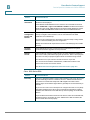
Cisco Device Feature Support
Device-Specific Limitations for OnPlus Features
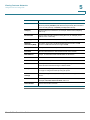
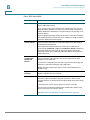
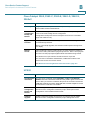
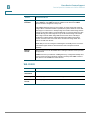
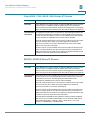
Cisco 1800 Series ISRs
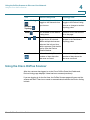
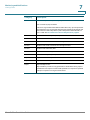
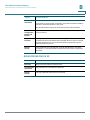
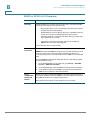
Feature
Constraints/Notes
Discovery
Cisco 1800 Series ISRs must have CDP enabled in order to be discovered
by the OnPlus Agent device.
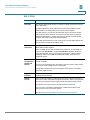
If you use Cisco CP or Cisco CP Express to configure the router, it is very
likely that CDP is disabled, since this is the recommended configuration. If
CDP is disabled, the 1800 Series router will show up in the Topology as an
Unknown Device.
Open the Device Information window for the device, select the Credentials
tab, click Device Driver, and select the Cisco 1800 Series. If CDP is enabled,
the device will be discovered properly.
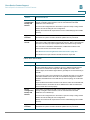
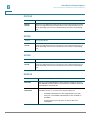
Access and Info
If device access credentials are not provided, the device's MAC address,
and IP address are displayed.
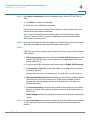
If the 1800 Series ISR has SSH access, and Level 15 credentials are
entered under Credentials > Login and Credentials > Enable in the Device
Information window on the portal, the device information collected be
displayed, and the device's ARP and CAM tables will be used to discover
additional devices.
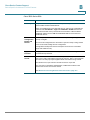
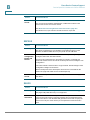
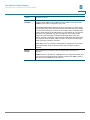
Device
Configuration
Backup and
Restore
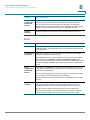
The backup of an 1800 Series ISR consists solely of storing a copy of the
startup-config file. Other elements, such as users defined in the AAA
database, are not backed up.
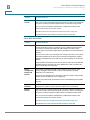
To restore the configuration, the saved file is copied to startup-config, and
the device is rebooted, loading the new configuration.
Backup and restore both require device access credentials (login and
enable access).
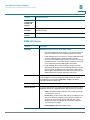
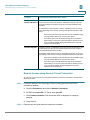
Upgrade
Firmware
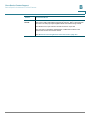
If the administrator has defined a boot load with the boot system command,
firmware upgrades are not performed.
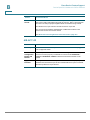
Remote Access
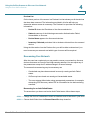
The normal web connection will not work. If you have CP Express loaded on
the router, it will try and load that program up and run it. This is a Java
program and does not work properly through the HTTP tunnel that is being
created.
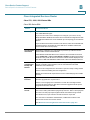
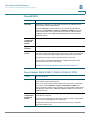
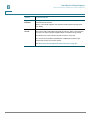
For HTTP access, open a Generic Tunnel connection on port 80.
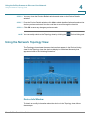
For Cisco IOS command-line administration, enable SSH or Telnet on the
device and connect via a Generic Tunnel.
See Remote Access using Generic Tunnel Connection, page 277.
252
Cisco OnPlus User Guide