1
Nokeval
No 130302 v3.0
User's Manual
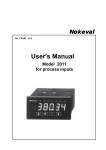
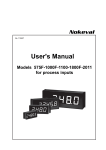
Model 910&920-2011
for process inputs
1
Contents
General Description ....................................................................................... 3
Process Dipsplay series 900 .......................................................................... 3
Indicator family 2000 .................................................................................
Technical specification ..............................................................................
Dimensions ..............................................................................................
How to order .............................................................................................
3
4
4
4
Front panel ...................................................................................................... 5
Configuration stage ...................................................................................
Resetting access code .............................................................................
Alarm level setting ....................................................................................
Alarm setting ............................................................................................
5
5
5
5
Configuration .................................................................................................. 6
Configuration parameters ..........................................................................
Alarms ......................................................................................................
Dec - number of decimals .........................................................................
Lo Hi - display scaling ..............................................................................
Lowpass filter ...........................................................................................
Steppass filter ...........................................................................................
Dead - dead zone around zero ..................................................................
Intens - display brigtness ..........................................................................
Input selection ..........................................................................................
External contact function ..........................................................................
Access code functions .............................................................................
Teaching potentiometer position ...............................................................
7
7
7
7
7
7
8
8
8
8
8
8
Connections .................................................................................................... 9
Voltage / current-input ..............................................................................
2-wire transmitter ......................................................................................
Input/output cards .....................................................................................
Potentiometer ...........................................................................................
External contact .......................................................................................
9
9
9
9
9
Series 900 construction ................................................................................. 10
900 series input and option cards: ........................................................... 11
Modular indicator serie 2000 .................................................................... 11
Manufacturer:
Nokeval Oy
Yrittäjäkatu 12
37100 NOKIA, FINLAND
Tel. +358 (0)3 342 4800
Fax. +358 (0)3 342 2066
http//:www.nokeval.com
2
Large panel display 910 & 920-2011
Indicators 5-digit display can be used for
values which demand large numerical value
but where the 'true span' is narrow.
e.g. input 4-20 mA corresponds altitude from
sea level 54,00(Lo 4 mA)...58,00 m (Hi 20
mA).
Display hold
V
Com
mA
24 VDC
2-wire
transmitter
Input
6
5
4
3
2
1
Slot A
Output
Relays
6
5
4
3
2
1
6
5
4
3
2
1
Slot B
Slot C
Relay A1
Relay A2
7 8 9
Power supply
General Description
Large display series 900-2011 is designed for general
process inputs 0/4..20 mA, 0..5/10V and potentiometers 100Ω-10 kΩ. Designers main goal has been to
achieve a unit with fast introduction time and easy of
use. Input selection and display scaling can be easily
done by back panel keys (4 keys). Optional alarm level
and hysteresis - additional card 2000-REL with two
relays - can also be easily controlled from indicators
back panel.
Measuring accuracy is 0,05% FS (15 bits) and it is
designed for 3-4 digit panel mounted process display.
When wider span is used display value can be
stabilized with freely selectable filter. This operation
makes it possible to use this indicator even as 5 digit
display. If larger numerical value is required same time
with fast display updating time it is recommended to
use indicator model 2021.
Decimal point position is freely selectable. Separate
access codes for configuration and alarm level control
can be selected. Display brightness can also be
selected via front panel keys.
There are two alternative power possibilities, one for
mains voltage 85..230 VAC and the other for 12-32
VDC or 24 VAC. Both are galvanically isolated from
inputt. Indicator can supply 24 VDC / 150 mA to sensor
or to other field equipment.
Indicator family 910 & 920
Process displays are a part of a larger product family.
This series indicators are easy to modificate for different type of inputs e.g. 2011 can be changed for Pt100
/ thermocouple input simply by changing the input card
to type 2021. This kind of modification doesn't require
any kind of calibration, user only configures the unit
with front panel keys.
When input card is changed it changes also the
model type. e.g. if process indicator 2011 is modified
for strain gage indicator with 2041-STG input card,
the model will change to 2041.
This model 2011 is basic indicator in this series. If You
require min / max value memory, more alarm relays,
temperature input or better accuracy, You should use
the model 2021 indicator.
3
Technical specification
Process inputs:
Range:
Display hold:
Input resistance:
Accuracy:
Sensor supply:
Power supply:
0..20 mA, 4..20 mA,
0..5 V and 0..10V
-9999..99999
f.ex. 4-20 mA= 58.500..59.500
(span 10.00)
by closing contact
current 50 Ω,
voltage input >1 MΩ
0.05% FS
24 VDC, max. 40 mA
Consumption:
Case material:
Terminals:
Weight:
Potentiometer: 100Ω -10 kΩ
Reference voltage: 2.5 V max load current 25 mA
Accuracy:
0.05 % FS
Alarms:
(option)
85..240 VAC or
12..30 VDC / 22..28 VAC
max. 12 W without sensor supply.
Aluminium, black
2.5 mm2 removable
1.5 kg
How to order
910-2011-REL2-24VDC
2 alarms, relays max 240 VAC,
2 A, selectable hysteresis 100%,
automatic or manual reset,
selectable direction
Model 910 (57 mm)
or 920 (100 mm)
Input card
Alarm card REL2
Power supply
24 VDC
General:
Input filter:
Digital, freely selectable
AD-converter:
15 bits (1/32000)
Measuring speed: 7 meas. /second
Temperature effect: 0.005 %/°C
Alarm indicators: 2, A1 and A2
Optional cards:
Alarm card
Display (910)
5 digit bright red LED, height
57 mm, brightness adjustable
Display (920)
4 digit bright red LED, height
100 mm, brightness adjustable
REL2
I
Dimensions:
Model 920E4-2061
Cut out model 920E5
80
498
+2
-1
161
153
153 +2
-1
5 dig. 507 mm
Model 920E4 Cut out,
408 (-1..2 mm) width
4 dig. 417 mm
Model 910E5-2061
4
Programming keys
The display of the back panel serves as parallel display to main display.
With arrow buttons
number settings are
changed or moved in the
menu.
5620.00
Cover plate of
terminal block
*
Acceptance of the chosen
programme section
Control electronics
Programming state
Alarm settings
The programming state is achieved by pressing the
button ★ and ▲ simultaneously for 2 seconds. In
the programming state, among others, the scaling of
the display, sensors and alarm form are being
placed. See up the programming in more detail in
the section.
The alarm levels can be set only in the programming
state because the alarm lights are not available in the
front panel.
Secret code
If a password (ALCode) has been set for configurations it must be fed before it is able to move configuration stage (it only asks if it has been set).
Resetting of programming parameters
The return of programming parameters as factory
arrangements will be obtained by pressing the
buttons of the 2 second time ★ and ▲ simultaneously when the power is switched on. This resets
also password (if forgotten).
.
Setting of alarm value
Number setting
You can set alarm value by ▲▼-keys number
by number. Setting starts from largest number
from left to right. You may go to next number by
➤ -key. Exit by ★-key.
400.00
Numbers
0...9 and , (decimal)
5
Configuration
Configuration can be started by pressing and holding
★- and ▲-keys simultaneously for 2 seconds. Arrow
keys ▲▼ moves up and down in main menu. Desired
function is selected with ➤-key. Save mode can be
selected directly by pushing ★-key in main menu.
To save and exit, push ➤ while save is displayed.
Alarm values can be selected in configuration mode or
in measuring mode. Hysteresis and alarm type can be
selected only in configuration mode.
Changes can be restored by selecting text UnDO into
display and pressing ➤-key. Note! Detailed
configuration stage description on next page.
Beginning
★- and ▲
Moving on menu
(▲▼ ) - keys.
rESEt
Auto / manual reset
User = manual reset by front panel key
Auto = automatic reset
Select alarm type, low or high
alarm: LoNo, LoNc, HiNo or HiNc
UnDo
Cancel
and Quit
Type
LoNo/LoNc
SAVE
Save and
Exit
HYST
Select hysteresis
ALn1
Level
ALn2
Alarm level 2 like alarm 1
DEC
Decimal selection -4..0..4
Lo
Value
★
Hi
Set alarm value.
Setting:
Select number amount with decimal
point (▲▼) (f.ex. 125.000) and then
(➤) value (▲▼).
Accept by (★)-key (twice).
★
Set
New value
Set min value of display when input
signal is on mimum value (f.ex. 4 mA)
★
Return
Set maximum value of display when
input signal is on maximum level.
Lopass
Lowpass filter
Stpass
Steppass filter
dEAd
Dead zone around zero
Intens
Brightness of display (1-5).
Default value 3
InPUt
Select input type
Text
4_20 mA
0_20 mA
0_5u
0_10u
SPec
Pot
6
=
=
=
=
=
=
Inputs
4-20 mA
0-20 mA
0-5V
0-10V
Special range
Potentiometer
External contact selection
CONTAC
Display holding, alarm reset
and tare function
OFF
HoLd
CFCODE
Access code for configuration
More information on next page.
ALrESE
ALCODE
CAL
ZEro
NoFiLt
Access code for alarms
CODE
External contact not in use
Display holding, by closing
contact
Alarms reset, by external
contact
Tare function
Bypassing the filter
Calibration. See details on potentiometer calibration.
Configuration parameters
Lopass (➤)
First order digital lowpass filter for input. Functions like
a RC circuit damping variations in the reading. Set the
time constant in seconds (63 % of step change)
0.000 = no damping
0.500 = normal damping
8191 = maximum damping
To enter into configuration mode press and hold ▲ and
★-keys simultaneously for 2 seconds. Save mode can
be selected directly by pushing ★-key in main menu,
otherwise ★-key moves backwards. Words printed in
italic represent indicators display symbols.
Undo, Save (➤)
Exit configuration mode without saving changes
(Undo) or save changes (Save).
Lowpass filter
Alarms
Alm 1 and Alm 2 (➤)
Level
= alarm level
Hyst
= hysteresis, High level alarm
Type
= Alarm type selection
Select one of the following
LoNo, Low level, contact normal open
HiNo, High level, contact normal open
LoNc, Low level, contact normal closed
HiNc, High level, contact normal closed
Reset
Auto or manual reset
User = manual reset from front panel or
external contact (conf menu - contac)
Auto = automatic reset
100%
63%
0%
Lopass
Stpass (➤)
Steppass filter. When strong damping (see Lopass
filter) in used, it takes very long for the indicator to settle
after large changes in input value. This can be eliminated with steppass filter. Normally the unfiltered input
value (dashed line in the graph) fluctuates around the
filtered value. However after large changes the sign of
the difference between unfiltered and filtered value will
remain unchanged for a while. When this time exceeds
the Stpass value (in seconds) the lopass filter is reset
and the indicator will jump to the current input value.
Dec (➤)
Number of decimals in display. Select 0…4 with ▲▼keys and accept with ★-key. When Dec value is
negative the corresponding number of last digits is
rounded to zero. f.ex. Dec = -2: two last digits are
always zero.
Lo, Hi (➤)
Display scaling. Lo-value represents display scaling
at 4 mA (or 0 mA / 0V) and Hi-value which is represents
display scaling at 20 mA (10V), F. ex. 4 mA=0.0 and
20 mA=100.0.
When value is in display it can be changed by
pushing ➤-key or continue straight into SAVE mode
with ★.
Steppass filter
++
+ -+ - +
- +
Lopas s
- - -- - - Ste ppas s
7
+ -+
Dead (➤)
Dead zone around zero. If the input reading is smaller
than the Dead value, the display is rounded to zero.
This is especially handy in weighing and flow measurement applications.
To prevent negative values only, set Dead = 0. To
disable the dead zone, set Dead = -1 or any negative
value.
Access code functions
Access code can be entered when the display shows
-Code-. Access code is formed with ▲▼★➤-keys.
Each time key is pressed line (-) moves from left to
right.
Entering access code must be started within 3 second
after text -Code- appears to display.
Total number of combinations is 46 = 4096.
Note! If You enter ★★★★★★, it means that access
code is not used.
If configuration access code is forgotten, the access
code can be reset by switching power off and holding
down buttons ★ and ➤ while connecting power back
again.
Intens (➤)
Display brightness 1-5 (st to select, accept with ★ ),
factory default 4, (5=brightest).
Input selection
Input (➤)
Select input
Display
4_20 mA
0_20 mA
0_5u
0_10u
SPEC
Pot
Input
= 4-20 mA
= 0-20 mA
= 0-5V
= 0-10V
= Factory settings
= Potentiometer
To remember access code better it is recommended to
give 'names' to buttons: 1=▲, 2=▼, 3=★, 4=➤. This
helps You to form codes with numbers e.g. number
143311 = ▲➤★★▲▲.
CFCode (➤)
Access code for configuration mode. If You feel that
You entered wrong code, You can enter it again. See
detailed instructions above.
External contact function
➤)
Contac (➤
OFF
= External contact not ni use
Hold
= Display holding, by external closing
contact
ALrESE
= Alarms reset, by external contact (if
user function selected from the
reset function)
ZEro
= Tare function by external contact or
front panel ★-key. Tare function
resets of that moment display value.
(Tare can be removed by pressing
the front panel ★ and ➤ -keys at the
same time)
NoFILt
= Lopass filter bypass. Use when
there is a switch indicating large
changes in input value.
ALCode (➤)
Access code for alarm level mode. Must be entered
to access into alarm level setting mode from normal
measuring mode.
Teaching potentiometer range
CAL (➤)
Select text CAL into display with ▲▼-keys. Push ➤.
Enter access code ★★★★★★.
Select with ▲▼ -keys text POt into display and led
A1 lits.Turn potentiometer into minimum and press ➤key for 1 second. Select ▲▼ text Pot and led A2. Turn
potentiometer into maximum position and press ➤.
Exit to main menu with ★-key.
8
2011 Connections
Input/output cards
Display Hold (6)
V
Com
mA
24 VDC
2-wire
transmitter
Input
Output
6
5
4
3
2
1
Slot A
6
5
4
3
2
1
Alarms
Nc
No
Nc
No
Slot B
6
5
4
3
2
1
7 8 9
Power supply 85..240 VAC
(grey connector)
or 12..32 VDC (no polarity)
or 24VAC (green connector)
6
5
4
3
2
1
+ 0..5/10V
- Common
+ 0/4..20 mA
Potentiometer size:
100Ω-10kΩ
+
Open jumper J2 when
potentiometer is used
External contact
2-wire transmitter
4..20 mA
+
Power supply for
transmitter 24 V
max. 150 mA
6
5
4
3
2
1
(Slot A)
Sensor supply 24 VDC /150 mA
6
5
4
3
2
1
Relay A2
Potentiometer
2-wire transmitter
6
5
4
3
- 2
+ 1
Relay A1
Slot C
Slot A is for sensor input and
slots B and C for optional cards.
Voltage / current-input
6
5
4
3
2
1
- Common
+ 24 VDC 150 mA
9
Large panelmeter construction
you
accept only closing or opening relay contacts, you
need only one relay card with 4 relays placed into slot
C. The slot B is now usable for other optional outputs.
You can have different types of meters by only
changing the input card in slot A. Data sheet of each
type of meter dictates the possible combinations.
Recalibration of card is not needed; only scaling and
other settings must be set by front panel keys.
The 910 & 920 series panelmeters are modular and
easy to assemble. According to customers wishes.
The basic construction consists of mother board with
tree slots, A, B and C. Slot A determines meter type
and provides always input signal. Slot B and C are
interchangeable. As factory delivery input signal is
always installed into slot A , mA output into slot B and
alarms into slot C. In case of f.ex 4 alarms and relay
card with 2 change-over contact (2 + 2 relays) are
used, you must place second relay card into slot B. If
All cards have calibration
memory
Slots A-C
A
B
C
Power supply 12...32 VDC
(Green connector)
or 85...240 VAC
(Grey connector)
Change of meter type:
Input card is placed always to
slot A. By changing input card
you can get an other type of
meter. You can change meter
with pulse input to meter with
current input, thermocouple,
strain gage etc.
Additional slots:
Additional cards provide output
4..20 mA, alarms, serial
interface, BCD output etc. Meter
data sheet dictates possible
combinations. grey connectors
allow line voltage 110...230
VAC (relay contacts).
10
Power supply:
There are two different mother
boards power supply
85..230VAC and 12..32VDC.
VDC-mother board accepts
24 VAC. Connectors are colour
coded.
Modular display series 910 & 920
5 digit or 6-digit
Option cards
(slots B and C):
E²
6543.21
Alarms cards:
2 relay card, 4 alarm types,
change over contacts
3 relay card, closing contacts
4 I/O-ports
E²
DAC
Sensor supply:
24VDC,
150 mA
2021
E²
2011
E²
ADC
Process inputs (model 2011):
0..20 mA, 4..20 mA
0..1V/5/10 V
Potentiometer 100Ω-10kΩ
uP
Input card contains:
- microprocessor
- bus control
- keys control
- display control
Model 2011:
2 relays change over contacts
(also with remote reset)
Output cards (not for 2011):
0/4..20 mA, 0..10 V
RS232 or RS485
Power supply:
85..260VAC or
12..32 VDC / 24 VAC
Indicator 2011 can have limited part of 2000 series functions. Model 2021 contains also
process inputs but it can also measure RTD-sensors and thermocouples. 2021 has more
accurate and faster A/D-converter (16 bit 1/64 000).
2000 series input and option cards:
2011-IN
2021-MU
2031-IR
2041-STG
2051-Hz
2061-CNT
2071-RS
2081-BCD
2000-BASE
2000-REL2
2000-REL3
2000-OUT
2000-RS
2000-I/O
Process input
Multi input
Infrared sensor input
Strain gage measurement
Scaleable frequency indicator
Counter input (max 5 kHz)
Serial input RS232 / RS485
BCD-input (1-5 digits)
11
Base card with power supply
Alarm card, NO/NC
Alarm card, Closing contacts
Output card, U and I
Serial output RS232 or RS485
4 pcs input /output ports
(60 V / 100 mA)
Manufacturer:
Nokeval Oy
Yrittäjäkatu 12
37100 NOKIA
Tel. +358 (0)3 342 4800
Fax. +358 (0)3 342 2066
http://www.nokeval.com
12