1
User's Guide
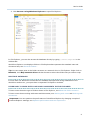
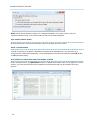
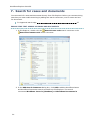
2. Click Browse using Windows Explorer to open File Explorer:
In File Explorer, you can also access the database directly by typing \\<host>\explorer in the
address bar.
WorkZone Explorer now displays folders in File Explorerthat represent the standard case and
document lists, see About the folders .
Tip: You can map a point in the folder structure to a network drive in File Explorer. Right-click on
Network, click Map network drive and then browse to select the folder that you want to map.
MULTIPLE DATABASES
If more than one WorkZone Content Server database was specified during installation of the
WorkZone web server, you open them in separate File Explorer windows.
LEARN HOW TO WORK WITH CASES AND DOCUMENTS IN FILE EXPLORER
To learn more about the type of folders shown in File Explorer, see About the folder structure.
To learn more about working with cases and documents, see Working with cases and Working with
documents.
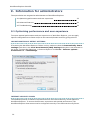
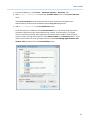
Important: You can optimize the performance of WorkZone Explorer by changing a couple of
Internet Explorer settings, see Optimize performance and user experience.
9