1
9.2.2
Webnet Configuration
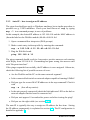
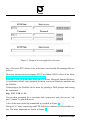
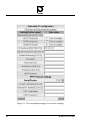
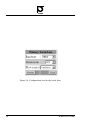
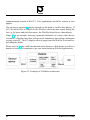
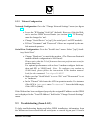
Network Configuration Go to the ”Change Network Settings” menu (see figure
11):
• Leave the ”IP Routing” field ’off’ (default). However, if the the Webnet is used as GPRS Access Router (see section 9.5 ) ”IP Routing”
must be changed to ’nat’.
• Change ”Serial Device” to [sp1] (for serial port 1 on DTE module).
• Fill out ”Username” and ”Password” if these are required by the mobile network operator.
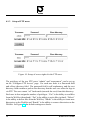
Serial Line Configuration Go to the ”Serial Lines” menu. Select ”[sp1] Auxiliary Serial Line”.
• Change ”Baud rate” to match the modem. (The Wavecom Fasttrack
modem default configuration is 9600 baud).
Please notice that the 2.0.a3 firmware does not perform auto scan for
modem baud rate.
For optimal performance with a class 2 modem configure both modem and SP1 to 34800 baud. Note: To configure your modem to
38400 baud, please follow the instructions in the modem manual.
Look for the command: "at+ipr=38400".
• Make sure that ”Serial Mode” is set to ’8N1’ and ”Flowcontrol” is set
to ’hardware’.
• In the ”Phone#” field enter the APN in quotation marks. For instance
if the APN is internet enter "internet". Leave the field empty
if the APN is [blank]
If the Webnet has been configured properly the assigned IP address on the GPRS
net is displayed in the ”Local IP Address” field in the ”Change Network Settings”
menu.
9.3
Troubleshoting (from LAN)
To help troubleshooting during and after GPRS installation, information from
the Webnet can be accessed from all serial ports: a console log on port 911 and a
WebNet User’s Guide
51