1
Setup with the indicating and adjustment module PLICSCOM
Sensor-TAG
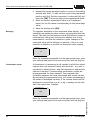
In this menu item you can enter an unambiguous designation
for the sensor, e.g. the measurement loop name or the tank or
product designation. In digital systems and in the documentation of larger plants, a singular designation should be entered
for exact identification of individual measuring sites.
Sensor-TAG
Sensor
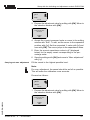
With this menu item, the Basic adjustment is finished and you
can now jump to the main menu with the [ESC] key.
Optional settings
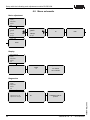
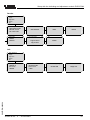
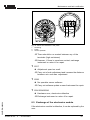
Additional adjustment and diagnosis options such as e.g.
scaling, simulation or trend curve presentation are shown in
the following menu schematic. You will find a detailed
description of these menu items in the operating instructions
manual of the indicating and adjustment module.
Reset
Basic adjustment
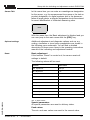
If the function "Reset" is carried out, the sensor resets all
settings to default.
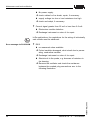
The following values will be reset:
Function
Reset value
Max. adjustment
3000 pF
Min. adjustment
0 pF
Integration time ti
0s
Linearization
linear
Sensor-TAG
Sensor
Display
%
Current output - characteristics
4 … 20 mA
Current output - max. current
20.5 mA
Current output - min. current
3.8 mA
Current output - failure
<3.6 mA
Tab. 3: Reset values
30027-EN-060224
Special parameters
All special parameters are reset to delivery status.
Peak values
The min. and max. values are reset to the current value.
VEGACAL 63 - 4 … 20 mA/HART
31