1
Setup with the indicating and adjustment module PLICSCOM
6.4 Setup procedure
Switch on phase
After VEGACAL 63 is connected to voltage supply or after
voltage recurrence, the instrument carries out a self-test for
approx. 30 seconds. The following steps are carried out:
l
l
l
Internal check of the electronics
Indication of the instrument type, the firmware version as
well as the sensor TAGs (sensor name)
Output signal jumps briefly (approx. 10 seconds) to the set
fault current
Then the actual measured value is displayed and the
corresponding current is transmitted to the cable.3)
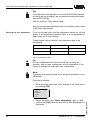
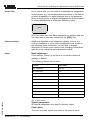
Address setting HART-Multidrop
In HART-Multidrop mode (several sensors on one input) the
address must be set before continuing with the parameter
adjustment. You will find a detailed description in the operating
instructions manual of PLICSCOM or in the online help of
PACTware™ or DTM.
HART mode
Standard
Address 0
Parameter adjustment
VEGACAL 63 measures the capacitance of the respective
product. To display the actual level of the product, an
allocation of the measured capacitance to the percentage
height must be carried out. For this adjustment, the capacitance is entered with emptied and filled vessel.
If the vessel cannot be emptied or filled completely, you can
carry out the adjustment also with two known levels - for
example with 10 % and 90 %. The difference between the
empty and full adjustment values should be as large as
possible.
The actual level can then be calculated on the basis of these
settings.
VEGACAL 63 must be installed. A change of level is
necessary for this adjustment.
30027-EN-060224
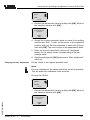
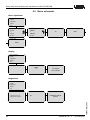
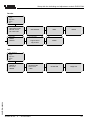
In the main menu item "Basic adjustment", the individual
submenu items should be selected one after the other and
provided with the correct parameter values.
3)
VEGACAL 63 - 4 … 20 mA/HART
The values correspond to the actual level as well as to the settings already
carried out, e.g. default setting.
27