1
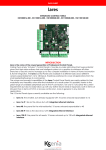
MANUALE DI INSTALLAZIONE - INSTALLATION MANUAL
PIATTAFORME INTEGRATE - INTEGRATED PLATFORMS
KSI1000016.300 - KSI1100016.300 - KSI1000048.300 - KSI1100048.300 - KSI1100128.300
INDEX
Introduction............................................................................................................................................................. 17
Specification for model.......................................................................................................................................... 18
Devices features..................................................................................................................................................... 19
Technical data........................................................................................................................................................ 19
LOGICAL FEATURES
Zone / Inputs............................................................................................................................................................ 20
PARTITIONS
Outputs..................................................................................................................................................................... 21
USB Interface........................................................................................................................................................... 21
Ethernet Connectivity - LAN Network................................................................................................................... 22
Vocal Messages...................................................................................................................................................... 22
Remote Control of the System.............................................................................................................................. 22
Monitoring the Power Supply................................................................................................................................. 23
Addressing the Devices on the KS-BUS................................................................................................................. 23
lares and Home Automations................................................................................................................................ 24
Firmware Updating................................................................................................................................................. 24
Parts Identification.................................................................................................................................................. 25
Wall Mounting Instructions..................................................................................................................................... 26
Mounting Notes....................................................................................................................................................... 26
Connections............................................................................................................................................................ 27
Connection Terminals............................................................................................................................................. 27
Typical Connection Diagram................................................................................................................................ 28
Description Of Power Supply Connection........................................................................................................... 28
Ks-Bus Connection Diagram.................................................................................................................................. 29
Maintenance........................................................................................................................................................... 30
Certificazioni............................................................................................................................................................ 30
INTRODUCTION
lares is the new trade mark of Ksenia Security’s professional burglar alarm systems. This is a somewhat reductive
definition, in view of the enormous potential and flexibility of these systems that are able to encompass the
other branches of security so as to manage the automation and the integration of buildings, TVCC, control of
accesses and other applications.
The lares systems are available in three models and five different versions which are expandable from 16
to 128 inputs to cover all targets of the market, from real estate to large-building department stores. The
modularity and versatility of the lares series enables the system, even by a large range of peripherals and the IP
connection, to be adapted to any current requirement as well as to later expansions.
System expandability is implemented by the auxi devices that operate on the fast 4-wire KS-BUS. The lares
systems can be programmed by a PC through IP (on the version with integrated Ethernet) and by direct
uploading through the USB port. Additionally lares has various control functions (unit switch-on and -off, call lock,
alarm reset), and several others.
lares
installation manual
2
SPECIFICATIONS FOR MODEL - TECHNICAL DATA
HARDWARE
Control Panel
lares 16
lares 16-IP
lares 48-IP
lares 128-IP
Power supply voltage
230 V~ -15/+10% 50 Hz 0,3A
230 V~ -15/+10% 50 Hz 0,5A
Power Supply Battery Charger
(Type A norm EN50131-6)
14,1V ± 1% 1,7A
14,1V ± 1% 3,5A
Current consumption (max.)
Maximum current available for
external devices
60mA
100mA
60mA
100mA
600 mA grade 2
100 mA grade 3
Max. output voltage ripple
1400 mA grade 2
200 mA grade 3
Max. current for battery charging
600 mA
750 mA
Maximum battery recharge time to 80%
10 h
24 h
Deep discharge voltage protection
10 V
Low battery threshold (restore)
11,5 V (13,1 V)
12 V
Allocable batteries
7,2 Ah
Maximum number of inputs
16
18 Ah
48
Built-in inputs (fixed + programmable)
128
6+4
Maximum number of OC outputs + relays
Ethernet connectivity management
100mA
120 mV
Low voltage threshold
16
NO
48
YES
128
NO
“On-the-go” USB port
YES
Power supply fault detection
YES
YES
Over voltage protection
YES (17,5 V)
Combinations of Digital Key
More than 4 billions
Alarm transmission system
ATS2 pontis - ATS4 gemino BUS
Time for generation and
transmission of alarm messages
3 sec.
Time for detection and
presentation failures
10 sec.
Protection class
IP 3X
Security grade
3
Environmental class
II
Isolation Class
YES
I
Overall dimensions (WxHxD)
255x295x80 mm
325x400x90 mm
Weight (with battery)
2,3 Kg (4,5 Kg)
4,2 Kg (10 Kg)
auxi expansion modules
4
24
40
ergo LCD keypads
8
12
20
imago outdoor siren on BUS
8
12
20
radius indoor siren on BUS
8
12
20
volo proximity reader
8
12
20
divide BUS isolator/repeater
8
12
20
GSM gemino communicator
YES
PSTN pontis communicator
YES
duo BUS wireless receiver
2
Operating range
-10 / +55 °C
Humidity (not condensed)
95 %
Certifications
T 014 / 1th Edition 2003 + A1:2002 + A2:2003 + A3:2005
CE • EN50131-1 • EN50131-3 • EN50131-6 • EN50136-1-1
Certifying Body
3
lares 48
IMQ - SIstemi di Sicurezza
lares
installation manual
SPECIFICATIONS FOR MODEL - TECHNICAL DATA
SOFTWARE
Control Panel
lares 16
lares 16-IP
lares 48
lares 48-IP
lares 128-IP
Manageable partitions
8
12
20
Programmable switch-on modes
16
32
64
Timers
16
16
16
Daily scheduler
32
32
SI
User codes
16
Transponder keys
64
48
64
128
64
Recorded events (logger)
128
128
1500
Telephone numbers
20
50
100
DEVICES FEATURES
DEVICE
auxi
expansion
module
ergo
LCD
keypad
imago
outdoor
siren on
BUS
radius
indoor siren
on BUS
volo
proximity
reader
divide
BUS isolator/
repeater
gemino
GSM
communicator
ATS4
PSTN
communicator
ATS2
*
IMQ
SISTEMI DI SICUREZZA
EN50131-1 • EN50131-3
CONSUMPTION
pontis
20mA
P terminal
and outputs
excluded
15mA
20mA
20mA
80mA
stand-by
stand-by
stand-by
stand-by
400mA
250mA
250mA
max
max
40mA
20mA
max
250mA
duo BUS
wireless
receiver
opis
Supervised
power supply
station
*
50mA
50mA
max
50mA
max
*
In order to maintain the conformity with the listed norms at page 30, the GSM communicator gemino and PSTN communicator pontis
have to be installed on metal cabinet. In case of installed pontis, system will be certified grade 2. In order to guarantee a sufficient GSM signal
coverage, it is recommended to implement an external antenna.
lares
installation manual
4
LOGICAL FEATURES
ZONE / INPUTS
Every board of the system carries 6 programmable inputs and 4 terminals which, upon installation, can be
configured as inputs or as outputs (essentially we have up to 10 inputs on the system). Moreover, a specific
connector is available for connecting the protections against opening and removal of the control panel
from the wall. Depending on the model, the number of inputs can be extended up to a maximum of 128.
Depending on the requirements, each input, both on the PC board of the Control Panel and on the auxiliary
module, is programmable in five different types of balancing: NC (normally closed), NO (normally open), BAL
(single balancing or line end EOL), DBAL (double balancing or double line end 2EOL), 3BAL (triple balancing or
triple line end 3EOL).
The following table shows how the lares system interprets the resistance values for the different balancing
configurations and their associable conditions.
Balancing
Scheme
NC
Range 0
Range 1
Range 2
Range 3
Range 4
0 - 1,8 kΩ
2,2 - 4,1 kΩ
4,2 - 6,8 kΩ
7,2 – 14 kΩ
∞ (open)
Rest
Alarm
Alarm
NA
Rest
Tamper
BIL
DBIL
Tamper
3BIL
Tamper
Rest
Rest
Alarm
Rest
Alarm
Alarm
Tamper
Mask*
Tamper
* The mask event it’s managed as fault.
Direct connection of rolling shutter type or inertial (glass break) type sensors is possible.
lares manages the following responses in the system:
• 24h
• Immediate
• Entry delay
• Exit delay
• Entry path
• Exit timeout
In the case of the path zones, it is possible to customize the breach sequence and what would be the last
zone1.
Inputs can also be grouped in AND among them. Moreover, also in this case, the user can easily decide
whether they are to be breached in sequence or not.
In order to maintain the conformity with the listed norms at page 30, the alarm zones have not to be balanced ‘NC’ or ‘NA’
In case of alarm, arming the system will be possible only excluding these zones. In case of tamper / fault events the
arming mode will never be possible.
1
5
For more details please refer to Programming Manual, at the section of customizing of zones, at the topic named Entry Level.
lares
installation manual
PARTITIONS
Each input can be associated freely to a group (partition) in order to simplify its management. There are 8, 12
or 20 partitions available, depending on the model (see Table). For every partition, it is possible to program the
entry, exit, warning and patrol times and to define a variety of switch-on and triggering methods.
OUTPUTS
The control panel PC board carries one supervised double-switching programmable 1A relay output and four
500mA OC outputs. Depending on the model, the number of outputs can be extended up to a maximum of 64.
Whether the outputs are located on the control panel PC board or in the auxi module, each of them can be
programmed according to the requirements: polarity (normally open or normally closed); operation (bi-stable
or mono-stable); activation times (ON time and cycle time).
Outputs can be commanded in the following ways:
MODALITY
Automatic
Manual2
HOW TO SWITCH ON
• Zone events (alarms, tamper, by-pass, mask or real time)
• partition events (alarms, tamper, triggers, mask, bell, patrol, communication, entry time, advice, exit time,
management e negligency)
• Peripherals events (tamper or disapper)
• Timer / scheduler
• Networks loss/restore (power supply, Ethernet)/generic events
• Keystroke on ergo keypad
• Via webserver (keystroke on virtual keypad)
• Codes / keys
For more details please refer to Programming Manual.
USB INTERFACE
All lares systems have an “On-the-go” capable of connecting directly to the PC or to a USB flash-memory key.
The following table explains the differences.
PC
USB Key
2 See
As device
As host
It’s a link between the PC and the system. Using basis SW you can configure
the system, update vocal messages, the FW of the main board and the
peripherals, read the real time of the zone and partitions.
Using this link you can update the system configuration (after the key
being loaded via basis SW) or update vocal messages or FW (main and
peripherals).
Use the Micro USB adapter - KSI7501000.020
also lares and home automations.
lares
installation manual
6
ETHERNET CONNECTIVITY - LAN NETWORK
The Ethernet interface is already integrated in the PC board of the lares 16-IP, lares 48-IP and lares 128-IP versions:
this solution allows managing the system easily via any internet connection from anywhere around the world.
ETHERNET
ETHERNET
Network Link
It’s a link between the PC and the system. Using basis SW you can configure the system, update vocal
messages, the FW of the main board and the peripherals, read the real time of the zone and partitions.
Network Link
Via web-server it’s possible:
• Display FW and SW versions, web-server and peripheral versions.
• Read and/or modify the name of the host and other network settings (DHCP, IP address, SMTP
parameters)
• Dynamic DNS
• Updating web-server pages
• Read and/or modify date and time
• Read event log and peripherals staus
• Display and switch on/off outputs.
• Display and arming/disarming of partiotions
• Display and by-pass/unby-pass zones
System is protected by a three-level security mechanism: all remote operations require PIN insertion, data are
encrypted before be sent on the network; last, remote access can be inhibited or limited by the user (i.e. can
be limited to real time or event logger reading only).
VOCAL MESSAGES
Up to 400 distinct vocal messages can be recorded in the system, with almost 15 minutes recording time. They
will warn the user in case of alarm or fault (with a specific message for every zone) or guide the user in the
various functions of the system. The vocal messages are managed by gemino (if sent via GSM) or by pontis (if
signalled via PSTN), or are reproduced locally on the ergo keypads.
They can be recorded in 3 different ways:
• Through the microphone of your PC
• By importing wave files
• By means of two text-to-speech (TTS) vocal synthesis programs, both available through basis3.
ALARM TRANSMISSION SYSTEM
DEVICE
SMS
VOCAL MESSAGES
E-MAIL
SIA IP (DC-09)
CONTACT-ID
lares IP
ETHERNET
gemino BUS
GSM / GPRS
pontis
PSTN
In order to maintain the GRADE 3, the panel have to be connected to the central monitoring station exclusively through GPRS or
ETHERNET nets with SIA DC-09 communication protocol, using the gemino GSM communicator.
In order to maintain the GRADE 2, the panel have to be connected to the central monitoring station through vocal synthesis
communication, using pontis PSTN communicator (ATS2). Each event have to be associated with a transmission.
REMOTE CONTROL OF THE SYSTEM
The system can easily be remotely managed through the following available options, namely by:
• Using the integrated web-server (see Ethernet connectivity - LAN network)
• Just calling the system via GSM or PSTN through the guided menu
• Sending an SMS (gemino BUS expansion board is required)
One engine is offered free of charge and is of normal quality; the second is of excellent quality (LOQUENDO TTS is a registered trademark
of LOQUENDO S.p.A.) licensed under a one-off payment. With the latter the installer can program the lares series systems, the gemino series
communicators, and other future devices.
3
7
lares
installation manual
MONITORING THE POWER SUPPLY
lares monitors both the external power supply voltage and the battery. It periodically checks the efficiency
status of the battery, and will issue a warning in the case of problems. Moreover, in case of prolonged absence
of power supply, the system turns the battery off to prevent deep discharges. This is not merely a protective
measure: it is the system itself that disconnects the battery and, before switching itself off, lares performs all of
the necessary checks, stores the switch-off date and time for any subsequent checks and then switches the
system off without causing any faults. In this case the sirens will not sound, thus avoiding undue trouble.
ADDRESSING THE DEVICES ON THE KS-BUS
This is a fundamental step when starting up our system. Ksenia introduces an innovative concept for addressing
its devices: all of them come from the factory already preset with a serial number composed of 6 numeric digits.
The code distinguishes every single device univocally. The serial number can be read both through the basis
software and the ergo keypad, as follows.
METHOD
READING
SUBSTITUTION
basis software
In the display page of
the real-time status
In the main display page of the peripheral device in question, under item
’Serial number’
‘Peripherals’ Menu > Assign, Program
ergo keypad
The replacement is not allowed.
This new approach for addressing peripherals has many advantages:
• Protection from substitution (each peripheral being different from any other and then easily distinguishable);
• Impossibility in creating conflicts (same peripheral address);
• Reduction of the possibility of making mistakes in large systems.
If the system has only one peripheral per type, it is very simple: it is advisable to leave it unassigned, then from
the keyboard its assignment will be univocal.
The only care to be taken when configuring and programming the devices is the one of correctly associating
the serial number of the device to its actual position in the system, especially when there are more peripherals
of the same type. For example, if you decide that keypad1 with serial number 000012 will be used in the lounge
and keypad2 with serial number 000020 is to be used in the garage, then they will have to be installed physically
in the lounge and in the garage as planned before; otherwise the two devices will operate in reverse order.
In the following table some examples about where and how to find the serial number are shown.
DEVICE
LOCATION OF THE SERIAL NUMBER
ergo4
Access the installer menu and move to the last item,
‘Version’
auxi
imago BUS
pontis
volo
divide
radius BUS
opis
Label adhesive attached, worded SN XXXXXX
gemino BUS
On the GSM radio module, it corresponds to the last 6 digits
of IMEI (in this case 272130)
EXAMPLE
Vers:
0.0.199
S.N.:
250875
In order to program and use the keyboard correctly, it is necessary to know the USER and INSTALLER codes from the factory that have to
be changed later on: USER: 147258 • INSTALLER: 123456
4
lares
installation manual
8
lares AND HOME AUTOMATIONS
The lares control panel is unique in this concern, too. Its own platform integrates itself with extreme ease in
any Home Integration & Automation logics. It takes an absolutely leading role, as it is perfectly capable of
managing autonomously the domotic applications you always dreamt of for your house – without any help
from a PC or the use of any complicated programs.
A list of home automation appliances (regardless of burglar systems) follow:
• Lighting
• Heating / conditioning systems
• Irrigation systems
• Automations and control of loads
• Fire detection and extinguishing system
• Audio / video entertainment
• Audio / video surveillance
• Accesses control
The I/O modules that can be used for programming and managing the various loads are the same auxi
modules used for expanding the control zones or the programmable inputs of gemino communicator and,
thanks to their miniaturisation level and the brand-new self-learning system with serial code, they can easily be
hidden in any pre-existing small wall-mounting enclosures (i.e. junction boxes or switch/socket boxes).
Management of the domotic system is tightly related to the concept of scenario (macro function): every
time an event occurs on the system (which can be a button stroke, entering of a code upon the keypad, the
breach of a zone, the combination of more events that can be tailored, etc.), the system affords the possibility
of programming through the following parameters the desired macro function:
• Turning partitions on / off
• Activating or deactivating outputs (up to 8 for each macro function)
• Reproducing a vocal message
• Activating the vocal communicator
• Sending an E-mail
• Sending an SMS
• Activating a timer
The system can be managed very simply through the ergo keypad: up to 10 macro functions can be
associated to each keyboard, every macro related to the stroke of a numeric key, or after the entering of a
valid user-code. Another important peculiarity of the lares systems in home-automation environments is the
storage into memory of the repeated macro functions: for example, the system will automatically propose
the macro function that you activate most frequently from a keyboard, allowing you, in each case, to use the
circular scroll in order to see the other macro functions that can be activated5.
Tutto ciò allo scopo di fare interagire l’utente con il sistema per mezzo del numero minimo di pressione di tasti.
All of this to allow the user to interact with interfaces by the least number of key strokes. You just need to enter
your PIN, on the keyboard, through the tag proxy or your NFC mobile phone into the ergo keyboard.
FIRMWARE UPDATING
Both the firmware of the control panel board and the firmware of all peripherals connected via the KS-BUS can
be updated easily in a few seconds. It is not necessary to make any special connection, or to insert jumpers or
to switch off the system or the peripherals: the firmware can be uploaded directly to the control panel through
its USB port (either from PC or uploaded from a USB key), or remotely via Ethernet communication (if enabled by
the user).
The update occurs automatically and is absolutely safe, all Ksenia Security devices have a unique technology
for updating the firmware: the dual-firmware-mode. A copy of the new firmware is saved in the control panel
that must be updated. Once copying (which can be done during normal working of the system) is completed,
the control panel checks the new firmware by means of a CRC sequence (cyclic redundancy check). If the
operation is found to be correct, the system will commence using the new firmware; if not, it will keep using the
old code; this guarantees the maximum of reliability even in case of breaking of transmission.
Essentially, all Ksenia Security systems are back-compliant: new features and functions that will become
available in future will be integrated to pre-existing systems without any need to modify or replace the existing
peripherals.
5
9
Please refer to the User Guide.
lares
installation manual
PARTS IDENTIFICATION
hereafter, shows the main parts composing the lares system. The picture also shows the power supply
connections in detail: pay attention to the earth connection. The two holes on the case bottom provide an
wide passage of cables for wiring the peripheral devices also in the case of quite large systems.
13
12
4
- 12V -
4
5
5
+
A
B
10
3
-
+P i5
i6
-
3
i2
-
5
- +P1 M3 M4
-
NC C NO +A +R
11
5
+P i1
+P1 M1 M2
14
2
+P i3
9
4
11
i4
CENTRALE - CONTROL PANEL
CENTRALE - ZENTRALE
19
4
19
2
1
8
21
19
19
2
6
17
17
7
15
6
20
16
3
3
lares
installation manual
10
1. Metal bottom 2. Large holes for passing cables
3. Bottom securing holes 4. System’s board brackets
5. auxi PC board brackets
6. Anti-tamper micro-switch
7. Micro-switch cable + connector
8. Earth connections on threaded pin and nut
9. Control panel board
10. Control panel micro-controller
11. Interconnection terminals
12. Programming USB connector
13. USB key (optional)
14. Power supply cable
15. 12V battery
16. Switching power supply unit
17. Battery terminals
18. Power supply unit terminals
19. gemino PC board brackets
20. Support for power supply unit
21. Holes for cables fixing
WALL MOUNTING INSTRUCTIONS
In order to correctly install the metal cabinet and the components inside it, please follow the instructions here
below:
1. Fix the metal cabinet to the wall using Ø 0.32 inch screws (options)
In order to maintain the conformity with the listed norms at page 30, install a screw in correspondence to the tamper
2. Extract the support for power supply unit. (20)
3. Fix the power supply unit to its support using the provided M3 screws.
4. Replace the support.
5. Wire the cables as shown in picture.
6. Ensure the cables to the fixing holes (21).
MOUNTING NOTES
• Arrange outside the Panel an isolating device (es. Circuit Breaker Device 16A Curve C).
• The two power supplies have respectively two internal fuses (25W - T2AL / 50W - F3.15AL).
In case should fail, its replacement requires the opening of the power supply and must therefore be carried
out by authorized personnel.
• Wire the earth connection directly on the power supply unit.
• The power supply conductors must be 0,6 inch.² minimum section.
•
Depending of the installed power supply unit and Control Panel, check
the relative box in the label, outside the metal cabinet.
•
Power supply unit RS25-15
Ksenia Code KSI7101217.000
•
Power supply unit RS50-15
Codice Ksenia KSI7101230.000
MADE IN ITALY
11
lares
installation manual
CONNECTIONS
The lares control panel is governed by a powerful 32-bit micro-controller that controls all of its
functions. Figure 2 below shows – in addition to an overall view of the PC board and the use of the various
jumpers – the layout of the system’s terminals and provides a short description of their use.
AL - 12V battery connector
AL
T
STOP
TAMP, T - Tamper
Open: Tamper reveal ON
Closed: Tamper reveal OFF
STOP - Factory Data
1. Turn the control panel off
2. Remove the STOP jumper
3. Turn the system on
The green LED remains steady lit until the STOP jumper
is reintroduced, and the system remains on stand-by.
4. As soon as the jumper is inserted, the control panel
restores the factory data, and normal operation
commences
KB
LED
LED - micro-controller operation LED
It blinks during normal operation
TAMP
ETHERNET
KB - KS-BUS auxiliary connector
[+] [A] [B] [-]
ETHERNET - Ethernet/IP connector
It is used for the IP connections (web-server, local net, Internet)
CONNECTION TERMINALS
TERMINAL
TYPO
DESCRIPTION
Power supply to the system.
Connect the 14.2V voltage of the power supply unit.
12V
+P • +P1
It delivers a positive auxiliary power supply to the devices
connected to the control panel. This is a 13.8V 1A (max
supply if the power supply unit is 1.7A, or 2.3A (max.) if the
power supply unit is 3A.
Power supply
Negative power supply
Earth
The power supply unit and of the metallic enclosure earth
protection must be connected to this terminal
i1 • i6
Input
System zones or input terminals
M1 • M4
Programmable I/O
Input/Output terminals, programmable via software,
Open Collector type, 500 mA (max.)
Normally closed contact, 1A (max.)
NC
C
1st switchover relay
Common contact, 1A (max.)
NO
Normally open, 1A (max.)
+A
Alarm positive present 1A (max.) – supervised
+R
2nd switchover relay
Rest positive missing 1A (max.)
BUS power supply positive
+
A
B
TX signal
KS-BUS
serial communication
RX signal
Negative power supply
-
lares
installation manual
12
TYPICAL CONNECTION DIAGRAM
A basic connection diagram is shown in figure. To assist the installer, a label on the back of the metal cover of
every lares system reports the necessary connections for correct operation, as shown below:
BATTERY
A
A
KS-BUS
B
B
-
- 12V -
USB PORT
-
+P i5
i6
-
+
+
+P i3
i4
CENTRALE - CONTROL PANEL
CENTRALE - ZENTRALE
- +P1 M3 M4
-
NC C NO +A +R
+P i1
i2
-
DETECTORS
+P1 M1 M2
ETHERNET CABLE
lares™ 16-IP 48-IP 128-IP
+V -V
N
L
POWER SUPPLY
DESCRIPTION OF POWER SUPPLY CONNECTION
+V -V
N
L
TERMINAL
DESCRIPTION
+V
Power output
14,2V
-V
Protection ground
N
L
13
lares
installation manual
Power Supply Voltage
220Vac
KS-BUS CONNECTION DIAGRAM (RS485)
Peripheral units of the Ksenia system are connected through the fast KS-BUS. It is recommended not to exceed,
for each wiring branch (e.g. control panel - device), the maximum length of 500 m (1400 feet), and the
complete wiring should not be longer than 1000 m (2800 feet). Always use a screened cable with one end of
the screen connected to the control panel’s ground6 and the other end free. Figure below is an example.
+
A
B
-
+
A
B
-
ergo
Keypad
+
A
B
-
+
gemino
A
B
-
auxi
GSM/GPRS
Communicator
Expansion Module
+
A
B
-
Others BUS
Peripherals
You should always take care to connect the screen properly, as indicated above, also for connections of other
devices that don’t communicate with the KS-BUS, especially in the presence of very long wiring.
MAINTENANCE
To perform the periodic maintenance of devices please follow the instructions here below:
• Remove the dust eventually deposited on metal cabinet using a damp cloth without any solvent.
• Check the connections and conductors status.
• Check for no external bodies inside of the Control Panel
6
Not the protection ground.
lares
installation manual
14
Installation of these systems must be carried out strictly in accordance with the instructions described in this
manual, and in compliance with the local laws and bylaws in force.. lares series have been designed and made
with the highest standards of quality and performance adopted by Ksenia Security. Is recommended that the
installed system should be completely tested at least once a month. Test procedures depends on the system
configuration. Ask to the installer for the procedures to be followed. Ksenia Security srl shall not be responsible for
damage arising from improper installation or maintenance by unauthorized personnel. The content of
this guide can change without prior notice from KSENIA SECURITY.
CERTIFICATIONS
EN50131-3 • EN50131-6 • EN50136-1-1
CERTIFYING BODY:
IMQ - Sistemi di Sicurezza
GRADE 3 • CLASS II
IMQ
Sistemi di Sicurezza
Information for users: Disposal (RAEE Directive)
Warning! Do not use an ordinary dustbin to dispose of this equipment.
Used electrical and electronic equipment must be treated separately, in accordance with the relative
legislation which requires the proper treatment, recovery and recycling of used electrical and electronic
equipment.
Following the implementation of directives in member states, private households within the EU may return their
used electrical and electronic equipment to designated collection facilities free of charge*. Local retailers may
also accept used products free of charge if a similar product is purchased from them.
If used electrical or electronic equipment has batteries or accumulators, these must be disposed of separately
according to local provisions.
Correct disposal of this product guarantees it undergoes the necessary treatment, recovery and recycling. This
prevents any potential negative effects on both the environment and public health which may arise through
the inappropriate handling of waste.
* Please contact your local authority for further details.
15
lares
installation manual
lares
installation manual
16
ENVIROMENTAL CARE
lares™ is designed and manufactured with the following features to
reduce its environmental impact:
1. Halogen-free laminates and lead-free PCBA
2. Low current consumption
3. Packaging made mostly of recycled fibres and materials obtained
from renewable sources
www.kseniasecurity.com
RMX0300005.300