1
MONA 1.4
D.1
Examples: Presburger arithmetic and transduction
Exporting and importing
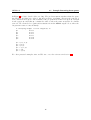
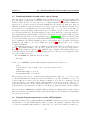
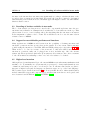
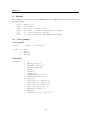
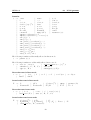
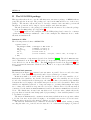
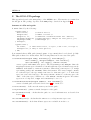
Importing and exporting as described in Section 6.1 is done using the following functions:
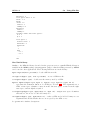
void dfaExport(DFA *a, char* filename, char *names [], int orders [])
exports a to the file named filename in the format described in Appendix C.1. The
null-terminated array names contains the names of the variables of a , and orders
contains the orders (’0’: boolean, ’1’: first-order, ’2’: second-order).
DFA *dfaImport(char* filename, char ***names, int **orders )
imports an automaton from the file named filename and makes *names and *orders
point to newly allocated arrays as those described at dfaExport.
D.1 Examples: Presburger arithmetic and transduction
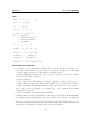
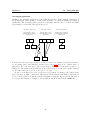
In general there are two methods for creating new automata:
1. The first is to write a MONA WS1S formula which expresses the desired property, then
make MONA export the corresponding automaton using the export construct, and
finally use dfaImport to import the automaton in your application.
2. The other is to use the functions for explicit construction of automata as it has been
done for the basic automata in MONA.
The first method allows you to use the succinct logic of WS1S instead of describing the
automaton explicitly. The second method allows you to parameterize the construction and
has the advantage that you do not have to consider variable ordering.
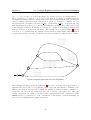
The construction of the automaton for Presburger constants (see the function dfaPresbConst in DFA/basic.c) illustrates the second method. The construction is parameterized in
the sense that it depends on the choice of the constant.
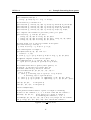
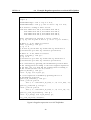
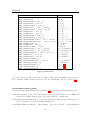
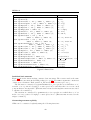
The example program Examples/presburger analysis.c illustrates the use of the functions dfaImport and dfaMakeExample and shows how to use the DFA package without including the MONA front-end. It takes two command-line arguments: the name of a“.dfa”
file, and the name of a variable. It reads the file, searches for the variable of the given name,
and then analyses the automaton to find a satisfying example. It then extracts the part of
the example belonging to the chosen variable, decodes the base 2 encoded value, and prints
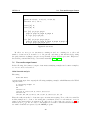
it. As an example, running MONA on the following program
var2 X;
export("test.dfa", X = pconst(42));
and then executing
presburger_analysis test.dfa X
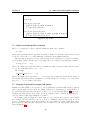
gives the following reply:
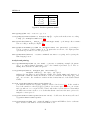
satisfying example:
X = 42
66