1
(b)
Read/Write Test
Select this item to test the data reading and writing operations of the card reader/
writer.
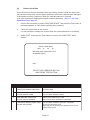
If an error message is displayed during the cleaning operation, refer to 7-3-2 Card
Read/Write Errors page 81.
The card dispensed after the test contains dummy data. This card cannot be used to
play the game.
1.
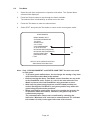
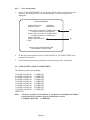
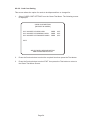
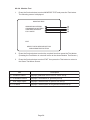
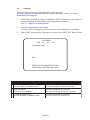
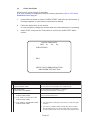
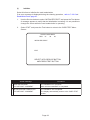
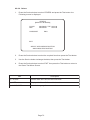
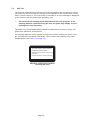
Use the Service button to select “TEST START” and press the Test button. A
message appears to notify that the card read/write test is starting.
2.
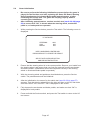
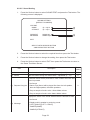
Follow the instructions on the screen.
It is not possible to change the screen while the card reader/writer is operating.
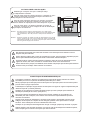
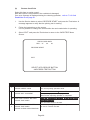
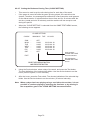
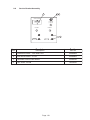
READ/WRITE TEST
RPS
: 31
30
30
TEST START
EXIT
SELECT WITH SERVICE BUTTON
AND PRESS TEST BUTTON
3.
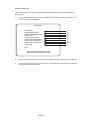
Select “EXIT” and press the Test button to return to the CARD TEST Menu
Screen.
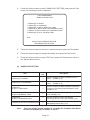
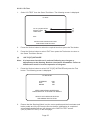
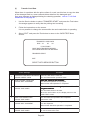
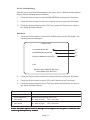
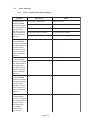
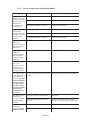
Screen Message
Procedure
1 STARTING CARD READ-WRITE TEST
NOW EJECTING CARD
The card reader/writer automatically takes a card from
the dispenser, and the read/write test star ts.
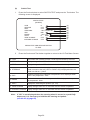
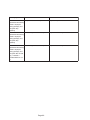
2 NOW WRITING DATA AND LOADING
DATA
PLEASE WAIT A MOMENT
The data read/write test is in progress.
Wait until the test is completed.
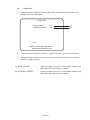
3 READ-WRITE TEST IS COMPLETED
PLEASE TAKE CARD
The test has completed. No problem was found in the
test.
Be sure to remove the card
Page 62