1
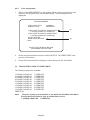
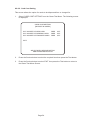
6-2-2-8 Book Keeping
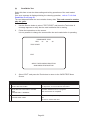
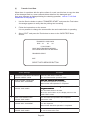
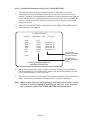
Use this test to view book keeping data for the game, and to initialize the data and set
factory defaults (Backup Memory Initialize).
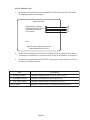
1.
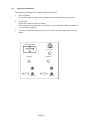
Press the Service button to select BOOK KEEPING and press the Test button.
2.
Press the Service button to select the required item then press the Test button.
3.
Press the Service button to select ‘EXIT’ then press the Test button to return to
the Game Test Menu Screen.
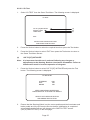
Data Clear
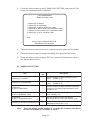
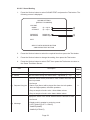
1.
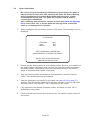
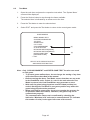
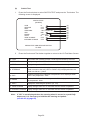
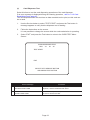
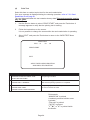
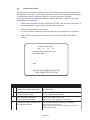
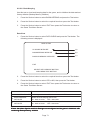
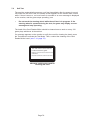
Press the Service button to select DATA CLEAR and press the Test button. The
following screen is displayed.
DATA CLEAR
HI-SCORE INITIALIZE
(a)
BOOKKEEPING INITIALIZE
(b)
BACKUP MEMORY INITIALIZE
(c)
EXIT
SELECT WITH SERVICE BUTTON
AND PRESS TEST BUTTON
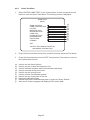
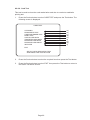
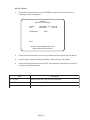
2.
Press the Service button to select the required item then press the Test button.
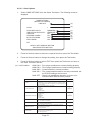
3.
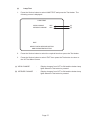
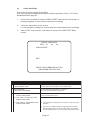
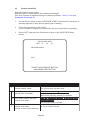
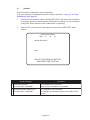
Press the Service button to select YES or NO, then press the Test button.
4.
Press the Service button to select ‘EXIT’ then press the Test button to return to
the Game Test Menu Screen.
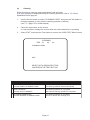
Item
Description
(a) HI-SCORE INITIALIZE Resets high score data NO - score not reset YES - score reset.
(b)
BOOK KEEPING
INITIALIZE
Resets all Book Keeping data to 000
YES - data reset.
NO - data not reset
(c)
BACKUP MEMORY
INITIALIZE
Sets all Game and Coin options to factor y default.
YES - data reset
NO - data not reset
Note:
E n s u r e t h a t G a m e O p t i o n s a n d C o i n S e t t i n g s a r e r e c o n f i g u r e d a n d t h e g a m e i s I n i t i a l i ze d a f t e r
c o n d u c t i n g B a ck u p M e m o r y I n i t i a l i z e .
Page 71