1
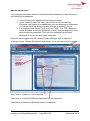
Introduction HR Connect People Manager is an online system that provides managers with instant access to a wide range of functionality and information in relation to the staff who report to them. This includes, where available and relevant the ability to: View employee information, including job details, salary history and employee learning accounts Record Professional Development Review (PDR) meetings Approve annual leave, flexi-leave and time off in lieu (TOIL) requests View, monitor and amend holiday and time of in lieu entitlement View and record sickness absence View team annual leave and absence calendar Run a selection of standard reports You do not have access to sensitive information such as National Insurance numbers or equality and diversity data. You will be able to view staff who report to you, including staff who report indirectly to you. For example, a Head of School will have access to information for everyone in their School, not just their immediate reports. Reporting lines are maintained by HR, so please contact the HR Adviser for your area if they need to be amended. You will not have access to your own details through HR Connect People Manager, but will be able to access these details separately through HR Connect Self Service. Data Protection and Confidentiality As HR Connect contains detailed personal information it is important that you use it responsibly to ensure that the security of your own and you reporting staff’s information is maintained at all times. When you have finished using HR Connect please always log out or close your web browser or tab. Unlike other web based systems HR Connect does not retain your login information and you will need to enter your username and password every time you access the system. It is also important that you never let anyone else know your university username and password as this information would allow people to access personal information about your and your staff, with a risk of identity fraud. If you believe others may be aware of your password please change it immediately. If at any point you feel that your information security may have been compromised you should contact the University's IT Help Desk in the first instance (ext.3000). More details about information security can be found on the Staff Intranet. For further information on the University’s data use policy please refer to the Data Protection Fair Processing Statement for Staff. People Manager User Guide Holiday and Leave Management Page 2 of 23 September 2014