1
USER GUIDE
Revision 01
Please Read All Instructions Carefully Before Using
Please retain the information in this User Guide for
future reference
Primary ICT Ltd - www.primaryict.co.uk
Make’n’Go User Guide
Battery precautions
Batteries should only be fitted by adults
Only batteries of the same or equivalent
type as recommended are to be used
Do not mix non-rechargeable and
rechargeable batteries
Replace batteries when function becomes
impaired
Remove exhausted batteries from your
Make’n’Go
Batteries are to be inserted with correct
polarity
Do not short-circuit the battery terminals
Always dispose of old batteries safely
Rechargeable batteries are to be removed
from your Make’n’Go before charging
1
Primary ICT Ltd - www.primaryict.co.uk
Make’n’Go User Guide
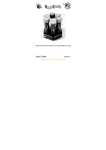
Getting Started
Locate the aerial inside the connection and
screw carefully into the top of the handset
Insert 2 type AA batteries into the handset and
type AA batteries into the Make’n’Go. Ensure
they are connected correctly as shown on the
cover. Discard any exhausted batteries safely.
Selecting a Channel
1. Make’n’Go can work with three selectable
channels
2. Select the same channel on the handset and
the Make’n’Go
3. Up to three Make’n’Gos can be used at the
same time by using the different channels
Replaying a sequence
1. Move the left stick on the handset forwards
and backwards to make the Make’n’Go travel
forwards and backwards
2. Move the right stick on the handset left and
right to make the Make’n’Go turn left or
right
2
Primary ICT Ltd - www.primaryict.co.uk
Make’n’Go User Guide
3. The number of trailers that can be pulled will
depend on how much power is left in the
batteries
4. The range of the remote control will depend
on the battery power
Technical specification
Radio frequency 27MHz
Three separate channels: A, B and C
Length: 20cm excluding towhook
Width: 10cm
Batteries: 3 x AA in Make’n’Go
2 x AA in Handset
Support & Warranty
This product is provided with a one-year
warranty for problems found during normal
usage. Mistreating the Make’n’Go or opening
the unit will invalidate this warranty.
All out of warranty repairs will be subject to a
replacement fee.
TTS Group Ltd
Freephone: 0800 318686
3
Primary ICT Ltd - www.primaryict.co.uk
Make’n’Go User Guide
Unit 1
Park Lane Business Park
Kirkby-in-Ashfield
Nottinghamshire, UK
NG17 9LE
Freefax: 0800 137525
4
Primary ICT Ltd - www.primaryict.co.uk