1
Bee-Bot Guide_Layout 1 15/11/2011 10:29 Page 1
✓ Rechargeable
Child friendly
programmable
floor robot
✓ Robust
✓ Easy to use
USER GUIDE
Primary ICT Ltd - www.primaryict.co.uk
Bee-Bot Guide_Layout 1 15/11/2011 10:29 Page 2
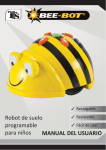
Bee-Bot is an award winning programmable floor
robot with a simple, child-friendly layout which is a
perfect starting point for teaching control, directional
language and programming to young children. Please read all instructions carefully before using and retain the packaging as it
contains important information.
Pack Contents
•
•
•
Bee-Bot
User guide
USB charging lead (note that this lead is solely for the
purposes of charging the Bee-Bot battery and cannot be
used for transferring data).
Contents
Know Your Bee-Bot ....................................................................3
Recharging Your Bee-Bot............................................................4
Programming Your Bee-Bot ........................................................4
Clearing the Program ................................................................5
Low Sleep Mode ........................................................................5
Battery Precautions....................................................................5
Care and Maintenance ..............................................................5
Troubleshooting ........................................................................6
Specification ..............................................................................7
Warranty and Support ..............................................................8
2
Primary ICT Ltd - www.primaryict.co.uk
Bee-Bot Guide_Layout 1 15/11/2011 10:29 Page 3
Know Your Bee-Bot
Forward
Backward
90° Left turn
USB charging
socket
90° Right turn
1 second pause
Clear the memory
Start the program
Primary ICT Ltd - www.primaryict.co.uk
3
Bee-Bot Guide_Layout 1 15/11/2011 10:29 Page 4
Recharging Your Bee-Bot
•
•
•
•
•
•
•
Insert the USB cable into the charging socket on the underneath of your
Bee-Bot.
Connect the other end to a spare USB port on a PC or laptop. Alternatively,
connect to a USB charging plug.
If you have the Bee-Bot docking station, then place the Bee-Bot into the
docking station and connect the power cable.
The green LED in the left eye will turn on to show that the Bee-Bot battery is
charging.
The green LED in the left eye switches off when the Bee-Bot is fully charged
It may take up to 12 hours to fully charge the Bee-Bot if the battery has been
fully discharged.
Once fully charged your Bee-Bot will have approx. 8 hours of normal usage,
approx. 2 hours when in continuous use.
Programming Your Bee-Bot
Your Bee-Bot has been designed as a simple floor robot.
• After initial switch-on, the sequence memory is cleared, pressing <Go> at
this point will simply cause a sound to be played and no motion to occur.
• The user can press a sequence of commands, which are stored in the
sequence memory. A maximum of 40 commands can be stored; each
command being either one forward/backward movement, left/right turn, or
a pause.
- Each forward or backward command causes the unit to move approx.
150mm in the required direction.
- Each turn command causes the unit to rotate 90o.
- A pause command causes the unit to pause for 1 second.
• When the <Go> button is pressed, the unit will execute all the commands
stored in order with a short pause between each command.
• When the command sequence completes, the unit will stop and play a
sound. (The sound can be turned on/off using the switch on the underside).
• Pressing <Go > whilst a sequence is running will stop the sequence.
4
Primary ICT Ltd - www.primaryict.co.uk
Bee-Bot Guide_Layout 1 15/11/2011 10:29 Page 5
Clearing the Program
•
•
When the memory in your Bee-Bot is full, no more commands can be entered.
Pressing the clear key <X> will clear the sequence memory.
Low power sleep mode
•
•
•
If your Bee-Bot is not used for 2 minutes, then it will play a sound and go to
sleep.
In sleep mode, very little power is consumed and the batteries will last a long
time.
Pressing any button in sleep mode, wakes the Bee-Bot up, plays a sound and
flashes the eyes.
Battery precautions
•
•
•
•
•
•
•
Bee-Bot is powered by a Lithium Polymer battery pack which is user
replaceable.
Non-rechargeable batteries are not to be recharged.
Rechargeable batteries are only to be charged under adult supervision.
Batteries are to be inserted with the correct polarity.
Exhausted batteries are to be removed from the Bee-Bot
The supply terminals are not to be short-circuited.
Regularly examine for damage the plug, enclosure and other parts. In the
event of any damage, the toy and charger must not be used until the damage
has been repaired.
Care and maintenance •
•
•
•
If necessary, wipe the Bee-Bot gently with a clean damp cloth
Keep the Bee-Bot away from direct sunlight and heat.
Do not allow the Bee-Bot to come into contact with water or other liquids. If
painting or gluing on the additional shells, ensure the shells are dry before
clipping to your Bee-Bot.
In the event of static, your Bee-Bot may malfunction. In this case, please
switch it off and then back on again to reset it.
Primary ICT Ltd - www.primaryict.co.uk
5
Bee-Bot Guide_Layout 1 15/11/2011 10:29 Page 6
The battery fitted to your Rechargeable Bee-Bot is a replaceable DC 3.7V,
500mAh, Lithium Polymer rechargeable battery.
• The battery is located under a removable hatch held in place by a security
screw. Using the correct screwdriver, remove the hatch.
• The battery can now be disconnected. Only the correct replacement battery
pack can be used. Connect the new battery and carefully locate the battery in
its compartment. Being careful not to trap the wires, replace the battery
hatch and secure with the screw provided.
Troubleshooting
Your Bee-Bot is a precision toy that has been designed to work within an Early
Years / school environment. However, it is not designed to be dropped or trodden
on or otherwise mistreated.
Under no circumstances should you open up the Bee-Bot as this will invalidate
your warranty.
6
Problem
Bee-Bot won’t do anything
Solutions
• Ensure Power switch is “ON”
• Ensure the batteries are charged
Problem
Lights come on, but no movement
Solutions
• Recharge the batteries
Problem
No sounds
Solutions
• Ensure “Sound” switch is “ON”
Problem
Bee-Bot doesn’t travel straight
Solutions
• Look for foreign objects in wheels
• Check for smooth patches on wheels
Primary ICT Ltd - www.primaryict.co.uk
Bee-Bot Guide_Layout 1 15/11/2011 10:29 Page 7
Specification
Your Bee-Bot has been designed to be as accurate as possible in its movements.
However, due to the natural tolerances of mass-production, we can make no
claims beyond those given below. In most cases you will find that your Bee-Bot, on
a good clean surface free from bumps, will perform even better.
Forward/backward movement ..............................150mm ±8mm
Left/right turn ..................................................................90° ±4°
Pause....................................................................1 second ±15%
Speed of movement ......................................approx. 65 mm/sec
(depends on battery condition)
Batteries ..............................D.C. 3.7V, 500mAH Lithium Polymer
Battery life ..................................approx 8 hours in normal usage
(depends mainly on amount of movement)
Safety certificates ..................................CE, EN71, EN62115, EMC
Primary ICT Ltd - www.primaryict.co.uk
7
Bee-Bot Guide_Layout 1 15/11/2011 10:29 Page 8
Warranty & Support
This product is provided with a one-year warranty for problems found during
normal usage. Mistreating the Bee-Bot or opening the unit casing will invalidate
this warranty. All out of warranty repairs will be subject to a replacement fee.
Technical Support
Please visit www.tts-group.co.uk for the latest product information.
Email [email protected] for technical support.
TTS Group Ltd.
Park Lane Business Park
Kirkby-in-Ashfield
Nottinghamshire,
NG17 9GU, UK.
Freephone: 0800 318686
Freefax: 0800 137525
WARNING: Do not dispose of this product in
household waste. Hand it over to a collection
point for recycling electronic appliances.
WARNING! Not suitable for children under 3 years due
to small parts – choking hazard.
Made in China, on behalf of the TTS Group Ltd.
TTS Group Ltd., Park Lane Business Park,
Kirkby-in-Ashfield, Nottinghamshire, NG17 9GU, UK
TTS is part of the RM group
O8OO 318 686
www.tts-shopping.com
EL00363 - Bee-Bot Primary ICT Ltd - www.primaryict.co.uk