1
Table of Contents
Get Started
1
User Guide Notes
1
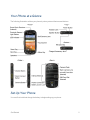
Your Phone at a Glance
2
Set Up Your Phone
2
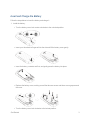
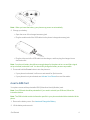
Insert and Charge the Battery
3
Insert a SIM Card
4
Activate Your Phone
5
Set Up Voicemail
6
Sprint Account Information and Help
7
Sprint Account Passwords
7
Manage Your Account
8
Sprint Support Services
9
Phone Basics
10
Your Phone’s Layout
10
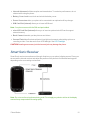
Smart Sonic Receiver
12
Turn Your Phone On and Off
13
Turn Your Screen On and Off
13
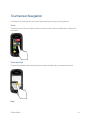
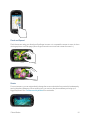
Touchscreen Navigation
14
Your Home Screen
17
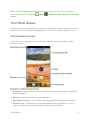
Home Screen Overview
17
Extended Home Screens
18
Customize the Home Screen
18
Status Bar
20
Enter Text
22
Touchscreen Keyboards
23
Swype
23
Swype Settings
27
Android Keyboard
28
Android Keyboard Settings
31
Copy and Paste Text
32
Phone Calls
Make Phone Calls
Call Using the Phone Dialpad
34
34
34
ii